
KineticDamage
一款易于使用且高度可配置的 Minecraft 模组,通过根据动能缩放伤害和击退效果,为战斗带来更真实的体验。
此模组仍在开发中,许多新功能仍在规划中!这是我的第一个模组,希望你能觉得它有用!
如果你有功能请求或发现 bug,请创建一个 issue 或在 Discord 上联系我!(用户名:o7q)?
✨ 特性
-
⚔️ 伤害缩放
本模组具备一个高度可配置的伤害缩放系统,改变了 Minecraft 对生物造成伤害的方式。

-
? 击退缩放
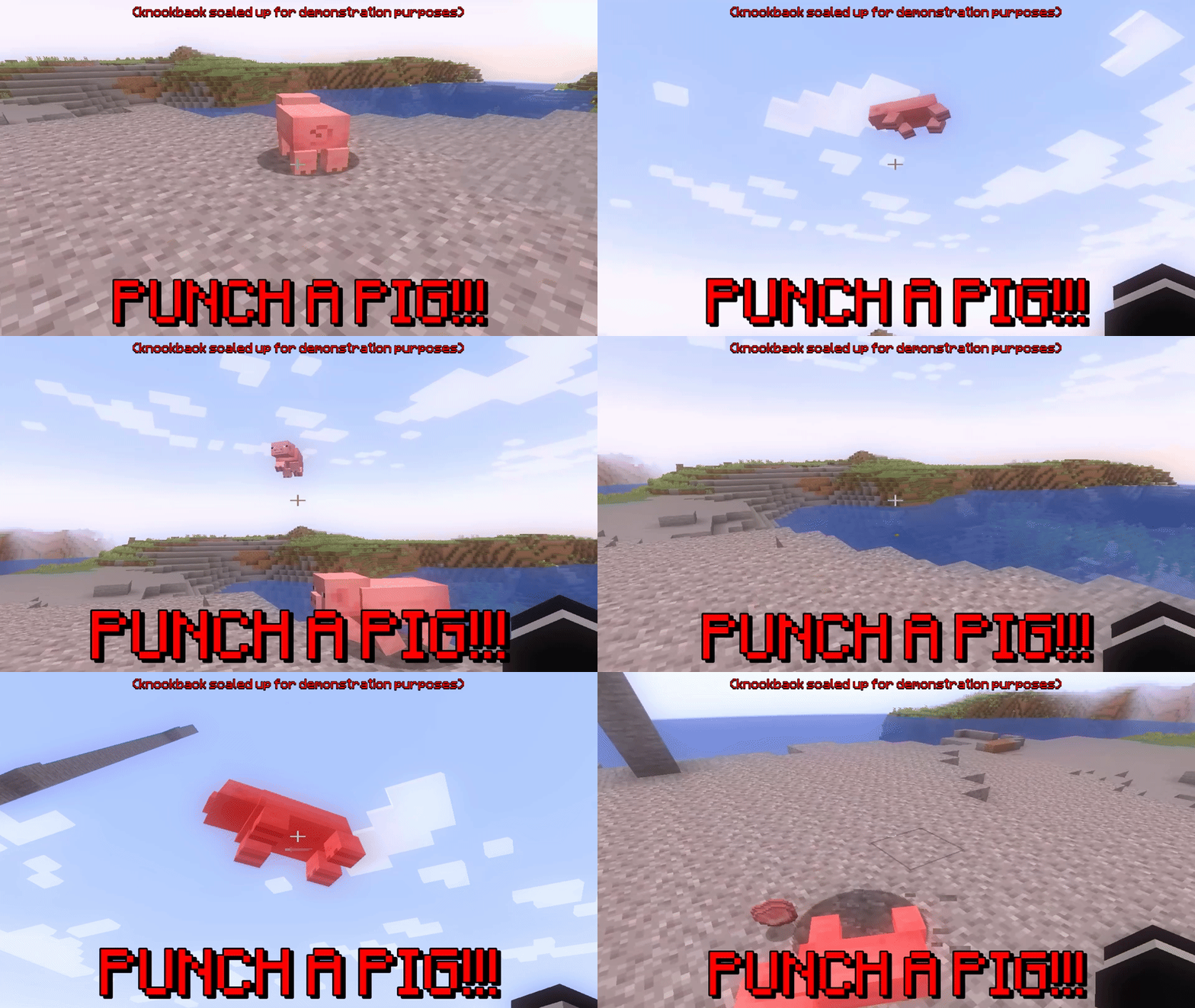
你还可以配置能量从你自己转移到其他实体的方式。
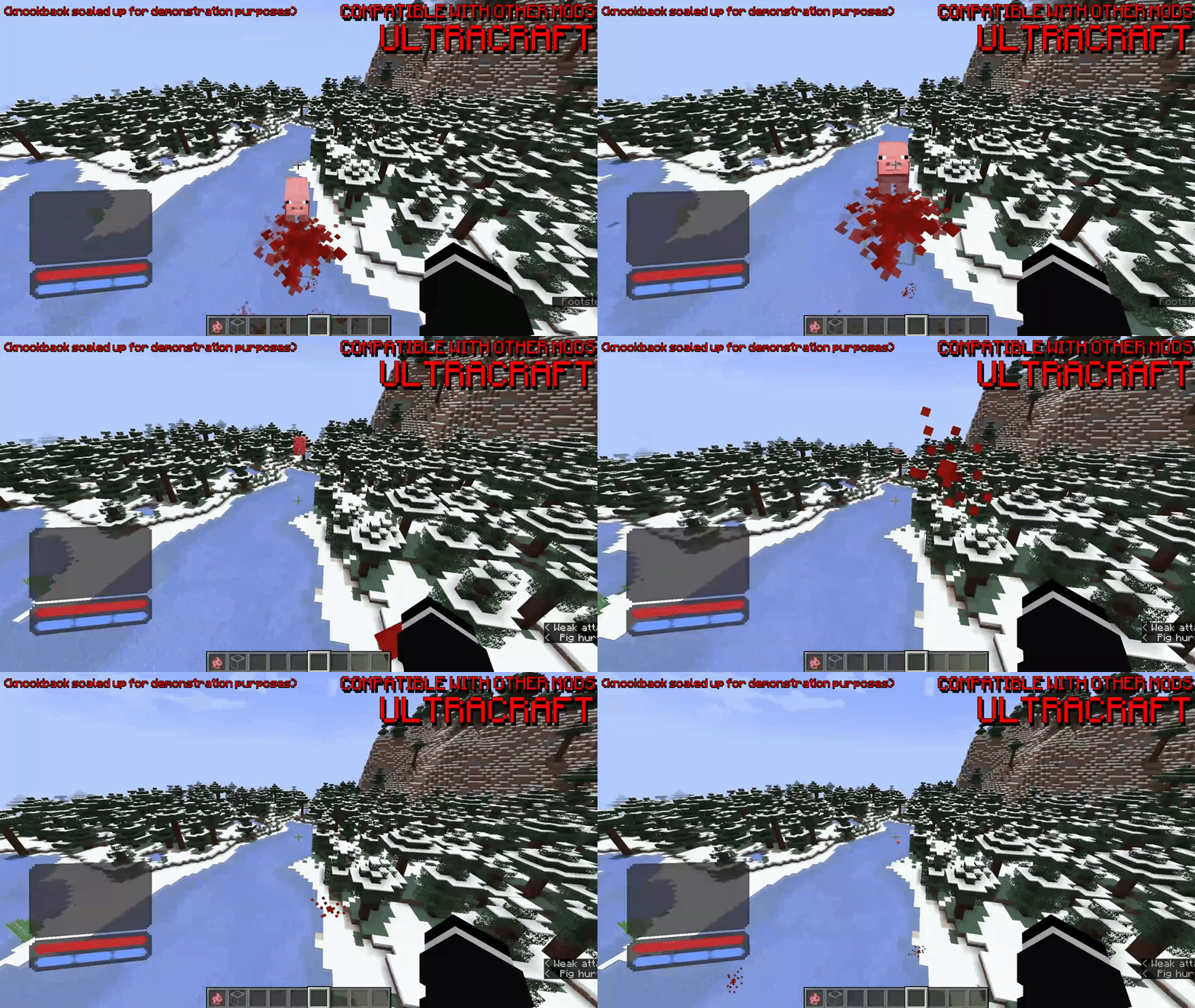
与其他模组高度兼容,这里有一些与 ULTRACRAFT 的例子
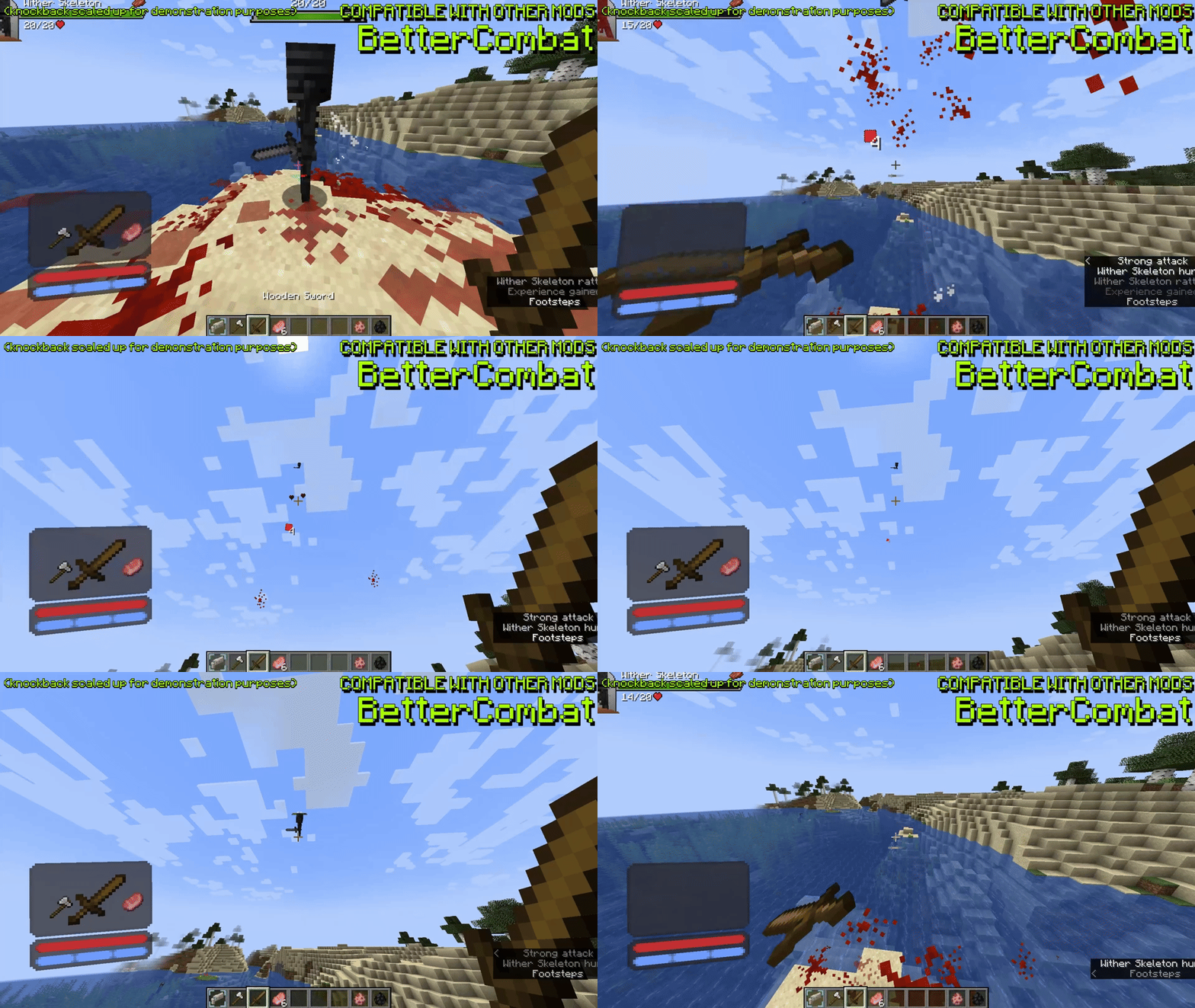
与 BetterCombat 的例子
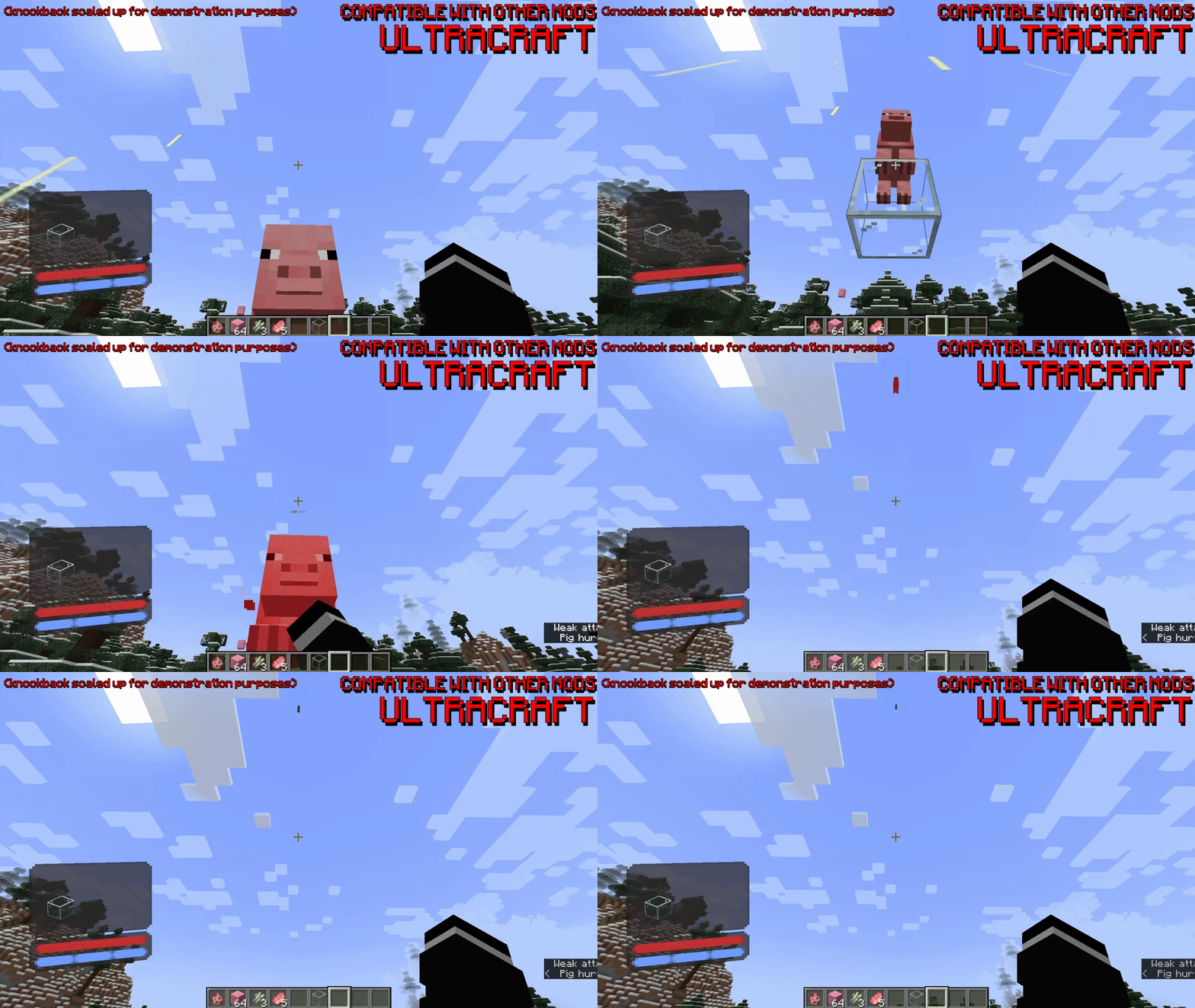
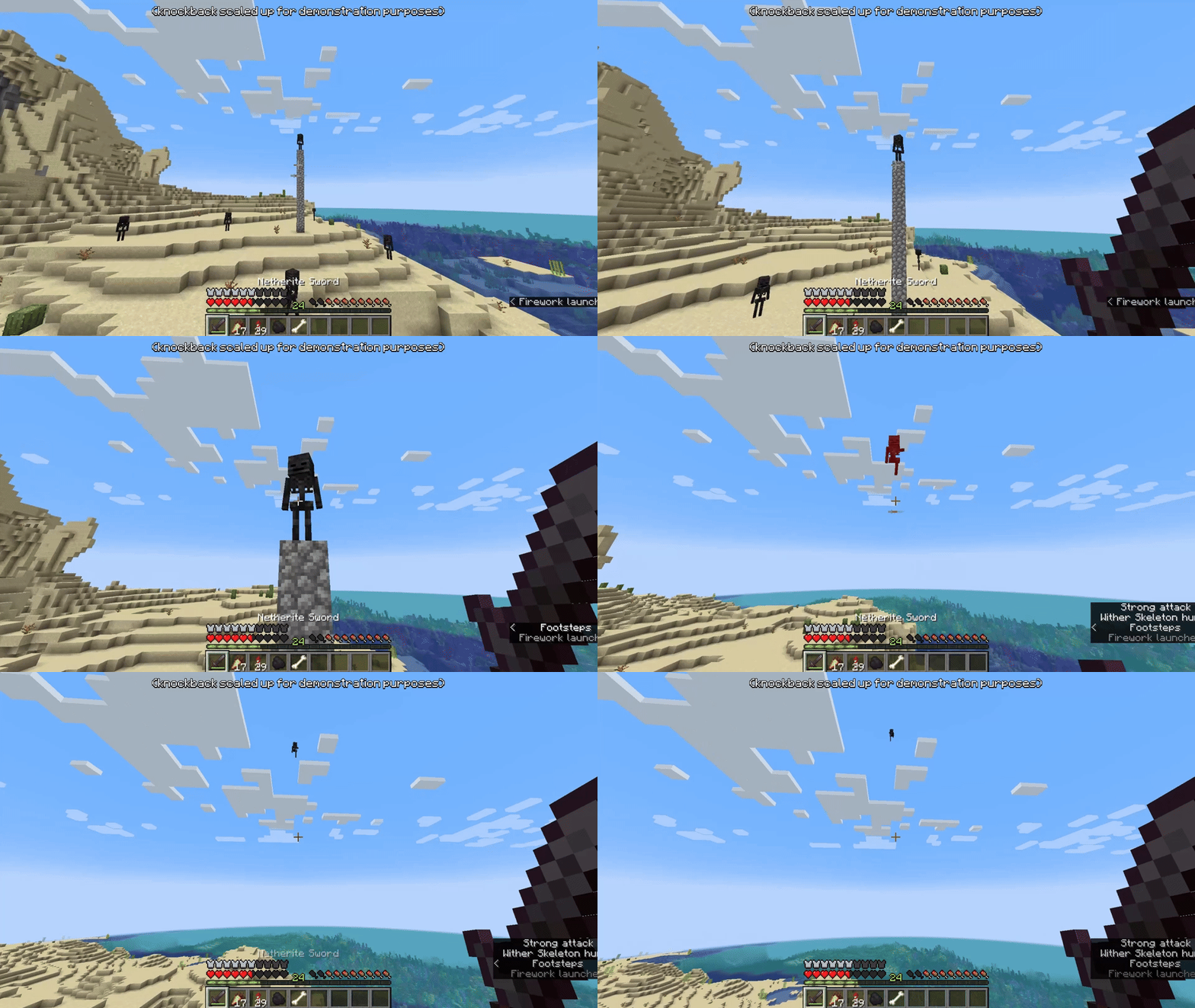
鞘翅的例子
? 命令
/kineticdamage reload 重新加载配置文件
就这些!暂时如此... ?
⚙️ 配置
这是 KineticDamage 的默认配置文件。它包含每个可配置选项的解释,并充当指南。
# KineticDamage config
# 如果不想在版本变更时重新生成配置,请用 '#' 注释掉 'version'
version=1.0.0_beta1

# 伤害乘数
# 这些值将乘以计算出的伤害值
damage-multiplier-vertical=1.0
damage-multiplier-horizontal=2.0

# 指定最大可造成的伤害量
# 负数将解除伤害上限
damage-max-vertical=50.0
damage-max-horizontal=-1.0

# 击退乘数
# 根据攻击者的 incoming velocity(来向速度)缩放击退效果
knockback-multiplier-x=2.0
knockback-multiplier-y=1.0
knockback-multiplier-z=2.0

# 动作乘数
# 根据攻击者的动作缩放伤害和击退
action-sprinting-multiplier=1.5
action-swimming-multiplier=0.75
action-sneaking-multiplier=0.5
action-crawling-multiplier=0.25

# 使用玩家下落距离进行伤害计算
# 玩家下落得越远,造成的伤害越大
# 此外,这部分伤害将叠加在玩家速度已造成的伤害之上
player-use-fall-distance=true

# 使用直接攻击注册而非标准攻击回调(使用 mixin 在客户端计算)
# 如果你遇到模组兼容性问题(例如 BetterCombat,或其他可能干扰 KineticDamage 的战斗类模组),此选项很有用
# 通常应启用此选项,但如果你遇到问题,请尝试禁用它
player-use-direct-hit-register=true

# 使用玩家头部旋转向量进行数学计算
# 这将使用玩家的头部旋转而非身体速度来计算数值
# 如果启用,服务器将始终使用玩家的头部旋转向量来计算击退向量,而不是玩家本身的速度向量
# 换句话说,击退将始终发生在玩家注视的方向,这虽然不够真实,但可能非常有趣
player-use-head-rotation=false

# 实体的速度是否应完全被新计算的速度覆盖?
# 默认情况下,新计算的速度会添加到实体的原始速度上,这样更真实
# 如果启用,所有原始实体速度将被忽略并被新计算的速度覆盖
entity-ignore-original-velocity=false
高级选项
玩家坠落距离的阻尼函数
此选项会使坠落伤害和击退效果随着玩家坠落时间的延长而更缓慢地增加
这是为了防止玩家直接从山上跳下并一击秒杀任何生物
我还包含了一些随着坠落时间增加伤害的选项(反向阻尼选项)
如果您不想使用任何阻尼函数,请指定:none
阻尼选项(按强度递增):linear(线性)、sqrt(平方根)、log_e(自然对数)、log(对数)、tanh(双曲正切)
反向阻尼选项(按强度递增):quadratic(二次方)、cubic(三次方)
注意:'none' 与 'linear' 相同,但 'linear' 会在计算中使用其系数和常数值
player-fall-distance-damping-function=sqrt
该值在进入阻尼函数之前乘以坠落距离。如果阻尼函数设置为 'none',则此值将被忽略
player-fall-distance-damping-coefficient=10.0
水平偏移因子,示例:f(x) = FUNC(AX + K1 <-) + K2
player-fall-distance-damping-constant-1=0.0
垂直偏移因子,示例:f(x) = FUNC(AX + K1) + K2 <-
player-fall-distance-damping-constant-2=0.0
自动限制平方根函数
这确保 f(x) = sqrt(ax) 的 y 值永远不会大于 f(x) = ax 的 y 值
关闭此功能可能会导致玩家在短距离坠落后暴击生物时产生奇怪的数值
此值仅在阻尼函数使用 'sqrt' 时使用
启用后,将忽略 'constant-1' 和 'constant-2' 的值
player-fall-distance-damping-sqrt-auto-clamp=true
该值乘以用于计算向下击退的坠落距离
较低的值意味着较低的向下击退力度
player-fall-distance-downwards-knockback-coefficient=0.05
调试
向聊天窗口记录调试消息(针对每个玩家)
debug-chat-log=false
? 这个模组的创意和名称来自我的朋友 weeg。
KineticDamage
为 Minecraft Fabric 用 Java 编写
KineticDamage
An easy-to-use, highly-configurable Minecraft mod that brings more realism to combat by scaling damage and knockback with kinetic energy.
This mod is still in development and lots of new features are still being planned! This is my first ever mod, I hope you find it useful!
If you have a feature request or find a bug please create an issue or message me on Discord! (username: o7q) ?
✨ Features
-
⚔️ Damage scaling
This mod features a highly configurable damage scaling system that changes how Minecraft deals damage to mobs.
-
? Knockback scaling
You can also configure how energy is transferred from yourself to other entities.
Highly compatible with other mods, here are some examples with ULTRACRAFT
Example with BetterCombat
Example with an elytra
? Commands
/kineticdamage reload reloads the config
That's it! For now... ?
⚙️ Configuration
This is the default configuration file for KineticDamage. It contains an explanation for every configurable option and acts as the guide.
# KineticDamage config
# Comment out 'version' with '#' if you do not want the config to regenerate on version change
version=1.0.0_beta1

# Damage multipliers
# These values will be multiplied with the calculated damage values
damage-multiplier-vertical=1.0
damage-multiplier-horizontal=2.0

# Specify the max amount of damage that can be done
# Negative numbers will uncap the damage
damage-max-vertical=50.0
damage-max-horizontal=-1.0

# Knockback multipliers
# Scales the knockback with attacker's incoming velocity
knockback-multiplier-x=2.0
knockback-multiplier-y=1.0
knockback-multiplier-z=2.0

# Action multipliers
# Scales damage and knockback depending on the attacker's action
action-sprinting-multiplier=1.5
action-swimming-multiplier=0.75
action-sneaking-multiplier=0.5
action-crawling-multiplier=0.25

# Use player fall distance for damage
# The farther the player falls the more damage they will do
# Also, this damage will be added on top of the damage already done by the player's velocity
player-use-fall-distance=true

# Use the direct attack register rather than the standard attack callback (calculated client-side using a mixin)
# This option is useful if you are having mod compatibility issues (ex. BetterCombat, or other combat based mods that may interfere with KineticDamage)
# This option should usually be enabled, but in the case you are having issues, try disabling it
player-use-direct-hit-register=true

# Use player head rotation vector for math
# This will use the player's head rotation instead of body velocity to calculate values
# If enabled, the server will always use the players head rotation vector to calculate knockback vectors instead of the velocity vector of the player itself
# In other words, the knockback will always occur in the direction the player is looking, this is not as realistic but it can be very fun
player-use-head-rotation=false

# Should the entity's velocity be completely overwritten by the new calculated velocity?
# By default, the new calculated velocity is added to the entities original velocity, this is much more realistic
# If enabled, all original entity velocity will be ignored and overwritten by the new calculated velocity
entity-ignore-original-velocity=false

# ADVANCED OPTIONS
# Damping function for player fall distance
# This option will make the fall distance damage and knockback scale more slowly the longer the player falls
# This is to make it so a player can't just jump off of a mountain and 1 tap any mob
# I've also included some options to increase the damage the longer you fall (inverse-damping options)
#
# If you don't want to use any damping functions specify: none
# DAMPING OPTIONS (by increasing strength):               linear, sqrt, log_e, log, tanh
# INVERSE-DAMPING OPTIONS (by increasing strength):       quadratic, cubic
# Note: 'none' is the same as 'linear', except that linear will use the coefficient and constant values in it's calculation
player-fall-distance-damping-function=sqrt
# This value is multiplied to the fall distance before going into the damping function, it will be ignored if 'none' is set for the damping function
player-fall-distance-damping-coefficient=10.0
# Horizontal shift factor, example: f(x) = FUNC(AX + K1 <-) + K2
player-fall-distance-damping-constant-1=0.0
# Vertical shift factor, example: f(x) = FUNC(AX + K1) + K2 <-
player-fall-distance-damping-constant-2=0.0
# Auto clamp square root function
# This ensures that the y of f(x) = sqrt(ax) is never bigger than the y of f(x) = ax
# Turning this off can produce strange values when a player crits a mob after falling a small distance
# This value is ONLY used when 'sqrt' is used for the damping function
# When enabled, the 'constant-1' and 'constant-2' values will be ignored
player-fall-distance-damping-sqrt-auto-clamp=true
# This value is multiplied to the fall distance that's used to calculate downwards knockback
# Lower values means lower downwards knockback
player-fall-distance-downwards-knockback-coefficient=0.05

# Debug
# Logs debug messages to the chat (per player)
debug-chat-log=false
? The idea and name for this mod came from my friend weeg.
KineticDamage
Written in Java for Minecraft Fabric


 模组

 模组
 模组

 模组
 模组
 模组
评论 0
登录后参与评分
还没有评论,来抢沙发吧