
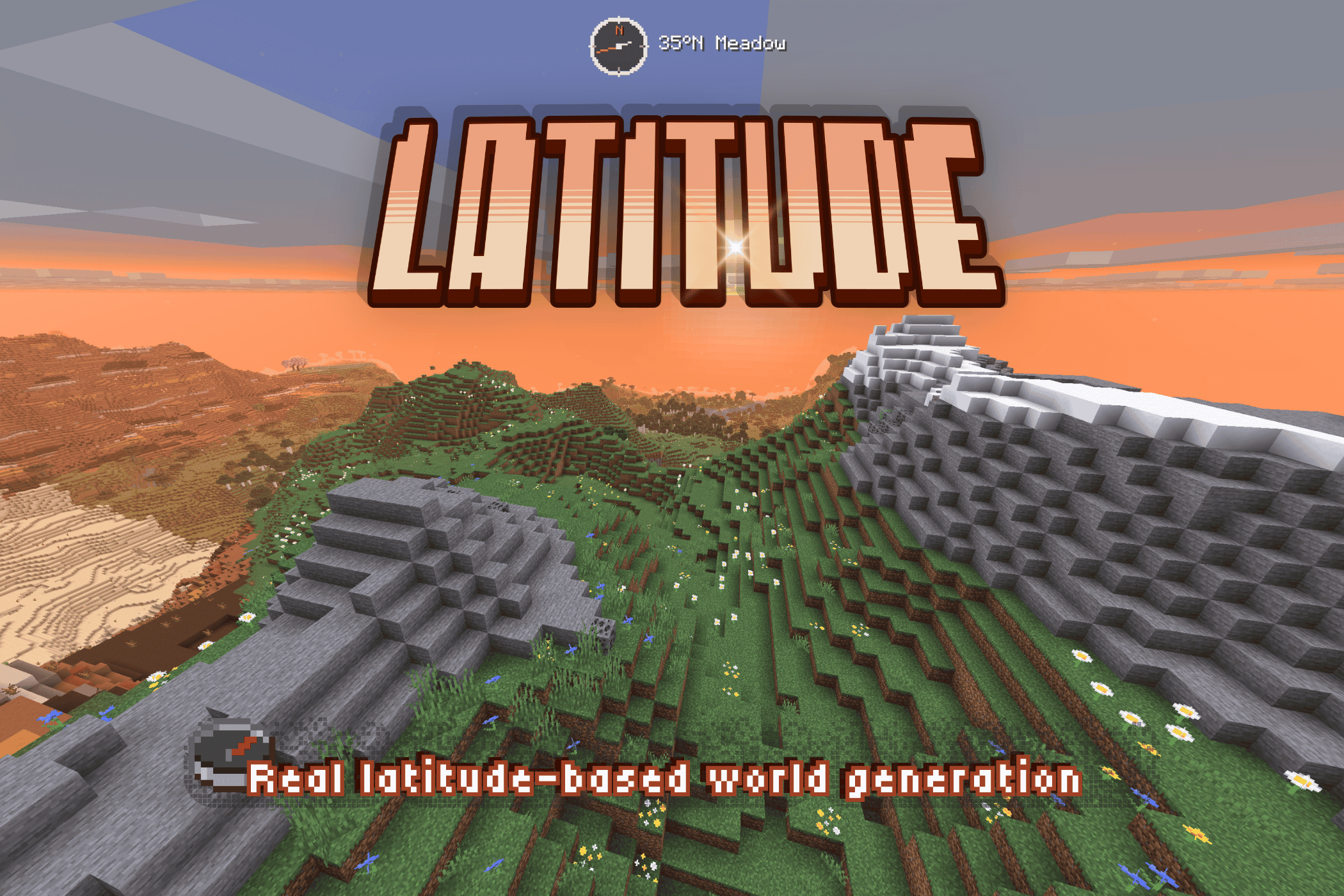
一个拥有基于纬度的地理和气候带的有限世界。
纬度将生物群系划分为五个气候带,从世界中心的温暖赤道延伸到其南北边缘的冰冻区域。当你向北或向南旅行时,气候以及你遇到的生物群系会逐渐发生变化。
我制作 Latitude 是为了让 Minecraft 的世界感觉更加有限和真实,并让旅行的方向变得有意义。
⚠️ Latitude 彻底重构了世界生成机制,仅在新世界中生效。 现有区块保留其当前的生物群系。世界生成修复(包括 1.5.2 版本中的修复)可能会影响现有 Latitude 世界中新探索的地形。
?️ 基于纬度的地理
五个气候带从世界中心的赤道向南北两端的极地延伸:
| 区域 | 特征 | 典型生物群系 |
|---|---|---|
| ? 热带 | 炎热、潮湿且植被茂盛 | 丛林、竹林、红树林沼泽、稀树草原 |
| ☀️ 亚热带 | 温暖且多样,边缘地区较为干燥 | 稀树草原、沙漠、恶地、平原 |
| ? 温带 | 温和且多森林 | 森林、白桦林、草甸 |
| ?️ 亚寒带 | 寒冷,植被逐渐稀疏 | 针叶林、雪地平原、林地 |
| ❄️ 寒带/极地 | 冰冻且令人望而生畏 | 雪地平原、冰刺、冰封海洋 |
这些气候带之间过渡自然,因此在你旅行时景观会平滑变化,而不会出现冷热气候之间的突兀跳跃。
⛰️ 积雪覆盖的山脉和林线
随着海拔升高,森林逐渐稀疏。超过林线后,草地和稀疏的植被在高耸的山峰上让位于裸露的岩石和积雪。
? 漫游渴望
Latitude 的地理特性会影响你在旅途中的遭遇:
- 靠近极地的严寒。 当你接近任一极点时,寒冷将成为一种威胁。
- 世界边缘的迷雾。 逐渐变浓的雾气遮蔽了原版的世界边界。
- 气候与半球标题。 电影式的标题会提示你穿越气候带和半球的时刻。
? 设计上的有限性
选择世界大小!Latitude 世界是有限的,提供六种尺寸可供选择。
| 尺寸 | 方块维度 |
|---|---|
| Itty Bitty | 7,500 × 7,500 |
| Tiny | 10,000 × 10,000 |
| Small | 15,000 × 15,000 |
| Regular | 20,000 × 20,000 |
| Large | 30,000 × 30,000 |
| Ginormous | 40,000 × 40,000 |
世界大小会按比例缩放整个气候系统,包括带宽、边界和纬度计算。较小的世界会使气候带彼此靠得更近,同时保持从赤道到极地的完整范围。不过,如果安装了自定义生物群系包,较小世界可能没有空间容纳所有生物群系。
你还可以选择出生区域。在赤道附近开始你的旅程以体验丛林和温暖天气,选择温和的气候,或者直接前往极地冰雪世界!⛄️ 现在有更多的雪球(大概)!!
? 轻松导航
Latitude 内置了一个可完全自定义的导航 HUD:
- 指南针 — 数字式(基本方位、八方或度数)或模拟式,支持多种配色主题。
- 纬度读数 — 显示你在世界中的实时位置
- 生物群系与区域详情 — 查看或隐藏你所在的位置信息
- 可定制 — 大小、颜色、透明度、位置
HUD Studio: 在游戏中按 F9(可重新绑定)打开实时编辑界面——你可以随意拖动标题、指南针和位置读数,支持网格吸附或自由放置。通过快捷键可以快速切换指南针的显示与隐藏。
对于服务器管理员,发布版包含一组小型 /latitude 命令集(here, explainHere, probe, tpLat, tpBand),用于检查气候地图并进行导航。
? 兼容性
Latitude 通过 Minecraft 的生物群系标签系统工作。Fabric 构建版支持 Biomes O' Plenty、Terralith 和 CliffTree 等生物群系包,并可搭配 Tectonic、Geophilic 和 William Wyther's Overhauled Overworld 等地貌塑造模组使用。兼容性取决于具体的 Minecraft 版本、加载器、Latitude 版本以及数据包版本;请查阅你下载页面的说明。
适用于 26.1 的 Fabric 1.5.2-beta 文件涵盖 26.1–26.1.2。NeoForge 对应版本专门针对 26.1.2,另有针对 26.2 和 26.3 的独立 NeoForge 文件。未在这些 NeoForge 1.5.2-beta 构建版上测试生物群系包和专用服务器。
ℹ️ 关于大型生物群系包堆叠的说明: 每个气候带都从一个有限的池中抽取数据,因此你堆叠的包越多,每个生物群系的占比就越小——你不一定会看到 每个 包里的 所有 生物群系。混合效果仍保持连贯且符合气候特征。原版生物群系享有优先权。
? 未来展望 — Latitude 2.0 ?
Latitude 2.0 正在开发中。 目前公开展示的更大规模重构——具有更复杂的机制——是一个独立的分支,仍在开发中:扩展的生物群系支持、更广阔的世界,以及由大陆、海洋、气候和探索塑造的更具地球特色的生成机制。还有无数只你想要的猫咪!!! ?⬛?
1.5 是 1.x 系列的最终打磨版本,也是迄今为止该理念的最佳版本。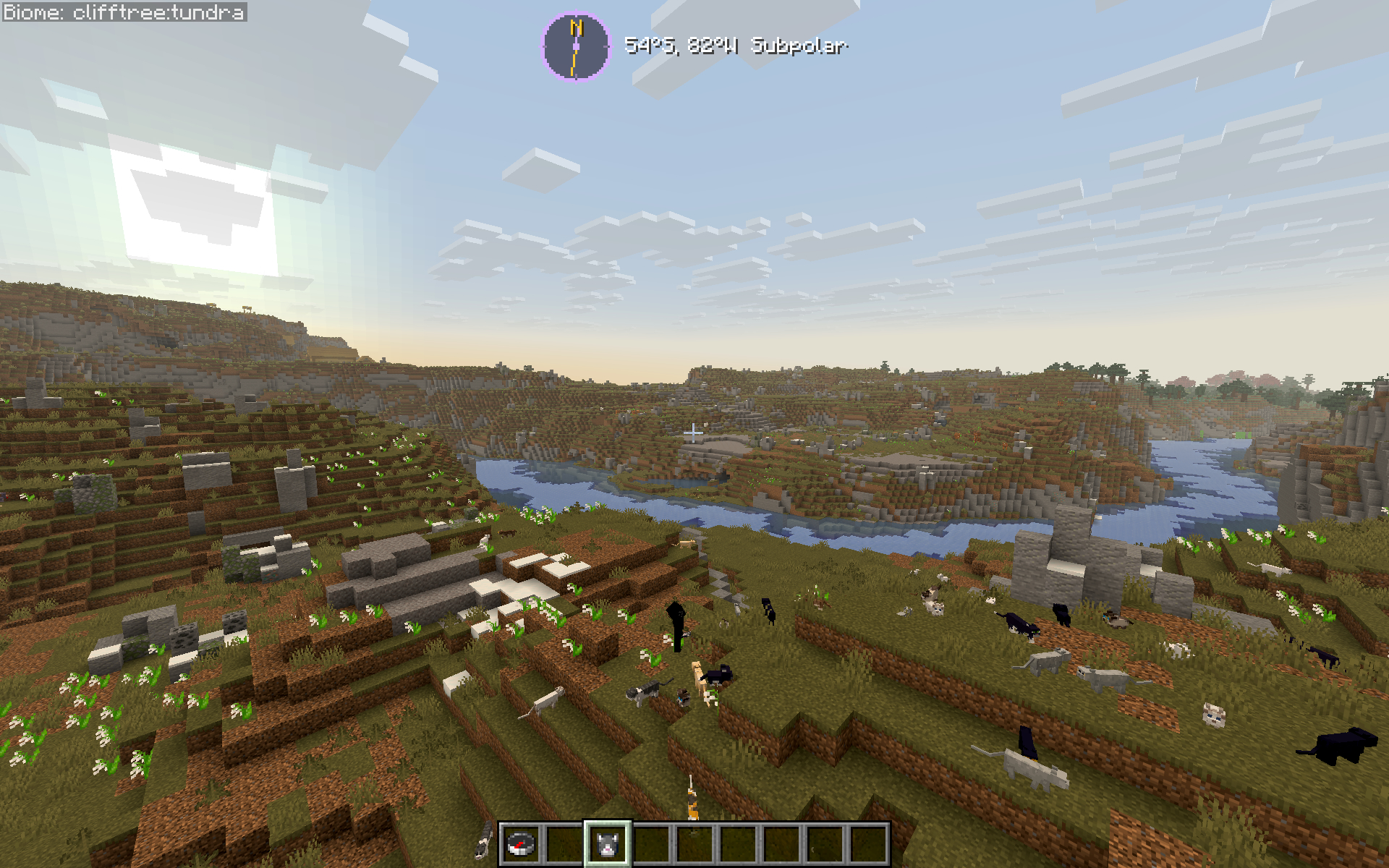
? 简介与支持
如果你曾觉得原版生物群系的分布显得随机且缺乏联系——那么这款模组将解决这个问题。Latitude 专为长期生存世界、以探索为重点的游戏流程以及希望世界感觉真实自然而不堆砌新内容的整合包而设计。
? Latitude 是一个单人热情项目,也是我的第一个模组。 感谢你的游玩——我希望你能像我一样喜欢它!:D
? 发现了 Bug,或想关注开发进度? → GitHub
⭐ 喜欢 Latitude? 请在 Modrinth 上留下一个 ❤️ ——这对独立开发者来说意义重大!
➢ 关注我的模组开发:
视频卡顿与实际游戏玩法无关——只是我的电脑正在疯狂运行 ?
? Latitude 开发日志
对项目的整体构思感兴趣?阅读《Latitude 野外指南》,了解实时开发的幕后故事。由 Codex 更新编写,由我设计与监督。
A finite world with latitude-based geography and climate bands.
Latitude organizes biomes into five climate bands, from a warm equator at the center of the world to frozen regions at its northern and southern edges. As you travel north or south, the climate—and the biomes you encounter—gradually change.
I built Latitude to make Minecraft worlds feel finite and real, and to make the direction you travel matter.
⚠️ Latitude overhauls world generation and takes effect in new worlds. Existing chunks keep their current biomes. World-generation fixes, including those in 1.5.2, can affect newly explored terrain in existing Latitude worlds.
?️ Latitude-based geography
Five climate bands extend from the equator at the center of the world toward the poles at its northern and southern edges:
| Zone | Character | Typical biomes |
|---|---|---|
| ? Tropical | Hot, humid, and lush | Jungle, Bamboo Jungle, Mangrove Swamp, Savanna |
| ☀️ Subtropical | Warm and varied, drier toward the edges | Savanna, Desert, Badlands, Plains |
| ? Temperate | Mild and forested | Forest, Birch Forest, Meadow |
| ?️ Subpolar | Cold, with increasingly sparse vegetation | Taiga, Snowy Plains, Grove |
| ❄️ Polar | Frozen and forbidding | Snowy Plains, Ice Spikes, Frozen Ocean |
The bands blend gradually, so the landscape changes as you travel without abrupt jumps between hot and cold climates.
⛰️ Snow-capped mountains and tree lines
Forests thin as you climb. Above the tree line, grass and sparse foliage give way to bare rock and snow on the highest peaks.
? Wanderlust
Latitude’s geography affects what you encounter along the way:
- Freezing near the poles. The cold becomes a hazard as you approach either pole.
- Fog at the world’s edges. Gradually thickening fog obscures the vanilla world border.
- Climate and hemisphere titles. Cinematic titles announce your crossings between climate bands and hemispheres.
? Finite by design
Pick a world size! Latitude worlds are finite, with six sizes to choose from.
| Size | Dimensions in blocks |
|---|---|
| Itty Bitty | 7,500 × 7,500 |
| Tiny | 10,000 × 10,000 |
| Small | 15,000 × 15,000 |
| Regular | 20,000 × 20,000 |
| Large | 30,000 × 30,000 |
| Ginormous | 40,000 × 40,000 |
World size scales the whole climate system, including band widths, borders, and latitude calculations. Smaller worlds bring the climate bands closer together while keeping the full range from equator to poles. With custom biome packs installed, though, smaller worlds may not have room for every biome.
You can also choose your spawn zone. Start near the equator for jungles and warm weather, pick a milder climate, or head straight for the polar snow! ⛄️ Now with more snowballs (probably)!!
? Navigate with ease
Latitude ships a built-in navigation HUD, fully customizable:
- Compass — digital (cardinal, 8-way, or degrees) or analog with different color themes.
- Latitude readout — your live position in the world
- Biome & zone detail — see where you are, or not!
- Customizable — size, color, opacity, position
HUD Studio: press F9 in-game (rebindable) to open a live editing screen — drag the title, compass, and location readout wherever you want, snap-to-grid or free. A quick keybind toggles the compass on and off.
For server operators, release builds include a small /latitude command set (here, explainHere, probe, tpLat, tpBand) for inspecting and navigating the climate map.
? Compatibility
Latitude works through Minecraft's biome-tag system. Fabric builds include support for biome packs such as Biomes O' Plenty, Terralith, and CliffTree, and can be paired with terrain-shaping mods such as Tectonic, Geophilic, and William Wyther's Overhauled Overworld. Compatibility depends on the exact Minecraft, loader, Latitude, and pack versions; check the notes for your download.
The Fabric 1.5.2-beta file for 26.1 covers 26.1–26.1.2. The NeoForge counterpart is specifically for 26.1.2, with separate NeoForge files for 26.2 and 26.3. Biome packs and dedicated servers were not tested on those NeoForge 1.5.2-beta builds.
ℹ️ A note on big biome-pack stacks: each climate band draws from a finite pool, so the more packs you stack, the smaller each biome's share becomes — you won't necessarily see every biome from every pack. The mix stays coherent and climate-appropriate. Vanilla biomes are given preference.
? What's next — Latitude 2.0 ?
Latitude 2.0 is in production. The larger overhaul being showcased publicly — with its more elaborate mechanics — is a separate line and still in development: expanded biome support, broader worlds, and more earthlike generation shaped by continents, oceans, climate, and exploration. And all the cats you could ever want!!! ?⬛?
1.5 is the final polish release of the 1.x line, and the best version of this idea to date.
? About & Support
If you've ever thought vanilla biome placement felt random and disconnected — this fixes that. Latitude is built for long-term survival worlds, exploration-focused playthroughs, and modpacks that want a world that feels like a real place without piling on new content.
? Latitude is a solo passion project and my first mod. Thank you for playing -- I hope you enjoy it as much as I do! :D
? Found a bug, or want to follow development? → GitHub
⭐ Enjoying Latitude? Leave a ❤️ on Modrinth — it genuinely helps a solo dev!
➢ Follow my mod development:
video lag is unrelated to actual gameplay--it's just my computer COOKING ?
? A development journal for Latitude
Curious about the bigger idea behind the project? Read the Latitude Field Guide for a look behind the scenes at real-time development. Updated by Codex, designed and overseen by me.

下载 Latitude
需要联机服务器吗?
稳定流畅、一键部署,几分钟即可和朋友联机开服
最低仅需 8 元/月 即可畅快联机
下载 Latitude
需要联机服务器吗?
稳定流畅、一键部署,几分钟即可和朋友联机开服
最低仅需 8 元/月 即可畅快联机
下载 Latitude
需要联机服务器吗?
稳定流畅、一键部署,几分钟即可和朋友联机开服
最低仅需 8 元/月 即可畅快联机
下载 Latitude
下载 Latitude
下载 Latitude
需要联机服务器吗?
稳定流畅、一键部署,几分钟即可和朋友联机开服
最低仅需 8 元/月 即可畅快联机
下载 Latitude
下载 Latitude
下载 Latitude
需要联机服务器吗?
稳定流畅、一键部署,几分钟即可和朋友联机开服
最低仅需 8 元/月 即可畅快联机
下载 Latitude
需要联机服务器吗?
稳定流畅、一键部署,几分钟即可和朋友联机开服
最低仅需 8 元/月 即可畅快联机
Latitude 1.5.3 的稳定版本。
新增
- 模拟罗盘可与数字罗盘一起附加到快捷栏上。当空间充足时,表盘会利用快捷栏旁的空间;当空间受限时,则移动至其上方。
- 拖拽任意已附加的罗盘即可将其分离,并自由定位。
修复
- 切换罗盘样式不再导致模拟罗盘的拖拽功能被保存的数字罗盘附加设置所阻塞。
- HUD Studio 现在使用 Minecraft 26.3 的主鼠标按键映射,恢复了罗盘、标题和分离的位置文本的拖拽功能。
- Latitude 的两个快捷键均已向加载器注册,以便 Minecraft 能在“控制”菜单中列出并重新绑定它们。
- 生物群系回退和重掷池现尊重已保存世界的原始提供程序列表。
- 已知的旧版冷湿地提供程序条目已迁移,且不会将无关的新提供程序引入现有世界。
- 移除了过时的出生点选择器网络通信代码。
改进
- 已附加罗盘的预览和命中范围现在遵循相同的放置规则。分离操作会保留光标抓取点,并更新附加切换状态。
- 仅用于开发的剪贴板工具已从打包的游戏 JAR 文件和 Gradle 源 JAR 文件中排除。
已知问题
- 在 NeoForge 26.1.2 上的新创造模式世界中,观察到初始出生点位于水下。该问题的影响范围(涉及种子、游戏模式和加载器)尚未确定。本版本未声称修复此问题。
关于这个资源的讨论、问题反馈与使用心得
还没有讨论,来发第一帖吧
你是这个资源的作者?登录后可认领此资源。
相似资源
 模组

显示你正在注视的方块的信息。(适用于 Minecraft 1.16+ 的 Hwyla/Waila 分支)
 模组

原版世界生成优化模组
 模组
使用 JavaScript 编辑配方、添加自定义物品、编写世界事件!
 模组

查看物品与配方
 模组
在游戏画面角落显示附近世界地形、玩家、生物和实体的地图。可创建路径点,帮助你找到标记过的位置。
 模组
AE2:一款流行的自动化与存储模组
评论 0
登录后参与评分
还没有评论,来抢沙发吧