Lattice
Minecraft Java 版的本地多人同屏合作解决方案。 在一台 Windows PC 上运行多个 Minecraft 实例,并为每位本地玩家分配独立的键盘、鼠标、光标、HUD(平视显示器)和设置配置文件。
Lattice 是 Lattice Weaver 的 Minecraft 适配器,后者是一款 Windows 伴侣应用,负责引导式设备设置与玩家通道路由。
下载 Weaver
|
最新版本
|
购买许可证
|
技术支持
功能介绍
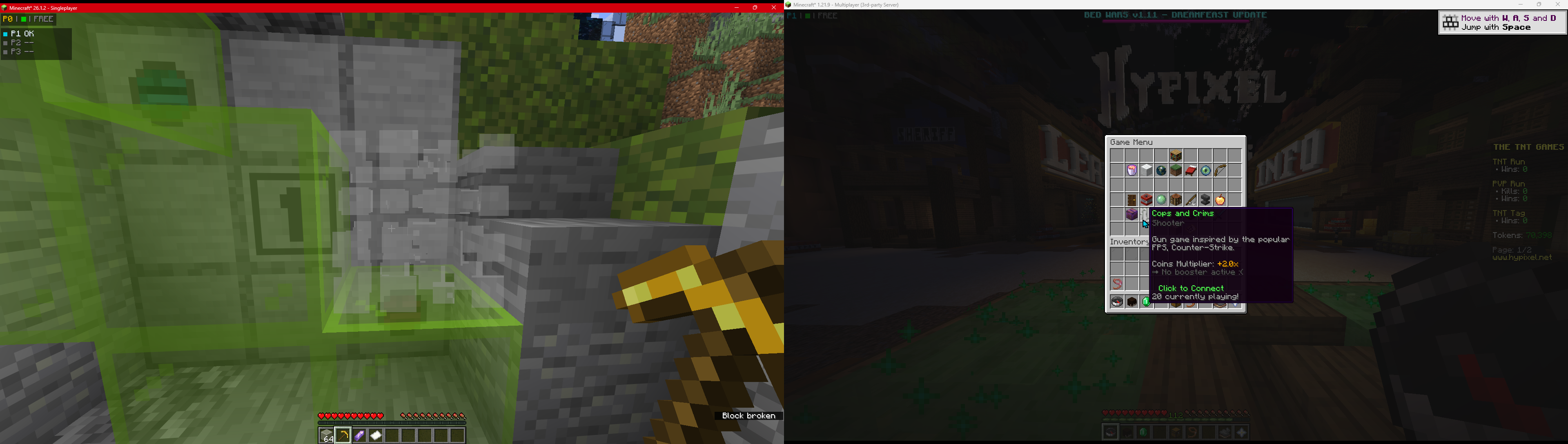
Lattice 允许多人共享一台 Windows PC 同时游玩 Minecraft,每人拥有自己的实例以及独立的键盘和鼠标。
- 每位玩家独立控制 - P1+ 玩家的键盘和鼠标会被路由至其指定的 Minecraft 实例。
- P0 保持原生体验 - 主玩家(Player 0)可正常使用 Windows 控制启动器、进行设置及桌面操作。
- 通道感知的 HUD 与光标 - 在游戏中可查看每位玩家的连接与路由状态。
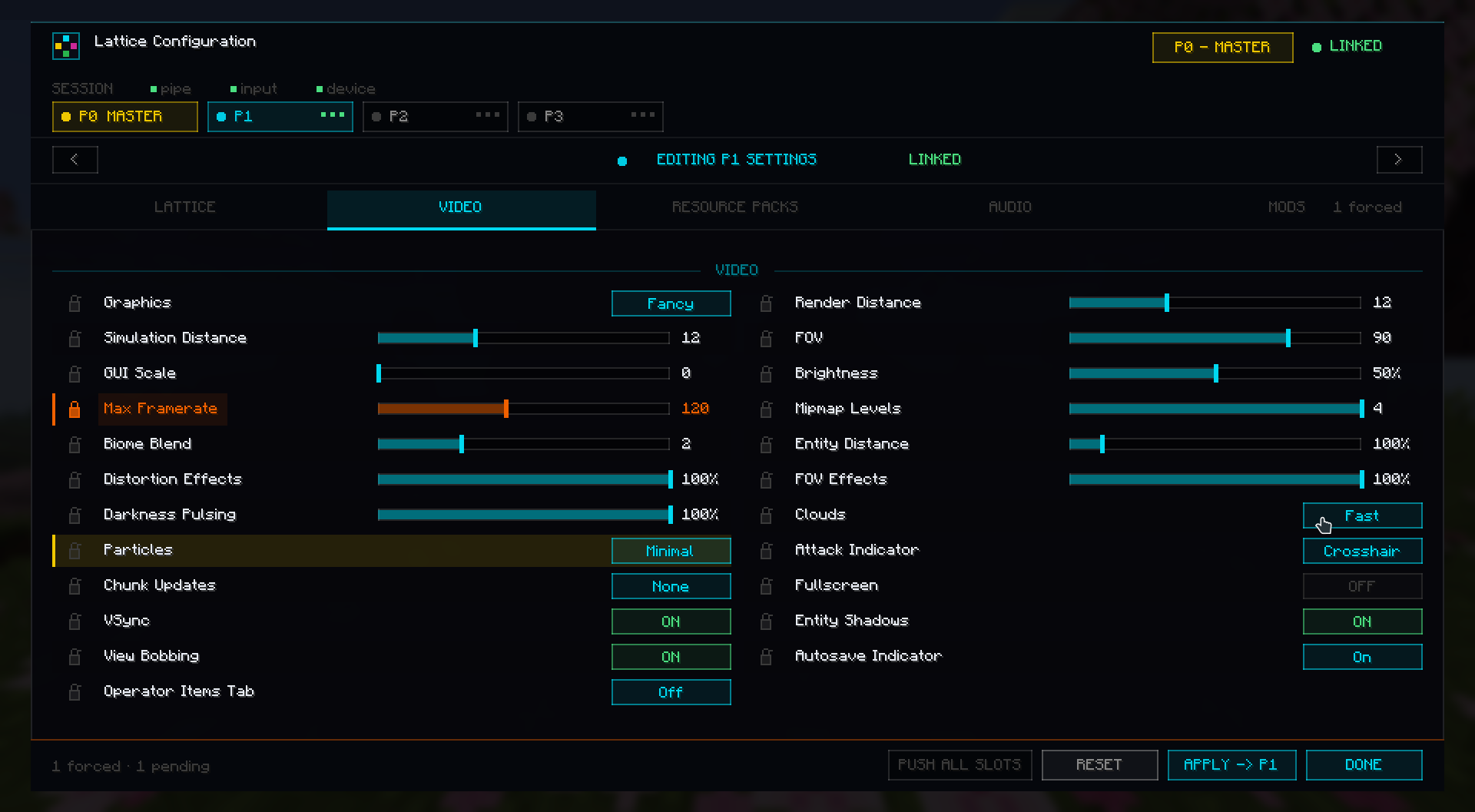
- P0 主控设置 - Player 0 可管理已路由玩家的音频、视频、资源包、配置文件以及选定的模组配置值。
- 可锁定的设置 - 在支持的实例中强制锁定设置项。
- 配置文件感知设置 - 每个实例的选项和控制设置均可保存并恢复。
- 多实例友好 - 专为 MultiMC/Prism 等基于实例文件夹的启动器设计。
安装摘要
- 为你想要运行的 Minecraft 版本安装 Fabric Loader。
- 安装 Fabric API。如果希望游戏中出现配置入口,请安装 Mod Menu。
- 将对应版本的 Lattice jar 文件放入每个实例的
mods 文件夹中。
- 从 files.bide.cx 下载并运行 Lattice Weaver。
- 使用 Weaver 的引导式设置选择 P0 的原生设备及 P1+ 的路由设备。
- 通过 Weaver 的启动器设置工具或 JVM 参数为每个 Minecraft 实例分配玩家通道。
- 启动 Weaver,然后启动 Minecraft 实例。
若手动设置通道,示例 JVM 参数如下:
-Dlattice.player=0  # Player 1 / P0
-Dlattice.player=1  # Player 2 / P1
-Dlattice.player=2  # Player 3 / P2
支持的 Minecraft 版本
Lattice 目前支持基于 Fabric 的 Minecraft 1.20 至 26.1.2 版本。
请使用文件名与你目标兼容范围匹配的文件:
| Minecraft version |
Lattice file range |
1.20 |
1.20 |
1.20.1 - 1.20.6 |
1.20.1-1.20.6 |
1.21 - 1.21.4 |
1.21-1.21.4 |
1.21.5 |
1.21.5 |
1.21.6 - 1.21.8 |
1.21.6-1.21.8 |
1.21.9 - 1.21.11 |
1.21.9-1.21.11 |
26.1 - 26.1.2 |
26.1-26.1.2 |
主控功能
在 P0 配置界面中,Lattice 可以将受支持设置推送至已路由的玩家实例。
当前支持的控制区域包括:
- Lattice HUD 与光标选项。
- 原版音频设置。
- 原版视频设置。
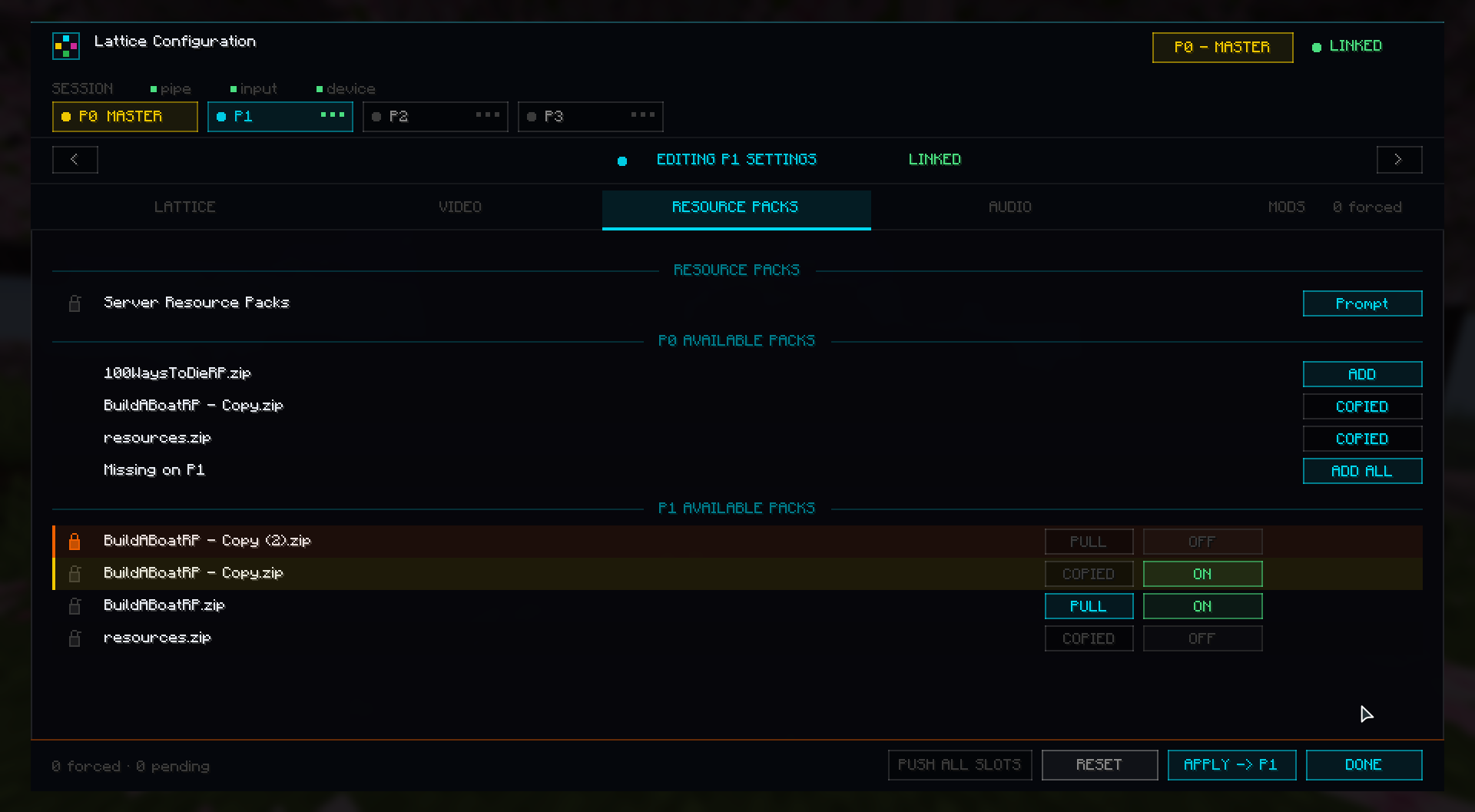
- 资源包的复制、启用、禁用与锁定控制。
- 按通道选择配置文件。
- 兼容情况下选择的模组配置文件。
部分设置因 Minecraft 版本或目标模组的配置格式而异,因此不同实例间的控制界面可能略有差异。
Lattice Weaver 伴侣应用
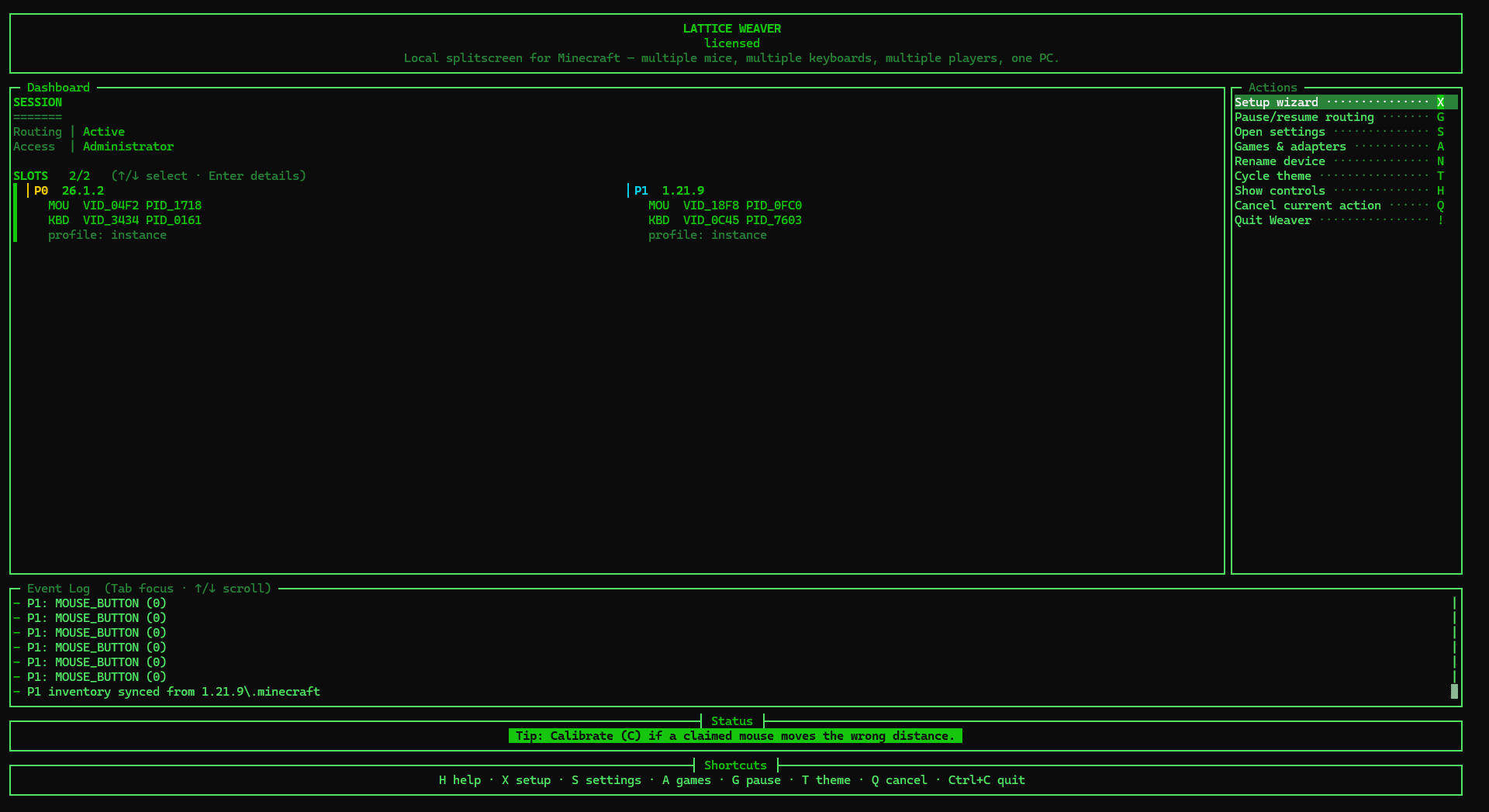
本模组需要 Lattice Weaver。Weaver 单独分发,因为它负责处理 Windows 端的设置、设备分配、玩家通道及游戏适配器连接。
系统要求
- Windows 10 或 11。
- 每位玩家一个 Minecraft 实例。
- Fabric Loader 和 Fabric API。
- Lattice Weaver 伴侣应用。
- 用于路由 P1+ 玩家的额外键盘/鼠标设备。
备注
- 此 Modrinth 页面仅涵盖 Lattice 的 Minecraft 模组/适配器部分。
- Weaver 伴侣应用为闭源软件,以发布二进制形式分发。
- 浏览器适配器和实验性适配器不包含在此 Minecraft Modrinth 包中。
Lattice
Local couch co-op for Minecraft Java. Run multiple Minecraft instances on one Windows PC and give each local player their own keyboard, mouse, cursor, HUD, and settings profile.
Lattice is the Minecraft adapter for Lattice Weaver, the Windows companion app that handles guided device setup and player-slot routing.
Download Weaver
|
Latest Release
|
Buy License
|
Support
What It Does
Lattice lets several people share one Windows PC and play Minecraft at the same time, each in their own instance with their own keyboard and mouse.
- Separate controls per player - P1+ keyboards and mice are routed to their assigned Minecraft instances.
- P0 stays native - the main player keeps normal Windows control for launchers, setup, and desktop use.
- Slot-aware HUD and cursors - see each player's connection/routing state in-game.
- P0 master settings - Player 0 can manage routed players' audio, video, resource packs, profiles, and selected mod config values.
- Lockable settings - force settings on routed-player instances where supported.
- Profile-aware setup - per-instance options and controls can be saved and restored.
- Multi-instance friendly - designed for launchers such as MultiMC/Prism-style instance folders.
Setup Summary
- Install Fabric Loader for the Minecraft version you want to run.
- Install Fabric API. Install Mod Menu if you want the in-game config entry.
- Put the matching Lattice jar in each instance's
mods folder.
- Download and run Lattice Weaver from files.bide.cx.
- Use Weaver's guided setup to choose P0 native devices and P1+ routed devices.
- Assign each Minecraft instance a player slot through Weaver's launcher setup tools or JVM args.
- Start Weaver, then launch the Minecraft instances.
Example JVM args if setting slots manually:
-Dlattice.player=0  # Player 1 / P0
-Dlattice.player=1  # Player 2 / P1
-Dlattice.player=2  # Player 3 / P2
Supported Minecraft Versions
Lattice currently supports Fabric-based Minecraft versions from 1.20 through 26.1.2.
Use the file whose name matches your target compatibility range:
| Minecraft version |
Lattice file range |
1.20 |
1.20 |
1.20.1 - 1.20.6 |
1.20.1-1.20.6 |
1.21 - 1.21.4 |
1.21-1.21.4 |
1.21.5 |
1.21.5 |
1.21.6 - 1.21.8 |
1.21.6-1.21.8 |
1.21.9 - 1.21.11 |
1.21.9-1.21.11 |
26.1 - 26.1.2 |
26.1-26.1.2 |
Master Controls
From the P0 configuration screen, Lattice can stage and push supported settings to routed-player instances.
Current control areas include:
- Lattice HUD and cursor options.
- Vanilla audio settings.
- Vanilla video settings.
- Resource-pack copy, enable, disable, and lock controls.
- Per-slot profile selection.
- Selected mod config files where compatible.
Some settings vary by Minecraft version or by the target mod's config format, so the control surface may differ slightly between instances.
Lattice Weaver Companion
This mod requires Lattice Weaver. Weaver is distributed separately because it handles Windows-side setup, device assignment, player slots, and game-adapter connections.
- Includes a free trial.
- One-time license unlocks continued use.
- Downloads, checksums, and setup files are available at files.bide.cx.
Requirements
- Windows 10 or 11.
- One Minecraft instance per player.
- Fabric Loader and Fabric API.
- Lattice Weaver companion app.
- Extra keyboard/mouse devices for routed P1+ players.
Notes
- This Modrinth page is only for the Minecraft mod/adapter side of Lattice.
- The Weaver companion remains closed-source and is distributed as a release binary.
- Browser and experimental adapters are not part of this Minecraft Modrinth package.


 模组

 模组
 模组

 模组
 模组
 模组
评论 0
登录后参与评分
还没有评论,来抢沙发吧