
MacroCraft
释放 Minecraft 中的自动化力量

MacroCraft 是一款开创性的 Minecraft 模组,旨在通过录制宏来自动化重复性任务,从而增强你的游戏体验。这款强大的工具允许你捕捉键盘和鼠标操作,并以高精度回放它们,从而腾出你的时间,让你在 Minecraft 的世界中追求更具创造性和乐趣的活动。
依赖项
本模组的 4.0.0+ 版本需要 BoxLib,这是一款由我开发的客户端库模组。
主要功能
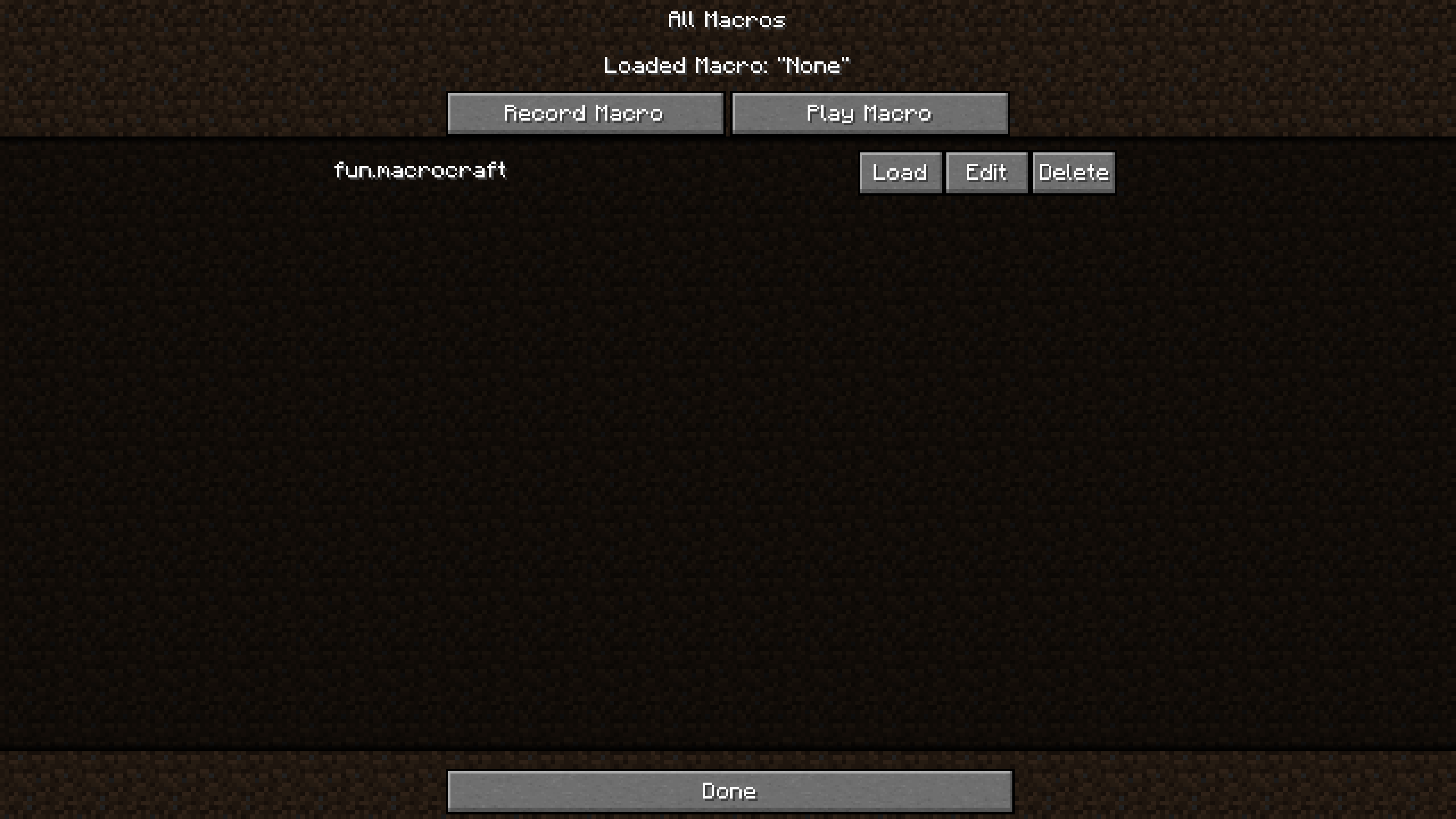 易于使用的界面:MacroCraft 配备了一个用户友好的图形用户界面(GUI),让你能够轻松管理宏创建和执行的所有方面,包括:
- 录制 (Record):只需点击一下即可捕捉精确的键盘和鼠标操作。
- 播放 (Play):回放已录制的宏以在游戏中自动化任务。
- 编辑 (Edit):通过调整序列或添加新操作来微调你的宏。
- 保存/加载 (Save/Load):保存宏以便将来使用,并在需要时加载它们。
- 删除 (Delete):移除不再需要的宏。
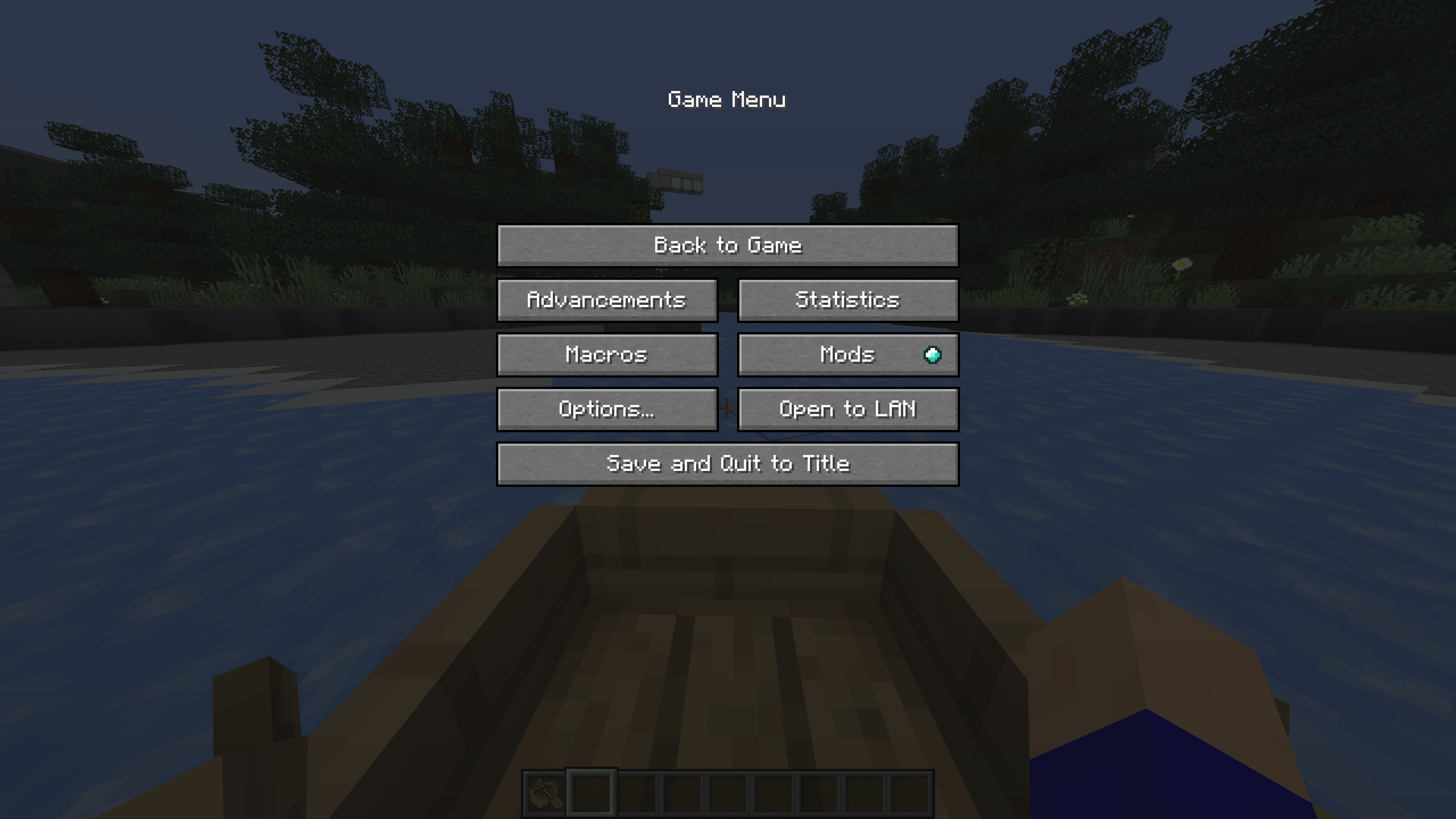
自定义访问方式:通过多种适合你偏好的方式访问 MacroCraft GUI——无论是自定义按键绑定、命令,甚至是暂停屏幕上方便放置的按钮。
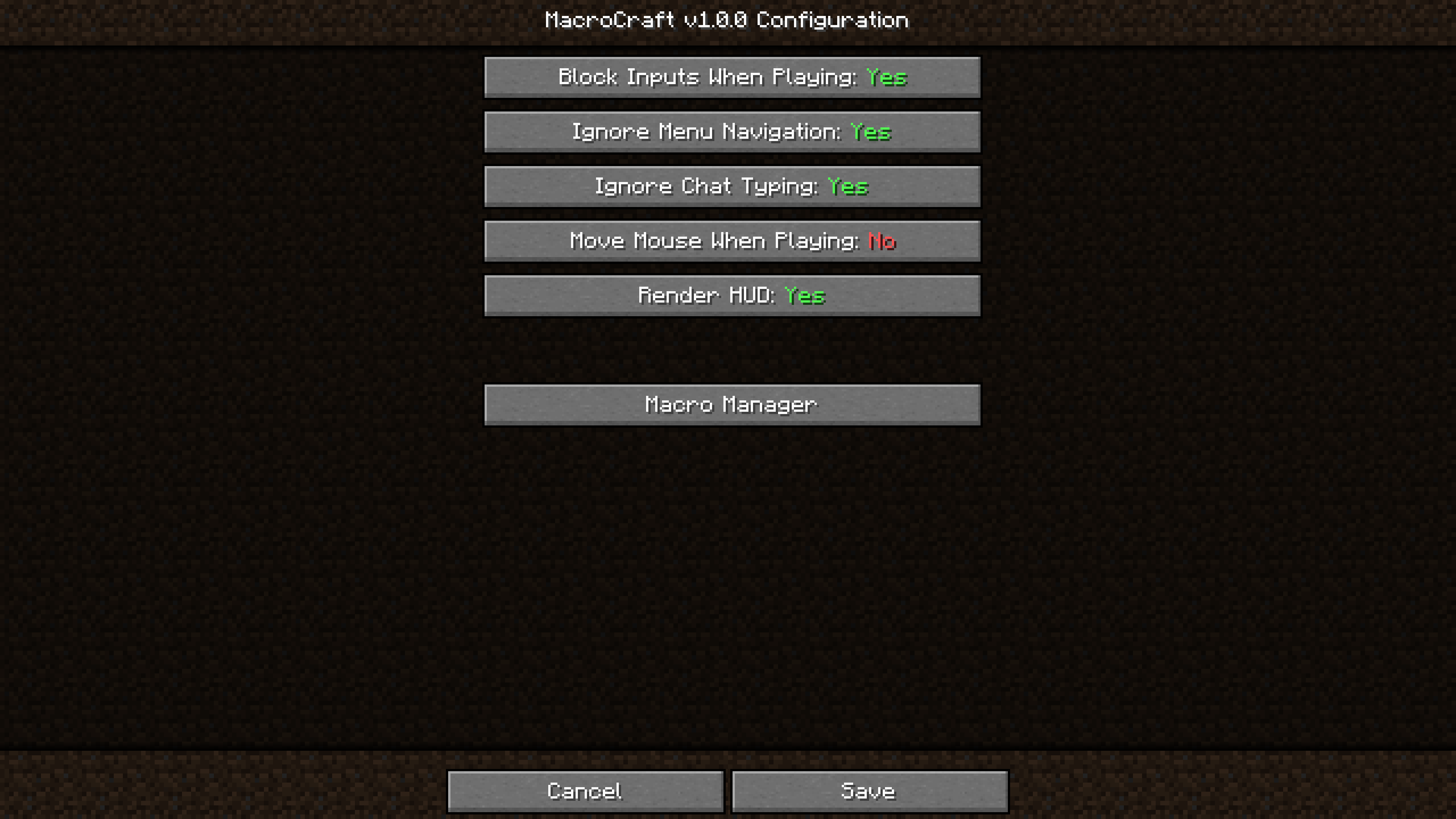
高级配置选项:为每个宏设置详细的配置,包括播放速度、重复次数以及基于游戏内事件的触发条件。
兼容性与性能:设计为与广泛的 Minecraft 模组兼容,并经过优化以确保对游戏性能的影响最小化。
工作原理
1. 设置
首先使用 Minecraft Forge 或 Fabric 下载并安装 MacroCraft。安装完成后,自定义你的访问键或物品,并熟悉图形用户界面。
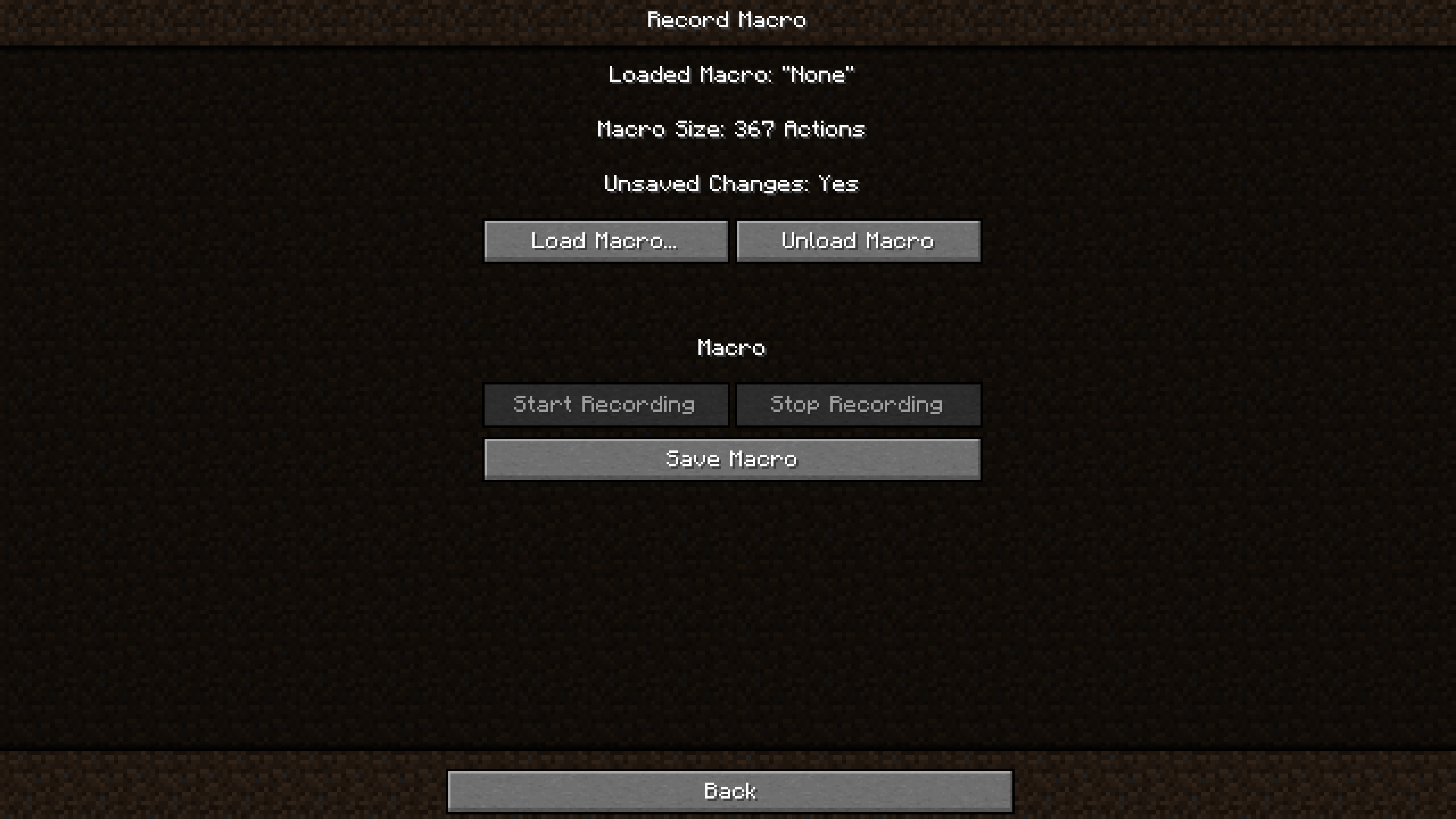
2. 录制宏
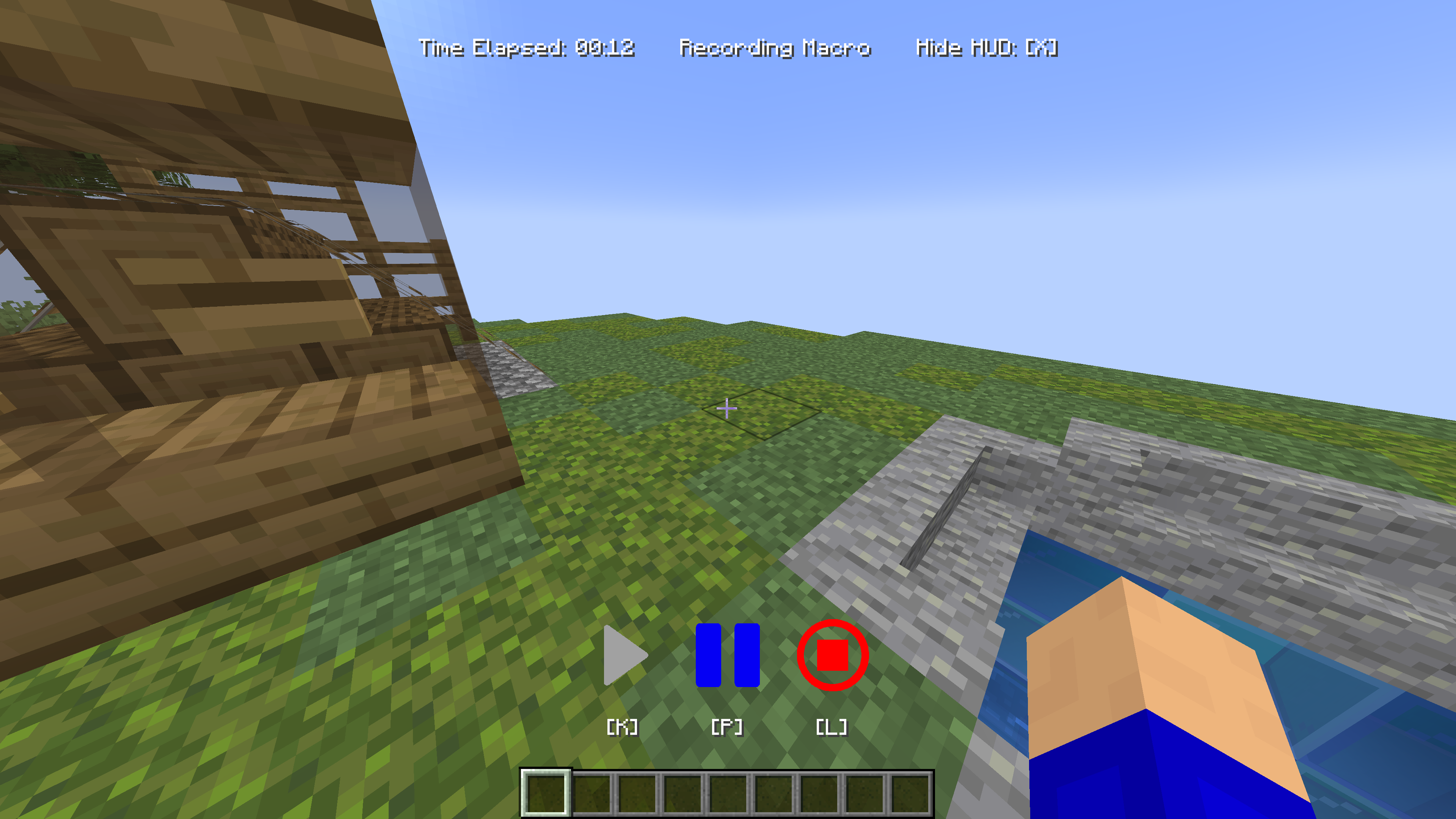
使用你首选的方法(按键绑定、暂停菜单、命令)激活录制功能。执行所需的操作,例如建造、挖矿或耕种。完成后,停止录制。
3. 保存
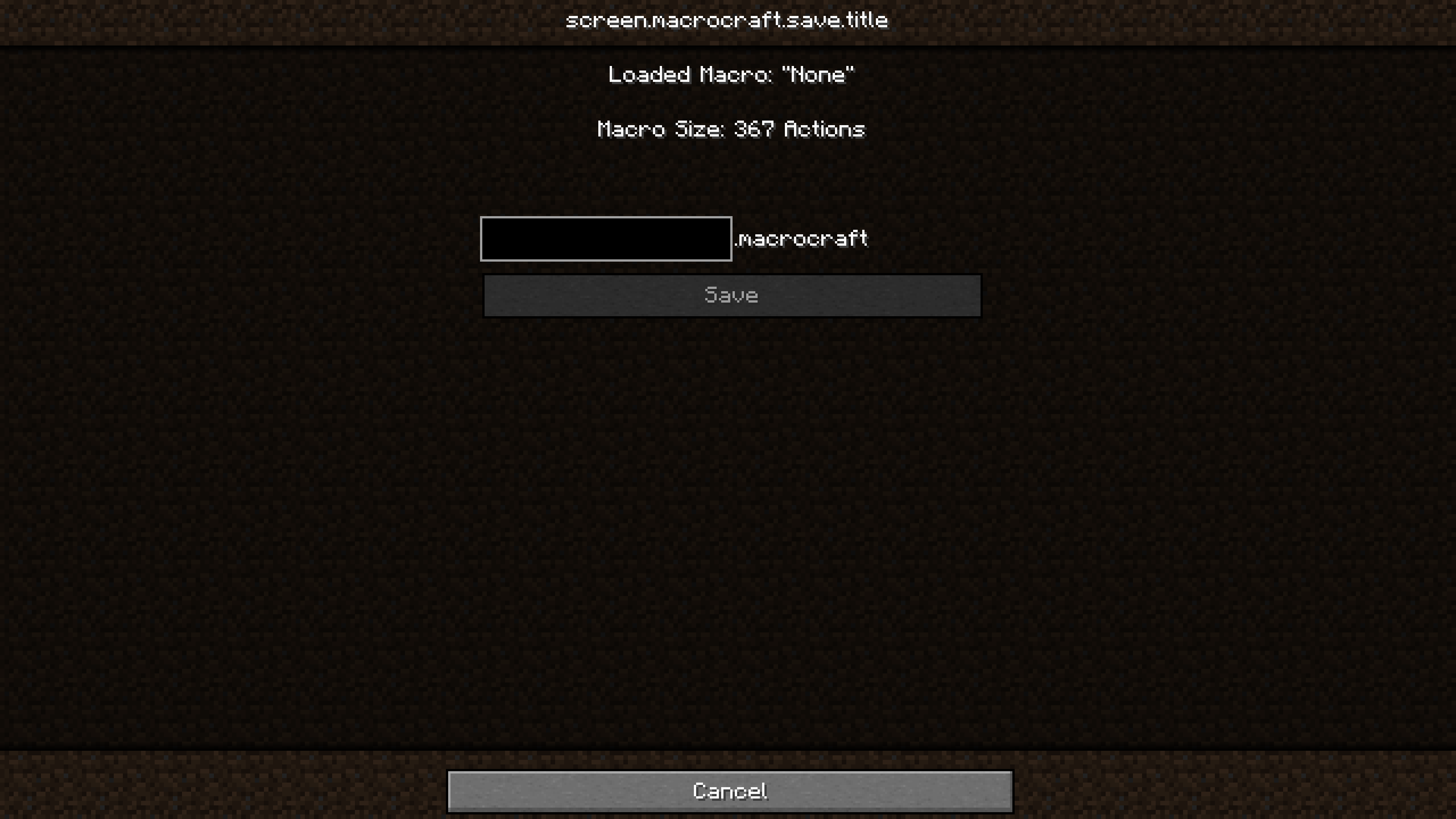
导航至 MacroCraft GUI 以保存你录制的宏。务必给它起一个名字!
4. 回放
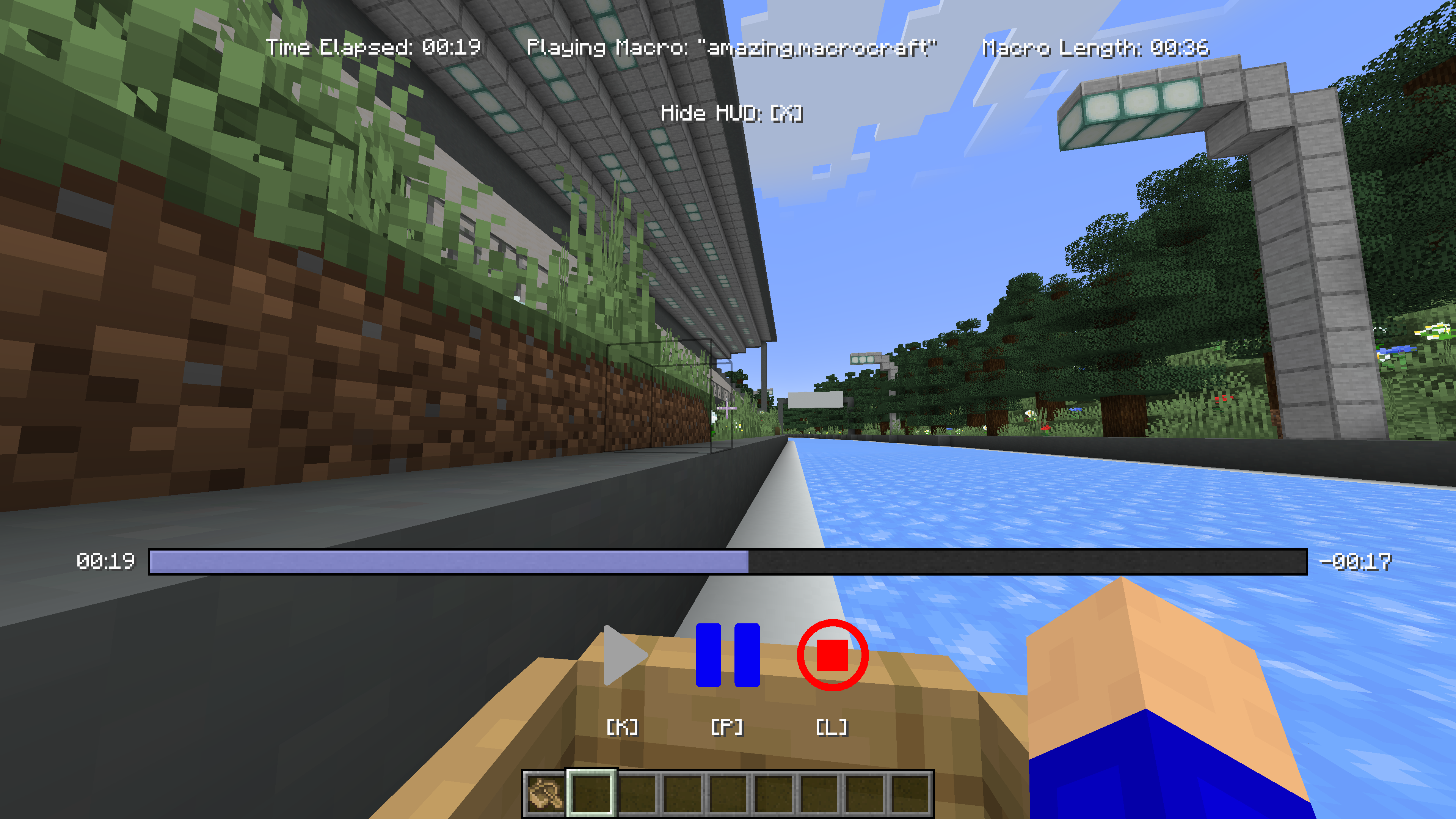
每当需要执行录制的任务时,只需选择你的宏并播放它。你可以根据当前需求调整设置,如播放速度或重复次数。
安装指南
- 安装 Minecraft Forge 或 Fabric:确保已安装最新版本。
- 下载 MacroCraft:下载适用于你 Minecraft 版本的最新模组。
- 放置模组文件:将下载的
.jar文件放入你的 Minecraft 'mods' 文件夹中。 - 运行 Minecraft:选择 Forge 或 Fabric 配置文件并启动游戏。现在 MacroCraft 应该已加载并可以使用。
构建
如果你想在自己的机器上构建此模组,请按照以下步骤操作。
- 从 GitHub 下载源代码(Code -> Download zip)
- 在本地计算机上解压 zip 文件,并打开文件夹。
- 在该文件夹中打开终端提示符
- 运行命令 "gradlew build"
- Fabric 构建文件位于 "fabric/build/libs"
- Forge 构建文件位于 "forge/build/libs"
MacroCraft
Unleash the Power of Automation in Minecraft
MacroCraft is a groundbreaking Minecraft mod designed to enhance your gameplay by enabling the automation of repetitive tasks through the use of recorded macros. This powerful tool allows you to capture keyboard and mouse actions and replay them with precision, freeing up your time for more creative and enjoyable pursuits in the world of Minecraft.
Dependencies
Versions 4.0.0+ of this mod require BoxLib, a Client-side library mod developed by me.
Key Features
Easy-to-Use Interface: MacroCraft comes with a user-friendly GUI that lets you effortlessly manage all aspects of macro creation and execution, including:
- Record: Capture your precise keyboard and mouse actions with a simple click.
- Play: Replay your recorded macros to automate tasks in-game.
- Edit: Fine-tune your macros by adjusting the sequences or adding new actions.
- Save/Load: Save your macros for future use and load them as needed.
- Delete: Remove macros that you no longer need.
Customizable Access: Access the MacroCraft GUI through multiple methods tailored to your preferences—be it a custom keybind, a command, or even a conveniently placed button on the pause screen.
Advanced Configuration Options: Set up detailed configurations for each macro, including playback speed, number of repetitions, and conditional triggers based on in-game events.
Compatibility and Performance: Designed to be compatible with a wide range of other Minecraft mods and optimized to ensure minimal impact on game performance.
How It Works
1. Setting Up
Start by downloading and installing MacroCraft using Minecraft Forge or Fabric. Once installed, customize your access key or item and familiarize yourself with the GUI.
2. Recording a Macro
Activate the recording feature using your preferred method (keybind, pause menu, command). Perform the desired actions, such as building, mining, or farming. Once done, stop the recording.
3. Saving
Navigate to the MacroCraft GUI to save your recorded macro. Be sure to give it a name!
4. Playing Back
Whenever you need to perform the recorded task, simply select your macro and play it. You can adjust settings like playback speed or repetition based on the current needs.
Installation Guide
- Install Minecraft Forge or Fabric: Ensure that you have the latest version installed.
- Download MacroCraft: Download the latest version of the mod for your Minecraft version.
- Place the Mod File: Place the downloaded
.jarfile into your Minecraft 'mods' folder. - Run Minecraft: Select the Forge or Fabric profile and start the game. MacroCraft should now be loaded and ready to use.
Building
If you'd like to build this mod on your own machine, follow these steps.
- Download the source code from GitHub (Code -> Download zip)
- Extract the zip file onto your local machine, and open the folder.
- Open a terminal prompt in said folder
- Run the command "gradlew build"
- The fabric build will be in "fabric/build/libs"
- The forge build will be in "forge/build/libs"

下载 MacroCraft
需要联机服务器吗?
稳定流畅、一键部署,几分钟即可和朋友联机开服
最低仅需 8 元/月 即可畅快联机
下载 MacroCraft
需要联机服务器吗?
稳定流畅、一键部署,几分钟即可和朋友联机开服
最低仅需 8 元/月 即可畅快联机
下载 MacroCraft
下载 MacroCraft
下载 MacroCraft
下载 MacroCraft
下载 MacroCraft
下载 MacroCraft
更新日志在此查看:
关于这个资源的讨论、问题反馈与使用心得
还没有讨论,来发第一帖吧
你是这个资源的作者?登录后可认领此资源。
相似资源
 模组

一个用于收集生物掉落物的多区块模组。
 模组

显示你正在注视的方块的信息。(适用于 Minecraft 1.16+ 的 Hwyla/Waila 分支)
 模组

查看物品与配方
 模组
在游戏画面角落显示附近世界地形、玩家、生物和实体的地图。可创建路径点,帮助你找到标记过的位置。
 模组
使用 JavaScript 编辑配方、添加自定义物品、编写世界事件!
 模组
AE2:一款流行的自动化与存储模组
评论 0
登录后参与评分
还没有评论,来抢沙发吧