Magnetic Players
Magnetic Players 允许你配置在拾取掉落物品之前需要靠近物品的距离,以及物品掉落之后需要等待多久才能拾取。
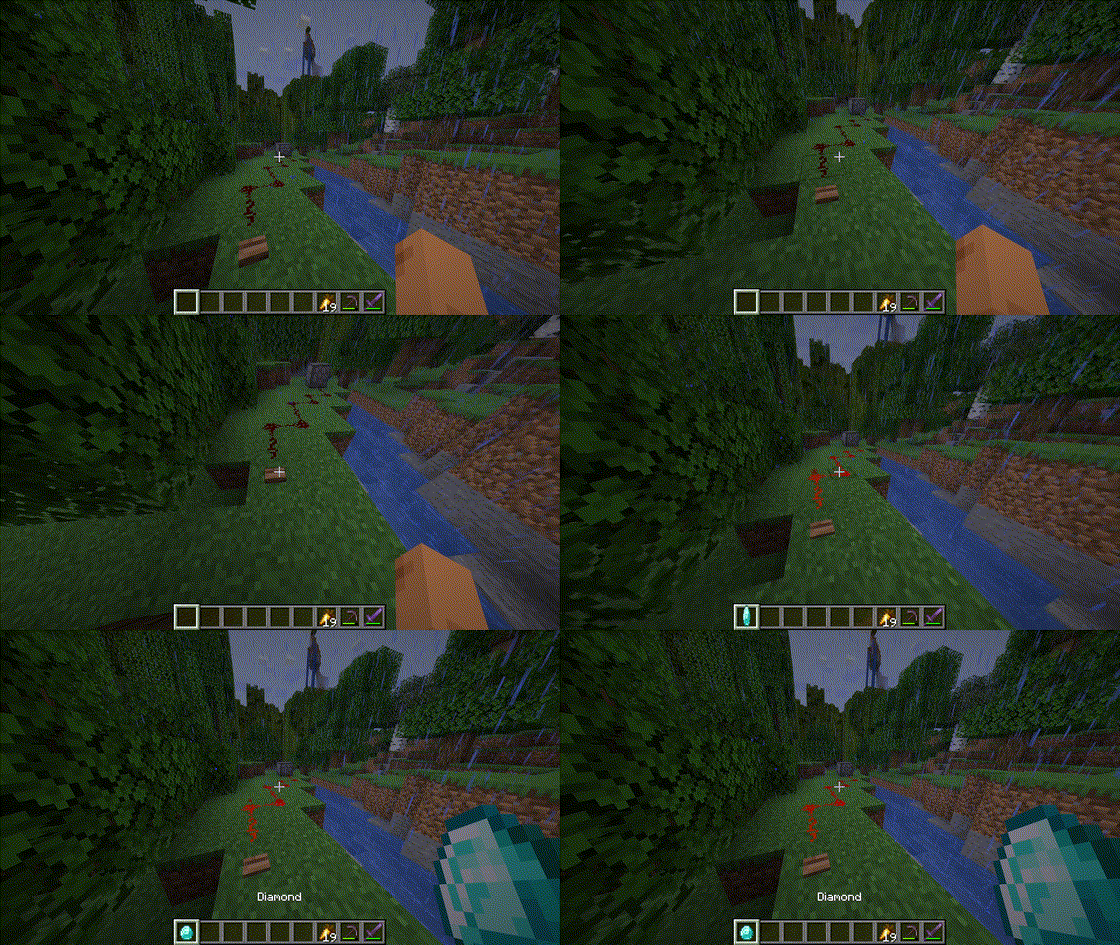
想多远就多远!
也许你想稍微调整一下设置,让拾取掉落物品变得不那么烦人;或者你想成为一个活体吸尘器,吸入半径 100 格内的所有东西。随心所欲地进行配置(当然在某些情况下有限制)!
默认情况下,所有值都设置为与原版 Minecraft 相同的值,因此如果你只是安装了 Magnetic Players 且未更改配置,游戏内将不会发生任何变化!当你通过 Mod Menu 重置某个配置选项时,它会恢复为原版 Minecraft 的值。删除配置文件(标准配置目录中的 magnetic_players.json5)也会生成一个带有默认值的全新配置。
Magnetic Players 所做的更改不是持久性的(它不会永久改变 Minecraft,仅在安装时生效)。你可以随时从客户端或服务器中安全地移除 Magnetic Players(尽管最好在游戏/服务器关闭时操作)。

只要设置得当,你就再也不用担心漏掉任何甘蔗了!
依赖与支持
Magnetic Players 支持单人客户端和专用服务器;它是一个服务端模组,无需在客户端侧安装(在服务器上)。
YACL 是必需的,用于配置文件和配置界面。如果你想实际访问此配置界面,Mod Menu 是一个可选依赖项。有关如何配置 Magnetic Players 的方法,请参阅 Configuration。
配置
如果你已安装 Mod Menu(可选),可以在单人游戏中通过 Mod Menu 配置 Magnetic Players。在图形化配置中进行的更改在保存后立即生效,因此不需要重启。
也可以通过直接编辑位于标准配置目录中的配置文件来手动配置。该文件名为 magnetic_players.json5。以这种方式配置需要重启游戏或服务器,或者使用 /magnetic_players reload 命令。在单人游戏中,由玩家执行;在(专用)服务器上,由拥有者(权限等级 4)执行(仅 1.0.0 版本中为管理员 / 等级 2)或控制台执行,更改才会生效。
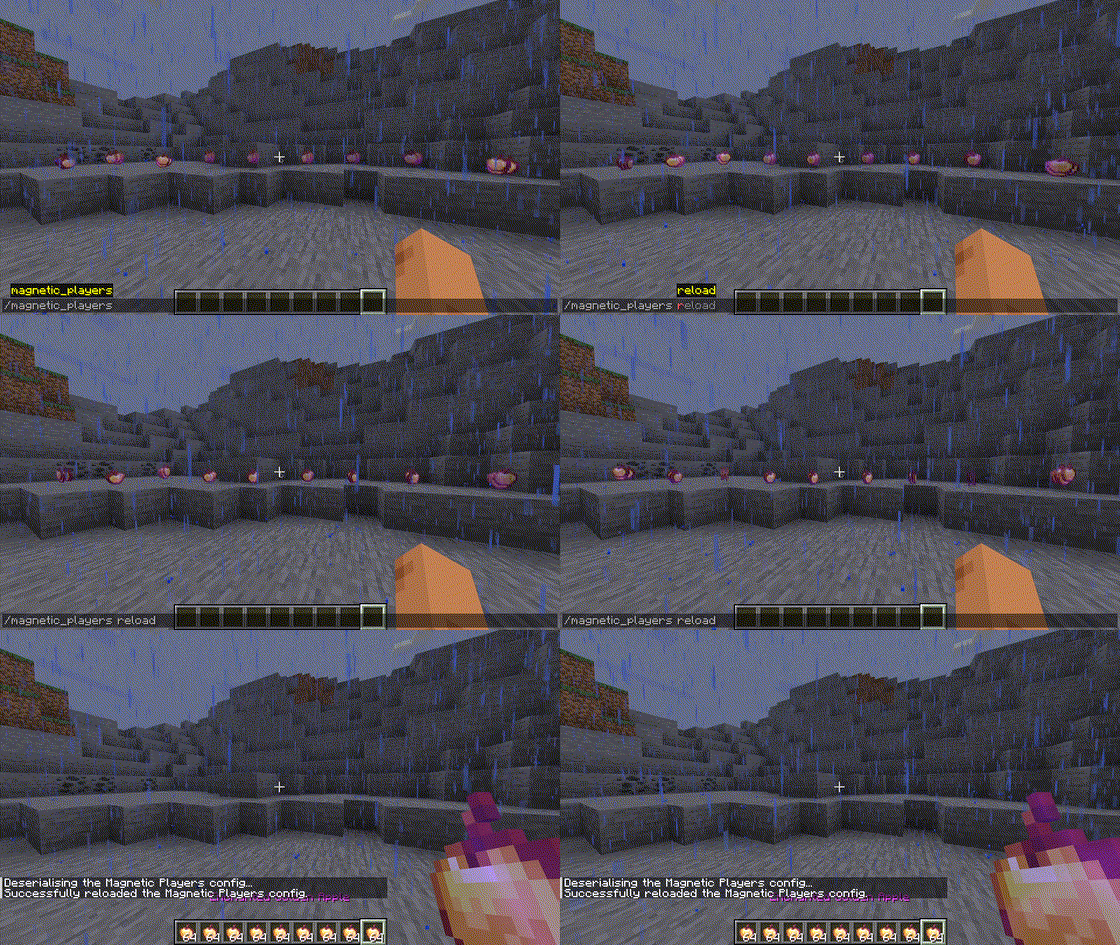
能力越大,责任越大!
下面列出了所有可配置的变量并进行了解释(方式类似于配置文件和通过 Mod Menu 的配置 GUI,因此你不必在这里阅读它们)。
掉落拾取范围
配置所有掉落物品的拾取范围。
注意:组合的(3D)拾取范围是立方形的。
注意:这些范围是叠加在玩家模型上的,这意味着将其设置为 0.0 仍允许玩家拾取物品。
Pickup Range X
X 轴方向上围绕玩家的拾取半径(以方块为单位)。
- 原版默认值: 1.0
- 允许范围: >= 0 && <= 250
Pickup Range Y
Y 轴方向上围绕玩家的拾取半径(以方块为单位)。
- 原版默认值: 0.5
- 允许范围: >= 0 && <= 250
Pickup Range Z
Z 轴方向上围绕玩家的拾取半径(以方块为单位)。
- 原版默认值: 1.0
- 允许范围: >= 0 && <= 250
掉落拾取延迟
配置玩家在特定方式掉落物品后,必须等待多长时间才能拾取这些物品。
注意:将延迟设置为 32767 将禁用物品拾取,即使物品存活那么久也是如此。
Player Drop Pickup Delay
玩家丢弃物品后(无论是直接丢弃还是在某些情况下因交互导致),必须经过多少刻才能拾取该物品。
- 原版默认值: 40
- 允许范围: >= 0 && <= 32767
包括:
- 丢弃物品
- 丢弃容器中的物品
- 使用玻璃瓶采集蜂巢
- 背包已满时从雕刻书架取下书籍
- 背包已满时从花盆取下花朵
- 背包已满时在使用指南针指向地标石时
- 背包已满时从讲台取下书籍
Block Drop Pickup Delay
玩家破坏方块后(或在某些情况下因交互获得物品后),必须经过多少刻才能拾取该物品。
- 原版默认值: 10
- 允许范围: >= 0 && <= 32767
包括:
- 破坏/摧毁方块
- 清空满堆肥桶
- 使用剪刀采集蜂巢
- 破坏讲台掉落的书籍
- 破坏潜影盒
- 获取唱片机唱片
- 嗅探兽掉落种子
- 嗅探兽繁殖
Entity Loot Drop Pickup Delay
实体(包括非生命实体,如下落沙)掉落物品后,玩家必须经过多少刻才能拾取该物品。
- 原版默认值: 10
- 允许范围: >= 0 && <= 32767
Dolphin Drop Pickup Delay
海豚玩耍时抛出的物品被玩家拾取前,必须经过多少刻。
- 原版默认值: 40
- 允许范围: >= 0 && <= 32767
Fox Drop Pickup Delay
狐狸从口中吐出的物品被玩家拾取前,必须经过多少刻。
- 原版默认值: 40
- 允许范围: >= 0 && <= 32767
额外配置
就我个人而言,在实际生存游玩时,我可能会将配置设置为如下内容:
- 拾取范围 X = 1.5
- 拾取范围 Y = 1.0
- 拾取范围 Z = 1.5
- 玩家掉落物拾取延迟 = 30
- 方块掉落物拾取延迟 = 5(若追求原版手感可设为 10)
- 实体战利品拾取延迟 = 5(若追求原版手感可设为 10)
- 海豚掉落物拾取延迟 = 30
- 狐狸掉落物拾取延迟 = 30
这样设置后,对我来说:1. 在能够(几乎同样)轻松地丢弃物品而不再意外将其捡起的同时,等待拾取不小心掉落的物品变得不再那么繁琐;2. 只要靠近边缘站立,就不必担心在半空中站在脚下方块下方一格的位置破坏方块时,物品会掉落到地面上;3. 种植甘蔗时,大部分情况下可以在奔跑状态下完成采集,无需返回拾取散落的物品;4. 农业活动产生的掉落物(如砍树得到的树叶、树枝和树苗)的拾取时间更短,也更不容易被玩家遗漏,而且这一切都不会让人感到过于强大或违和。
当然,你可以随心所欲地设置这些数值,以满足你的各种需求!
待办事项
备注:看我心情吧。
- 为模组开发者提供一个接口,使其可以使用本模组有条件地修改(或增加)玩家的拾取范围和延迟,从而创建诸如增加玩家拾取范围的饰品等功能
- 同时,提供一种简便方式来依赖本模组,而无需使用 JIJ 或其他类似手段(→ 创建 Maven 仓库)
- 将拾取延迟设置拆分为更多细分选项,以便对特定掉落行为进行更精细的控制
磁吸模式!
Magnetic Players
Magnetic Players allows you to configure how close you have to be to dropped items before you can pick them up, and how long you have to wait before you can pick them up after they've been dropped.
Reach as far as you want!
Maybe you want to tweak the settings just a bit so that dropped items are a bit less annoying to pick up, or maybe you want to become a living vacuum that sucks up everything in a 100 block radius. Configure it to your heart's desire (limits do apply at some point...)!
By default, all values are set to the same values as in vanilla Minecraft, so if you just install Magnetic Players and leave the config unchanged, nothing in-game will change! When you reset a config option through Mod Menu, it will reset to the vanilla Minecraft value. Deleting the config file (magnetic_players.json5 in the standard config directory) will also generate a fresh config with default values.
The changes Magnetic Players makes are not persistent (it does not change Minecraft permanently, only when it is installed). You can safely remove Magnetic Players from your client or server at any point (preferably with the client/server closed though).
With the right settings, you won't have to worry about missing any sugar cane!
Dependencies & Support
Magnetic Players is supported on both the singleplayer client and the dedicated server; It is a server-side mod, that doesn't need to be installed on the client side (on servers).
YACL is required for the config and the config screen. Mod Menu is an optional dependency for if you want to actually access this config screen. See Configuration for ways to configure Magnetic Players.
Configuration
Magnetic Players can be configured through Mod Menu in single-player if you have it installed (optional). Changes made in the graphical config take effect immediately upon saving, thus do not require a restart.
Configuring can also be done manually by editing the config file directly, located in the standard config directory. It's called magnetic_players.json5. Configuring this way requires either a restart of the game or server, or use of the /magnetic_players reload command, by the player in singleplayer, or, an owner (permission level 4) (gamemaster / level 2 in version 1.0.0 only) or the console on a (dedicated) server, for changes to take effect.
With great power comes great responsibility!
Below, all configurable variables are listed and explained (in a similar way to the config file and the config GUI through Mod Menu, so you don't have to read them here).
Drop Pickup Ranges
Configure the pickup ranges for all dropped items.
Note: The combined (3D) pickup range is cubical.
Note: These ranges are added onto the player box, which means that setting them to 0.0 will still allow players to pick up items.
Pickup Range X
The pickup range in blocks, as a radius around the player in the x-axis.
- Vanilla Default: 1.0
- Allowed Range: >= 0 && <= 250
Pickup Range Y
The pickup range in blocks, as a radius around the player in the y-axis.
- Vanilla Default: 0.5
- Allowed Range: >= 0 && <= 250
Pickup Range Z
The pickup range in blocks, as a radius around the player in the z-axis.
- Vanilla Default: 1.0
- Allowed Range: >= 0 && <= 250
Drop Pickup Delays
Configure the time a player has to wait before they can pick up items that were dropped in a few specific ways.
Note: Setting delays to 32767 will disable item pickup, even if the item survives for that long.
Player Drop Pickup Delay
The time in ticks that has to pass before a player can pick up an item they dropped, either directly or in some cases as a result of an interaction.
- Vanilla Default: 40
- Allowed Range: >= 0 && <= 32767
Includes:
- Dropping items
- Dropping items in a bundle
- Using beehives with a glass bottle
- Taking books from chiselled bookshelves when inventory is full
- Taking flowers from pots when inventory is full
- Using compasses on lodestones when inventory is full
- Taking books from lecterns when inventory is full
Block Drop Pickup Delay
The time in ticks that has to pass before a player can pick up a block they broke, or in some cases obtained an item from as a result of an interaction.
- Vanilla Default: 10
- Allowed Range: >= 0 && <= 32767
Includes:
- Breaking/Destroying blocks
- Emptying full composters
- Using beehives with shears
- Books dropped by breaking lecterns
- Breaking shulker boxes
- Retrieving jukebox discs
- Sniffers dropping seeds
- Sniffers breeding
Entity Loot Drop Pickup Delay
The time in ticks that has to pass before a player can pick up an item an entity dropped, including those of non-living entities, like falling sand.
- Vanilla Default: 10
- Allowed Range: >= 0 && <= 32767
Dolphin Drop Pickup Delay
The time in ticks that has to pass before a player can pick up an item a dolphin tossed while playing.
- Vanilla Default: 40
- Allowed Range: >= 0 && <= 32767
Fox Drop Pickup Delay
The time in ticks that has to pass before a player can pick up an item a fox spit out of its mouth.
- Vanilla Default: 40
- Allowed Range: >= 0 && <= 32767
Extra
Personally, I might set the config to something like this for actual survival play:
- Pickup Range X = 1.5
- Pickup Range Y = 1.0
- Pickup Range Z = 1.5
- Player Drop Pickup Delay = 30
- Block Drop Pickup Delay = 5 (or 10 for a vanilla feel)
- Entity Loot Pickup Delay = 5 (or 10 for a vanilla feel)
- Dolphin Drop Pickup Delay = 30
- Fox Drop Pickup Delay = 30
This way, for me, 1. Waiting to pick up items you accidentally dropped is way less cumbersome while still being able to (nearly as) easily throw away items without accidentally picking them up again, 2. You won't have to worry about items falling to the ground by breaking blocks 1 block below your feet in the air as long as you stay close to the edge, 3. Farming sugar cane close enough can be done (for the most part) whilst running and without going back to pick up stray items, and 4. Drops from farming activities, such as leaves, sticks and saplings from a chopped tree take less time to pick up and become less prone to being missed by the player, and this all without feeling too overpowered or weird looking.
But by all means, set the values to whatever you want, for whatever you want!
TODO
Note: If I feel like it.
- Add an interface for mod developers to use this mod to (conditionally) change (or add onto) player pickup ranges and delays so they can create things such as trinkets that increase the player's pickup range
- Alongside this, also provide an easy way to depend on this mod without having to JIJ it or something (→ create Maven repo)
- Divide pickup delay settings into more settings for more control over specific drop actions
Magnetizing!


 模组

 模组

 模组
 模组

 模组
 模组
评论 0
登录后参与评分
还没有评论,来抢沙发吧