

Magpie Bridge
一款将游戏内聊天消息作为系统通知发送的 Minecraft 模组。
? 概述
Magpie Bridge 是一款轻量级 Minecraft 模组,可将你的游戏内聊天消息直接以系统通知的形式推送到桌面!
❇️ 功能特性
- 原生 Windows 通知:
无缝集成 Windows 10 和 11 的通知系统。 - 深色模式支持:
通知样式与你的系统主题保持一致,包括深色模式。 - 统一的通知中心:
所有 Minecraft 聊天通知均显示在 Windows 通知中心中,便于管理和回顾。
?️ 截图展示
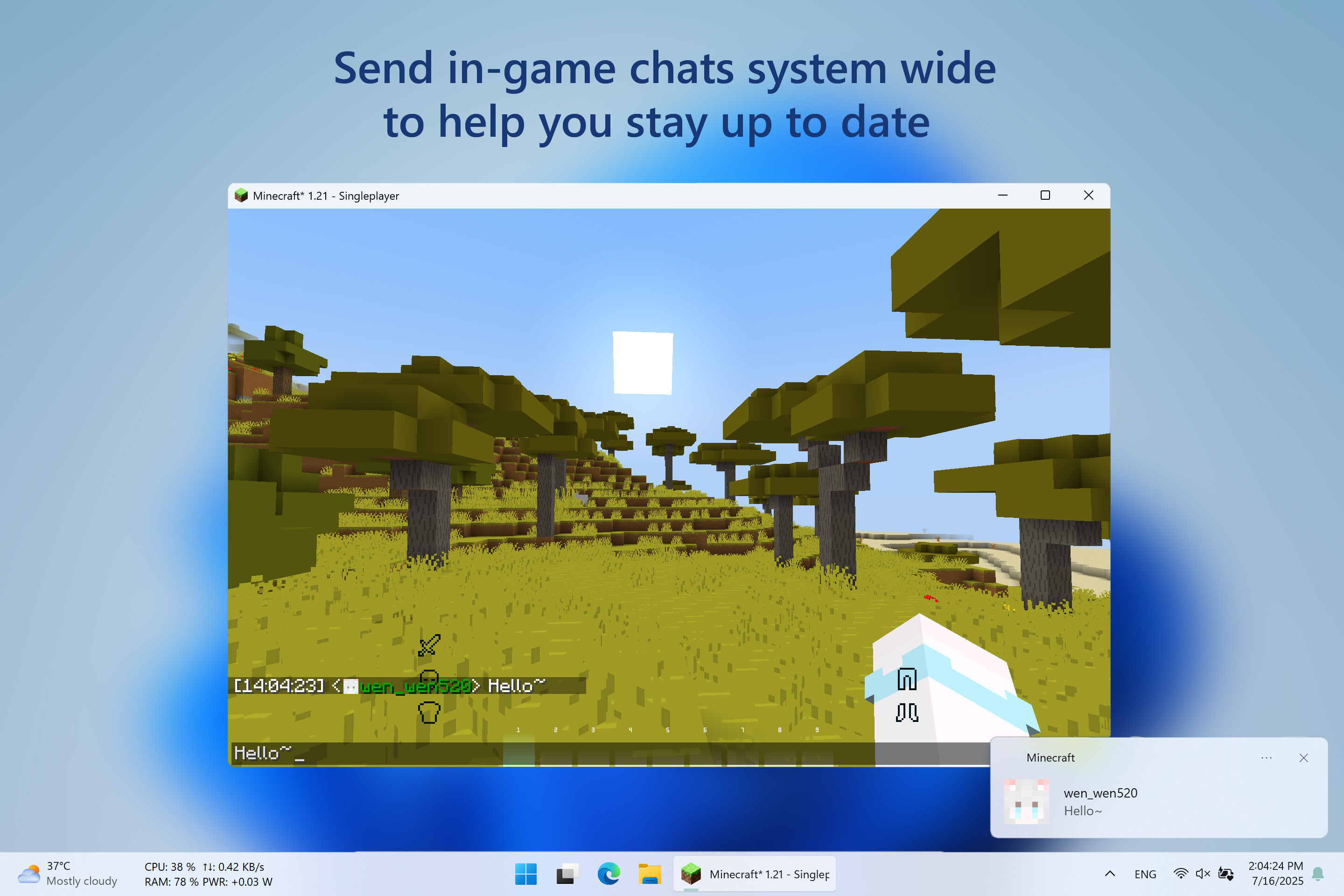
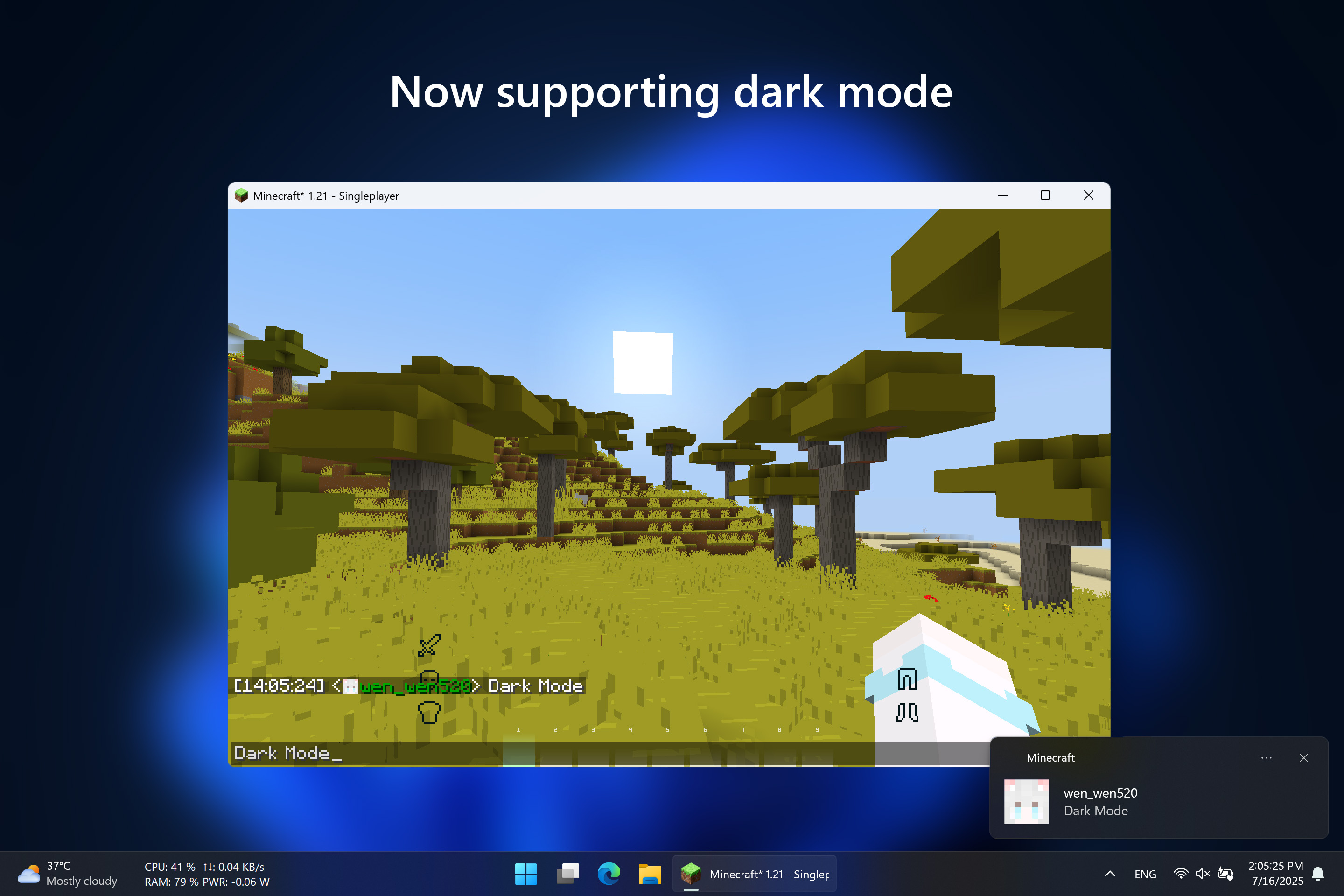
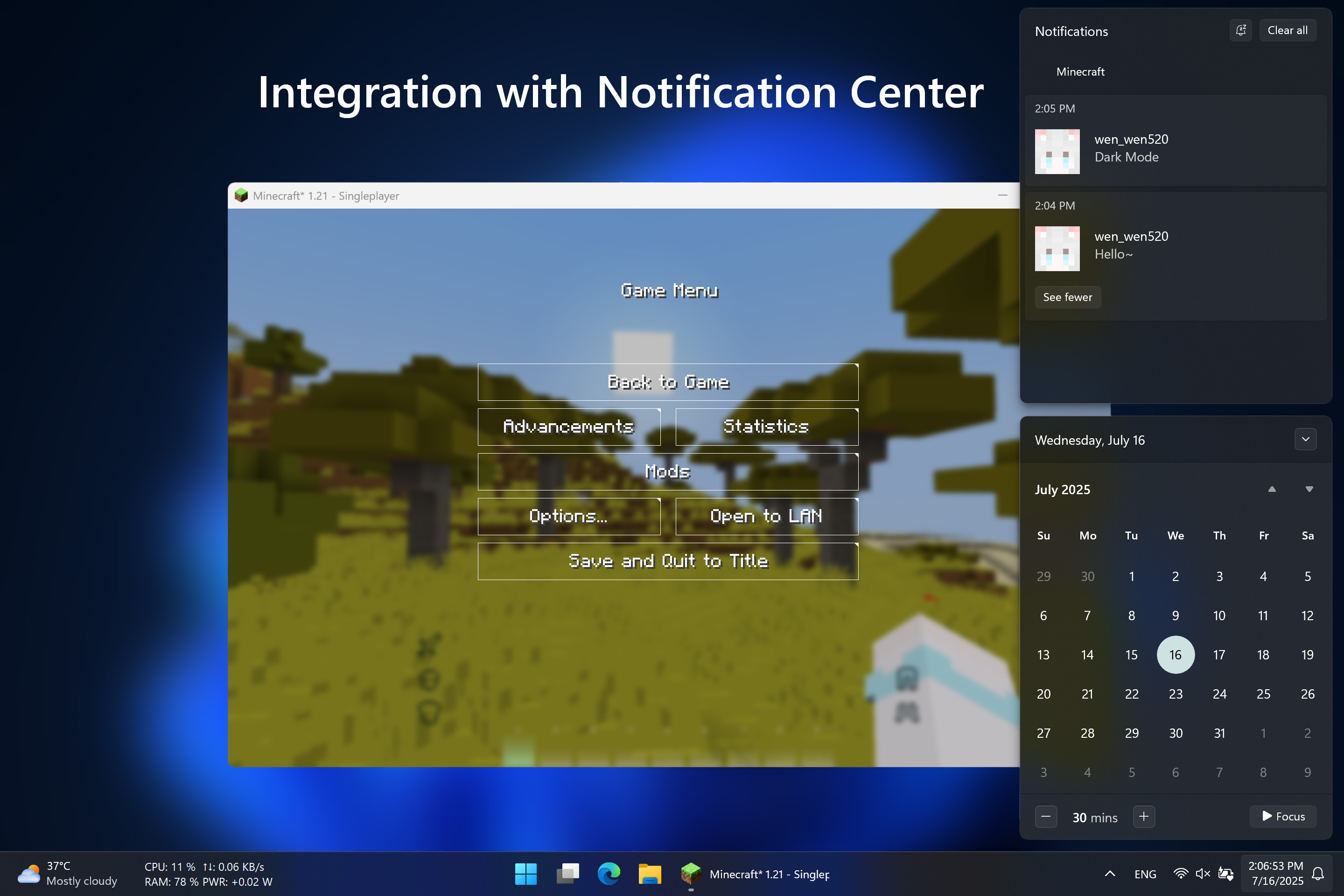
⚙️ 运行环境要求
架构:x64
系统:Windows 10 版本 15063.0 或更高
Java:Java 21
Minecraft:1.21 - 1.21.8
Fabric:0.16.10 或更高
✅ 安装指南
Modrinth [⬇️ 下载] 提供现代化的界面,方便你选择和下载该模组。
Github [? 发布页] 可用于获取源代码并自行打包。
⚙️ 配置说明
文件位置:
.minecraft\config\magpiebridge
不建议手动编辑配置文件,因为在模组更新或降级时配置会重置为默认值,
除非在 magpiebridge.json 中将 keepConfigDir 设置为 true
配置选项:
| Key | Description | Range | Default | In-game Edit Command |
|---|---|---|---|---|
| modVersion | Current mod version | System | Current | Not Editable |
| keepConfigDir | Keep config directory when mod updates or downgrades | System | false | magpiebridge config general keepConfigDir [Enable: Boolean] |
| notificationsEnabled | Toggle all desktop notifications | All | true | magpiebridge config general desktopNotifications [Enable: Boolean] |
| playerNotifications | Toggle player chats | Hypixel Skyblock | true | magpiebridge config notifications skyblock player [Enable: Boolean] |
| bazaarNotifications | Toggle bazaar messages | Hypixel Skyblock | true | magpiebridge config notifications skyblock bazaar [Enable: Boolean] |
| auctionNotifications | Toggle auction messages | Hypixel Skyblock | true | magpiebridge config notifications skyblock auctions [Enable: Boolean] |
? 反馈与建议
欢迎前往 ? Issue 页面 提交任何错误或功能建议。
? 许可证
All rights reserved.
? 致谢 & 相关资源
Go Toast / Toast 用于发送系统通知。
采用 MIT License。

你是这个资源的作者?登录后可认领此资源。
相似资源
 模组

Woot Revived
pharuxtan
一个用于收集生物掉落物的多区块模组。
生物科技
349
 模组
Applied Energistics 2
shartte
AE2:一款流行的自动化与存储模组
存储科技
217
 模组

另一个配置库 (YACL)
isxander
一个基于构建器的 Minecraft 配置库!
前置管理
155
 模组

格雷科技现代版GregTech CEu Modern
serenibyss
基于 GTCEu 1.12.2 的现代 GregTech
装饰科技
129
 模组

探险者指南针Explorer's Compass
Chaosyr
让你能够在世界中的任何位置定位结构。
冒险装备
108
 模组
Save and Load Inventories
Serilum
? 使用命令保存和加载玩家或他人的背包/套装。
管理实用
97
评论 0
登录后参与评分
还没有评论,来抢沙发吧