
Minecraft: The Game Engine
MC Engine 是一个类似游戏引擎的界面,旨在帮助在 Minecraft 中创建游戏和体验。它为各种原版特性(如游戏规则、天气、时间等)添加了可视化界面。它还添加了一些自定义功能,以便更轻松地管理和制作自定义游戏系统,包括区域(Regions)、交互(Interactions)、自定义音乐等功能。
引擎用户界面:
MC Engine 使用 ImGuiMC 构建了一个自定义 UI,所有功能都围绕一个中央导航栏展开。如果你在一个单人世界中,或者是在安装了该模组的服务器上作为管理员(operator),你可以点击“O”键(可在按键绑定菜单中重新绑定)来切换引擎导航栏的显示与隐藏。
为原版机制提供可视化界面:
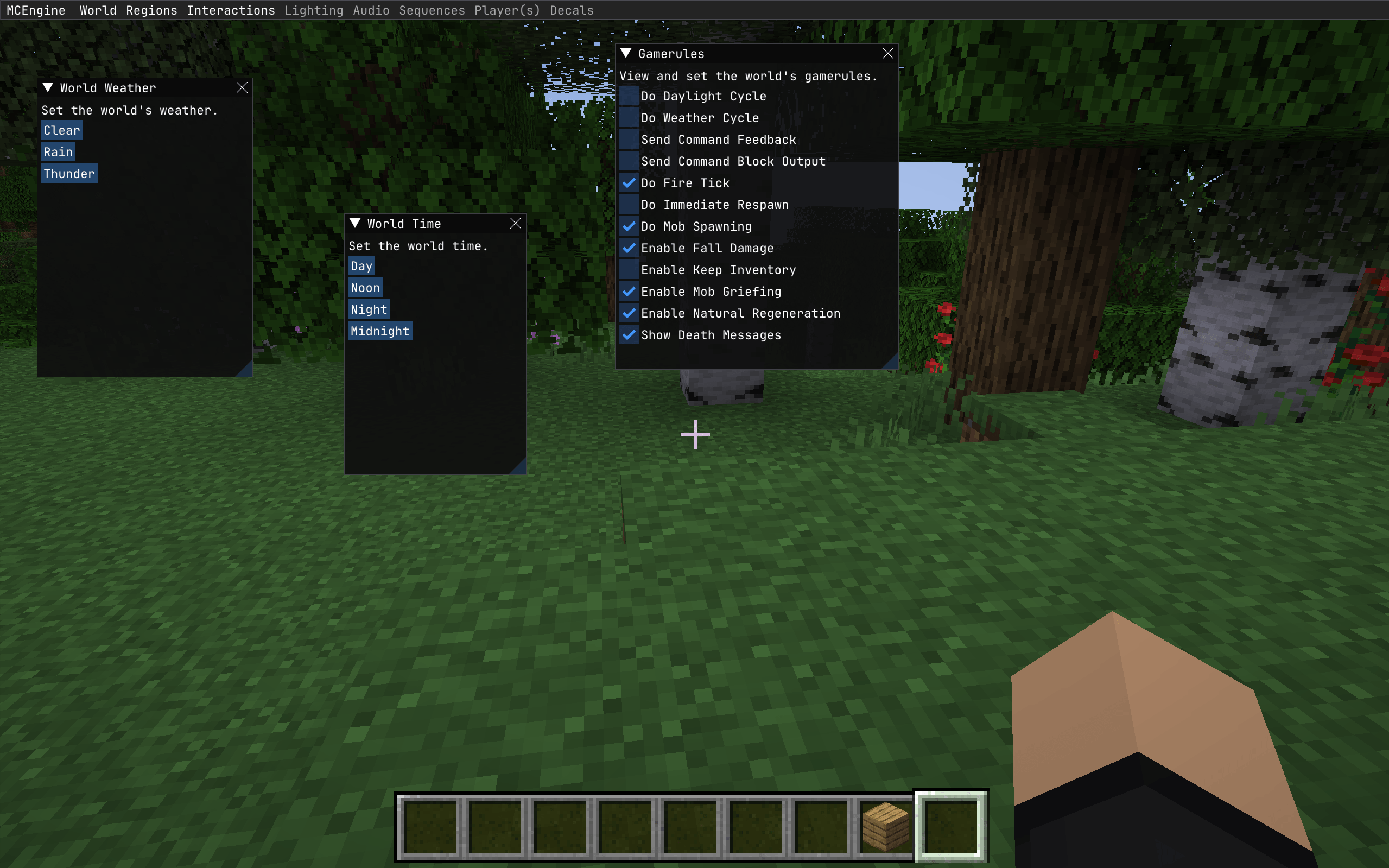
MC Engine 为各种原版机制提供了可视化的用户界面,使其更容易访问。一些游戏规则已被添加到自定义的“世界游戏规则”菜单中,并可以通过该菜单进行开启或关闭。
世界时间和天气也可以在类似的菜单中进行设置。
区域(Regions):
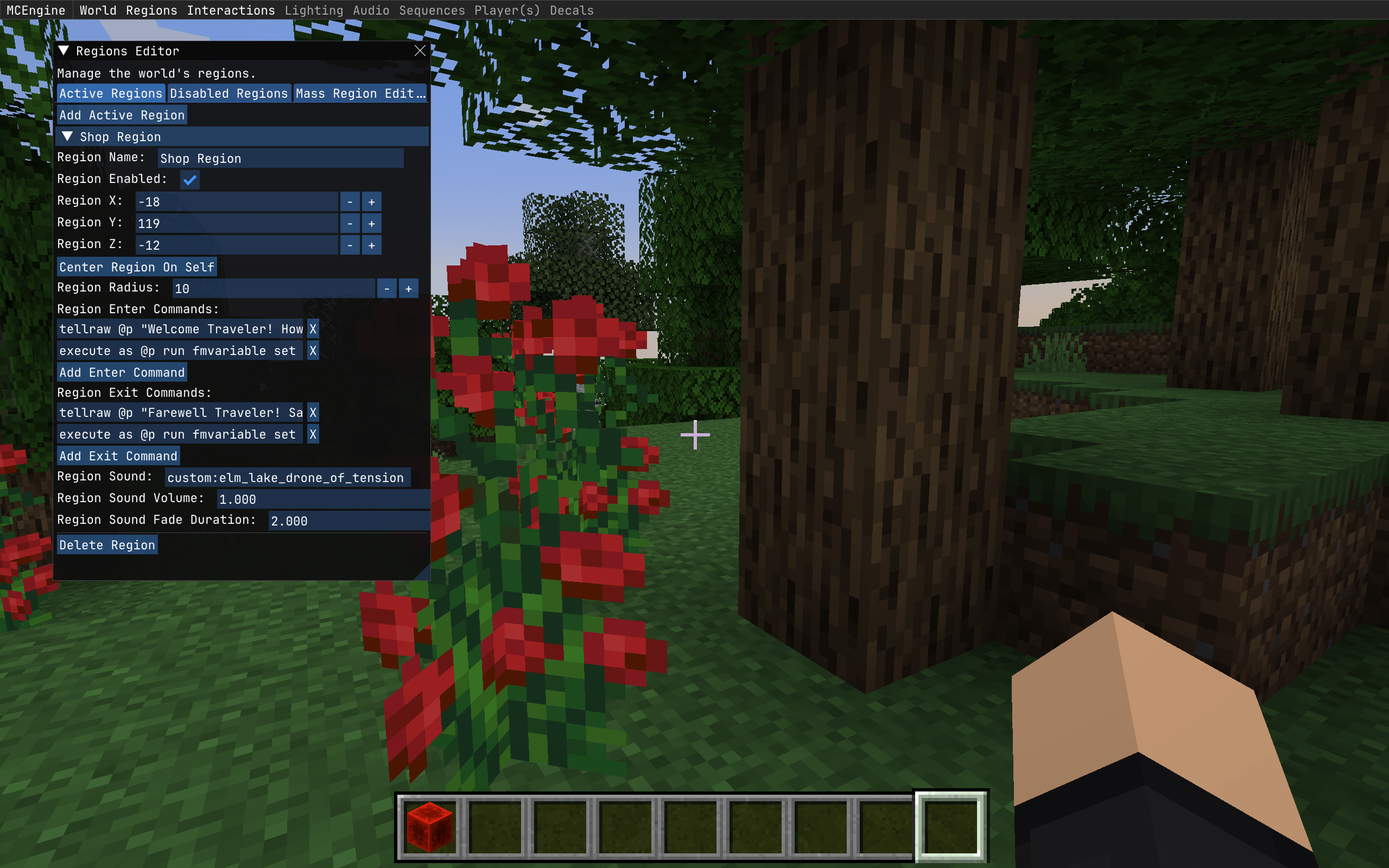
区域是以一组位置为中心、通过半径定义边界的区域。引擎的用户界面允许你设置区域的中心和半径,以及进入和离开区域时执行的命令。这些命令可以是任何原版命令,也可以是其他已加载模组添加的命令。区域还具有音乐功能,你可以设置当玩家进入区域时播放的声音,并在玩家离开区域时配置其淡出效果。这同样可以是任何原版声音,也可以是其他已加载模组或资源包添加的声音。
未来功能:
交互(Interactions):
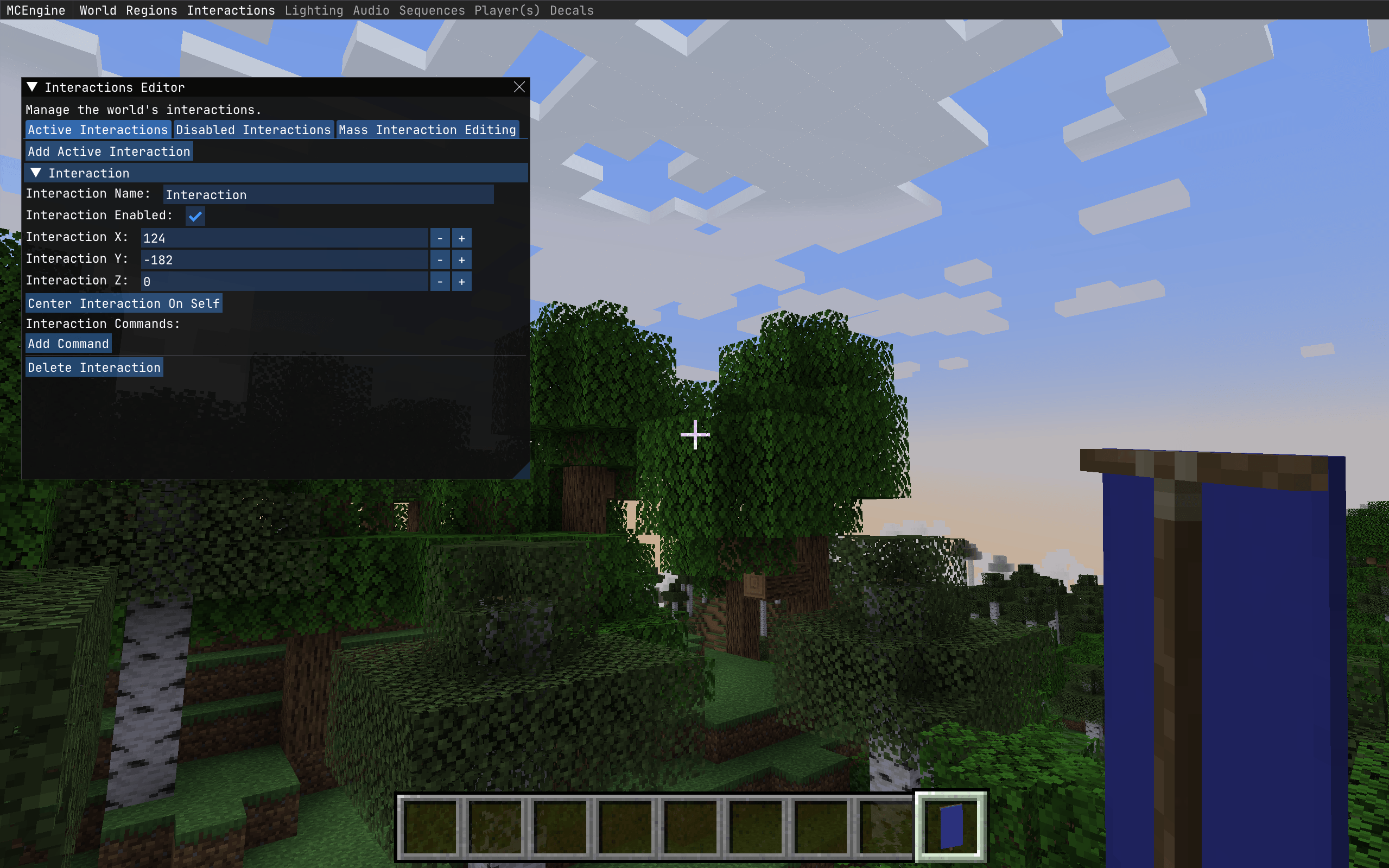
交互将非常类似于区域,但它们只具有一次性效果。交互的设置方式是:当玩家注视以某个方块为中心的交互点并按下交互键(该键也可在服务器端重新绑定或设置)时,交互命令将在使用该交互的玩家身上执行。
音乐(Music):
MC Engine 的音乐功能将允许你禁用 Minecraft 的原版音乐播放,并让你配置一组自定义的声音/音乐,在可配置的延迟后播放,替代原版音乐,从而允许你设置自定义的世界氛围。
玩家属性(Player Attributes)
各种玩家属性(如高度、行走速度、下落速度等)可以在菜单中进行设置,并通过区域进行编辑,从而为区域带来额外的特殊效果/交互。
Minecraft: The Game Engine
MC Engine is a game engine-like interface that aims to help with the creation of games and experiences within Minecraft. It adds visual interfaces to various vanilla features like gamerules, weather, time, etc… It also adds custom features to facilitate the easier management and making of custom game systems with features like Regions, Interactions, Custom Music, and more.
The Engine UI:
MC Engine has a custom UI built with ImGuiMC that all centers around a central Nav Bar. If you're in a singleplayer world or an operator on a server with the mod installed, you can click "O" (rebindable in the keybinds menu) to toggle on and off the engine's Nav Bar.
Vanilla Mechanics Given UIs:
MC Engine gives various vanilla mechanics visual UIs to make them easier to access. Some gamerules have been added to a custom "World Gamerules" menu and can be toggled on and off through that menu.
World Time and Weather can be set in similar menus.
Regions:
Regions are areas centered around a set position with a radius that defines the region borders. The Engine UI lets you set the position and radius of the region, as well as the commands that will run as you enter and exit the region. These can be any vanilla command as well as any command added by another loaded mod. Regions also have a music feature, where you can set a sound that plays for the player when they enter the region and configurably fades out when the player leaves the region. This can also be any vanilla sound, or any sound added by another loaded mod or resource pack.
Future Features:
Interactions:
Interactions will be very similar to regions, but they only have one off effects. Interactions will be set up so when the player is looking at the block the interaction is centered on and presses the interaction key (which will also be rebind-able or settable on the server side) the interaction commands will run on the player using the interaction.
Music:
MC Engine's music features will allow you to disable Minecraft's vanilla music from playing and allow you to configure a custom set of sounds/music to play on a configurable delay instead of the vanilla music, allowing you to set custom world ambience.
Player Attributes
Various player attributes (height, walking speed, falling speed, etc…) will be able to set in a menu and editable via regions, so additional special effects/interactions can be had for the regions.

下载 MC Engine
下载 MC Engine
下载 MC Engine
下载 MC Engine
下载 MC Engine
下载 MC Engine
MC Engine 0.9.3 更新日志:
前端更改:
- 修复了专用服务器兼容性
- 移除了世界音乐用户界面(所有功能将移至音频模块)
- 开始开发音频模块(导航栏中的选项卡现已启用)
- 原版音乐可由服务器控制开启或关闭(此操作会在控制台中记录)。
- 原版主菜单音乐现在可以在客户端引擎设置界面中禁用(需要重启以使更改生效,我正在为此寻找解决方案)。
后端更改:
- 将服务器和客户端的接收逻辑与其各自的包注册逻辑分离。
MC Engine 0.9.2 更新日志:
前端更改
- 重命名了客户端和服务器的配置文件。
- 客户端配置文件现在保存在名为“mcengine”的文件夹中。
- 新增了一个“控制台(Console)”窗口,之前显示在屏幕上的所有消息(如 Light Profile 变更和其他操作提示)现在都会在此处打印输出。(控制台信息已添加到 wiki)。
- 灯光配置(lights profile)现在会在世界/服务器首次运行时自动保存,使得默认配置(“lights”)在灯光配置编辑器中显示为有效的灯光配置选项。
- 此次真正修复了区域偏移量问题(径向区域现在以其起始方块为中心,线性区域在负坐标下也能正常工作)。
- 将区域声音的声音通道从 AMBIENT 改为 MUSIC,因为这更符合其通常的预期用途(未来可能会通过区域编辑器中的明确选择来替换此设置)。
后端更改
- 重构了加载逻辑,以便后续支持与 “/lightprofile” 命令的不同步功能。
- 整合了区域效果(Region Effects)的逻辑,以便后续添加特定维度的区域支持。
小修复:
- 修复了服务器设置配置文件无法正确保存/加载到指定目录的问题,该问题会导致进入世界时最后加载的光照配置文件未被正确选择并加载。
MC Engine 0.9.0 更新日志 - 光影更新:
界面更改:
- 列表切换功能现已修复!
- “引擎文档”按钮(位于“MC Engine”导航栏选项卡下)现在会在浏览器中打开 MC Engine 的 GitHub Wiki 页面。
- 首次安装 MC Engine 并打开世界/服务器时,将弹出自定义的欢迎窗口。
依赖项更改:
- 添加了 Veil 依赖项 - 版本 4.5.2(Veil UI 已禁用)
- 更新了 ImGuiMC,从 1.2.5 升级至 2.0.5
- 推荐添加 Sodium 作为可选依赖。
新增灯光模块:
- 添加了自定义灯光编辑器(管理点光源、区域光源、方向光和聚光灯)
- 客户端与服务器之间的灯光同步
- 在服务器启动或加入世界时保存灯光数据
- 添加了灯光配置文件,允许以组为单位切换灯光设置
- 已发布灯光模块的相关文档
区域更新:
- 更新了区域的文档,包括同步和保存功能
- 大规模代码清理(更清晰的类逻辑,略微简化的 UI 代码)
- 线性区域不再偏移其预期位置 1 个单位
0.4.0 更新:区域类型更新 + 少量清理
- 将常规区域类型重命名为“径向区域”
- 新增一种名为“线性区域”的区域类型
- 线性区域需要两个位置点,呈现为矩形区域形状,而非径向区域的球形形状。
- 已禁用交互菜单,因其功能与数据保存尚未实现。
- 已在世界导航栏标签页中禁用音乐菜单,因其功能尚未实现。
关于这个资源的讨论、问题反馈与使用心得
还没有讨论,来发第一帖吧
你是这个资源的作者?登录后可认领此资源。
相似资源
 模组

显示你正在注视的方块的信息。(适用于 Minecraft 1.16+ 的 Hwyla/Waila 分支)
 模组
在游戏画面角落显示附近世界地形、玩家、生物和实体的地图。可创建路径点,帮助你找到标记过的位置。
 模组

查看物品与配方
 模组
使用 JavaScript 编辑配方、添加自定义物品、编写世界事件!
 模组
AE2:一款流行的自动化与存储模组
 模组
那是什么?一个 Waila/Hwyla 的分支。
评论 0
登录后参与评分
还没有评论,来抢沙发吧