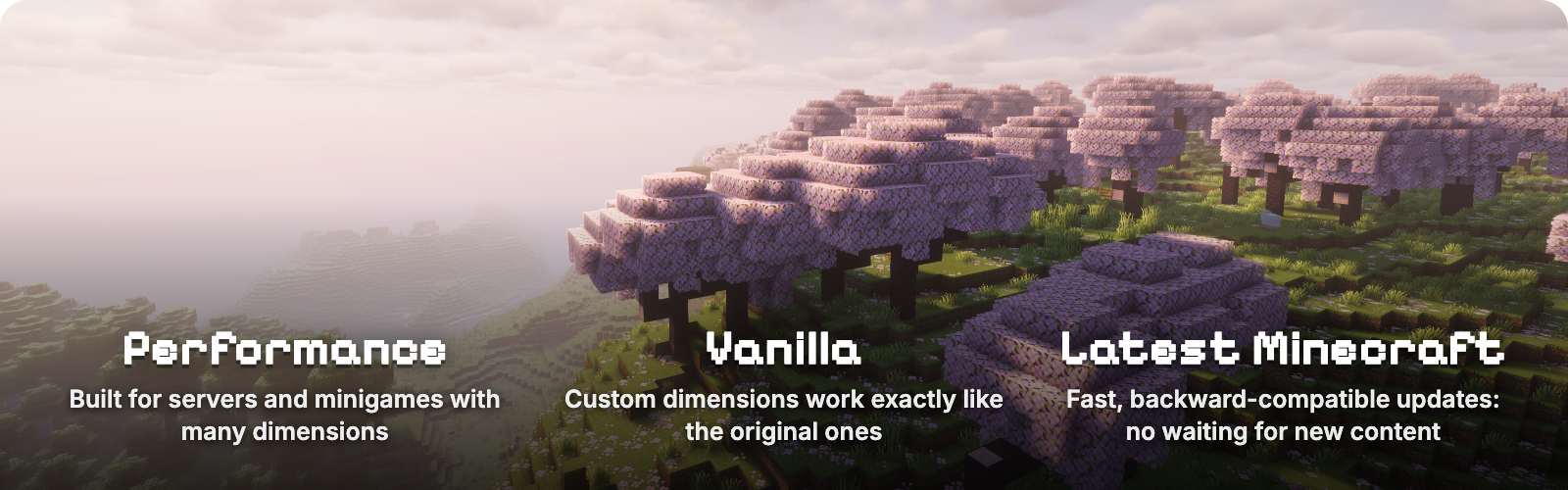

Worlds 允许 Fabric 服务器像 Paper 上的 Multiverse 一样运行任意数量的世界。通过游戏内命令创建、列出、删除并在世界之间传送,并为每个世界设置独立的时间、天气和游戏规则。每个世界的体验都如同真实的原版 Minecraft,包括末影龙。因此,Worlds 也可作为其他模组构建其维度的基础。使用一条命令即可重建来自 World Manager 或 Multiworld 的世界。

|
世界类型
/worlds create <id> 创建一个主世界。添加 from-preset 可创建平坦、增强或任何数据包预设的世界,或添加 from-dimension 以创建下界、末地或任何维度类型。/worlds tp 可将你传送至该世界。
|

- 末影龙战斗、传送门、地图和末影珍珠在你创建的每个世界中均可正常工作,不仅限于原版的三个世界。
- 独立的天气和时间。 原版
/weather 和 /time 命令在世界内部运行时,仅改变该世界的状态。
- 独立的游戏规则。 可以在世界内使用原版
/gamerule 设置保留物品栏、PvP、生物生成、日照等规则。未修改的规则将跟随服务器设置,而 /gamerule <rule> inherit 可将某条规则交还给服务器管理。在客户端安装 Worlds 后,游戏规则界面会显示哪些规则已被该世界修改。
- 无需学习新操作。 没有额外的天气、时间或规则命令,主世界、下界和末地的表现与原版完全一致。

链接的传送门与按世界组分离的物品栏
- 独立的下界和末地。 同一组内的世界表现为一个原版世界:下界传送门通向该组的下界并返回,共享出生点和游戏规则。
- 独立的物品栏。 每个组都会保存一份完整的玩家数据副本:包括物品栏、末影箱、经验值、生命值、状态效果、游戏模式、统计信息、进度以及其他模组存储在玩家身上的数据。首次进入时为空,如同初次加入服务器。
- 独立的游戏模式。 两条游戏规则可为组设置默认或强制游戏模式,因此创造模式组可以与生存模式组并存。
- 小游戏的临时世界。 临时世界和组在关闭或服务器重启时会被删除,玩家将以原有的所有状态返回原处。数据包函数可以创建、进入并删除所有这些内容。
兼容 Trinkets、背包、Origins 和其他模组
其他模组无需进行集成配置。一个组会保留玩家存档数据的完整副本,因此额外的装备槽位、背包、Origins 起源以及其他存储在玩家身上的数据模组,在每个组中均保持独立,无需额外设置。
- 经真实玩家测试。 Trinkets、Traveler's Backpack、Origins、Cardinal Components 和 WorldThreader。
- 经游戏窗口测试。 Sodium、带光影的 Iris、Jade、AppleSkin 和 Xaero's Minimap。
- 在服务器上同时加载和运行。 Lithium、C2ME、FerriteCore、Krypton、Very Many Players、Carpet、spark、Chunky、WorldEdit、BlueMap、Ledger、LuckPerms、Terralith、Tectonic、Distant Horizons 等。
- 来自其他模组的传送。 将玩家移动到其他组会切换其对应的数据副本,不会影响该模组本身。
- 来自其他模组的维度。
/worlds create <id> from-dimension <mod>:<dimension> 可从任何已注册的维度创建新世界。
如果某个模组(如 Pufferfish 的 Skills)将玩家数据存储在世界的数据中而非玩家身上,则除非它添加支持,否则该数据将在各组间共享。兼容性页面 提供了完整的列表、版本和支持限制。

- 按需加载。 世界仅在需要时加载,关闭后停止生物、方块和天气的刻数计算,并在最后一名玩家离开一分钟后卸载,这样你可以保留数百个世界而无需为闲置世界付费。
- 随 Minecraft 发布在一周内更新。 Worlds 跟随最新的 Minecraft 版本;旧版本保留在“Versions”选项卡中。
- 其他模组的基础。 模组可以执行命令能做的所有操作,并通过 Worlds API 注册自己的世界类型。Stargate 即基于此构建;API.md 提供了指南和 Gradle 设置说明。

| 命令 |
功能 |
/worlds create <id> [seed] |
创建一个主世界 |
/worlds create <id> from-preset <preset> [dimension] [seed] |
从世界预设创建世界,例如 minecraft:flat 或 minecraft:amplified |
/worlds create <id> from-dimension <type> [seed] |
创建指定维度类型的世界,例如 minecraft:the_nether 或 minecraft:the_end |
/worlds import <id> <save> [<dimension>|all] |
导入单人世界、其他服务器的世界(支持 Paper 和 Multiverse)、zip 文件或 zip 文件的直接下载链接 |
/worlds tp <id> [players] |
将你或其他玩家传送至某世界的出生点 |
/worlds list [loaded|unloaded] |
列出世界;悬停查看详情,点击即可传送 |
/worlds delete <id> |
将所有玩家移出后删除该世界 |
/worlds settings spawn [here|<x> <y> <z>] |
显示或设置你所在世界的出生点 |
/worlds settings loadOnStartup [true|false] |
显示或设置服务器启动时是否加载你所在的世界 |
/worlds group |
显示你所在世界所属的组 |
/worlds group list |
列出组及其包含的世界 |
/worlds group create <group> |
创建一个组 |
/worlds group delete <group> |
删除一个组及其保存的玩家数据;其内的世界将退出该组,若该组是临时的则会被删除 |
/worlds group join <group> [main] |
将你所在的世界加入一个组;添加 main 可将其设为该组的超主世界、下界或末地 |
/worlds group leave |
将你所在的世界从其所属组中移除 |
/worlds group spawn [here|<x> <y> <z>] |
显示或设置该组的出生点 |
/worlds create temporary <name> ... |
创建一个临时世界,关闭或服务器重启时自动删除;接受与 /worlds create 相同的参数 |
/worlds import temporary <name> <save> [<dimension>] |
将一个世界作为临时世界导入 |
/worlds group create temporary <name> |
创建一个临时组;只有临时世界可以加入其中 |
/worlds group temp leave <players> |
将临时组中的玩家送回他们原来的位置 |
/gamerule <rule> <value> |
在已创建的世界中,仅对该世界设置规则;在组中,对整个组设置规则 |
/gamerule |
在已创建的世界中,列出该世界更改过的规则 |
/gamerule <rule> inherit |
在已创建的世界中,使某规则重新遵循服务器默认设置 |
未带命名空间的世界 ID 会自动添加 minecraft:,因此 /worlds create mining 会创建 minecraft:mining。使用 /execute in <world> run ... 可对其他世界执行任何命令。/worlds 命令和 /gamerule 需要 2 级权限(操作员等级),这也是函数默认运行的权限级别。

可重置的资源世界
/worlds create mining
/worlds tp mining
/worlds delete mining
/worlds create mining
无生物且白天无尽的创造模式建筑世界
/worlds create build from-preset minecraft:flat
/worlds tp build
/gamerule spawn_mobs false
/gamerule advance_time false
/gamerule advance_weather false
新玩家出生的安全大厅
/worlds create lobby
/worlds tp lobby
/setworldspawn
/gamerule pvp false
/gamerule spawn_monsters false
仅在竞技场保留物品栏
/execute in minecraft:arena run gamerule keep_inventory true
拥有独立下界、出生点和物品栏的天空岛组
/worlds group create skyblock
/worlds create sky from-preset minecraft:flat
/worlds create sky_nether from-dimension minecraft:the_nether
/execute in minecraft:sky run worlds group join skyblock
/execute in minecraft:sky_nether run worlds group join skyblock
/execute in minecraft:sky run worlds group spawn 0 70 0
导入单人世界、地图下载或 Paper 服务器的世界
/worlds import old_survival "My Old World"
/worlds import adventure "https://example.com/maps/adventure.zip"
/worlds import hub paperworld all
将存档或其 zip 文件放在服务器世界目录旁。旧版 Minecraft 版本会自动升级,并保留原有的种子、出生点、地图和游戏规则。
从 World Manager 或 Multiworld 迁移: 用 Worlds 替换它们,然后对每个世界运行 /worlds create <id> from-dimension <type> <seed>,填入各自的世界 ID、类型和种子。支持经典的超主世界、下界和末地世界。
依赖项
- Minecraft 26.3
- Fabric Loader 0.18.4+ 及 Fabric API
- Java 25
近期更新
- 2.2.2 安装了 Mielon 的 The Sift 后,服务器启动和已创建的世界加载恢复正常。
- 2.2.1 世界一旦开始关闭便立即停止刻数计算。
- 2.2.0 临时世界和组使用更短的 ID,模组可在日志和导出结果中使用这些 ID。
完整历史记录请查看 changelog。
你可以通过在 Pixly Hosting 上托管你的服务器来支持本项目。
Worlds lets a Fabric server run as many worlds as it wants, the way Multiverse does on Paper. Create, list, delete and teleport between worlds with in-game commands, and give each one its own time, weather and game rules. Every world plays like real vanilla Minecraft, down to the End dragon, which also makes Worlds a base other mods build their dimensions on. Worlds from World Manager or Multiworld can be recreated with one command each.
|
|
World types
/worlds create <id> makes an Overworld. Add from-preset for flat, amplified or any data pack preset, or from-dimension for a Nether, an End or any dimension type. /worlds tp takes you there.
|
- The End dragon fight, portals, maps and ender pearls work in every world you create, not only in the original three.
- Own weather and time. Vanilla
/weather and /time run inside a world change only that world.
- Own game rules. Keep inventory, PvP, mob spawning, daylight and more, set with vanilla
/gamerule inside the world. Rules you leave alone follow the server, and /gamerule <rule> inherit hands one back. With Worlds installed on the client, the Game Rules screen shows which rules the world changed.
- Nothing new to learn. No extra commands for weather, time or rules, and the Overworld, Nether and End behave exactly as in vanilla.
Linked portals and separate inventories per world group
- Own Nether and End. Worlds in a group act as one vanilla world: a nether portal leads to the group's Nether and back, with a shared spawn and shared game rules.
- Separate inventories. Each group keeps its own copy of every player: inventory, ender chest, experience, health, effects, game mode, statistics, advancements and the data other mods store on the player. Your first visit starts empty, as on a first join.
- Its own game mode. Two game rules give a group a default or forced game mode, so a creative group can sit beside a survival one.
- Temporary worlds for minigames. Temporary worlds and groups are deleted when they close or the server restarts, and players return where they came from with everything they had. Data pack functions can create, enter and delete all of it.
Compatible with Trinkets, backpacks, Origins and other mods
Other mods need no integration. A group keeps a complete copy of the player's save data, so extra equipment slots, backpacks, origins and other data mods store on the player stay separate per group, with no setup.
- Tested with a real player. Trinkets, Traveler's Backpack, Origins, Cardinal Components and WorldThreader.
- Tested in a game window. Sodium, Iris with shaders, Jade, AppleSkin and Xaero's Minimap.
- Loaded and run together on a server. Lithium, C2ME, FerriteCore, Krypton, Very Many Players, Carpet, spark, Chunky, WorldEdit, BlueMap, Ledger, LuckPerms, Terralith, Tectonic, Distant Horizons and more.
- Teleports from other mods. Moving a player into another group switches their copy, with no change to that mod.
- Dimensions from other mods.
/worlds create <id> from-dimension <mod>:<dimension> makes a new world from any registered dimension.
A mod that keeps player data in the world's saved data instead, as Pufferfish's Skills does, stays shared across groups unless it adds support. The compatibility page has the full list, versions and limits.
- Load on demand. Worlds load when needed, stop mob, block and weather ticks as they close, and unload a minute after the last player leaves, so you can keep hundreds without paying for idle worlds.
- Updated within a week of each Minecraft release. Worlds follows the newest Minecraft version; older versions stay on the Versions tab.
- A base for other mods. Mods can do everything the commands do and register their own world types through the Worlds API. Stargate is built on it; API.md has the guide and the Gradle setup.
| Command |
What it does |
/worlds create <id> [seed] |
Creates an overworld |
/worlds create <id> from-preset <preset> [dimension] [seed] |
Creates a world from a world preset, for example minecraft:flat or minecraft:amplified |
/worlds create <id> from-dimension <type> [seed] |
Creates a world of a dimension type, for example minecraft:the_nether or minecraft:the_end |
/worlds import <id> <save> [<dimension>|all] |
Imports a singleplayer world, another server's worlds (Paper and Multiverse too), a zip, or a direct download link to a zip |
/worlds tp <id> [players] |
Teleports you or other players to a world's spawn |
/worlds list [loaded|unloaded] |
Lists worlds; hover for details, click to teleport |
/worlds delete <id> |
Deletes a world after moving everyone out of it |
/worlds settings spawn [here|<x> <y> <z>] |
Shows or sets the spawn of the world you are in |
/worlds settings loadOnStartup [true|false] |
Shows or sets whether the world you are in loads when the server starts |
/worlds group |
Shows the group of the world you are in |
/worlds group list |
Lists groups and their worlds |
/worlds group create <group> |
Creates a group |
/worlds group delete <group> |
Deletes a group and the player data kept for it; its worlds leave the group, or are deleted if the group is temporary |
/worlds group join <group> [main] |
Adds the world you are in to a group; main makes it the group's Overworld, Nether or End |
/worlds group leave |
Takes the world you are in out of its group |
/worlds group spawn [here|<x> <y> <z>] |
Shows or sets the group's spawn |
/worlds create temporary <name> ... |
Creates a temporary world, deleted when it closes or the server restarts; takes the same options as /worlds create |
/worlds import temporary <name> <save> [<dimension>] |
Imports a world as a temporary one |
/worlds group create temporary <name> |
Creates a temporary group; only temporary worlds can join it |
/worlds group temp leave <players> |
Sends players in a temporary group back where they came from |
/gamerule <rule> <value> |
In a created world, sets a rule for that world only; in a group, for the whole group |
/gamerule |
In a created world, lists the rules the world changed |
/gamerule <rule> inherit |
In a created world, makes a rule follow the server again |
A world id without a namespace gets minecraft:, so /worlds create mining creates minecraft:mining. Run any command for another world with /execute in <world> run .... /worlds commands and /gamerule need operator level 2, the level functions run at by default.
A resource world you can reset
/worlds create mining
/worlds tp mining
/worlds delete mining
/worlds create mining
A creative build world with no mobs and endless daylight
/worlds create build from-preset minecraft:flat
/worlds tp build
/gamerule spawn_mobs false
/gamerule advance_time false
/gamerule advance_weather false
A safe lobby where new players spawn
/worlds create lobby
/worlds tp lobby
/setworldspawn
/gamerule pvp false
/gamerule spawn_monsters false
Keep inventory only in an arena
/execute in minecraft:arena run gamerule keep_inventory true
A skyblock group with its own Nether, spawn and inventories
/worlds group create skyblock
/worlds create sky from-preset minecraft:flat
/worlds create sky_nether from-dimension minecraft:the_nether
/execute in minecraft:sky run worlds group join skyblock
/execute in minecraft:sky_nether run worlds group join skyblock
/execute in minecraft:sky run worlds group spawn 0 70 0
Bring in a singleplayer world, a map download or a Paper server's worlds
/worlds import old_survival "My Old World"
/worlds import adventure "https://example.com/maps/adventure.zip"
/worlds import hub paperworld all
Put the save, or its zip, next to the server world. Older Minecraft versions are upgraded, and the world keeps its seed, spawn, maps and game rules.
Moving from World Manager or Multiworld: replace it with Worlds, then run /worlds create <id> from-dimension <type> <seed> with the id, type and seed each world had. Classic Overworld, Nether and End worlds are supported.
Requirements
- Minecraft 26.3
- Fabric Loader 0.18.4+ and Fabric API
- Java 25
Recent updates
- 2.2.2 Servers start and created worlds load with Mielon's The Sift installed.
- 2.2.1 Worlds stop ticking as soon as they start closing.
- 2.2.0 Temporary worlds and groups get shorter ids, and mods can use them in logs and exported results.
The full history is in the changelog.
You can support this project by hosting your server on Pixly Hosting.


 模组

 模组

 模组

 模组
 模组

 模组

评论 0
登录后参与评分
还没有评论,来抢沙发吧