? MCShare - 无缝共享 Minecraft 世界

MCShare 是一款功能强大且简单易用的 Minecraft 模组,旨在让分享你的 Minecraft 世界变得快速、安全且用户友好。只需几次点击,你就可以导出你的世界,对其进行加密以确保安全,并将其作为单个文件分享给他人——再也不用在目录中翻找或担心存档损坏了!
安装/依赖项
此模组需要 BoxLib,这是我开发的一个客户端库模组。
- 安装 Minecraft Forge/Fabric/Neoforge: 下载并安装适用于你 Minecraft 版本的相应加载器。
- 下载模组: 下载与你特定的加载器和 Minecraft 版本对应的 Coordinates Display 最新版本。(注:原文此处误写为 Coordinates Display,根据上下文应为 MCShare)
- 下载 BoxLib: 下载与你特定的加载器和 Minecraft 版本对应的 BoxLib 最新版本
- 放置模组 jar 包: 将下载的 jar 文件放入你的 Minecraft mods 文件夹中。该文件夹的位置因操作系统而异。
Fabric 依赖项
建议使用 Mod Menu 进行配置。
Forge/NeoForge 依赖项
此模组需要 BoxLib,这是我开发的一个客户端库模组。
✨ 功能
- ?️ 轻松导出世界
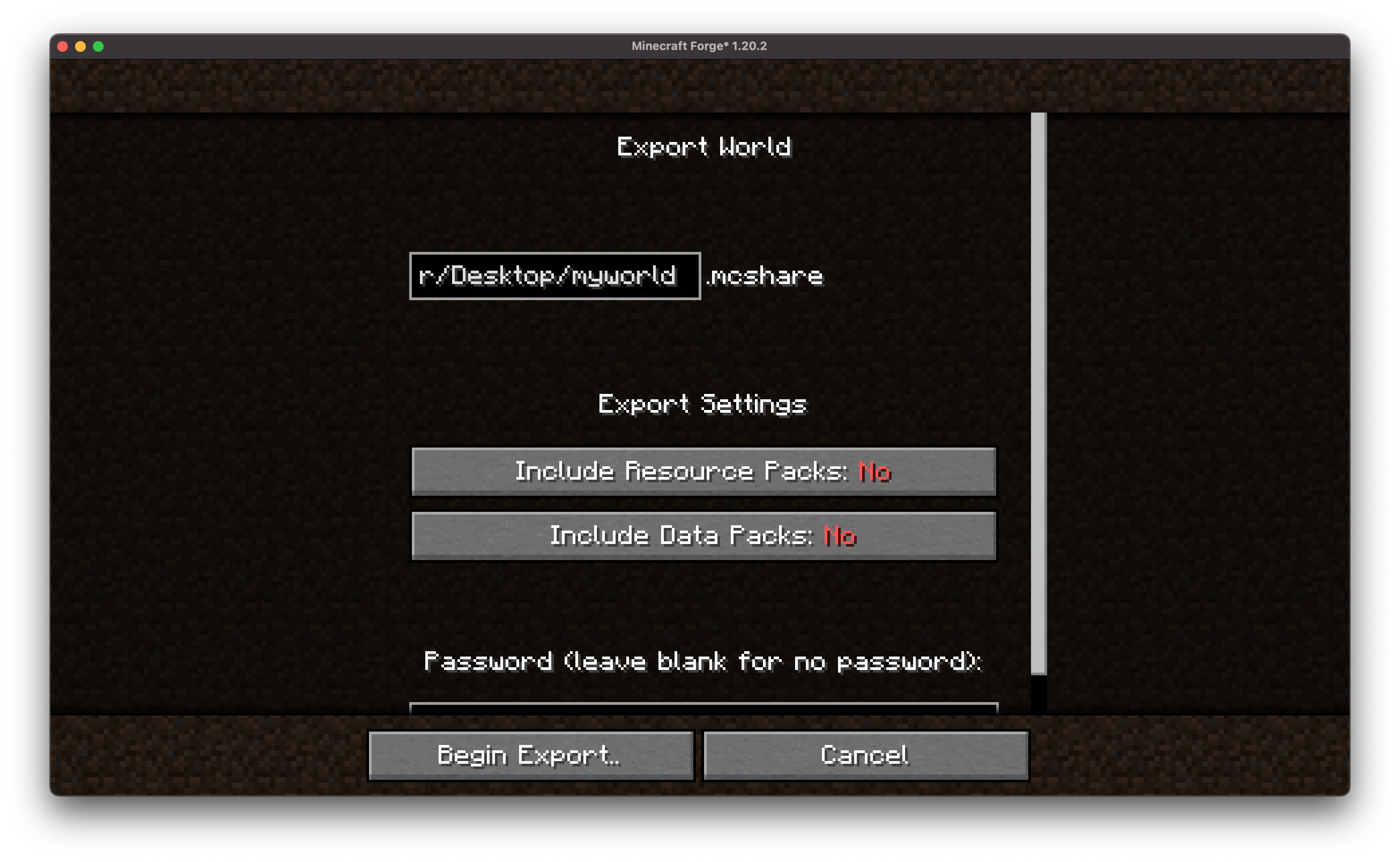
通过一条命令或菜单点击,将你的 Minecraft 世界转换为打包整齐的文件。
- ? 加密以保障安全
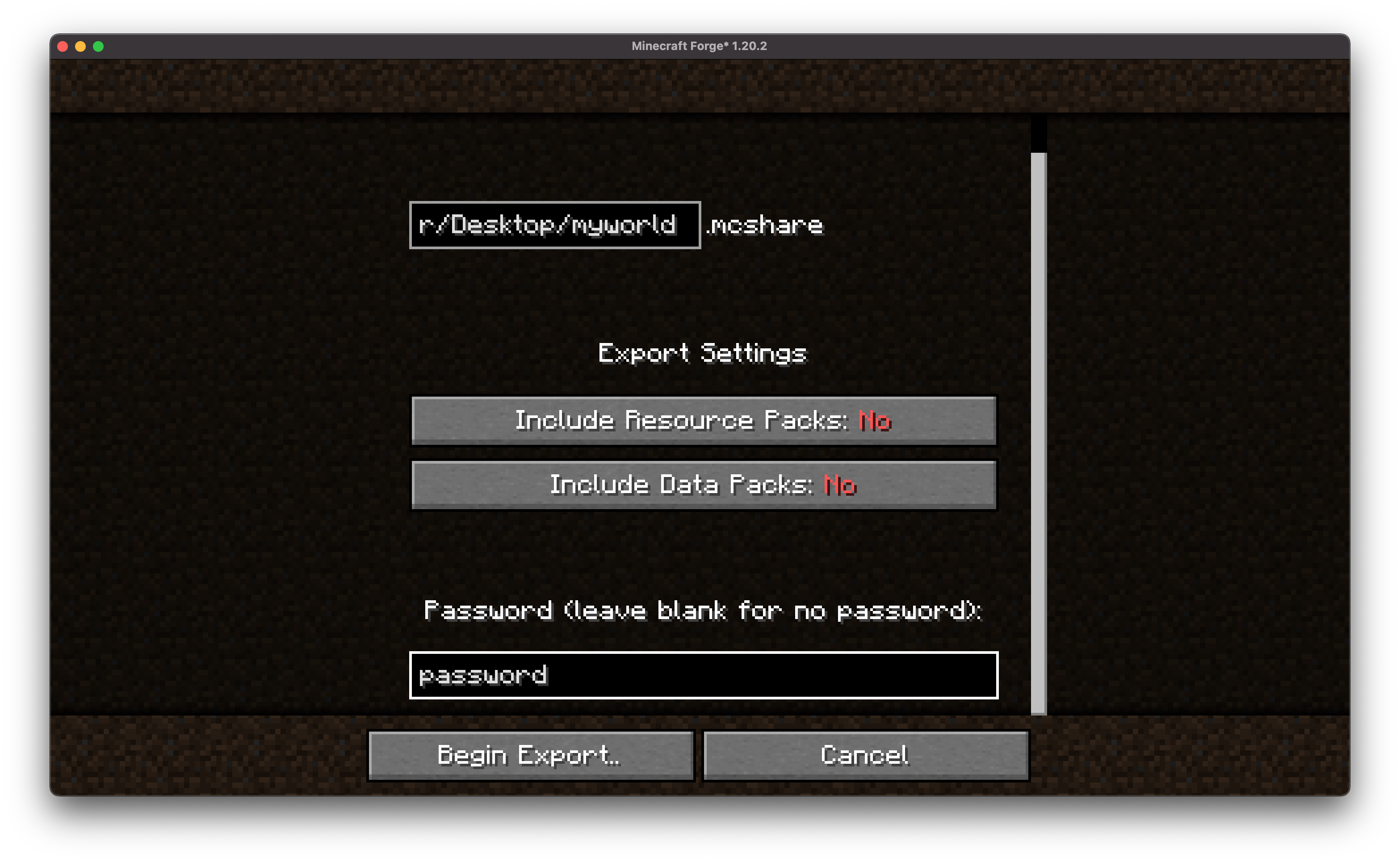
使用内置的加密选项,防止你的世界文件被篡改或未经授权的访问。
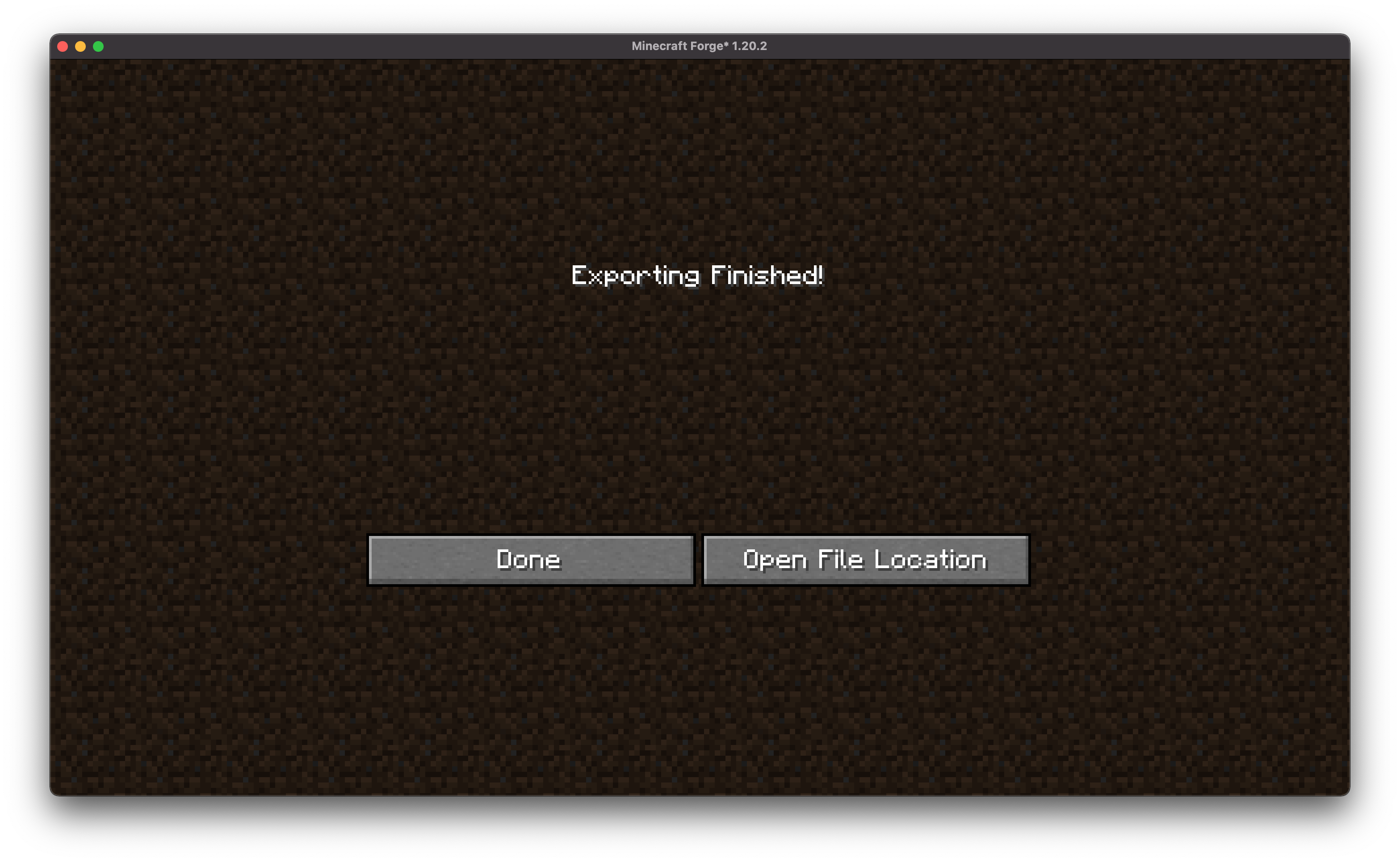
- ? 一键分享
导出后,MCShare 会生成一个可分享的文件,准备好上传到云存储、即时通讯工具甚至电子邮件。
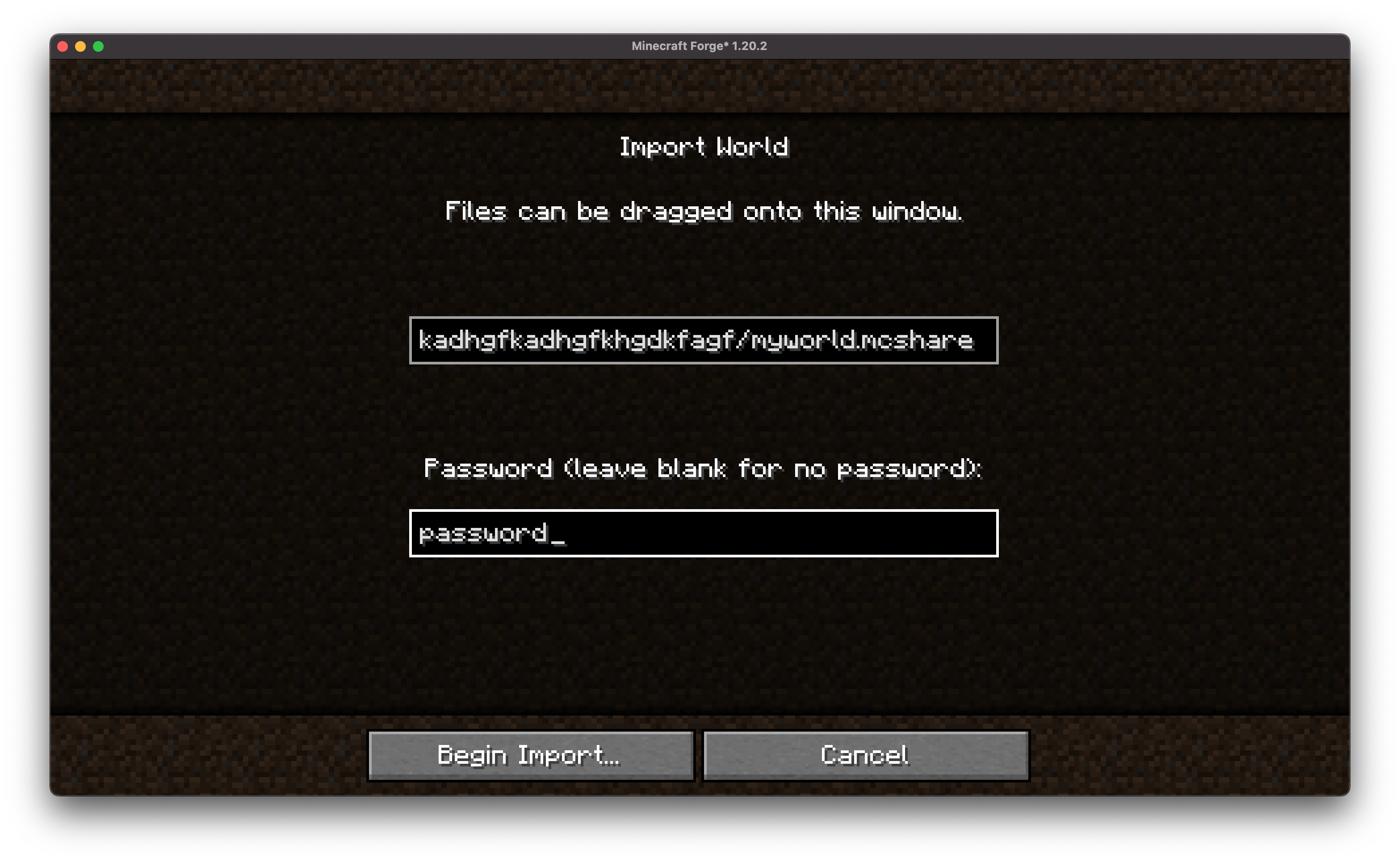
- ? 轻松导入
任何安装了该模组的人只需一次拖放操作或输入命令即可导入分享的世界。
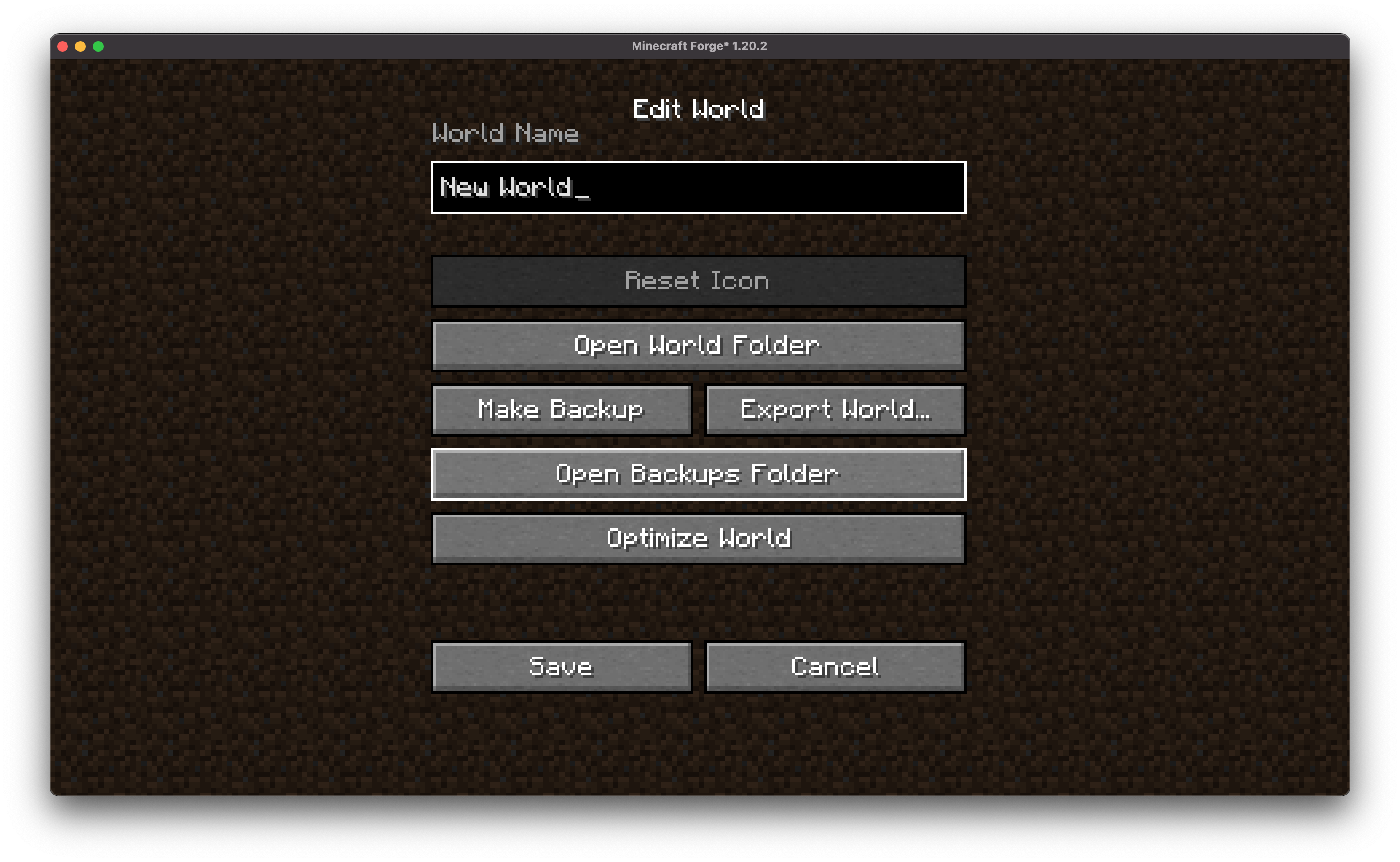
- ? 广泛的兼容性
MCShare 会自动在外部
.zip 文件中搜索世界文件,允许你导入由各种程序创建的备份!
? 使用方法
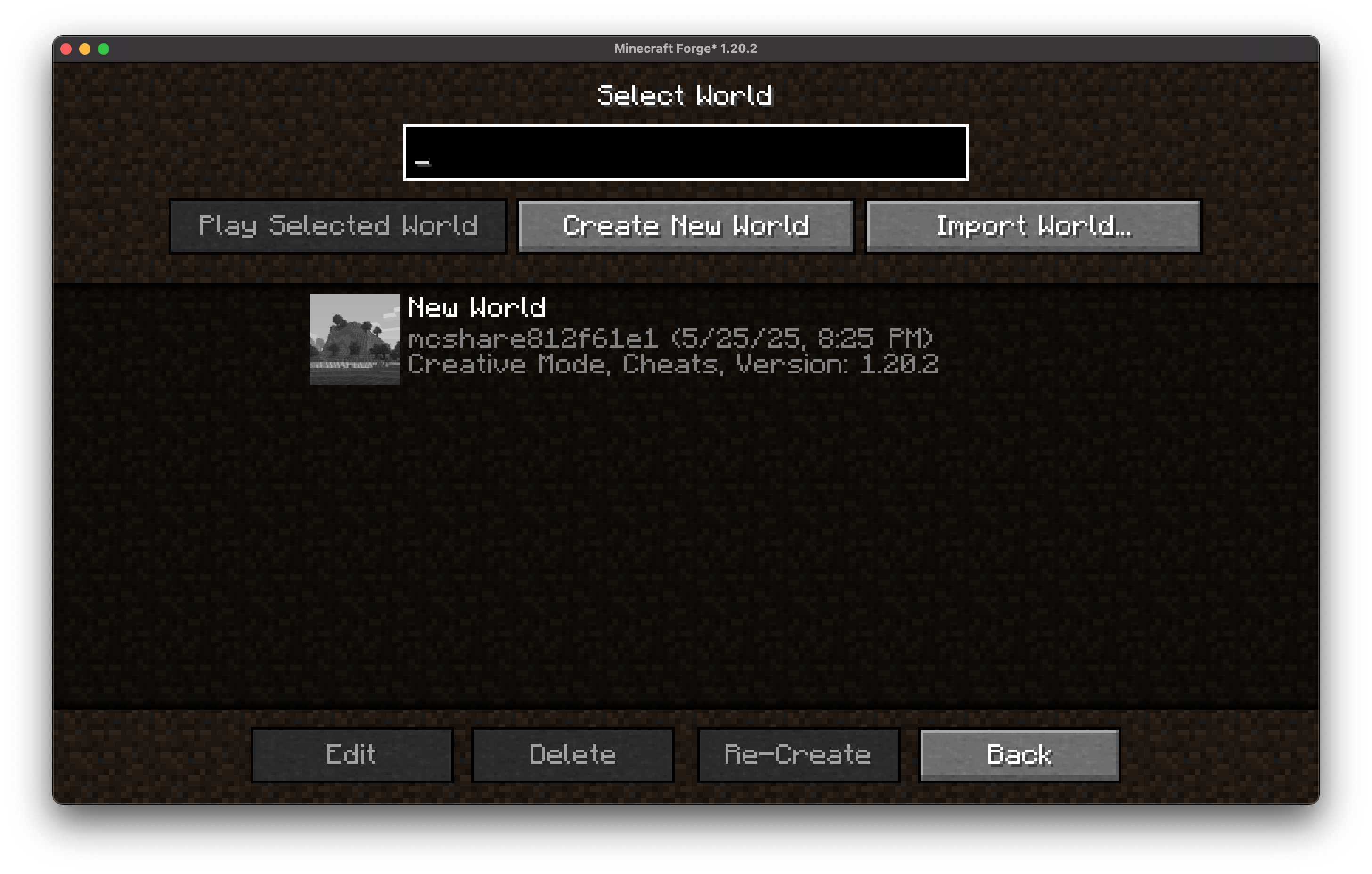
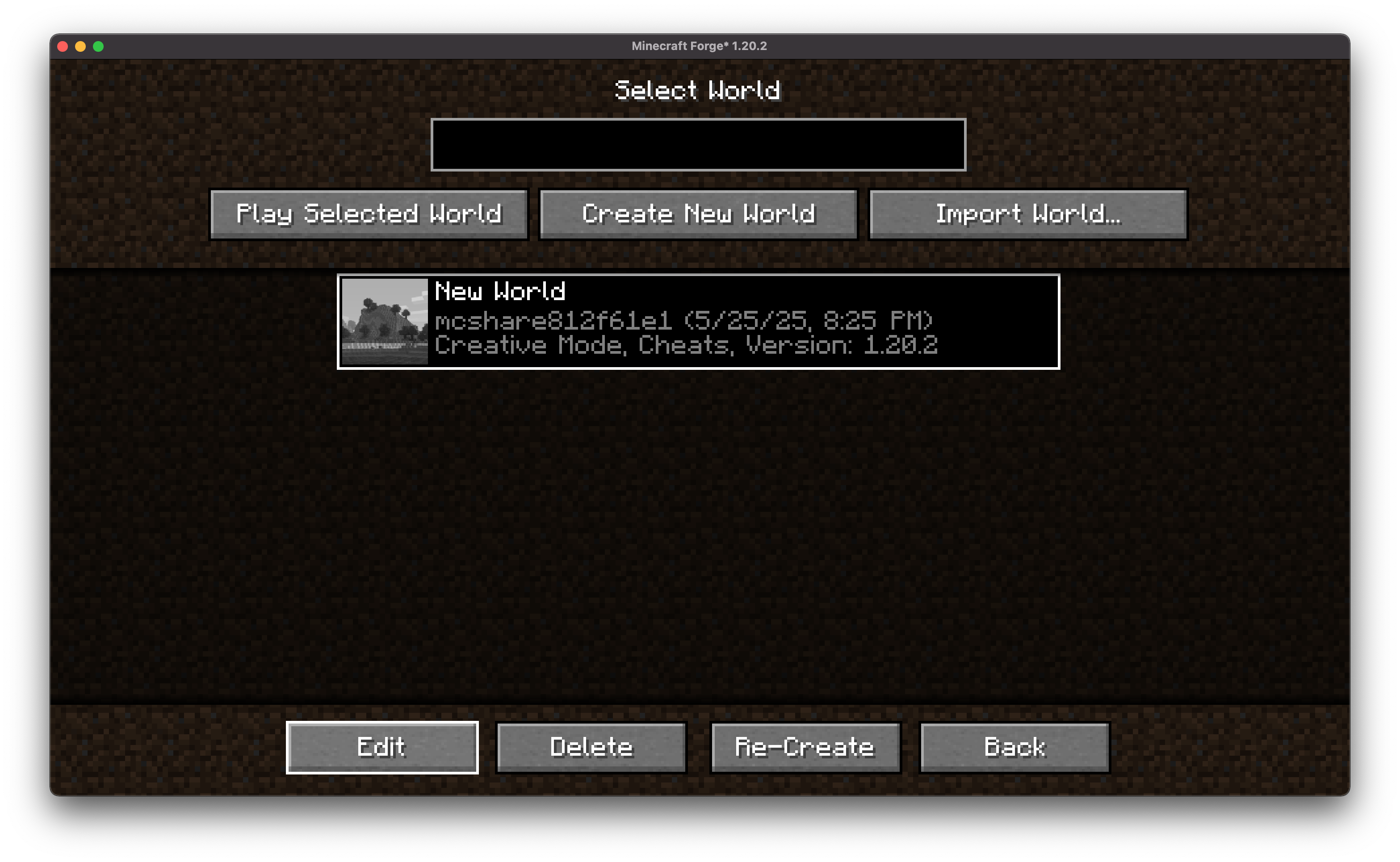
导出世界


-
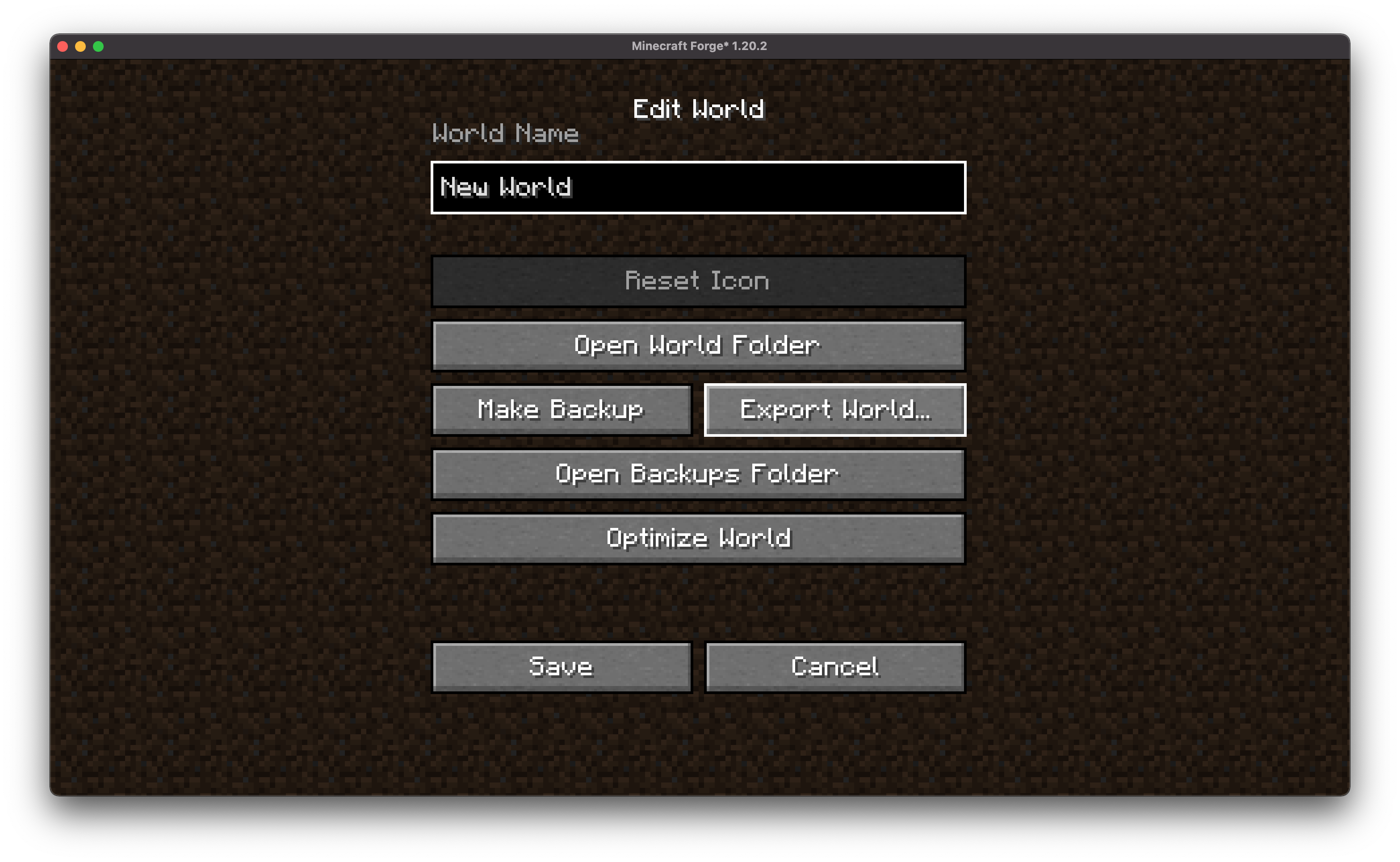
选择加密和数据/资源包选项(可选)。
-
选择导出文件的路径

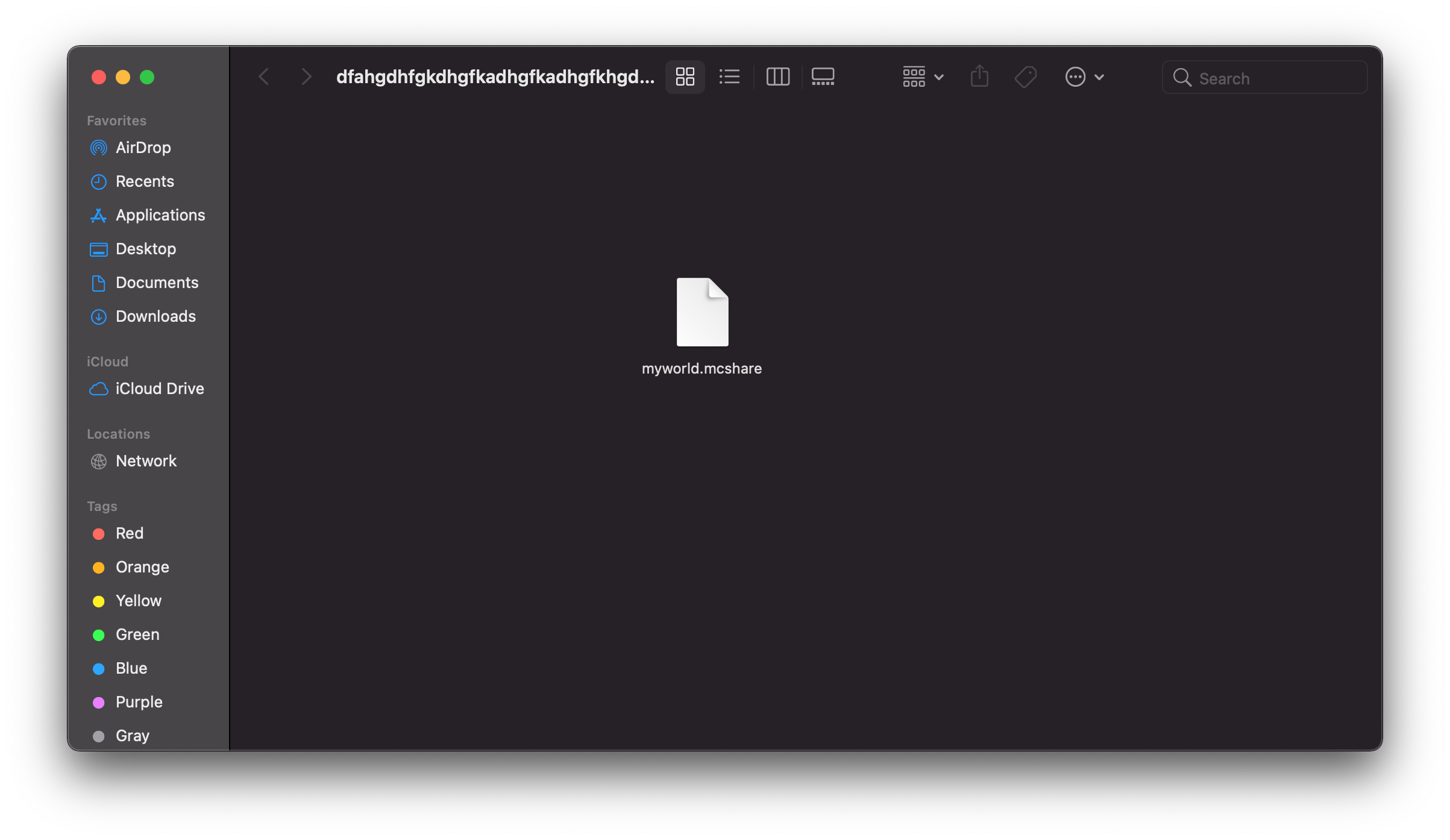
- 点击 Export(导出)将你的世界保存为
.mcshare 文件。
导入世界

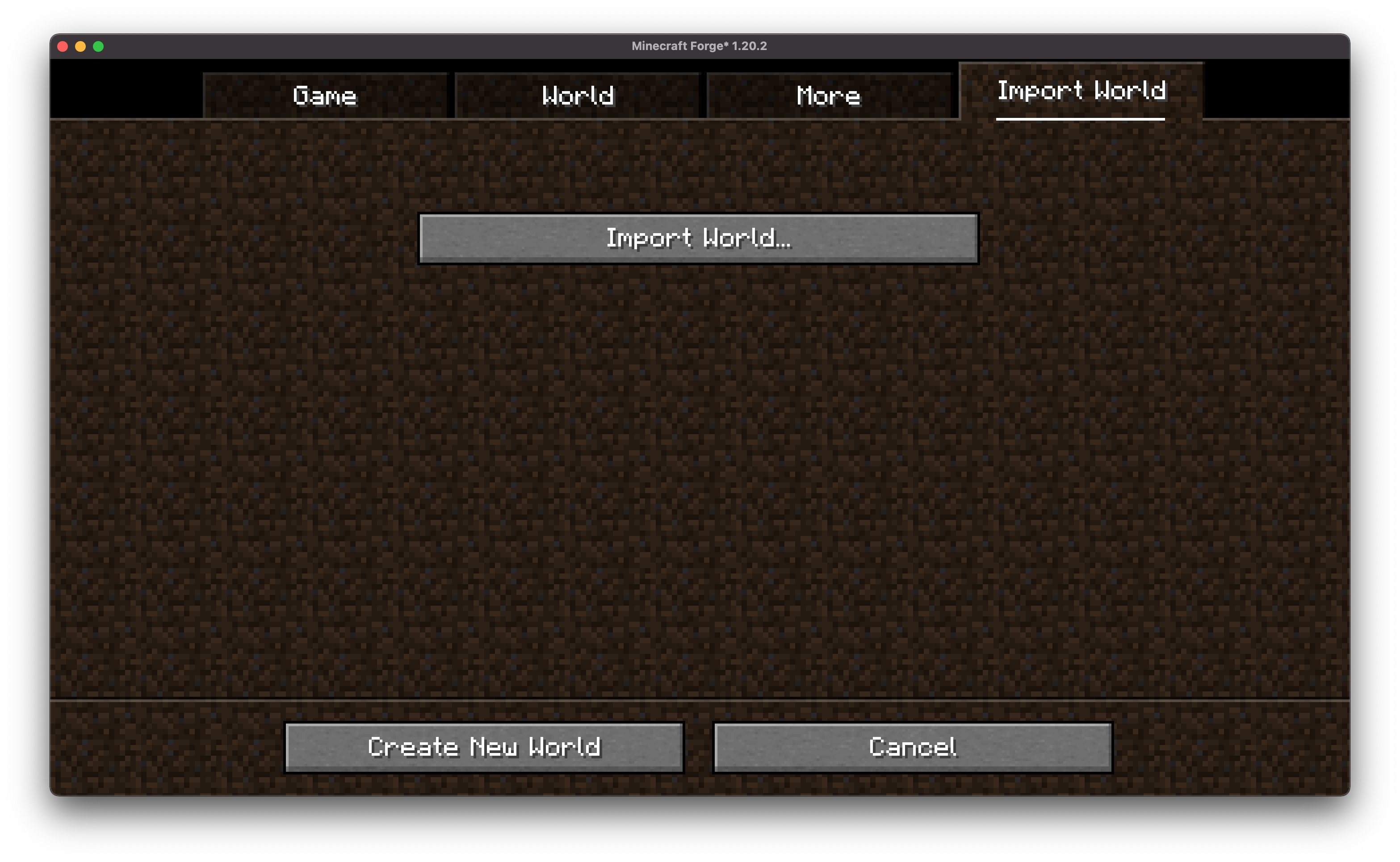
- 在世界选择和创建界面打开 MCShare 导入屏幕

- 浏览
.mcshare 文件并点击 Import(导入)。.mcshare 和 .zip 文件可以拖放到窗口中

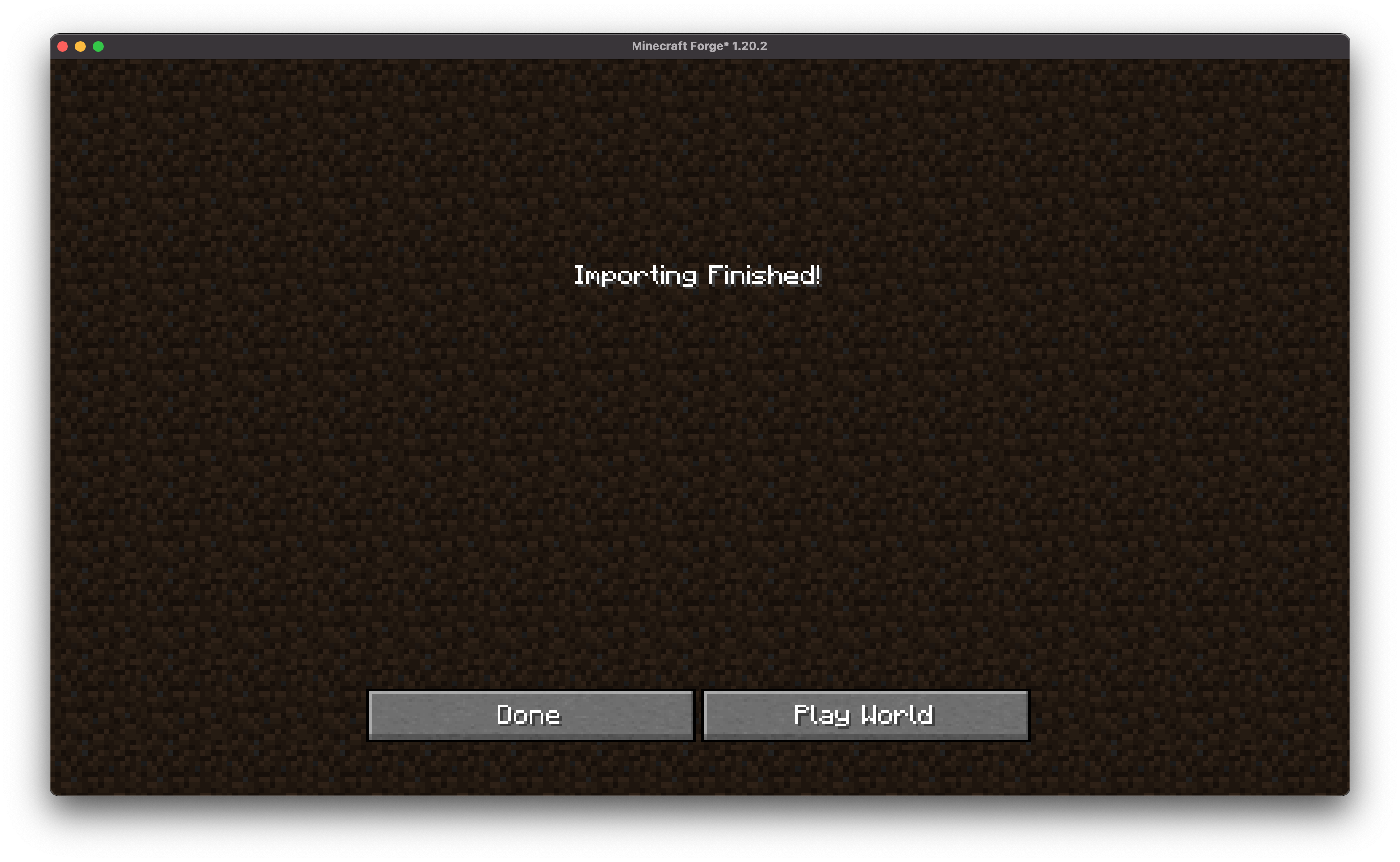
- 提供密码(如果需要),世界将被解密并添加到你的存档中。
? 世界加密
-
使用 AES-256 加密的可选密码保护。
-
与其他 MCShare 安装兼容,便于解密。
-
警告:忘记的密码无法恢复!
? 文件格式
导出的文件使用 .mcshare 扩展名,并包含:
-
压缩的世界数据
-
元数据(世界名称、创建日期、作者、版本)
-
可选的加密清单
贡献
我们鼓励贡献!请随时通过我们的 GitHub 仓库 提交问题或拉取请求。你的意见有助于我们改进和发展。
翻译
欢迎翻译!如果你有兴趣翻译此模组,请找到 本地化文件 并提交拉取请求。你的贡献有助于使该模组在全球范围内更易于使用。
支持
如果遇到任何问题,请在 GitHub 仓库上 提交问题。
构建
如果你想在自己的机器上构建此模组,请按照以下步骤操作。
- 从 GitHub 下载源代码(Code -> Download zip)
- 确保已安装 Java
- 将 zip 文件解压到本地机器,并打开文件夹。
- 在该文件夹中打开终端提示符
- 运行命令 "gradlew build"
- fabric 构建将在 "fabric/build/libs" 中
- forge 构建将在 "forge/build/libs" 中
- neoforge 构建将在 "neoforge/build/libs" 中
? MCShare - Seamless Minecraft World Sharing

MCShare is a powerful yet simple Minecraft mod that makes sharing your Minecraft worlds fast, secure, and user-friendly. With just a few clicks, you can export your world, encrypt it for safety, and share it as a single file with others—no more digging through directories or worrying about corrupted saves!
Installation/Dependencies
This mod requires BoxLib a Client-side library mod developed by me.
- Install Minecraft Forge/Fabric/Neoforge: Download and install the appropriate modloader for your Minecraft version.
- Download the mod: Download the latest release of Coordinates Display for your specific modloader and Minecraft version
- Download BoxLib: Download the latest release of BoxLib for your specific modloader and Minecaft version
- Place the mod jars: Drop the downloaded jar files into your Minecraft mods folder. The location of this folder varies depending on your operating system.
Fabric Dependencies
Mod Menu is recommended for configuration purposes.
Forge/NeoForge Dependencies
This mod requires BoxLib a Client-side library mod developed by me.
✨ Features

- ?️ Export Worlds Easily
Convert your Minecraft worlds into neatly packaged files with just one command or menu click.

- ? Encrypt for Security
Keep your world files safe from tampering or unauthorized access with built-in encryption options.

- ? Share in One Go
Once exported, MCShare gives you a shareable file ready to be uploaded to cloud storage, messengers, or even email.

- ? Import with Ease
Anyone with the mod can import a shared world with just one drag-and-drop action or command.

- ? Vast Compatibility
MCShare automatically searches for world files in an external
.zip, allowing you to import backups created by all types of programs!
? Usage
Export a World

- From the World Selection menu, select a world, and click "Edit"

- In the following screen click "Export World"


- Click Export to save your world as a
.mcshare file.
Import a World

- Open MCShare import screen in both world selection and creation

- Browse for the
.mcshare file and click Import. .mcshare and .zip files can be dragged onto the window

- Provide the password (if necessary) and the world will be decrypted and added to your saves.
? World Encryption
-
Optional password protection using AES-256 encryption.
-
Compatible with other MCShare installations for easy decrypting.
-
Warning: Forgotten passwords cannot be recovered!
? File Format
Exported files use the .mcshare extension and include:
-
Compressed world data
-
Metadata (world name, creation date, author, version)
-
Optional encryption manifest
Contributing
We encourage contributions! Don't hesitate to open issues or pull requests through our GitHub Repository. Your input helps us improve and evolve.
Translations
We welcome translations! If you're interested in translating this mod, please locate the localization files and submit a pull request. Your contributions help make the mod accessible to more users worldwide.
Support
If you encounter any issues, please open an issue on the GitHub repository.
Building
If you'd like to build this mod on your own machine, follow these steps.
- Download the source code from GitHub (Code -> Download zip)
- Make sure Java is installed
- Extract the zip file onto your local machine, and open the folder.
- Open a terminal prompt in said folder
- Run the command "gradlew build"
- The fabric build will be in "fabric/build/libs"
- The forge build will be in "forge/build/libs"
- The neoforge build will be in "neoforge/build/libs"
评论 0
登录后参与评分
还没有评论,来抢沙发吧