
添加各种围绕模拟信号设计的红石组件。 它们旨在提高复杂红石结构的紧凑性和时序性能。 特别适用于例如 Create 模组的自动化场景。
依赖项
- NeoForge for Minecraft 1.21.1
- Create (6.0.10)
- (可选,支持) Create Aeronautics (1.2.1+)
新增内容
封装红石
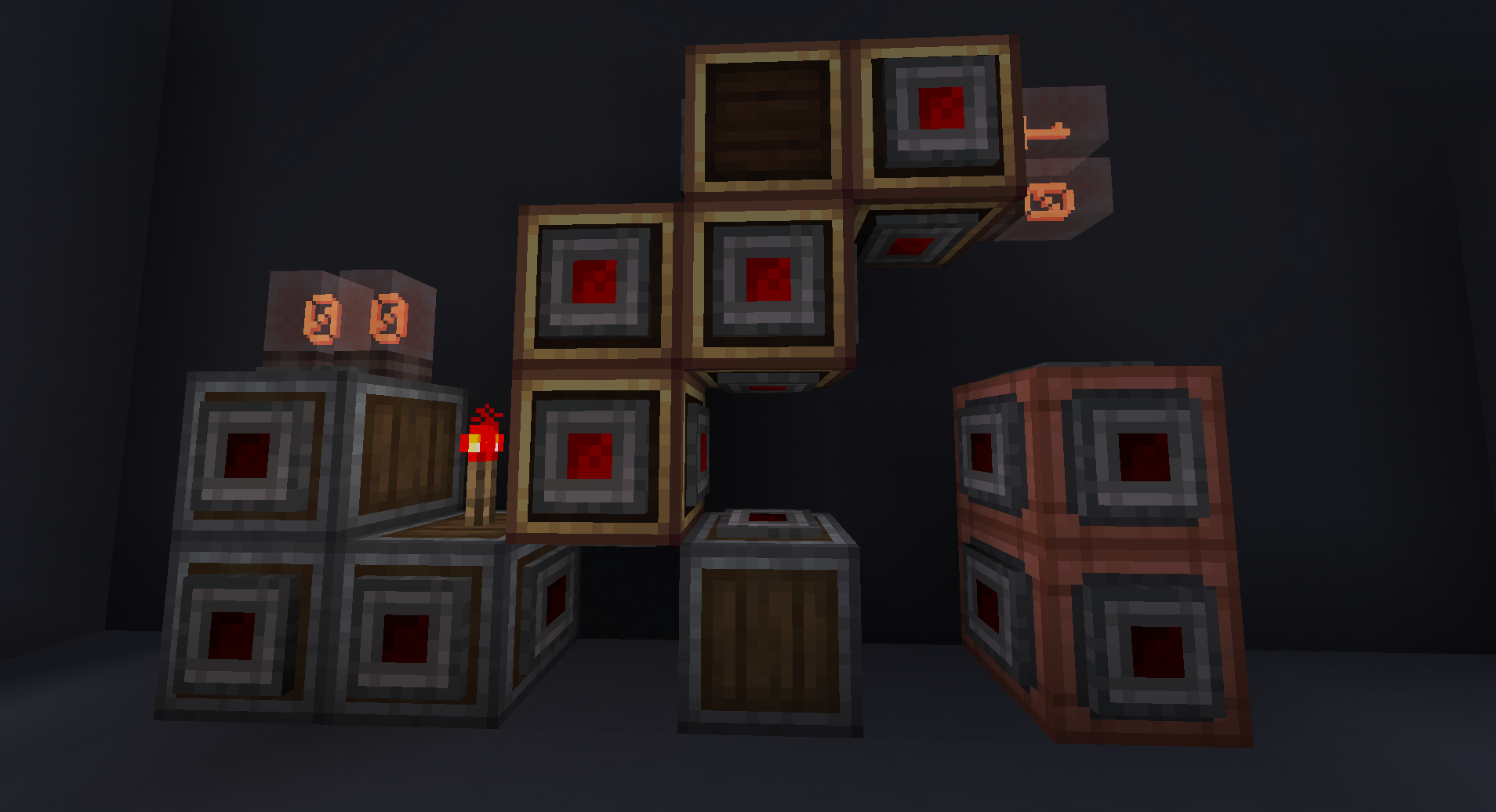
类似于红石粉,但以方块形式存在,例如垂直放置(以及更多方向)。
提供 3 种变体:安山岩、铜和黄铜。
每种变体的外观分别对应其对应的机械外壳,但每个面都有一个红石连接器。 使用扳手右键点击某个面可以禁用(切换开/关)该面的连接器,这意味着来自该方向的方块将无法连接、供电或被供电。 在右键点击某个面时按住 Create 的 Alt 修饰键,可以切换该方块背面/对面的连接器,以启用通常无法触及的面。
这使得创建并行红石线路或使用交织的封装红石构建非常紧凑的逻辑电路成为可能。
我计划让它们与其他外壳的连接纹理进行衔接,但目前尚不可行。
模拟计算器
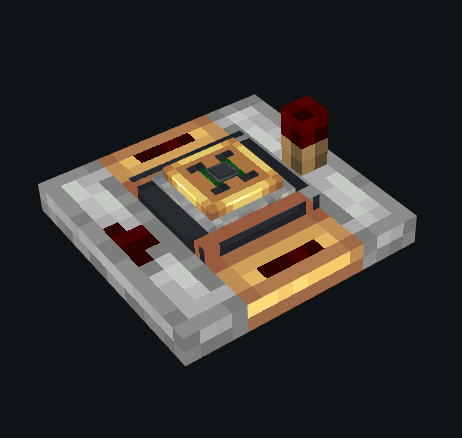
选择计算模式(加、减、乘、除),输出 = 后方输入 <> 侧面输入,其中 <> 代表所选的计算模式。
模拟 SR 锁存器
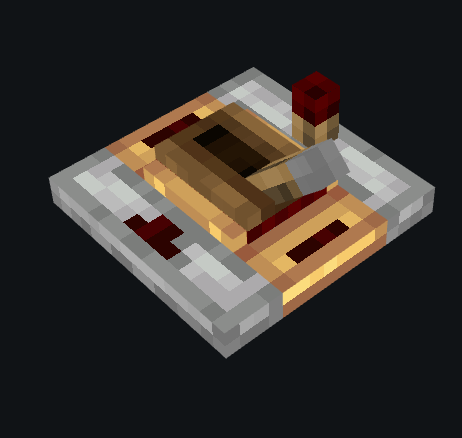
与 Create 的红石锁存器 vaguely similar(大致相似);当从任一侧通电时,它将存储来自后方的模拟信号。它有两种模式:
- 连续模式:只要向任一侧提供信号,存储的值就会随输入更新
- (默认)上升沿模式:仅更新一次来自后方的输入 —— 要存储新值,需先断开侧面的电源,然后再次通电。
模拟反相器
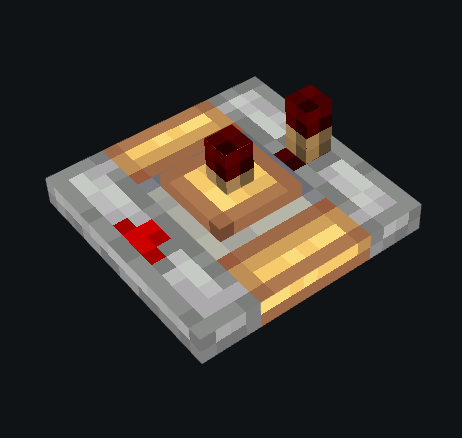
反转来自后方的模拟信号,即:输出 = 15 - 输入。
模拟门
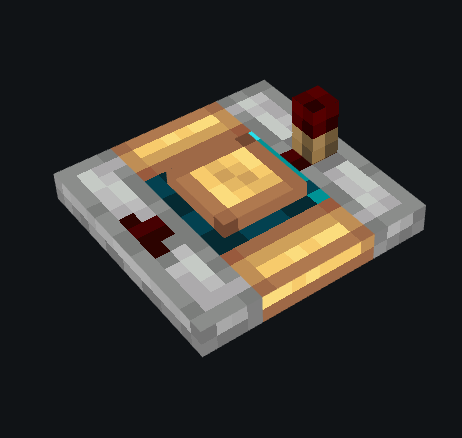
整数选择器,范围从 0 到 15。仅当输入信号大于或等于所选整数时才输出。 右键点击可循环切换不同模式。
当前模式:大于等于和小于等于。
可能计划添加的模式:(<, <=, =, >= 和 >);我会先测试这些模式的手感(因为这些可以通过 <= 和 >= 模式构建出来)。
测量红石链
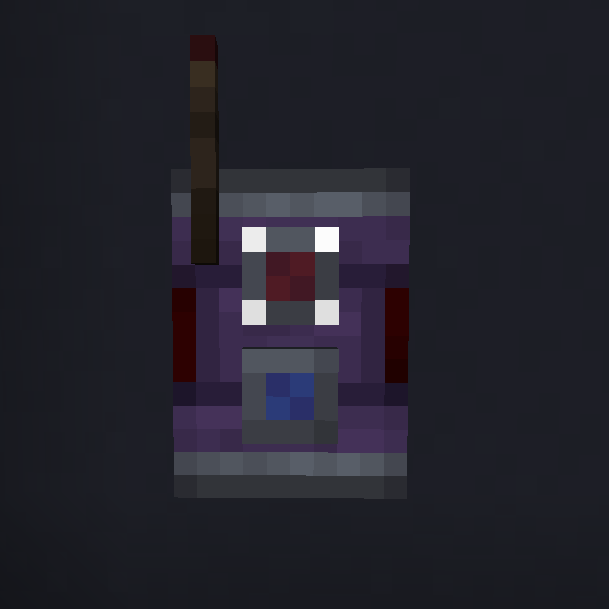
接收模式下的工作原理与普通红石链完全相同。 然而,在发射模式下,它不会对任何红石输入做出反应。相反,在某些方块上(与比较器相同),它会表现得像一个正在读取该方块模拟信号并通过该频率的红石链发送信号的比较器。这可以实现某些特殊的建造需求(如在空间狭小的汽车/飞机中),或者使建筑更美观(例如,Aeronautics 的方向舵需要大量限制性结构来隐藏比较器)。 它还允许将它们放置在方块的上方或下方。
此外,它还可以穿透方块工作。
建议 / 问题
欢迎在我的 GitHub 上报告任何问题或提供建议(访问 Issues / Source)。
Adds various redstone components designed around analog signals. They aim to improve compactness and timings of complex redstone builds. Especially useful for e.g. automation with create.
Dependencies
- NeoForge for Minecraft 1.21.1
- Create (6.0.10)
- (optional, supported) Create Aeronautics (1.2.1+)
Additions
Encased Redstone
Like redstone but as a block, e.g. vertical (and more).
Comes in 3 variants: Andesite, Copper and Brass.
Each variant looks like the respective casing, but each face has a redstone connector. Right-clicking a face with a wrench disables (toggles on/off) this face's connector, which means no redstone from this direction will connect, power or be powered by blocks in this direction. Pressing Create's Alt Modifier while right-clicking a face will toggle the face behind/oposite of the block, to toggle otherwise unreachable faces.
This allows to create parallel redstone cables or very compact logic with interwoven Encased Redstone.
I plan to make them connect textures with the other casings, but this currently does not work.
Analog Computator
Select computation mode (add, subtract, multiply, divide) and output = back-input <> side-input where <> is the
chosen computation mode.
Analog SR Latch
Vaguely similar to create's Redstone Latch; when powered from either side it will store the analog signal provided from behind, it comes in two modes:
- continuous: as long as a signal is provided to either side, the stored value updates with its input
- (default) on rising edge: only updates the input provided from the back once -- to store a new value, discontinue power to the side and power it again.
Analog Inverter
Inverts the analog signal provied from behind, that is: output = 15 - input.
Analog Gate
Integer selector ranging from 0 to 15. Only outputs, if the input signal is greater than or equal to the selected integer. Right-clicking, cycles different modes.
Current modes: greater than or equal and less than or equal.
Maybe planned modes: (<, <=, =, >= and >); I will test how this feels first (since these can be built from the <= and >= modes).
Measuring Redstone Link
Works identical to redstone links in receive mode. However in transmit mode, it will not react to any redstone inputs. Instead, on certain blocks (same as comparator), it will behave like a comparator that is reading the analog signal of that block and sending it into a redstone link of that frequency. This can make certain builds possible (like on cars / planes with little space) or prettier (e.g. Aeronautics Steering Wheel requires a lot of restrictive building to make comparators invisible). It also enables placing them above or below a block.
Also works through blocks.
Suggestions / Issues
Feel free to report any issues or give suggestions on my Github (visit Issues / Source).
下载 Mired
下载 Mired
下载 Mired
下载 Mired
下载 Mired
下载 Mired
下载 Mired
需要联机服务器吗?
稳定流畅、一键部署,几分钟即可和朋友联机开服
最低仅需 8 元/月 即可畅快联机
下载 Mired
下载 Mired
下载 Mired
- 除以 0 现在会生成随机数,“计算机器”出现故障(预期行为)
- 修复了在某些情况下模拟 SR 锁存器渲染不正确的问题
- 修复了封装红石连接纹理不生效的问题(现已正常)
- 将模拟 SR 锁存器设为创造模式标签页图标
完整正式发布!我已实现了所有预期的功能,除非有特别棒的新点子(欢迎在问题追踪器中提出建议),否则短期内可能不会再添加新功能。仅会在发现新问题时进行漏洞修复。我将着手开发另一个规模较小的模组,以便尝试新的玩法。
关于这个资源的讨论、问题反馈与使用心得
还没有讨论,来发第一帖吧
你是这个资源的作者?登录后可认领此资源。
相似资源
 模组

一个用于收集生物掉落物的多区块模组。
 模组

显示你正在注视的方块的信息。(适用于 Minecraft 1.16+ 的 Hwyla/Waila 分支)
 模组
使用 JavaScript 编辑配方、添加自定义物品、编写世界事件!
 模组

查看物品与配方
 模组
在游戏画面角落显示附近世界地形、玩家、生物和实体的地图。可创建路径点,帮助你找到标记过的位置。
 模组
AE2:一款流行的自动化与存储模组
评论 0
登录后参与评分
还没有评论,来抢沙发吧