Mousie Builder Toolkit 是一款面向喜欢精确、灵活且略带“不可能”挑战的建筑玩家的 Fabric 模组。
按住 左 Alt 键(默认按键绑定:打开工具包)以打开 Mousie 的菜单,然后将鼠标悬停在各个按钮上可查看简短说明。该模组引入了扩展原版 Minecraft 建筑规则的工具,允许在正常限制之外进行方块放置和编辑。
此模组支持 单人游戏和多人联机。在服务器上,客户端和服务端均需安装该模组,并且玩家需要具备操作员(OP)权限才能访问完整功能。若无 OP 权限,仍可打开菜单,但所有工具将被锁定。
当前工具 
- Still Paws(静止爪) – 阻止方块更新、物理效果、流体刻、生长刻以及定时方块反应。
- Cheese Logic(奶酪逻辑) – 允许在无正常支撑或违反常规放置限制的情况下放置方块。
- Extend Tail(伸展尾巴) – 扩展方块交互范围,可选择不同距离。
- Ruffled Fur(蓬松毛发) – 调整创造模式和旁观者模式下的飞行速度。
- Moon Sight(月光视力) – 切换夜视效果,并检测由药水或命令施加的现有效果。
- Sharp Teeth & Double Paws(尖牙与双爪) – 使用鼠标滚轮调整方块破坏与放置速度。
- Burrow Mode(掘穴模式) – 在飞行时允许自由穿过墙壁和其他固体方块。
- Gamemode Buttons(游戏模式按钮) – 快速在生存、创造、旁观者和冒险模式之间切换。
- Cheese Guard, Glowbug & Tweak Stick(奶酪守卫、发光虫与微调棒) – 瞬间装备或选择屏障方块、光源方块和调试棒物品。
剧透
未来更新将添加更多工具和按钮。Mousie 仍在进行可能安全也可能危及方块物理的实验。
⚙ 控制设置:
可在 Minecraft 的控制选项中更改菜单快捷键:
选项 → 控制 → 按键绑定 → Mousie Builder Toolkit → 打开工具包。
如果安装了 Mod Menu,也可以通过模组的设置界面配置按键绑定。
许可 
本模组免费提供。可用于单人和多人服务器(包括整合包),前提是不得作为独立文件出售或重新分发。
📬 反馈
发现 Bug 或有新工具的点子?欢迎提供反馈!请将错误报告和功能建议发送至 mousie.academy@gmail.com
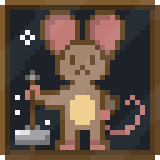
Mousie Builder Toolkit is a Fabric mod designed for builders who enjoy precise, flexible, and slightly impossible construction.
Hold Left Alt (default keybind: Open Toolkit) to open Mousie’s menu, then hover over each button for a short description. The mod introduces tools that extend vanilla Minecraft building rules, allowing block placement and editing beyond normal limitations.
The mod works in both single-player and multiplayer. On servers, it must be installed on both client and server, and players require operator permissions to access the full toolkit. Without OP, the menu can still be opened, but tools remain locked.
Current Tools 
- Still Paws – Prevents block updates, physics, fluid ticks, growth ticks, and scheduled block reactions.
- Cheese Logic – Allows block placement without normal support or placement restrictions.
- Extend Tail – Extends block interaction range with selectable distances.
- Ruffled Fur – Adjusts flight speed in Creative and Spectator modes.
- Moon Sight – Toggles Night Vision and detects existing effects from potions or commands.
- Sharp Teeth & Double Paws – Adjusts block breaking and placement speed using the mouse scroll wheel.
- Burrow Mode – Enables free movement through walls and other solid blocks while flying.
- Gamemode Buttons – Quickly switch between Survival, Creative, Spectator, and Adventure.
- Cheese Guard, Glowbug & Tweak Stick – Instantly equips or selects Barrier, Light, and Debug Stick items.
Spoiler
More tools and buttons will be added in future updates. Mousie is still conducting experiments that may or may not be safe for block physics.
⚙ Controls:
The menu key can be changed in Minecraft controls:
Options → Controls → Key Binds → Mousie Builder Toolkit → Open Toolkit.
If Mod Menu is installed, keybinds can also be configured through the mod’s settings screen.
License 
This mod is provided for free. It may be used in single-player and multiplayer servers, including modpacks, as long as it is not sold or redistributed as a standalone file.
📬 Feedback
Found a bug or have an idea for a new tool? I'd love to hear your feedback! Please send bug reports and feature suggestions to mousie.academy@gmail.com
评论 0
登录后参与评分
还没有评论,来抢沙发吧
