
分享 Minecraft 种子时存在一个问题——种子是长长的数字字符串,你必须正确地输入或复制粘贴到世界创建菜单中。
在此过程中出现的任何错误都会生成一个与你预期完全不同的世界。
解决方案就在这里。
工作原理
在创建新世界时,世界创建菜单现在新增了一个用于输入“种子名称”的文本框。
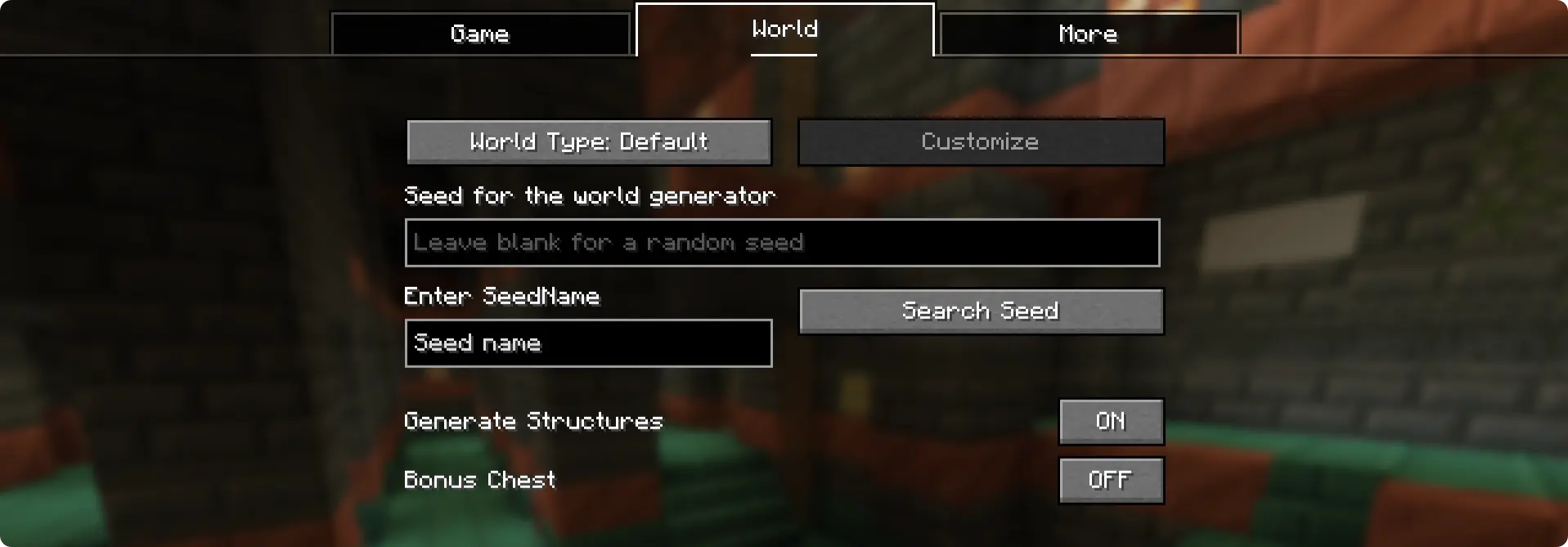
在这里你可以输入“种子名称”(或种子代码)。输入完成后,点击“Search Seed”按钮,保存在该名称下的种子就会出现在 Minecraft 原始的种子输入框中。为此,种子需要在配置文件中以特定的种子名称保存。
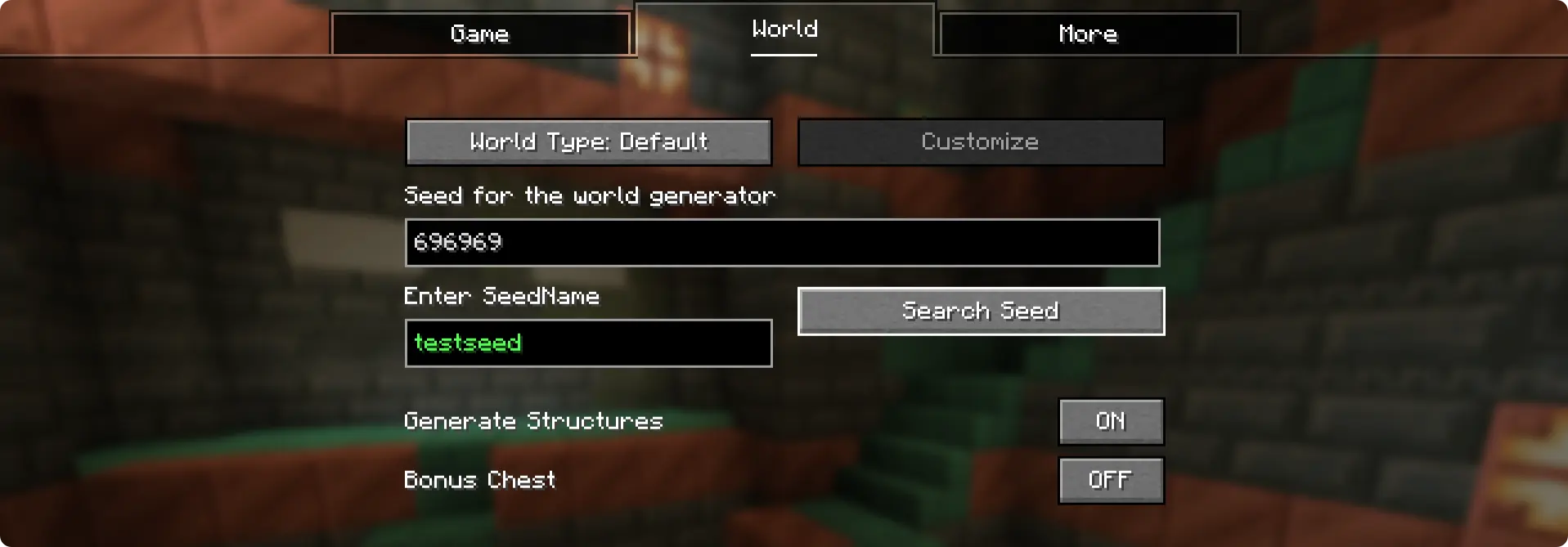
这里,种子 "696969" 被保存在种子名称 "testseed" 下。这是安装模组后默认存在的条目。
如何添加种子?
当你首次运行安装了 NameSeed 模组的游戏时,会生成一个配置文件夹 - .minecraft/config/NameSeeds
在 NameSeeds 文件夹中,你会找到一个名为 seednames.txt 的文本文件。你可以按照 seed_name;seed 的格式(例如:testseed:696969)将你的种子名称和种子保存到列表中。
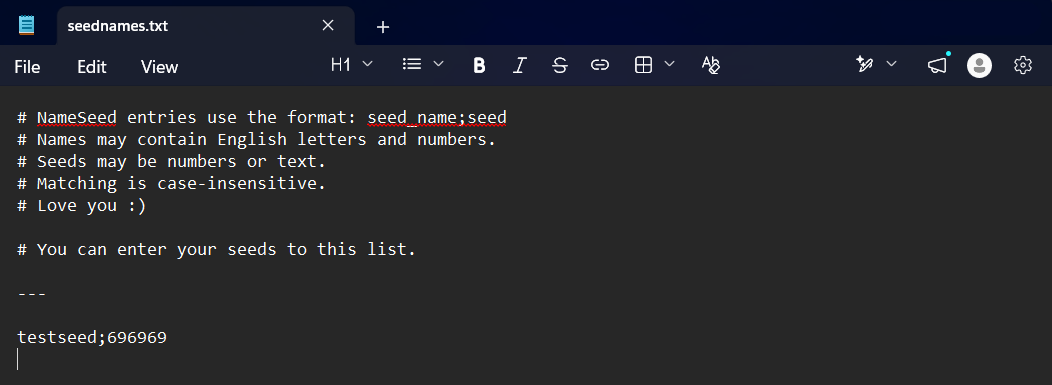
你可以按照 "seedname;seed" 的格式在该文本文件中输入并保存你的种子名称和种子。每条记录占一行。

你是这个资源的作者?登录后可认领此资源。
相似资源
 模组

玉Jade ?
Snownee
显示你正在注视的方块的信息。(适用于 Minecraft 1.16+ 的 Hwyla/Waila 分支)
实用前置
339
 模组
KubeJS
Lat
使用 JavaScript 编辑配方、添加自定义物品、编写世界事件!
前置实用
238
 模组

物品管理器Just Enough Items (JEI)
mezz
查看物品与配方
前置实用
229
 模组
Xaero的小地图
thexaero
在游戏画面角落显示附近世界地形、玩家、生物和实体的地图。可创建路径点,帮助你找到标记过的位置。
冒险交通
196
 模组
Applied Energistics 2
shartte
AE2:一款流行的自动化与存储模组
存储科技
165
 模组
开放派对与认领Open Parties and Claims
thexaero
添加区块认领和玩家组队功能,并与 Xaero's Minimap 和 World Map 集成
前置实用
153
评论 0
登录后参与评分
还没有评论,来抢沙发吧