
Neko UI
简介
Neko UI 通过修改原版 HUD 并添加一系列实用界面,提升您的游戏体验。
注意事项
- Cores Mod 用户: 如果您已安装
Cores模组,请下载不带 "all" 后缀的文件以避免冲突。 - JS 代码支持: 如需使用 JavaScript 代码自定义界面,请额外下载并安装
GraalJS模组。(若无 GraalJS 模组,则使用 Nashorn 运行)
使用说明
通用用法
Neko UI 提供广泛的自定义选项。如果您对默认界面不满意,可以修改配置文件,将 HUD 显示自定义为您喜欢的样式。
如果在自定义过程中遇到任何问题,请参阅 WIKI 文档或使用下方提供的联系方式联系我。
JS 代码示例
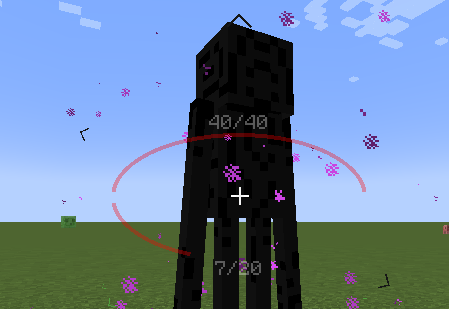
借助 JavaScript 代码,您可以在屏幕上绘制自定义 UI 元素,例如两个椭圆形的生命值条。
示例: 中心生命值条
界面预览
以下是 Neko UI 的一些界面预览,展示其功能与自定义选项。
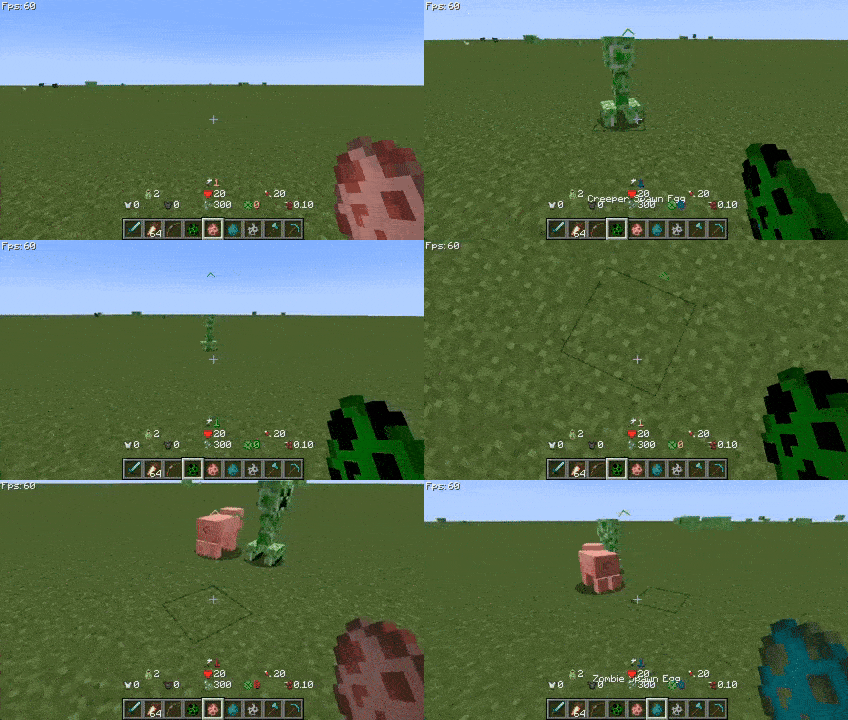
自定义 HUD: 生命值条、饥饿值条、经验值条和快捷栏均已重新设计,并可单独启用或禁用。
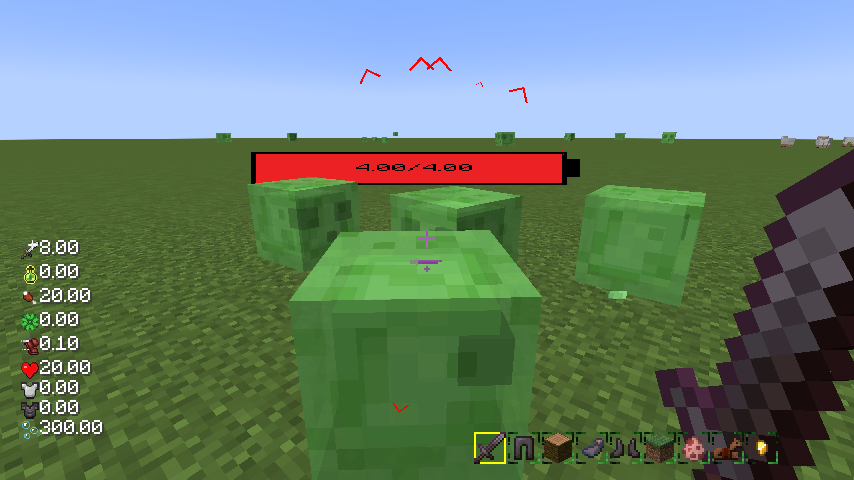
生物方向指示器: 实时显示生物相对于您的位置,并根据距离动态缩放图标,便于追踪。
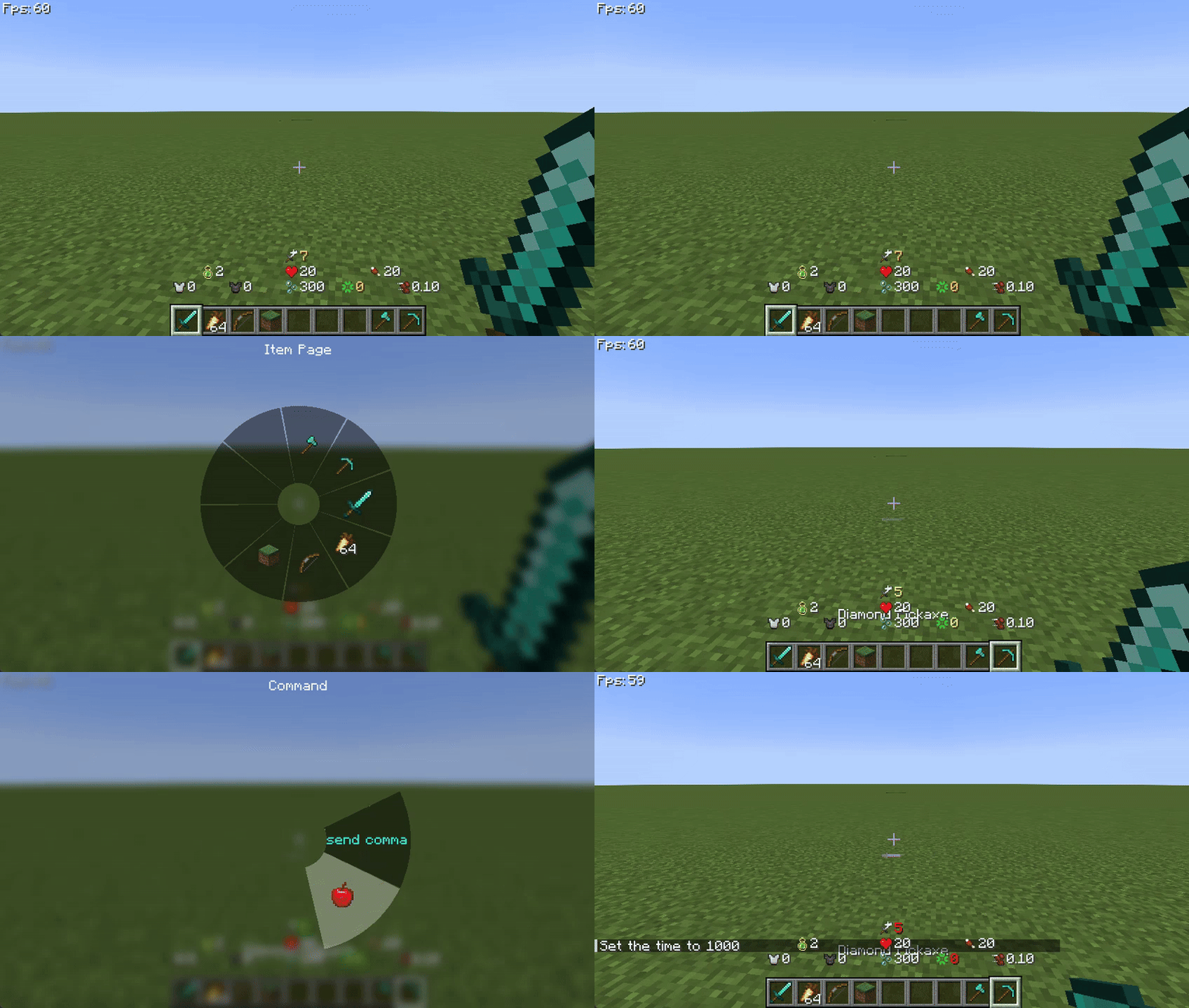
快速菜单: 按住
TAB键打开快速菜单,使用鼠标左右键切换界面,滑动至所需选项后松开TAB键即可触发。
更多信息
如果您有任何问题、建议或反馈,欢迎通过以下方式联系我。
祝您游戏愉快!
联系方式
Neko UI
Introduction
Neko UI enhances your gaming experience by modifying the original HUD and adding a range of practical interfaces.
Important Notes
- Cores Mod Users: If you have the
Coresmod installed, please download the file without the "all" suffix to avoid conflicts. - JS Code Support: If you need to use JavaScript code to customize the interface, please additionally download and install the
GraalJSmod.(Run with Nashorn when the graaljs mod is not present)
Usage Guide
General Usage
Neko UI offers extensive customization options. If you're not satisfied with the default interface, you can modify the configuration files to customize the HUD display to your liking.
If you encounter any issues during customization, please refer to the WIKI documentation or contact me using the contact information below.
JS Code Example
With JavaScript code, you can draw custom UI elements on the screen, such as two elliptical health bars.
Example: Center Health Bar
Interface Preview
Here are some interface previews of Neko UI, showcasing its features and customization options.
Custom HUD: The health bar, hunger bar, experience bar, and hotbar have been redesigned and can be enabled or disabled individually.
Creature Direction Indicator: Real-time display of creatures relative to your position, with dynamic scaling of icons based on distance for easy tracking.
Quick Menu: Hold down the
TABkey to open the quick menu, switch interfaces with the left and right mouse buttons, slide to the desired option, and releaseTABto trigger.
More Information
If you have any questions, suggestions, or feedback, please feel free to contact me through the following methods.
Happy gaming!
Contact Information

下载 Neko UI
下载 Neko UI
需要联机服务器吗?
稳定流畅、一键部署,几分钟即可和朋友联机开服
最低仅需 8 元/月 即可畅快联机
下载 Neko UI
需要联机服务器吗?
稳定流畅、一键部署,几分钟即可和朋友联机开服
最低仅需 8 元/月 即可畅快联机
下载 Neko UI
需要联机服务器吗?
稳定流畅、一键部署,几分钟即可和朋友联机开服
最低仅需 8 元/月 即可畅快联机
下载 Neko UI
需要联机服务器吗?
稳定流畅、一键部署,几分钟即可和朋友联机开服
最低仅需 8 元/月 即可畅快联机
下载 Neko UI
下载 Neko UI
需要联机服务器吗?
稳定流畅、一键部署,几分钟即可和朋友联机开服
最低仅需 8 元/月 即可畅快联机
下载 Neko UI
需要联机服务器吗?
稳定流畅、一键部署,几分钟即可和朋友联机开服
最低仅需 8 元/月 即可畅快联机
下载 Neko UI
需要联机服务器吗?
稳定流畅、一键部署,几分钟即可和朋友联机开服
最低仅需 8 元/月 即可畅快联机
下载 Neko UI
需要联机服务器吗?
稳定流畅、一键部署,几分钟即可和朋友联机开服
最低仅需 8 元/月 即可畅快联机
暂无更新日志
关于这个资源的讨论、问题反馈与使用心得
还没有讨论,来发第一帖吧
你是这个资源的作者?登录后可认领此资源。


评论 0
登录后参与评分
还没有评论,来抢沙发吧