
 简介
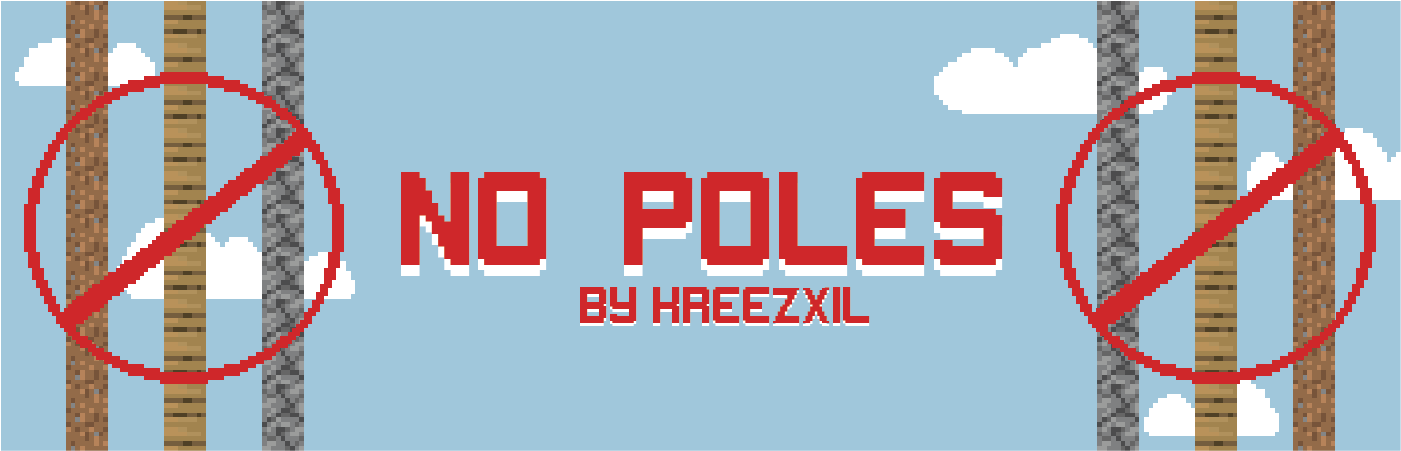
看腻了世界里那些只有一格宽的方块堆了吗?这个模组可以防止它们生成。不再出现石头、泥土、木头或其他单格方块的柱子。你的玩家必须对建造多加思考,例如搭建楼梯,或是在柱子上安装梯子。
当玩家在符合配置高度(默认为 10 格)且四周完全开放的柱子顶端右键点击时,该柱子会从顶部一直清除到地面,其方块会掉落为物品。基岩等不可破坏的方块会保留原位,且清除操作永远不会低于世界底部。
这并不能阻止所有丑陋的景象,只是消除了那种从地面高耸入云的单一方块柱这种特定的丑陋感。
白名单
白名单允许你指定某些方块可以进行“竖杆”(nerdpoling)行为。默认情况下,它包含 Minecraft 的沙、红沙、 gravel(砾石)以及 NotEnoughScaffold 提供的木制和铁制脚手架。这些都是当底层方块被移除时会以某种方式掉落的方块。脚手架会完全掉落,而你知道 Minecraft 方块是如何掉落的,所以准备好火把吧。
配置
所有设置均位于 config/nopoles-common.toml 以及游戏内模组菜单的配置界面中:
• poleHeight(默认值 10):柱子在四面都开放的情况下,需要向下延伸多少格才会被视为柱子。
• poleHeightLimit(默认值 384):poleHeight 生效的最高高度限制。
• whiteList:允许进行竖杆行为的方块,格式为 modid:blockid。
• allowWhenCrouching, allowWhenClimbing, allowWhenGliding, allowInCreative, allowInWater, allowEmptyHand, allowBuildingFromBelow(默认均为 true):在这些情况下跳过检查。
• protectUnbreakableBlocks(默认 true):移除柱子时保留不可破坏的方块。
• commandPermissionLevel(默认 2):执行 /no_poles 命令所需的操作员等级;只能在配置文件中更改。
• debugMode(默认 false):在聊天栏显示每次检查结果。
config 文件夹中的 nopoles.example.cf 文件列出了所有选项及其默认值。仅供参考;请勿将其重命名以启用使用。
命令
操作员可以使用 /no_poles 读取和更改除 commandPermissionLevel 之外的所有选项,例如 /no_poles poleHeight 12 或 /no_poles whiteList add minecraft:scaffolding。
整合包
无需申请,直接添加即可。
评测者
无需申请,只需在下方评论中留下你的视频链接。

如果你想零 effort 地搭建任何整合包的服务器,请获取由 BisectHosting 提供的服务器,并使用代码 kreezxil 作为新客户享受首月 25% 的折扣
Description
Tired of seeing 1 block wide stacks of blocks in your world? This mod prevents them. No more stone, dirt, wood or other single-block columns. Your players will have to put some thought into their constructs, like a staircase, or a pole with a ladder.
When a player right-clicks the top of a column whose four sides are open for the configured height (10 blocks by default), the column is removed down to the ground and its blocks drop as items. Unbreakable blocks such as bedrock are left in place, and removal never goes below the bottom of the world.
This doesn't stop all kinds of ugly, just that one type of ugly with the single stack of blocks reaching high above the ground.
Whitelist
A whitelist lets you allow nerdpoling with specific blocks. By default it contains Minecraft sand, red sand, gravel and the NotEnoughScaffold wooden and iron scaffolds. These are all blocks that come down in some way when the bottom block is removed. Scaffolds come completely down, and you know how the Minecraft blocks come down, so have that torch ready.
Configuration
All settings are in config/nopoles-common.toml and in the in-game Mods menu config screen:
• poleHeight (default 10): how many blocks down a column must be open on all four sides to count as a pole.
• poleHeightLimit (default 384): the highest value poleHeight can take effect at.
• whiteList: blocks, as modid:blockid, that may be poled.
• allowWhenCrouching, allowWhenClimbing, allowWhenGliding, allowInCreative, allowInWater, allowEmptyHand, allowBuildingFromBelow (all default true): skip the check for players in that situation.
• protectUnbreakableBlocks (default true): leave unbreakable blocks in place when a pole is removed.
• commandPermissionLevel (default 2): operator level needed for the /no_poles command; can only be changed in the file.
• debugMode (default false): shows each check in chat.
A nopoles.example.cf file in the config folder lists every option with its default. It is for reference only; do not rename it into use.
Commands
Operators can read and change every option except commandPermissionLevel with /no_poles, for example /no_poles poleHeight 12 or /no_poles whiteList add minecraft:scaffolding.
Modpacks
No need to ask, just add.
Reviewers
No need to ask, just comment below with your video url.
If you want a server set up for any modpack with zero effort, get a server with BisectHosting and receive 25% off your first month as a new customer using the code kreezxil

下载 No Poles
下载 No Poles
下载 No Poles
下载 No Poles
下载 No Poles
下载 No Poles
下载 No Poles
下载 No Poles
下载 No Poles
下载 No Poles

如果你希望以零配置成本搭建一个运行 No Poles 模组的服务器,请通过 BisectHosting 获取服务器服务,并在使用优惠码 kreezxil 作为新客户时享受首月 25% 的折扣。
更改日志
• 将 No Poles 移植至 NeoForge 26.3.0.103 上的 Minecraft 26.3(单个 NeoForge 模块,JDK 25)。
• 配置文件现在使用 NeoForge 26.3 的本地配置类型;文件名 nopoles-common.toml 保持不变,且现有的 3.9.0 版本文件会保留所有设置值,不会生成 .bak 备份文件。
• 新增以下配置选项:poleHeightLimit(默认值 384)、allowWhenCrouching、allowWhenClimbing、allowWhenGliding、allowInCreative、allowInWater、allowEmptyHand、allowBuildingFromBelow、protectUnbreakableBlocks 和 commandPermissionLevel;所有选项的默认行为均与旧版保持一致。
• poleHeight 不再具有固定的上限范围;其限制由 poleHeightLimit 决定。
• NotEnoughScaffold 模组的木质和铁质脚手架现已加入默认白名单。
• 移除脚手架的操作现会在世界底部停止,并保留不可破坏的方块(如基岩、屏障)不被移除。
• 新增 /no_poles 指令供管理员读取和修改除 commandPermissionLevel 之外的所有选项(该选项仅支持在配置文件中修改)。
• 新增了 Mods 菜单中的配置界面,为每个选项提供了名称和工具提示说明。
• 在配置文件夹中添加了 nopoles.example.cf 文件,列出了所有选项及其默认值;请勿将其重命名为实际使用的配置文件。
• 在模组列表和 README 中添加了 512x512 分辨率的模组图标、Discord 链接,并完善了 README 内容。
• 模组许可证元数据已更新为 GPL-3.0,与 LICENSE 文件保持一致。
• 调试消息现仅发送一次,且仅发送给服务器端玩家。
如果你希望零 effort 地搭建使用 No Poles 的服务器,请通过 BisectHosting 获取服务器服务,并在新用户注册时使用优惠码 kreezxil 享受首月 25% 折扣。
更新内容
• 保持移植版本持续更新
关于这个资源的讨论、问题反馈与使用心得
还没有讨论,来发第一帖吧
你是这个资源的作者?登录后可认领此资源。
相似资源
 模组

显示你正在注视的方块的信息。(适用于 Minecraft 1.16+ 的 Hwyla/Waila 分支)
 模组
在游戏画面角落显示附近世界地形、玩家、生物和实体的地图。可创建路径点,帮助你找到标记过的位置。
 模组

查看物品与配方
 模组
使用 JavaScript 编辑配方、添加自定义物品、编写世界事件!
 模组
AE2:一款流行的自动化与存储模组
 模组
那是什么?一个 Waila/Hwyla 的分支。
评论 0
登录后参与评分
还没有评论,来抢沙发吧