
 更多更多硬核内容!!!
剧透
别剧透哦!


(NNP) Normal Non-Player-Character Player 拥有有趣的 Alpha 特性。如果发现错误或有任何建议,请留下评论反馈给我。
泰语表格
| 类别 | 快捷键 / 操作 | 条件与结果 |
|---|---|---|
| 婴儿物品 — 背包与装备 | ||
| 打开婴儿背包 | Shift + 右键点击 婴儿物品 |
在玩家背包或创造模式背包中可用,用于打开 婴儿背包 界面 |
| 穿戴护甲 | 手持护甲或鞘翅时,左键点击婴儿物品 | 将装备安装到对应类型的护甲槽位 |
| 装备主手 | Ctrl + 左键点击 婴儿物品(鼠标悬停处持有物品) |
将物品移动到婴儿的主手 |
| 装备副手 | Ctrl + 右键点击 婴儿物品(鼠标悬停处持有物品) |
将物品移动到婴儿的副手 |
| 婴儿物品 — 提示框 | ||
| 显示详细信息 | 按住 Shift 并悬停在婴儿物品上 |
显示完整的详细提示框 |
| 滚动提示框 | Shift + 滚轮, Shift + ↑/↓, Shift + PgUp/PgDn |
当内容超出框架时,滚动查看详细提示框 |
| 婴儿物品 — 手部切换与快捷栏 | ||
| 切换到副手 | Swap Item With Offhand 按钮 — 默认值 F |
当婴儿在主手时,正常将其交换到副手 |
| 从副手移出 | 在玩家/创造模式背包中:悬停副手槽并按 F |
将副手中的婴儿交换回主手 |
| 移动到快捷栏 | 在玩家/创造模式背包中,当婴儿处于副手时:按 1–9 |
将婴儿移动到指定的快捷栏槽位,并将该槽位原有的物品移动到副手 |
| 持有时限制 | 选择快捷栏 1–9, 滚轮, 鼠标中键, 或 Q |
当婴儿在主手且处于普通游戏状态时,系统将防止切换槽位或丢弃婴儿 |
| 成长儿童 — 控制命令 | ||
| 改变行为 | 空手 + 右键点击 | 循环切换行为:跟随 → 保持位置 → 漫游回家 → 工作 → 空闲 |
| 设置家 | 按住潜行键(通常为 Shift)+ 空手 + 右键点击 |
将成长儿童的当前位置设置为“家” |
| 守卫 | 按住 Guard Modifier 键 + 右键点击 | 开启/关闭守卫或保持位置;默认为 Left Alt,可在 Controls → Normal NPC Player 中更改 |
| 投掷婴儿 | ||
| 开始蓄力 | 同时按住三个按钮:设定的奔跑键 + R + 使用/右键点击键 |
必须手持婴儿且另一只手为空;必须同时按下这三个按钮才能开始蓄力投掷功能 |
| 投掷 | 仅释放 使用/右键点击键 | 根据蓄力的力量投掷婴儿,无需释放奔跑键或 R 键 |
| 取消 | 左键点击 | 立即取消投掷蓄力 |
| 过场动画 | ||
| 调整速度 | 左键点击 | 在过场动画速度 1× 和 2× 之间切换 |
| 跳过过场动画 | Esc |
跳过过场动画 |
| 婴儿背包与配置界面 | ||
| 界面控制 | 无特定模组快捷键 | 使用 Minecraft 的标准点击和按钮;Esc 关闭界面,在 Config 界面中返回前会自动保存设置 |
英文表格
| 类别 | 快捷键 / 操作 | 条件与结果 |
|---|---|---|
| 婴儿物品 — 背包与装备 | ||
| 打开婴儿背包 | Shift + 右键点击 一个婴儿物品 |
在玩家背包或创造模式背包中,打开婴儿背包界面。 |
| 装备护甲 | 光标持有护甲或鞘翅时,左键点击婴儿物品 | 将物品装备到对应的婴儿护甲槽位中。 |
| 装备主手 | 光标持有物品时,Ctrl + 左键点击 婴儿物品 |
将光标中的物品移动到婴儿的主手中。 |
| 装备副手 | 光标持有物品时,Ctrl + 右键点击 婴儿物品 |
将光标中的物品移动到婴儿的副手中。 |
| 婴儿物品 — 工具提示 | ||
| 显示详细信息 | 悬停在婴儿物品上时按住 Shift |
显示完整详细信息的工具提示。 |
| 滚动工具提示 | Shift + 鼠标滚轮、Shift + ↑/↓ 或 Shift + PgUp/PgDn |
当详细内容超出可见框架时,滚动查看详细工具提示。 |
| 婴儿物品 — 手部与快捷栏管理 | ||
| 移至副手 | 与副手交换物品 绑定 — 默认 F |
当婴儿在主手中时,正常将其交换至副手。 |
| 从副手移出 | 在玩家/创造模式背包中:悬停在副手槽位并按下 F |
将婴儿从副手交换回主手。 |
| 移至快捷栏 | 在玩家/创造模式背包中,当婴儿位于副手时:按下 1–9 |
将婴儿移动至选定的快捷栏槽位,并将该槽位原有的物品移至副手。 |
| 携带限制 | 快捷栏 1–9、鼠标滚轮、中键点击或 Q |
在正常游戏过程中,当婴儿位于主手时,模组会防止切换槽位或丢弃婴儿。 |
| 成长型儿童 — 控制命令 | ||
| 更改行为 | 空手 + 右键点击 | 循环切换行为:跟随 → 保持位置 → 漫游回家 → 工作 → 空闲。 |
| 设置家园 | 按住潜行(默认 Shift)+ 空手 + 右键点击 |
将成长型儿童的当前位置设置为家园。 |
| 守卫 | 按住守卫修饰键 + 右键点击 | 切换守卫或保持位置状态。默认值:Left Alt;可在“控制”→“普通 NPC 玩家”中进行配置。 |
| 投掷婴儿 | ||
| 开始蓄力 | 同时按住三个输入:配置的疾跑键 + R + 使用/右键点击 |
必须携带婴儿且另一只手为空。必须同时按住这三个输入才能激活蓄力。 |
| 投掷 | 仅释放使用/右键点击输入 | 以蓄力的力量投掷婴儿。无需释放疾跑键和 R。 |
| 取消 | 左键点击 | 立即取消投掷蓄力。 |
| 过场动画 | ||
| 调整播放速度 | 左键点击 | 在过场动画播放速度 1× 和 2× 之间切换。 |
| 跳过过场动画 | Esc |
跳过过场动画。 |
| 婴儿背包与配置界面 | ||
| 界面控制 | 无模组专属快捷键 | 使用标准的 Minecraft 鼠标和界面控制;Esc 关闭界面,配置界面会在返回前自动保存。 |
| 特性 | 描述 |
|---|---|
| 真实乘客 | 使用 Minecraft 原生的乘客系统 |
| 头部骑行 | 婴儿骑乘在玩家边界框的顶面上 |
| 可调节位置 | 前后 / 左右 / 垂直偏移量 |
| 第一人称视角 | 骑乘的婴儿不会遮挡所有者的一人称视野 |
| 智能目标锁定 | 骑乘的婴儿不会阻碍实体目标锁定 |
| 方块交互 | 骑乘的婴儿不会阻碍方块交互 |
| 多人游戏 | 其他玩家仍可以看到并与婴儿互动 |
伴侣模组 想要更多的互动体验?
如果你想抚摸你的婴儿 NPC,请查看 *PatPat!它允许你通过有趣的动画抚摸活体实体,并与 Normal NPC Player 完美配合。
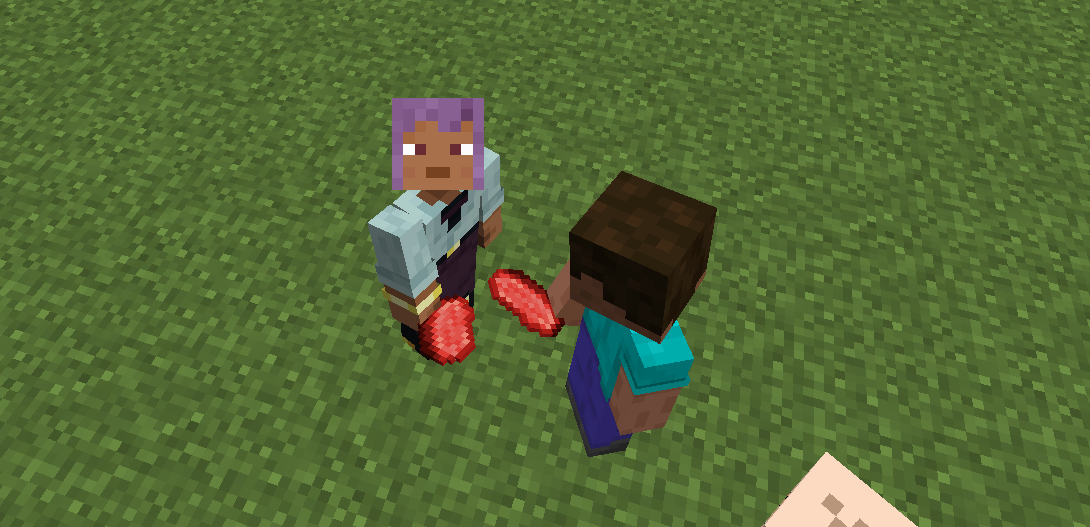
Normal NPC Player Normal NPC Player 为 Minecraft 添加了类人 NPC,它们的行为像真正的玩家而非村民。该项目专为地图创作者、生存世界、角色扮演以及未来的扩展而设计。
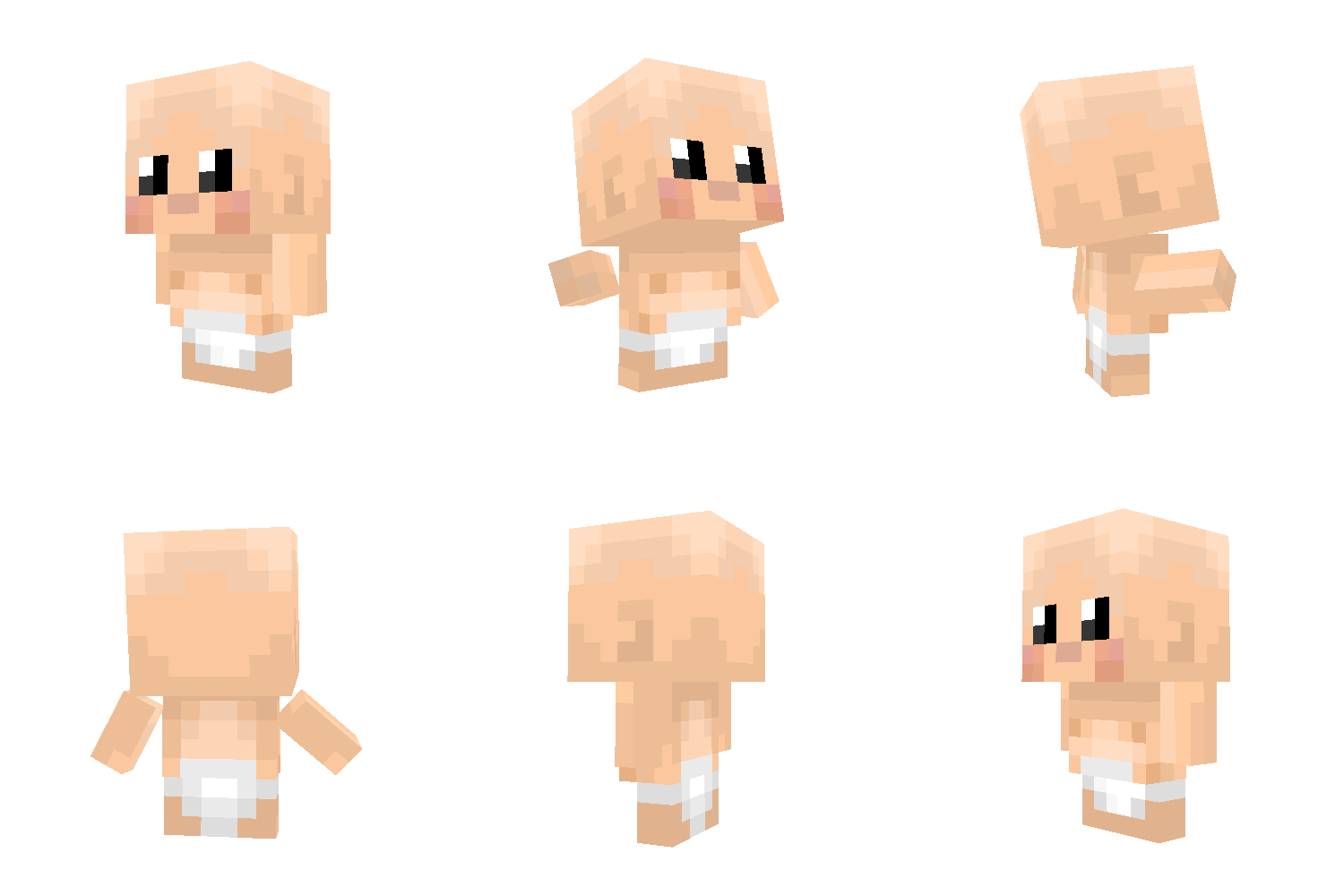
特性 类人风格 NPC 实体 婴儿 NPC 玩家 随机行走 AI 空闲动画 注视附近的玩家 生成蛋支持 GeckoLib 动画 Forge 1.20.1 支持
计划中的特性 成年 NPC 自定义皮肤 跟随玩家 坐下与睡觉 交易 战斗与防御 更好的寻路 用于管理 NPC 的命令 家庭与关系系统
要求 Minecraft Forge 1.20.1 GeckoLib
为什么下载这个模组? 与村民不同,Normal NPC Player 专注于创建逼真的类人 NPC,让你的 Minecraft 世界充满生机。该项目正在积极开发中,未来更新将添加更多行为和互动功能。
MORE AND MORE HARDCORE!!!
Spoiler
Chill no Spoiled!!
(NNP) Normal Non-Player-Character Player have fun Alpha features. You can also feedback to me when found error or something leave it as a comment
ตารางภาษาไทย
| หมวด | คีย์ลัด / การกระทำ | เงื่อนไขและผลลัพธ์ |
|---|---|---|
| Baby Item — กระเป๋าและอุปกรณ์ | ||
| เปิด Baby Inventory | Shift + คลิกขวา ที่ Baby Item |
ใช้ได้ในกระเป๋าผู้เล่นหรือ Creative Inventory เพื่อเปิดหน้า Baby Inventory |
| ใส่เกราะ | คลิกซ้ายที่ Baby Item ขณะถือเกราะหรือ Elytra บนเคอร์เซอร์ | ติดตั้งอุปกรณ์ลงช่องเกราะที่ตรงประเภท |
| ใส่มือหลัก | Ctrl + คลิกซ้าย ที่ Baby Item ขณะถือไอเทมบนเคอร์เซอร์ |
ย้ายไอเทมไปมือหลักของ Baby |
| ใส่มือรอง | Ctrl + คลิกขวา ที่ Baby Item ขณะถือไอเทมบนเคอร์เซอร์ |
ย้ายไอเทมไปมือรองของ Baby |
| Baby Item — Tooltip | ||
| แสดงรายละเอียด | กด Shift ค้างขณะชี้ Baby Item |
แสดง Tooltip แบบรายละเอียดเต็ม |
| เลื่อน Tooltip | Shift + ล้อเมาส์, Shift + ↑/↓, Shift + PgUp/PgDn |
เลื่อน Tooltip รายละเอียดเมื่อเนื้อหายาวเกินกรอบ |
| Baby Item — การสลับมือและ Hotbar | ||
| สลับไปมือรอง | ปุ่ม Swap Item With Offhand — ค่าเริ่มต้น F |
เมื่อ Baby อยู่มือหลัก จะสลับ Baby ไปมือรองตามปกติ |
| ย้ายจากมือรอง | ใน Player/Creative Inventory: ชี้ช่องมือรองแล้วกด F |
สลับ Baby ในมือรองกลับไปมือหลัก |
| ย้ายไป Hotbar | ใน Player/Creative Inventory ขณะที่ Baby อยู่มือรอง: กด 1–9 |
ย้าย Baby ไปช่อง Hotbar ที่ระบุ และย้ายไอเทมเดิมในช่องนั้นไปมือรอง |
| ข้อจำกัดขณะถือ | เลือก Hotbar 1–9, ล้อเมาส์, ปุ่มกลางเมาส์, หรือ Q |
เมื่อ Baby อยู่มือหลักระหว่างเล่นปกติ ระบบจะป้องกันการเปลี่ยนช่องหรือทิ้ง Baby |
| Growth Child — คำสั่งควบคุม | ||
| เปลี่ยนพฤติกรรม | มือเปล่า + คลิกขวา | วนพฤติกรรม: Follow → Hold Position → Wander Home → Work → Idle |
| ตั้งบ้าน | กด Sneak ค้าง (ปกติ Shift) + มือเปล่า + คลิกขวา |
ตั้งตำแหน่งปัจจุบันของ Growth Child เป็น Home |
| Guard | กด Guard Modifier ค้าง + คลิกขวา | เปิด/ปิด Guard หรือ Hold Position; ค่าเริ่มต้นคือ Left Alt และเปลี่ยนได้ใน Controls → Normal NPC Player |
| โยน Baby | ||
| เริ่มชาร์จ | กดค้างพร้อมกันทั้ง 3 ปุ่ม: ปุ่มวิ่งที่ตั้งไว้ + R + ปุ่มใช้/คลิกขวา |
ต้องถือ Baby และมืออีกข้างต้องว่าง; ทั้งสามปุ่มต้องถูกกดพร้อมกันเพื่อเริ่มฟังก์ชันชาร์จพลังโยน |
| โยน | ปล่อย เฉพาะปุ่มใช้/คลิกขวา | โยน Baby ตามพลังที่ชาร์จไว้ โดยไม่ต้องปล่อยปุ่มวิ่งหรือ R |
| ยกเลิก | คลิกซ้าย | ยกเลิกการชาร์จการโยนทันที |
| Cutscene | ||
| ปรับความเร็ว | คลิกซ้าย | สลับความเร็ว Cutscene ระหว่าง 1× และ 2× |
| ข้าม Cutscene | Esc |
ข้าม Cutscene |
| หน้าจอ Baby Inventory และ Config | ||
| ควบคุมหน้าจอ | ไม่มีคีย์ลัดเฉพาะของม็อด | ใช้การคลิกและปุ่มมาตรฐานของ Minecraft; Esc ปิดหน้าจอ และในหน้า Config จะบันทึกค่าก่อนกลับ |
English Table
| Category | Shortcut / Action | Conditions and Result |
|---|---|---|
| Baby Item — Inventory and Equipment | ||
| Open Baby Inventory | Shift + Right-click a Baby Item |
In the Player Inventory or Creative Inventory, opens the Baby Inventory screen. |
| Equip Armor | Left-click a Baby Item while holding armor or Elytra on the cursor | Equips the item in the matching Baby armor slot. |
| Equip Main Hand | Ctrl + Left-click a Baby Item while holding an item on the cursor |
Moves the cursor item to the Baby’s main hand. |
| Equip Offhand | Ctrl + Right-click a Baby Item while holding an item on the cursor |
Moves the cursor item to the Baby’s offhand. |
| Baby Item — Tooltip | ||
| Show Details | Hold Shift while hovering over a Baby Item |
Shows the full-detail Tooltip. |
| Scroll Tooltip | Shift + Mouse Wheel, Shift + ↑/↓, or Shift + PgUp/PgDn |
Scrolls the detailed Tooltip when its content exceeds the visible frame. |
| Baby Item — Hand and Hotbar Management | ||
| Move to Offhand | Swap Item With Offhand binding — default F |
When the Baby is in the main hand, swaps it to the offhand normally. |
| Move from Offhand | In Player/Creative Inventory: hover over the offhand slot and press F |
Swaps the Baby from the offhand back to the main hand. |
| Move to Hotbar | In Player/Creative Inventory, while the Baby is in the offhand: press 1–9 |
Moves the Baby to the selected Hotbar slot and moves that slot’s former item to the offhand. |
| Carry Restrictions | Hotbar 1–9, mouse wheel, middle-click, or Q |
While the Baby is in the main hand during normal gameplay, the mod prevents changing slots or dropping the Baby. |
| Growth Child — Control Commands | ||
| Change Behavior | Empty hand + Right-click | Cycles behavior: Follow → Hold Position → Wander Home → Work → Idle. |
| Set Home | Hold Sneak (default Shift) + empty hand + Right-click |
Sets the Growth Child’s current position as Home. |
| Guard | Hold Guard Modifier + Right-click | Toggles Guard or Hold Position. Default: Left Alt; configurable in Controls → Normal NPC Player. |
| Throw Baby | ||
| Start Charging | Hold all three inputs simultaneously: configured Sprint key + R + Use/Right-click |
The Baby must be carried and the other hand must be empty. All three inputs must be held together to activate charging. |
| Throw | Release only the Use/Right-click input | Throws the Baby with the charged power. The Sprint key and R do not need to be released. |
| Cancel | Left-click | Cancels the throw charge immediately. |
| Cutscene | ||
| Adjust Playback Speed | Left-click | Toggles Cutscene playback speed between 1× and 2×. |
| Skip Cutscene | Esc |
Skips the Cutscene. |
| Baby Inventory and Config Screens | ||
| Screen Controls | No mod-specific shortcut | Use standard Minecraft mouse and screen controls; Esc closes the screen, and the Config screen saves before returning. |
| Feature | Description |
|---|---|
| Real Passenger | Uses Minecraft's native passenger system |
| Head Riding | Baby rides on the top face of the player's bounding box |
| Adjustable Position | Forward / Side / Vertical offsets |
| First-Person View | Mounted Baby does not obstruct the owner's FPP |
| Smart Targeting | Mounted Baby does not block entity targeting |
| Block Interaction | Mounted Baby does not block block interaction |
| Multiplayer | Other players can still see and interact with the Baby |
Companion Mod Want even more interactions?
If you'd like to pat your Baby NPCs, check out *PatPat! It lets you pat living entities with fun animations and works great alongside Normal NPC Player.
Normal NPC Player Normal NPC Player adds human-like NPCs to Minecraft that behave like real players instead of villagers. It is designed for map creators, survival worlds, roleplay, and future expansion.
Features Human-style NPC entities Baby NPC Player Random walking AI Idle animations Looking at nearby players Spawn Egg support GeckoLib animations Forge 1.20.1 support
Planned Features Adult NPCs Custom skins Follow player Sit and sleep Trading Fighting and defending Better pathfinding Commands for managing NPCs Family and relationship system
Requirements Minecraft Forge 1.20.1 GeckoLib
Why download this mod? Unlike villagers, Normal NPC Player focuses on creating realistic human NPCs that can make your Minecraft world feel alive. The project is actively developed and more behaviors and interactions will be added in future updates.
下载 Normal NPC Player: Community Mod.
下载 Normal NPC Player: Community Mod.
下载 Normal NPC Player: Community Mod.
下载 Normal NPC Player: Community Mod.
下载 Normal NPC Player: Community Mod.
下载 Normal NPC Player: Community Mod.
下载 Normal NPC Player: Community Mod.
下载 Normal NPC Player: Community Mod.
下载 Normal NPC Player: Community Mod.
下载 Normal NPC Player: Community Mod.
为我最喜欢的创作者添加专属皮肤!
关于这个资源的讨论、问题反馈与使用心得
还没有讨论,来发第一帖吧
你是这个资源的作者?登录后可认领此资源。
相似资源
 模组

一个用于收集生物掉落物的多区块模组。
 模组

为你的终界增添新生物群系、神秘仪式和全新生物
 模组

更多生物群系,更多生物,更多工具,为炽热的维度
 模组

如果游戏能告知重要的刷新点,会怎样?
 模组

所有本应存在的事物
 模组

为 Cobblemon 添加 Mega 进化、Z 招式、太晶化、超极巨化/超巨大化、究极爆击与融合!
评论 0
登录后参与评分
还没有评论,来抢沙发吧