
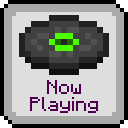
Now Playing
当当前播放的音乐曲目发生变化时,显示弹出提示。
关于
你是否曾好奇过《Minecraft》中所有歌曲的实际名称?当然,你可以去查看原声带以找出答案,但这意味着你必须听完每一首歌曲,并希望其中有你正在寻找的那一首。
有了这个模组,无需再猜测!一个提示框(Toast)会出现在屏幕右上角或热键栏上方(可配置),告诉你即将播放的歌曲是什么。
设置
常规选项
- 仅使用按键或命令
- 是否仅在按下绑定按键或使用
/nowplaying命令时才显示弹出提示。
- 是否仅在按下绑定按键或使用
- 背景音乐弹出样式
- 如何显示背景音乐的弹出提示。可选择提示框、热键栏(状态栏)消息或无。
- 唱片机弹出样式
- 如何显示唱片机音乐的弹出提示。可选择提示框、热键栏(状态栏)消息或无。
- 回退到提示框
- 当无法显示热键栏消息时,是否为设置为热键栏的音乐显示提示框。
- 无声提示框
- 提示框是否应发出呼啸声。
- 提示框缩放
- 提示框的大小。
- 简单提示框
- 是否在提示框中同时显示“Now Playing”文本和曲目标题。
- 深色提示框
- 是否为提示框使用深色背景。
- 提示框显示时间
- 提示框显示的持续时间。
- 热键栏显示时间
- 热键栏消息显示的持续时间。
- 朗读弹出提示
- 如果启用了旁白,是否应朗读弹出提示。
自定义精灵图
Now Playing 支持通过资源包更改每个背景音乐曲目显示的唱片精灵图。首先,在你的资源包的 assets 文件夹中创建一个 nowplaying 文件夹,并在该文件夹中放置一个 sprites.json 文件,如下所示。
注意:如果你使用的是版本 1.5.16 或更早版本,模组 ID(因此也是文件夹名称)为 now-playing。
assets
├── minecraft
└── nowplaying
    └── sprites.json
接下来,用键值对填充 sprites.json 文件,其中键是音乐资源位置(或其一部分),值是精灵图位置,如下所示。
{
    "minecraft:music/game":                   "minecraft:textures/item/music_disc_cat",
    "minecraft:music/game/creative":          "minecraft:textures/item/music_disc_blocks",
    "minecraft:music/game/creative/taswell":  "minecraft:textures/item/music_disc_chirp",
    "minecraft:music/game/nether":            "minecraft:textures/item/music_disc_pigstep"
}
如果你只指定了音乐资源位置的一部分,则对应位置的所有一般曲目都将使用该唱片精灵图,除非有更具体的定义。在上面的示例中:
game文件夹中的所有曲目将使用cat精灵图,除了;creative文件夹中的曲目,将使用blocks精灵图,除了;taswell曲目,将使用chirp精灵图
nether文件夹中的曲目,将使用pigstep精灵图。
你可以使用任何现有的音乐唱片精灵图,或者由资源包提供的任何精灵图。
自定义音乐曲目标题
如果你有添加了自定义背景音乐的资源包,你可以使用翻译文件(例如 en_us.json)指定标题。首先,在你的资源包的 assets 文件夹中创建一个 nowplaying 文件夹,在其内部创建一个 lang 文件夹,并在该文件夹中放置一个翻译文件,如下所示。
assets
├── minecraft
└── nowplaying
    └── lang
        └── en_us.json
接下来,用键值对填充翻译文件,其中键是以 nowplaying 为前缀的音乐资源位置,值是曲目的翻译标题,如下所示。
注意:如果你使用的是版本 1.5.16 或更早版本,模组 ID(因此也是前缀)为 now-playing。
{
    "nowplaying.minecraft:music/game/a_familiar_room":     "Aaron Cherof - A Familiar Room",
    "nowplaying.minecraft:music/game/an_ordinary_day":     "Kumi Tanioka - An Ordinary Day",
    "nowplaying.minecraft:music/game/ancestry":            "Lena Raine - Ancestry",
    "nowplaying.minecraft:music/game/clark":               "C418 - Clark",
    "nowplaying.minecraft:music/game/creative/aria_math":  "C418 - Aria Math"
}
仍支持使用 music.nowplaying.[name] 格式的旧翻译文件,但其优先级低于新格式。
联系方式
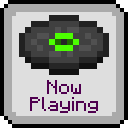
Now Playing
Shows a popup whenever the active music track changes.
About
Have you ever wondered what all the songs in Minecraft are actually called? Sure, you could check the soundtrack to find out, but then you have to listen to every song, hoping it's the one you're thinking of.
With this mod, wonder no more! A toast will pop up in the top right corner of your screen or just above your hotbar (configurable), telling you what song you're about to listen to.
Setup
General Options
- Only use key or command
- Whether to only show pop-up when the keybind is pressed or the
/nowplayingcommand is used.
- Whether to only show pop-up when the keybind is pressed or the
- Music pop-up style
- How to display pop-up for background music. Choice of toast, hotbar (status bar) message, or nothing.
- Jukebox pop-up style
- How to display pop-up for jukebox music. Choice of toast, hotbar (status bar) message, or nothing.
- Fallback to toast
- Whether to display a toast for music set to hotbar, if not possible to show a hotbar message.
- Silent toast
- Whether the toast should make a whoosh noise.
- Toast scale
- The size of the toast.
- Simple toast
- Whether to show the "Now Playing" text as well as the track title in the toast.
- Dark toast
- Whether to use a dark background for the toast.
- Toast display time
- How long the toast will be displayed for.
- Hotbar display time
- How long the hotbar message will be displayed for.
- Narrate pop-up
- Whether pop-ups should be narrated, if the narrator is enabled.
Custom Sprites
Now Playing supports changing which disc sprites are displayed for each background music track
via a resource pack. First, create a nowplaying folder in the assets folder of your pack,
and place a sprites.json file in that folder, as shown below.
Note: If you are using version 1.5.16 or earlier, the mod ID (and thus, the folder name)
is now-playing.
assets
├── minecraft
└── nowplaying
    └── sprites.json
Next, populate the sprites.json file with key-value pairs, where the key is the music resource
location (or part thereof), and the value is the sprite location, as shown below.
{
    "minecraft:music/game":                   "minecraft:textures/item/music_disc_cat",
    "minecraft:music/game/creative":          "minecraft:textures/item/music_disc_blocks",
    "minecraft:music/game/creative/taswell":  "minecraft:textures/item/music_disc_chirp",
    "minecraft:music/game/nether":            "minecraft:textures/item/music_disc_pigstep"
}
If you only specify part of a music resource location, the corresponding disc will be shown for all music tracks in that location, except those that have a more specific definition. In the example above:
- All tracks in the
gamefolder will use thecatsprite, except;- tracks in the
creativefolder, which will use theblockssprite, except;- the
taswelltrack , which will use thechirpsprite
- the
- tracks in the
netherfolder, which will use thepigstepsprite.
- tracks in the
You can use any existing music disc sprite, or any sprite provided by a resourcepack.
Custom Music Track Titles
If you have a resource pack that adds custom background music, you can specify titles using a
translation file (e.g. en_us.json). First, create a nowplaying folder in the assets folder
of your pack, create a lang folder inside, and place a translation file in that folder, as shown
below.
assets
├── minecraft
└── nowplaying
    └── lang
        └── en_us.json
Next, populate the translation file with key-value pairs, where the key is the music resource
location, prefixed with nowplaying, and the value is the translated title of the track, as
shown below.
Note: If you are using version 1.5.16 or earlier, the mod ID (and thus, the prefix)
is now-playing.
{
    "nowplaying.minecraft:music/game/a_familiar_room":     "Aaron Cherof - A Familiar Room",
    "nowplaying.minecraft:music/game/an_ordinary_day":     "Kumi Tanioka - An Ordinary Day",
    "nowplaying.minecraft:music/game/ancestry":            "Lena Raine - Ancestry",
    "nowplaying.minecraft:music/game/clark":               "C418 - Clark",
    "nowplaying.minecraft:music/game/creative/aria_math":  "C418 - Aria Math"
}
Old translation files which use the music.nowplaying.[name] format are still supported, but
have a lower priority than the new format.
Contact
下载 Now Playing
下载 Now Playing
下载 Now Playing
下载 Now Playing
下载 Now Playing
需要联机服务器吗?
稳定流畅、一键部署,几分钟即可和朋友联机开服
最低仅需 8 元/月 即可畅快联机
下载 Now Playing
需要联机服务器吗?
稳定流畅、一键部署,几分钟即可和朋友联机开服
最低仅需 8 元/月 即可畅快联机
下载 Now Playing
下载 Now Playing
下载 Now Playing
需要联机服务器吗?
稳定流畅、一键部署,几分钟即可和朋友联机开服
最低仅需 8 元/月 即可畅快联机
下载 Now Playing
- 增加了对音乐音量级别和主音量级别的检查(Obey23)(#58)
关于这个资源的讨论、问题反馈与使用心得
还没有讨论,来发第一帖吧
你是这个资源的作者?登录后可认领此资源。
相似资源
 模组

显示你正在注视的方块的信息。(适用于 Minecraft 1.16+ 的 Hwyla/Waila 分支)
 模组
使用 JavaScript 编辑配方、添加自定义物品、编写世界事件!
 模组

查看物品与配方
 模组
在游戏画面角落显示附近世界地形、玩家、生物和实体的地图。可创建路径点,帮助你找到标记过的位置。
 模组
AE2:一款流行的自动化与存储模组
 模组
那是什么?一个 Waila/Hwyla 的分支。
评论 0
登录后参与评分
还没有评论,来抢沙发吧