
OpenComputers II 是 OpenComputers 的精神续作。它继承了一些核心理念,例如可配置性和沙盒机制。然而,其中也包含许多变更,比如该模组使用真实的模拟硬件。
本模组中的计算机基于已安装的 CPU,采用 RISC-V 或 Z80 架构运行。主要的入门系统是 OpenOS II,但它也允许运行 Linux,并以你习惯的方式使用它。例如,网络通信使用模拟网卡和标准的以太网帧,因此不同的 Linux 计算机可以像预期那样相互通信。对于 Z80,模组附带了 CP/M,以满足复古情怀的需求。
概览
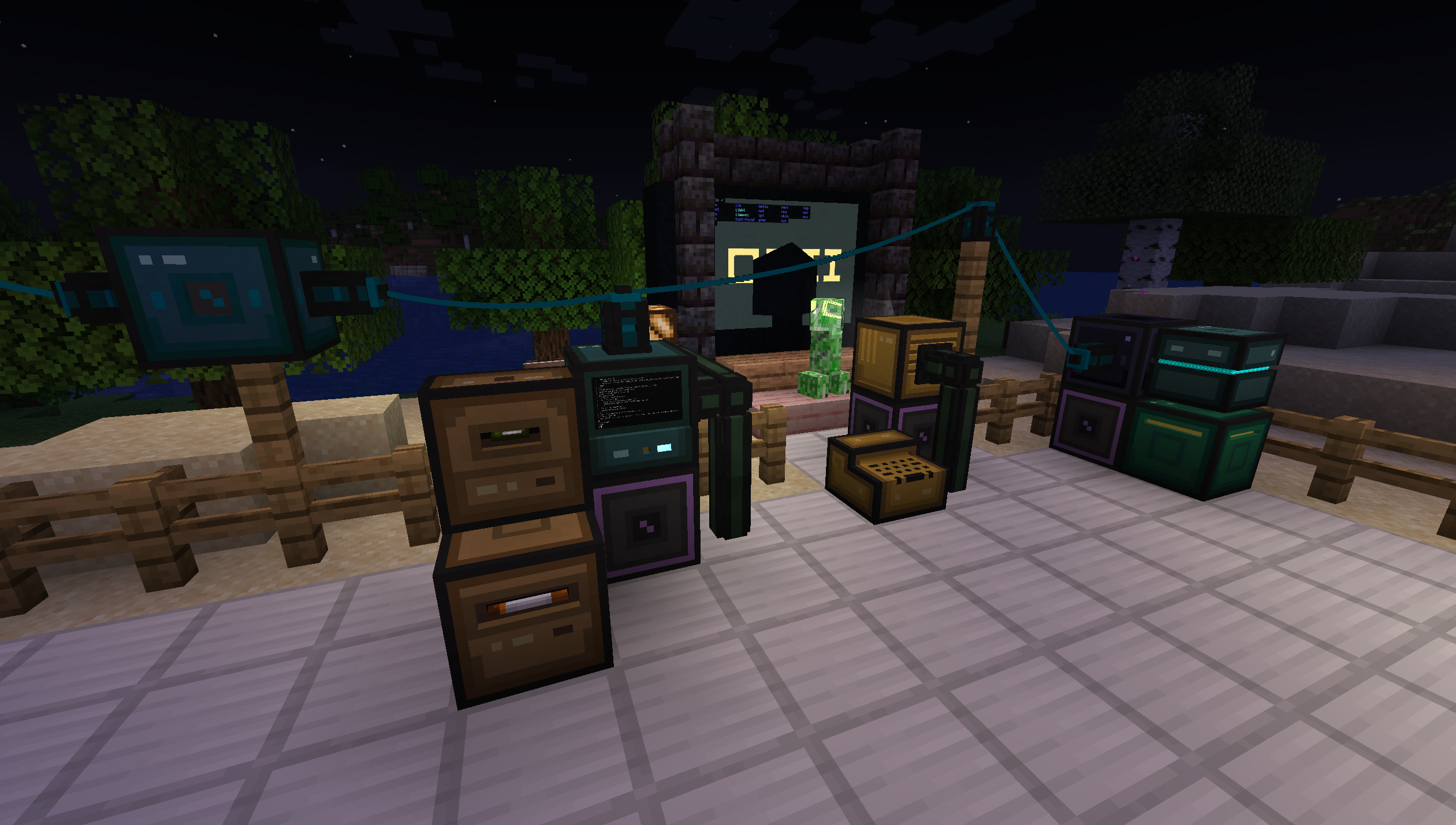
该模组提供了固定的计算机和可移动的机器人。计算机可以通过总线电缆和扩展卡与其他世界内的设备连接,而机器人则可以在世界中移动并通过已安装的模块与之交互。计算机可以使用网络或串行网卡及电缆进行相互通信。
为了开始使用本模组,强烈建议制作《The Computerists Handbook》(计算机学家手册),这是一个包含所有方块信息、如何构建你的第一台计算机等内容的游戏内手册物品。你也可以 在线查阅。
计算机和机器人消耗能量(RF/FE),因此建议将该模组与提供能量生成的其他模组配合使用。此功能可以在配置文件中禁用。
操作
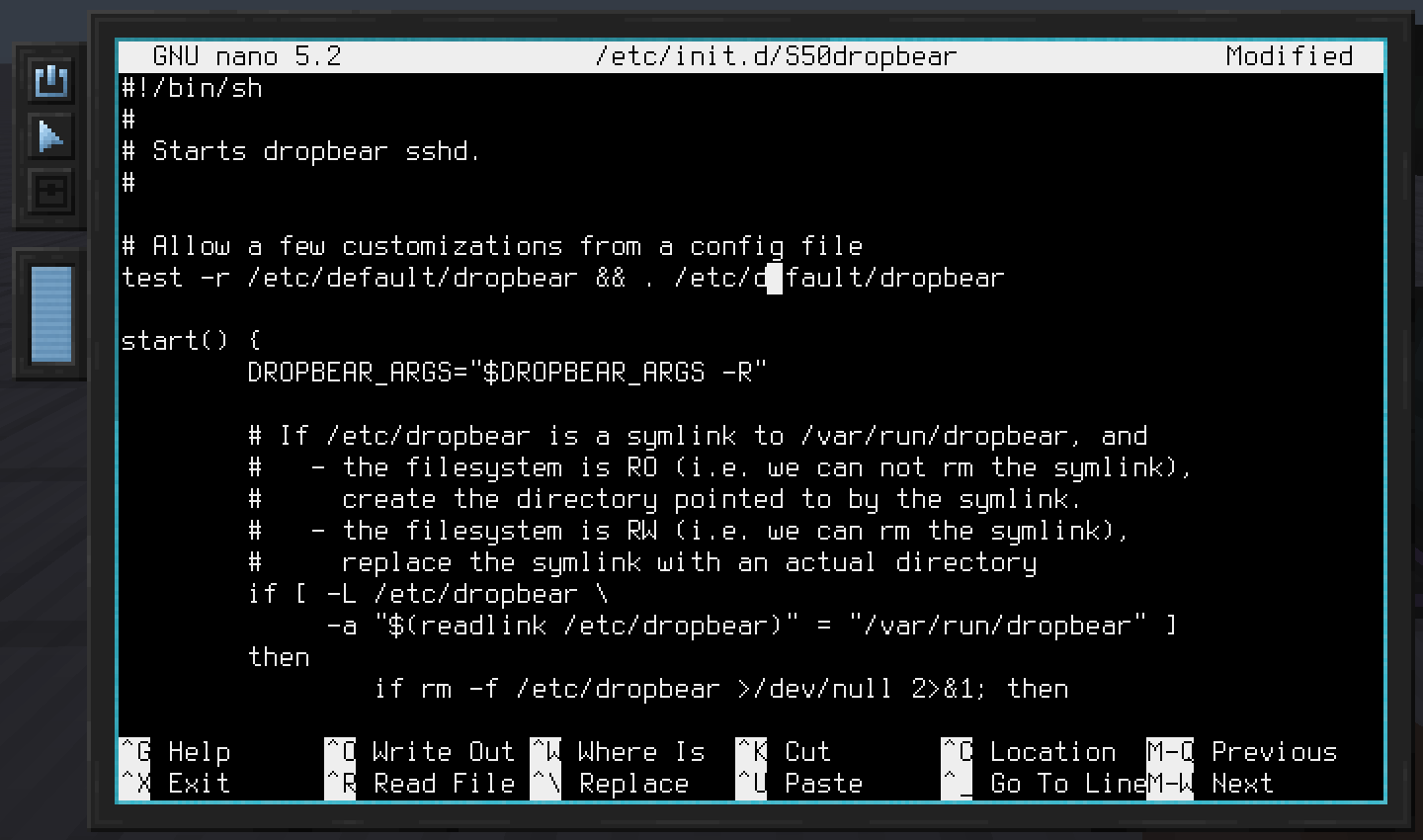
该模组主要使用的操作系统是 Linux。它自带一系列知名工具,如文本编辑器 vi 和 nano。
为了方便脚本编写,模组还包含了 Lua 和 Python。许多 Minecraft 特定的设备,如容器、Redstone Interface Block(红石接口方块)以及通用的模组互操作性,都使用了一个高层 API,旨在通过 Lua/Python 调用。这既便于添加与其他模组的集成,也方便在游戏中进行脚本编写时使用这些 API。
以下是一个通过 Redstone Interface Device(红石接口设备)发送红石信号的示例代码片段:
require("devices"):find("redstone"):setRedstoneOutput("up", 15)
此外,还有一个使用更简单二进制协议的中层 API。它在 Z80 上用于与设备通信,但在 RISC-V/Linux 上也可用。
模块化
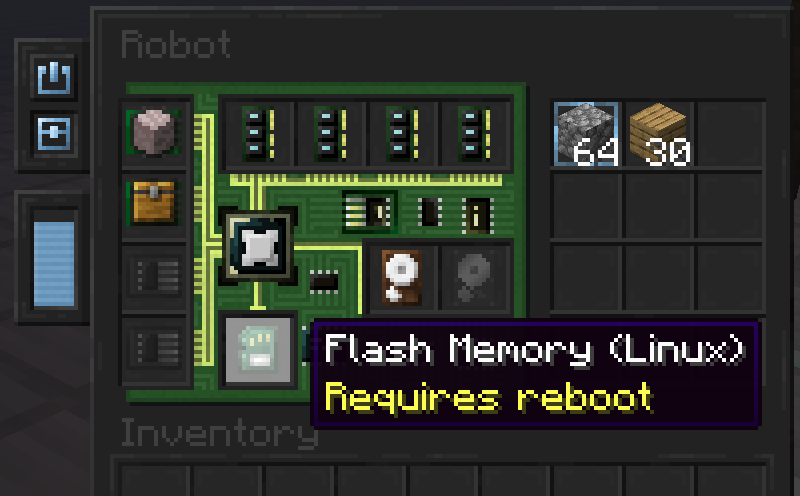
计算机和机器人可以使用各种设备物品进行配置。共享的设备类型包括内存(RAM)、固件和硬盘。计算机还可以安装扩展卡,例如 Network Interface Card(网络接口卡),而机器人则可以安装模块,例如 Block Operations Module(方块操作模块),使机器人能够破坏和放置方块。
OpenComputers II is a spiritual successor to OpenComputers. It carries some of the core ideas with it, such as configurability and sandboxing. However, there are also many changes, such as the mod using actual, emulated hardware.
Computers in this mod run on either a RISC-V or a Z80 architecture, based on the installed CPU. The main onboarding system is OpenOS II, but this also allows running Linux and using it much like you'd use it normally. For example, networking uses an emulated network card and regular ethernet frames, so different Linux computers can communicate just as you'd expect. For the Z80 the mod ships CP/M, for that retro itch.
Overview
The mod provides stationary computers and mobile robots. While computers can connect to other in-world devices via bus cables and extension cards, robots can move through the world and interact with it via installed modules. Computers can communicate with each other using network or serial cards and cables.
To get started with the mod, it is strongly recommended to craft The Computerists Handbook, an in-game manual item with information on all the blocks, how to build your first computer and so on. It can also be read online.
Computers and robots consume energy (RF/FE), so it is recommended to play this mod in combination with some other mod that provides energy generation. This can be disabled in the configuration.
Operation
The main operating system used by the mod is Linux. It comes with a list of well-known utilities, such as the text-editors vi and nano.
To enable easy scripting, Lua and Python is also included. Many of the Minecraft specific devices, such as inventories, the Redstone Interface Block and general mod-interoperability use a high-level API that is intended to be used through Lua/Python. This eases both adding integrations with other mods, as well as using these APIs when scripting in the game.
Here's an example snippet that sends a redstone signal through a Redstone Interface Device:
require("devices"):find("redstone"):setRedstoneOutput("up", 15)
There's also a mid-level API that uses a simpler, binary protocol. It is what's used on the Z80 to talk to devices, but also available on RISC-V/Linux.
Modularity
Computers and robots can be configured using various device items. Shared device types include memory (RAM), firmware and hard drives. Computers furthermore allow installation of extension cards, such as the Network Interface Card, whereas robots allow installation of modules, such as the Block Operations Module, which enables robots to break and place blocks.

下载 OpenComputers II
需要联机服务器吗?
稳定流畅、一键部署,几分钟即可和朋友联机开服
最低仅需 8 元/月 即可畅快联机
下载 OpenComputers II
需要联机服务器吗?
稳定流畅、一键部署,几分钟即可和朋友联机开服
最低仅需 8 元/月 即可畅快联机
下载 OpenComputers II
需要联机服务器吗?
稳定流畅、一键部署,几分钟即可和朋友联机开服
最低仅需 8 元/月 即可畅快联机
下载 OpenComputers II
需要联机服务器吗?
稳定流畅、一键部署,几分钟即可和朋友联机开服
最低仅需 8 元/月 即可畅快联机
下载 OpenComputers II
需要联机服务器吗?
稳定流畅、一键部署,几分钟即可和朋友联机开服
最低仅需 8 元/月 即可畅快联机
下载 OpenComputers II
需要联机服务器吗?
稳定流畅、一键部署,几分钟即可和朋友联机开服
最低仅需 8 元/月 即可畅快联机
下载 OpenComputers II
需要联机服务器吗?
稳定流畅、一键部署,几分钟即可和朋友联机开服
最低仅需 8 元/月 即可畅快联机
下载 OpenComputers II
需要联机服务器吗?
稳定流畅、一键部署,几分钟即可和朋友联机开服
最低仅需 8 元/月 即可畅快联机
下载 OpenComputers II
需要联机服务器吗?
稳定流畅、一键部署,几分钟即可和朋友联机开服
最低仅需 8 元/月 即可畅快联机
下载 OpenComputers II
需要联机服务器吗?
稳定流畅、一键部署,几分钟即可和朋友联机开服
最低仅需 8 元/月 即可畅快联机
变更
- 改进区块设备容量处理,特别是在配置更改时
修复
- 启动期间可能出现的 ConcurrentModificationException
- 移植至 1.21.11。
新增
- 互联网网关的 VXLAN 模式,由 @samuelh2005 贡献 (#332)。
- 互联网网关的用户界面现在会显示当前存储的能量。
变更
- [破坏性更新] 在 NAT 模式下,互联网网关的地址现在是在方块上配置的,而不是从流量中自动学习到的。
- Z80 CPU 内置了 64K 内存,不再需要 RAM 模块。
- 翻译现通过 Weblate 进行管理。如果你想……呃,贡献力量的话,请参阅 CONTRIBUTING.md。
修复
- 在使用
/reload命令时,正在使用的数据包方块设备可能会被丢弃。 - 一些小的问题修复。
新增
- OpenOS II。填补了 CP/M 与 Linux 之间的空白。仅基于 Lua,可在单根 2M 内存的存储卡上运行。用户空间基于经典的 OpenOS。使用与 Linux 相同的固件。
更改
- 更新了手册,更清晰地说明了各操作系统所能执行的操作。
修复
- 若干小修复。
修复
- 与 Sable / Create Simulated 的兼容性。
注意:仍存在若干已知问题无法修复,具体包括网络连接器线缆渲染和投影仪渲染。 - 服务器配置未同步到 Velocity 代理后端的客户端(#320)。
关于这个资源的讨论、问题反馈与使用心得
还没有讨论,来发第一帖吧
你是这个资源的作者?登录后可认领此资源。
相似资源
 模组

一个用于收集生物掉落物的多区块模组。
 模组
AE2:一款流行的自动化与存储模组
 模组

基于 GTCEu 1.12.2 的现代 GregTech
 模组

让你能够在世界中的任何位置定位结构。
 模组
高科技机械、强大的能量生成、炫酷的小工具以及更多内容。现已登陆 Modrinth!
 模组

一款轻量级模组,允许服务器管理员对抗透视作弊者。
评论 0
登录后参与评分
还没有评论,来抢沙发吧