有没有想过,如果能给特殊球体赋予特定的起源该有多酷?现在你可以了!隆重推出:
Orb'd
Orb'd 是一个 Origins 模组插件,允许你通过 Json 定义自定义的起源之球(Orbs of Origin)!
实现数据驱动的球体非常简单,几乎不需要任何设置。
如何定义自定义球体?
在你的数据包中,创建以下文件路径:
datapackname/data/namespace/orbs/
这是所有自定义球体的文件路径,旨在将它们整齐地存放在一个地方。
接下来是 Json 结构,它非常简单且小巧,无需头疼。
{
"orb_name": "Fire Orb", // 球体名称
"orb_description": "Grants the powers of a Fire Elemental.", // 球体描述
"orb": "orbd:fire_orb", // 球体 ID,支持唯一 ID(命名空间:id)
"origin": "origins:blazeborn" // 转变成的起源(此处为 blazeborn)
}
如果我想在一个球体中包含多个起源呢?
与其使用 "origin": "origins:blazeborn" 来定义单个起源,我们可以使用 "origins": ["namespace:id", ect] 来定义一组球体能让你转变成的起源。使用多起源球体时,它会将玩家放入指定起源的限制性起源菜单中。这也适用于其他起源层(例如 origins-classes 和自定义制作的层)。不要在同一个球体文件中同时使用 "origin" 和 "origins"。也不要尝试跨层使用,否则无效。
{
"orb_name": "Tri-Orb", // 球体名称
"orb_description": "Holds the power of 3 different Origins.", // 球体描述
"orb": "orbd:tri_orb", // 球体 ID,支持唯一 ID(命名空间:id)
"origins": ["origins:blazeborn", "origins:arachnid", "origins:phantom"] // 可转变成的起源
}
我想要自定义纹理!
为你的自定义球体定义自定义纹理也相当简单,只需要基本的资源包知识即可。Orb'd 使用 Minecraft 的覆盖系统以保持简洁,尽管未来会引入新系统,但目前这种方式可行。
{
"parent": "item/generated", // 原始模型
"textures": {
"layer0": "origins:item/orb_of_origin" // 原始纹理
},
"overrides": [
{
"predicate": { "custom_model_data": 42700 }, // 自定义模型数据
"model": "item/fire_orb" // 模型
}
]
}
请注意,其他资源包可能会相互冲突。
如何获取自定义球体?
你可以使用此命令来获取你的自定义球体:
/give @s orbd:generic_orb{orb_id:"namespace:id"} 1
大功告成!
就是这样!你已经完全定义了一个绑定到单一起源的自定义球体!
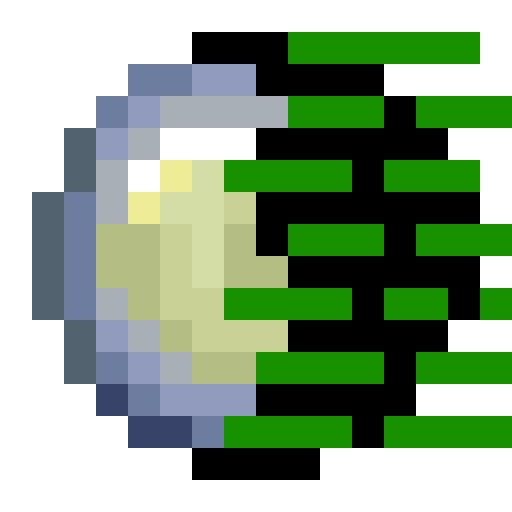
Ever had the thought it would be cool if you could assign specific origins to a special orb? Well now you can! introducing:
Orb'd
Orb'd is an Origins Addon which allows you to define custom Orbs of Origin through Json!
Implementation of data-driven orbs is quite simple and requires very little setup.
How do I define Custom Orbs?
In your datapack, create the following file path:
datapackname/data/namespace/orbs/
this is the file path for all custom orbs, meant to keep them all in one nice place.
Next up is the Json structure, its quite simple & small so no headaches required.
{
"orb_name": "Fire Orb", // Name of Orb
"orb_description": "Grants the powers of a Fire Elemental.", // Description of the orb
"orb": "orbd:fire_orb", // ID of the orb, allows for unique ids (namespace:id)
"origin": "origins:blazeborn" // Origin to turn into (in this case blazeborn)
}
What if I want Multiple Origins in an Orb?
Instead of using "origin": "origins:blazeborn" to define an origin, we can use "origins": ["namespace:id", ect] to define a set of origins that orb can turn you into. Using a multi-orb, it will put the player into a restricted Origins Menu for the specified origins. This also works with other origin layers (such as origins-classes and custom made layers.) Do not use both "origin" and "origins" in the same orb file. Do not try and cross layer either, it will not work.
{
"orb_name": "Tri-Orb", // Name of Orb
"orb_description": "Holds the power of 3 different Origins.", // Description of the orb
"orb": "orbd:tri_orb", // ID of the orb, allows for unique ids (namespace:id)
"origins": ["origins:blazeborn", "origins:arachnid", "origins:phantom"] // Origins to turn into
}
I want Custom Textures though!
Defining custom textures for your custom orb is also pretty simple and only requires basic resource pack knowledge. Orb'd uses minecraft's override system to keep things simple, however a new system will be put into place in the future, but for now this works.
{
"parent": "item/generated", // Original model
"textures": {
"layer0": "origins:item/orb_of_origin" // Original texture
},
"overrides": [
{
"predicate": { "custom_model_data": 42700 }, // Custom model data
"model": "item/fire_orb" // The model
}
]
}
Do note other resource packs may conflict with other ones.
How do I give myself the Custom Orb?
You can use this command to grab your custom orb:
/give @s orbd:generic_orb{orb_id:"namespace:id"} 1
You Did it!
And thats it! You've completely defined a custom orb bound to one origin!
评论 0
登录后参与评分
还没有评论,来抢沙发吧