
Orbit


信息
一款相当出色的模组,允许你将按键或命令绑定到单个快捷键上,从而打开轨道菜单。在菜单中悬停并无缝触发你设置好的选项。 按钮的数量可以通过 modmenu 进行配置。(建议至少保留 3 个按钮,且不超过 16 个)
使用方法
要打开菜单,请按下默认的 Y 键。你可以在控制设置菜单中更改此快捷键。
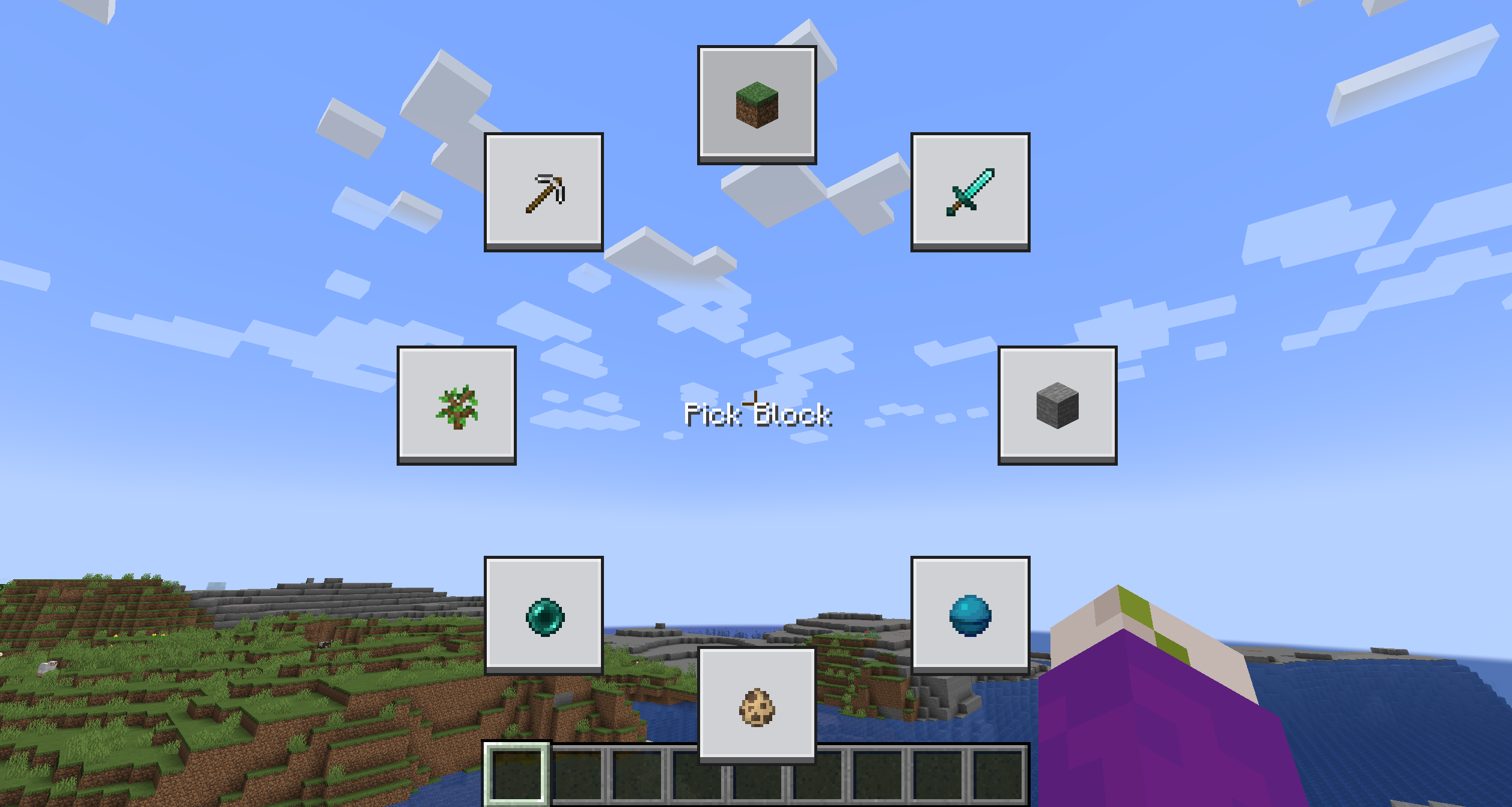 菜单初始状态下会是空的。若要编辑按钮,只需在保持菜单打开的状态下按住 Shift 键并点击该按钮即可。
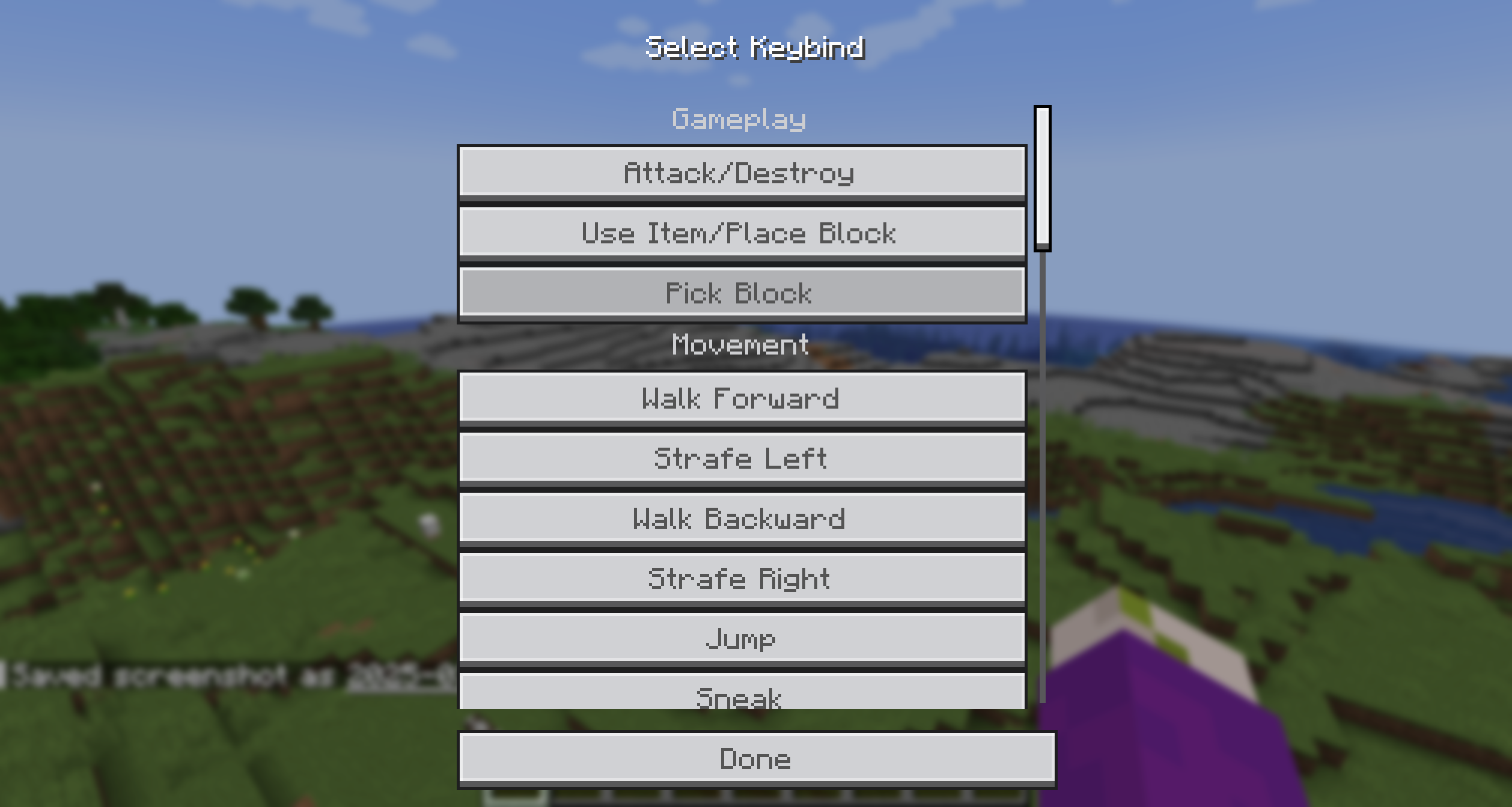
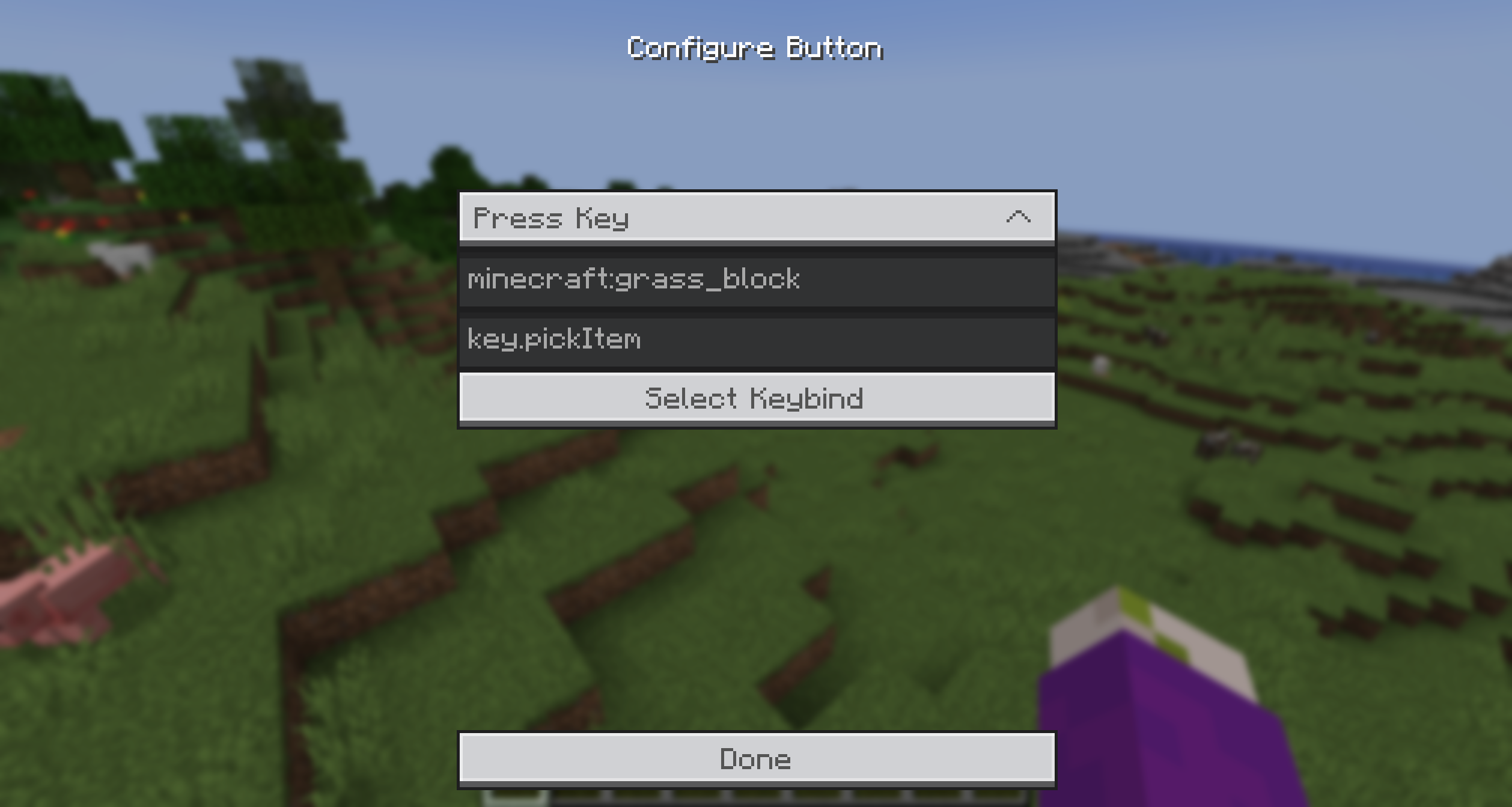 你可以从提供的动作中选择,并输入命令或快捷键。为了方便获取快捷键 ID,你可以直接点击“快捷键选择”按钮,并从动态列表中选择一个。
 此外,你还可以通过在“物品 ID”字段中输入物品 ID,为按钮添加一个物品图标。
然后只需按下按键,将鼠标悬停在你想要触发的选项上,松开按键即可!就是这么简单!
Bisect 合作

社区
如有任何问题或需要支持,请点击下方的按钮加入我的 Discord 服务器!
Orbit
Information
A honestly quite incredible mod allowing you to bind keys and or commands to a singular keybind, opening orbital menu to hover and seamlessly trigger the option you have set. The amount of Buttons is configurable through modmenu. (It is recommended to have at least 3 buttons and no more than 16)
Usage
To open the Menu, press the Default keybind of Y. You can change this in the Controls Menu.
The Menu is going to be quite empty, to edit a button, simply shift click it while holding the menu open.
You can select from the provided Actions and enter a command/keybind. To make it easier to get the keybind ID, you can simply click the Keybind Selection Button and pick one from the dynamic List.
Additionally, you can add an item icon to the button by typing the item ID in the Item ID field.
Then simply, press the key, hover over the option you want to trigger and release the key! It's that simple!
Bisect Partnership
Community
For any questions or support you can join my discord by clicking the button below!

下载 Orbit
下载 Orbit
需要联机服务器吗?
稳定流畅、一键部署,几分钟即可和朋友联机开服
最低仅需 8 元/月 即可畅快联机
下载 Orbit
下载 Orbit
需要联机服务器吗?
稳定流畅、一键部署,几分钟即可和朋友联机开服
最低仅需 8 元/月 即可畅快联机
下载 Orbit
需要联机服务器吗?
稳定流畅、一键部署,几分钟即可和朋友联机开服
最低仅需 8 元/月 即可畅快联机
下载 Orbit
下载 Orbit
下载 Orbit
移植到 26.2
关于这个资源的讨论、问题反馈与使用心得
还没有讨论,来发第一帖吧
你是这个资源的作者?登录后可认领此资源。
相似资源
 模组

显示你正在注视的方块的信息。(适用于 Minecraft 1.16+ 的 Hwyla/Waila 分支)
 模组
使用 JavaScript 编辑配方、添加自定义物品、编写世界事件!
 模组

查看物品与配方
 模组
在游戏画面角落显示附近世界地形、玩家、生物和实体的地图。可创建路径点,帮助你找到标记过的位置。
 模组
AE2:一款流行的自动化与存储模组
 模组

一个基于构建器的 Minecraft 配置库!
评论 0
登录后参与评分
还没有评论,来抢沙发吧