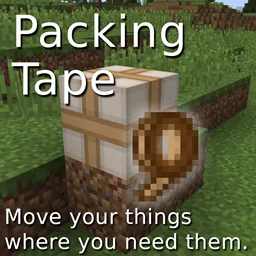
Fabric 用户注意:这是一个 Forge 模组,一直以来都是如此,将来也会如此。如果我未来将其移植到 Fabric(目前我并无此计划),它也将作为一个完全独立的项目发布,并且会明确标注。
使用方法
在任何合成表中,使用 线、纸 和 粘液球 合成胶带(无形状限制)。
手持胶带右键点击带有 TileEntity(方块实体)的方块(如箱子、机器等)即可打包。
采集打包后的箱子以便携带,并在目标位置放置它。
右键点击已打包的方块以拆包。
注意:在放置方块时按住潜行键将在拆包时禁用旋转系统!
允许胶带打包刷怪笼
将刷怪笼的 TileEntity 类添加到配置文件中的白名单部分。
在 1.18+ 版本中:
使用此数据包:
在 1.14+ 版本中
进入你的存档文件夹,在 serverconfigs 目录内,用你喜欢的文本编辑器打开 packingtape-server.toml 文件(Windows 用户推荐使用 Notepad++)。
在其中找到 whitelist 行,并在方括号内添加刷怪笼,如下所示:
whitelist = ["minecraft:mob_spawner"]
如果需要添加多个项目,可以用逗号分隔,如下所示:
whitelist = ["minecraft:mob_spawner","minecraft:chest","someothermod:someothertile"]
在 1.12 及更早版本中:
在 config/packingtape.cfg 中找到配置文件。找到 S:whitelist 键,并在尖括号内添加对应的 TE(TileEntity),如果有多个则每行一个。
tileentities {
    S:blacklist <
     >
    S:whitelist <
        net.minecraft.tileentity.TileEntityMobSpawner
     >
}
我可以在 <X> 中使用这个吗?
可以。除非 <X> 的许可证与该模组不兼容,但这不太可能。
帮助与支持
如需提交错误报告和功能请求,请访问问题追踪器(链接见上方)
你也可以在我的 Discord 服务器上找到我(请使用支持论坛频道!除非绝对必要,否则请勿直接私信我)。
我有 Patreon 页面了!
支持我继续制作游戏和模组!点击这里
Attention Fabric users: This is a Forge mod, it has always been and will always be. If I ever port it to Fabric, which I have no current plans to do, it will be as a fully separate project, and it will be clearly indicated.
How to Use
Craft the tape with string, paper and slime balls in any crafting grid (shapeless).
Right-click with the tape on a block with TileEntity (chests, machines, ...) to pack.
Harvest the box to carry it around, and place it in its target location.
Right-click on a packed block to unpack.
Note: Sneaking while placing the block will disable the rotation system while unboxing!
Allowing the tape to pack mob spawners
Add the mob spawner tile entity class to the whitelist section of the config file.
In 1.18+:
Use this datapack:
In 1.14+
Navigate to your save folder, and inside serverconfigs, open the packingtape-server.toml file in your favorite text editor (Notepad++ is a good choice for Windows users).
In it, locate the whitelist line, and add the spawner within the brackets, like so:
whitelist = ["minecraft:mob_spawner"]
If you need to add more than one, you can separate them with commas, like so:
whitelist = ["minecraft:mob_spawner","minecraft:chest","someothermod:someothertile"]
In 1.12 and earlier:
Locate the config file in config/packingtape.cfg. Find the S:whitelist key, and add the TE within the angle brackets, one per line if you have multiple.
tileentities {
    S:blacklist <
     >
    S:whitelist <
        net.minecraft.tileentity.TileEntityMobSpawner
     >
}
Can I use this in <X>?
Yes. Unless <X>'s license is incompatible with this mod's, which is unlikely.
Help and Support
For bug reports and feature requests, visit the issue tracker (link above)
You can also find me on discord, in my little discord server (please use the support forum channels! DO NOT DM me unless strictly necessary).
I've got a Patreon!
Help me continue making games and mods! Click here

下载 Packing Tape
需要联机服务器吗?
稳定流畅、一键部署,几分钟即可和朋友联机开服
最低仅需 8 元/月 即可畅快联机
下载 Packing Tape
需要联机服务器吗?
稳定流畅、一键部署,几分钟即可和朋友联机开服
最低仅需 8 元/月 即可畅快联机
下载 Packing Tape
需要联机服务器吗?
稳定流畅、一键部署,几分钟即可和朋友联机开服
最低仅需 8 元/月 即可畅快联机
下载 Packing Tape
需要联机服务器吗?
稳定流畅、一键部署,几分钟即可和朋友联机开服
最低仅需 8 元/月 即可畅快联机
下载 Packing Tape
需要联机服务器吗?
稳定流畅、一键部署,几分钟即可和朋友联机开服
最低仅需 8 元/月 即可畅快联机
下载 Packing Tape
需要联机服务器吗?
稳定流畅、一键部署,几分钟即可和朋友联机开服
最低仅需 8 元/月 即可畅快联机
下载 Packing Tape
需要联机服务器吗?
稳定流畅、一键部署,几分钟即可和朋友联机开服
最低仅需 8 元/月 即可畅快联机
下载 Packing Tape
需要联机服务器吗?
稳定流畅、一键部署,几分钟即可和朋友联机开服
最低仅需 8 元/月 即可畅快联机
下载 Packing Tape
需要联机服务器吗?
稳定流畅、一键部署,几分钟即可和朋友联机开服
最低仅需 8 元/月 即可畅快联机
下载 Packing Tape
需要联机服务器吗?
稳定流畅、一键部署,几分钟即可和朋友联机开服
最低仅需 8 元/月 即可畅快联机
移植到 26.3
关于这个资源的讨论、问题反馈与使用心得
还没有讨论,来发第一帖吧
你是这个资源的作者?登录后可认领此资源。
相似资源
 模组

一个用于收集生物掉落物的多区块模组。
 模组
AE2:一款流行的自动化与存储模组
 模组

基于 GTCEu 1.12.2 的现代 GregTech
 模组

让你能够在世界中的任何位置定位结构。
 模组
高科技机械、强大的能量生成、炫酷的小工具以及更多内容。现已登陆 Modrinth!
 模组

更聪明地交易,随处存储,并用奇妙的原版增强机制打造更好的体验。
评论 0
登录后参与评分
还没有评论,来抢沙发吧