
Pane
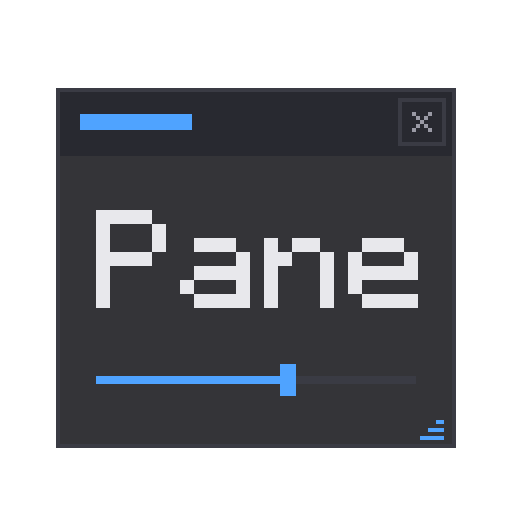
Pane 是适用于 Fabric 和 NeoForge 的 GUI 库。我开发它是因为我的光影编辑器需要合适的工具窗口,而现有的方案要么依赖原生库,要么与其他已安装的 UI 模组冲突。Pane 通过 Minecraft 自身的 DrawContext 绘制所有内容,因此不存在任何冲突问题。它能在包含 150 个模组的整合包中与 Axiom、Flashback、Sodium 和 Iris 一起稳定运行。
功能介绍
有两种方式将 UI 显示在屏幕上。
覆盖窗口(Overlay windows) 在游戏运行时悬浮于其上。它们可以通过标题栏拖拽,从任意边缘调整大小,当内容超出范围时支持滚动。按下快捷键(默认为 P)释放鼠标,点击世界即可回到游戏。这是专为编辑器类工具设计的模式。
屏幕(Screens) 是由相同组件构建的正常模态菜单,托管在原版 Screen 中,因此它们的打开、关闭和暂停行为与游戏中的其他菜单完全一致。
组件
按钮、复选框、滑块、下拉菜单、支持复制粘贴的文本输入框、可通过拖拽微调的数字输入框、颜色选择器、进度条、选项卡、滚动容器、表格、支持多选和拖拽排序的列表视图、按键捕获、右键上下文菜单、确认对话框和提示框。共计 21 种组件,创建方式统一:
Window win = Window.of("My Tool").at(40, 40);
win.add(Label.of("Target"));
win.add(TextInput.of(name));
win.add(Slider.of(speed, 0f, 2f));
win.add(Button.of("Apply").onClick(() -> apply()));
PaneOverlay.addWindow(win);
数据绑定
组件绑定到 State<T> 对象。组件写入状态,你的代码读取状态,而从代码中设置状态则会更新组件。将一个状态绑定到滑块和数字输入框,它们会自动保持同步:
State<Float> radius = State.of(16f);
Slider.of(radius, 0f, 256f);
NumberField.of(radius, 0f, 256f);
radius.onChange(v -> sendToServer(v));
标记与样式
如果你不想用 Java 构建复杂的布局,可以使用 PML 进行结构定义,使用 PSS 进行样式设置。PSS 的工作原理类似 CSS:支持类型、类和 ID 选择器以及正常的优先级规则,并且可以在运行时重新加载样式表以重新设置样式,无需重新编译。
button   { bg: #292A31; padding: 3; }
.warn    { fg: #FF5555; }
#saveBtn { border-color: #4FA3FF; }
主题
每个组件都从一组八个颜色令牌中进行绘制。该模组自带三种主题:Studio(深色,默认)、Paper(浅色)和 Vanilla(匹配游戏原生菜单)。自定义主题只需创建一个包含你自定义颜色的记录(record)即可。
默认行为
窗口拖拽、调整大小、屏幕边界限制、调整大小光标以及溢出滚动等功能开箱即用。如果其他模组释放了光标(例如 Flashback 的回放编辑器或 Axiom),Pane 的窗口仍可点击,且在其他位置的点击仍会传递给该模组。如果不需要这些功能,每个都有相应的开关,例如 .draggable(false) 或 PaneOverlay.setCursorShapes(false)。
开发者指南
将 jar 文件添加到你的开发环境中,并在 fabric.mod.json 或 neoforge.mods.toml 中依赖 pane:
repositories {
    exclusiveContent {
        forRepository { maven { url = "https://api.modrinth.com/maven" } }
        filter { includeGroup "maven.modrinth" }
    }
}

dependencies {
    modImplementation "maven.modrinth:pane:<version>"   // 例如 0.4.0+1.21.11-fabric
    // 在前面添加 `include` 可将 Pane 打包到你的 jar 中,这样玩家
    // 就不需要单独安装它了:
    // include modImplementation("maven.modrinth:pane:<version>")
}
API 在两个加载器上是相同的,因此切换加载器不会影响你的代码。
文档(入门指南、组件目录、数据绑定、PML/PSS 参考)位于 Pane wiki。
Pane 驱动了 Luminary 的整个编辑器,这是我的场景光照工具:三个工具窗口、关键帧时间轴和绘画画布,全部在游戏实时运行。这也是它接受测试的地方。
Pane
Pane is a GUI library for Fabric and NeoForge. I built it because I needed proper tool windows for my lighting editor and nothing out there did what I wanted without dragging in native libraries or fighting whatever other UI mods were installed. Pane draws everything through Minecraft's own DrawContext, so there's nothing to conflict with. It runs daily in a 150-mod pack next to Axiom, Flashback, Sodium and Iris without issues.
What it does
There are two ways to put UI on screen.
Overlay windows float over the game while it keeps running. They drag by the title bar, resize from any edge, and scroll when the content doesn't fit. Press a key (default P) to free the mouse, click the world to go back to playing. This is the mode built for editor-style tools.
Screens are normal modal menus made from the same widgets, hosted in a vanilla Screen, so they open, close and pause exactly like any other menu in the game.
Widgets
Buttons, checkboxes, sliders, dropdowns, text fields with copy and paste, number fields you can drag to nudge, color pickers, progress bars, tabs, scroll containers, tables, list views with multi-select and drag reorder, keybind capture, right-click context menus, confirm dialogs and toasts. 21 in total, all created the same way:
Window win = Window.of("My Tool").at(40, 40);
win.add(Label.of("Target"));
win.add(TextInput.of(name));
win.add(Slider.of(speed, 0f, 2f));
win.add(Button.of("Apply").onClick(() -> apply()));
PaneOverlay.addWindow(win);
Data binding
Widgets bind to State<T> objects. The widget writes into the state, your code reads it, and setting it from your code updates the widget. Bind one state to a slider and a number field and they stay in sync on their own:
State<Float> radius = State.of(16f);
Slider.of(radius, 0f, 256f);
NumberField.of(radius, 0f, 256f);
radius.onChange(v -> sendToServer(v));
Markup and styling
If you'd rather not build big layouts in Java, there's PML for structure and PSS for styling. PSS works like CSS: type, class and id selectors with normal specificity, and you can reload a sheet at runtime to restyle without recompiling.
button   { bg: #292A31; padding: 3; }
.warn    { fg: #FF5555; }
#saveBtn { border-color: #4FA3FF; }
Themes
Every widget paints from a set of eight color tokens. Three themes ship with the mod: Studio (dark, the default), Paper (light) and Vanilla (matches the game's own menus). A custom theme is just a record with your own colors in it.
Defaults
Window dragging, resizing, screen clamping, resize cursors and scroll-on-overflow are all on out of the box. If another mod frees the cursor (Flashback's replay editor, Axiom), Pane windows stay clickable and clicks anywhere else still go to that mod. Each one has a switch if you don't want it, like .draggable(false) or PaneOverlay.setCursorShapes(false).
For developers
Add the jar to your dev environment and depend on pane in your fabric.mod.json or neoforge.mods.toml:
repositories {
    exclusiveContent {
        forRepository { maven { url = "https://api.modrinth.com/maven" } }
        filter { includeGroup "maven.modrinth" }
    }
}

dependencies {
    modImplementation "maven.modrinth:pane:<version>"   // e.g. 0.4.0+1.21.11-fabric
    // add `include` in front to bundle Pane inside your jar, so players
    // don't install it separately:
    // include modImplementation("maven.modrinth:pane:<version>")
}
The API is the same on both loaders, so switching doesn't touch your code.
Docs (getting started, widget catalog, binding, PML/PSS reference) are on the Pane wiki.
Pane powers the whole editor in Luminary, my scenic lighting tool: three tool windows, a keyframe timeline and a painting canvas, all running live over the game. That's where it gets tested.
下载 Pane
下载 Pane
下载 Pane
需要联机服务器吗?
稳定流畅、一键部署,几分钟即可和朋友联机开服
最低仅需 8 元/月 即可畅快联机
下载 Pane
需要联机服务器吗?
稳定流畅、一键部署,几分钟即可和朋友联机开服
最低仅需 8 元/月 即可畅快联机
下载 Pane
下载 Pane
下载 Pane
下载 Pane
下载 Pane
下载 Pane
- 在文本字段中复制和粘贴 —— Ctrl+C 复制字段,Ctrl+X 剪切字段,Ctrl+V 在光标位置粘贴,使用你真实的操作系统剪贴板
- 当另一个模组释放鼠标指针时(如 Flashback 的回放编辑器、Axiom),窗口仍然可以点击 —— 点击窗口外的区域仍会传递给拥有鼠标指针的组件。嵌入 Pane 的模组可以通过调用
PaneOverlay.setInteractWithExternalCursor(false)来选择不支持外部鼠标指针交互 - 右键点击属于多行选择的一部分的行时,保持选择状态而不是将其折叠
关于这个资源的讨论、问题反馈与使用心得
还没有讨论,来发第一帖吧
你是这个资源的作者?登录后可认领此资源。
相似资源
 模组

一个用于收集生物掉落物的多区块模组。
 模组

显示你正在注视的方块的信息。(适用于 Minecraft 1.16+ 的 Hwyla/Waila 分支)
 模组

查看物品与配方
 模组
在游戏画面角落显示附近世界地形、玩家、生物和实体的地图。可创建路径点,帮助你找到标记过的位置。
 模组
使用 JavaScript 编辑配方、添加自定义物品、编写世界事件!
 模组

适用于 MC 1.18+ 的 Effekseer 加载器
评论 0
登录后参与评分
还没有评论,来抢沙发吧