Pinboard, Anytime
将便签钉在墙上;下一个路过的人就会看到——即使你几个小时前就已经下线了。
语音聊天和组队只有在所有人同时在线时才有效。在大多数 SMP 服务器中,人们往往无法同时在线:时区不同,作息各异,总有人登录到一个空荡荡的服务器。本模组通过添加壁挂式公告板来填补这一空白——你可以在铁器农场旁写下一张便签,例如“拿走2组,周二补货”,下一个路过的玩家就能看到。
两种公告板
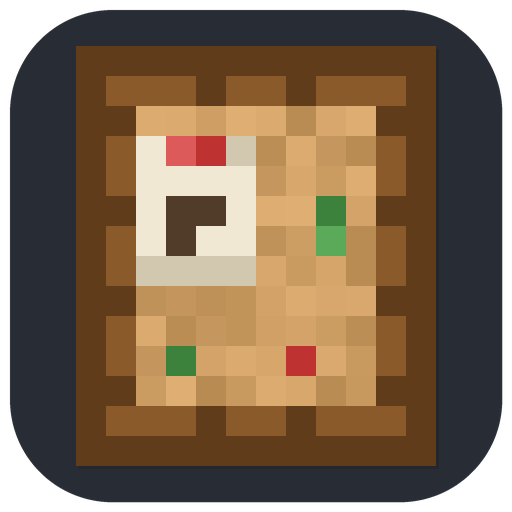
- Pinboard(普通公告板) —— 每个方块独立存储,类似于箱子。你放置的每张公告板都是独立的表面;建议在基地或农场房间各放一张,以提供本地上下文信息。
- Ender Pinboard(末影公告板) —— 全服共享的公告板。无论放置在何处,所有的末影公告板都会显示相同的便签。可用于发布通知、交易信息和活动计划。
功能特性
- 双栏阅读器:左侧显示便签列表,右侧显示完整文本,并标注作者和日期
- 登录提醒 —— 加入服务器时会提示有多少条未读的末影公告板便签;打开公告板即可清除计数
- 附加我的位置 —— 一个复选框可将你的坐标和维度标记到便签上(例如“钻石矿在此 →”)
- 本地公告板的正面会随着便签的增加而视觉填满,并发出与便签数量成正比的比较器信号
- 公告板像告示牌一样平贴在墙上:没有碰撞箱,且如果墙壁被破坏,公告板也会掉落
- 删除权限可配置——默认情况下,任何人都可以清理本地公告板,而末影公告板的便签只能由作者或管理员删除
- 共享公告板设有单玩家便签上限,防止一人刷屏
使用方法
- 制作 Pinboard(普通公告板)—— 合成配方:8块木板围绕1张纸。
- 将其放置在墙上,右键点击以阅读或编写便签。
- 若要制作全服公告板,将 Pinboard 与末影之眼组合(无需特定排列)即可获得 Ender Pinboard(末影公告板)。
注意事项
- 便签随世界数据持久化:本地公告板的数据存储在方块本身中,末影公告板的数据存储在世界数据中。
- 大小写限制、长度限制、删除权限和登录提醒可在
<world>/serverconfig/pinboard_anytime-server.toml 中进行配置(自动同步至客户端)。
- 需安装在服务器和每个客户端上。无需其他模组支持。

接受视频、直播和服务器的付费定制委托。发送你的想法至:kuronami.mods@gmail.com

Bug 反馈和问题咨询:请在 CurseForge 页面留言,或在 X (Twitter) 上私信 @kuronami333。
免费用于任何整合包。源代码:
Pinboard, Anytime
Pin a note to the wall; whoever comes by next reads it — even if you logged out hours ago.
Voice chat and parties only work when everyone is online at the same time. On most SMP servers people aren't: time zones differ, schedules differ, someone always logs in to an empty server. This adds wall-mounted bulletin boards for exactly that gap — write a note by the iron farm saying "took 2 stacks, restocked Tuesday", and the next player who walks past sees it.
Two boards
- Pinboard — per-block, like a chest. Each board you place is its own surface; put one in each base or farm room for local context.
- Ender Pinboard — one shared board for the whole server. Every Ender Pinboard shows the same notes, wherever it's placed. Use it for announcements, trades, and event plans.
Features
- Two-pane reader: note list on the left, full text on the right, with author and date
- Login alerts — joining the server tells you how many unread Ender Pinboard notes await; opening the board clears the count
- Attach my location — one checkbox stamps your coordinates and dimension onto a note ("diamonds here →")
- A local board's front fills up visually as notes are added, and emits a comparator signal scaled to its note count
- Boards mount flat on walls like signs: no collision, and they pop off if the wall is broken
- Delete permissions are configurable — by default anyone can clean up a local board, while Ender Pinboard notes can only be removed by their author or an operator
- Per-player note limit on the shared board keeps one person from flooding it
How to use
- Craft a Pinboard — painting shape: 8 planks around 1 paper.
- Place it on a wall and right-click to read or write notes.
- For the server-wide board, combine a Pinboard with an Eye of Ender (shapeless) to get an Ender Pinboard.
Notes
- Notes persist with the world: local boards store theirs in the block, the ender pool in world data.
- Caps, lengths, delete permissions, and login alerts are configurable in
<world>/serverconfig/pinboard_anytime-server.toml (synced to clients automatically).
- Install on the server and on every client. No other mods required.

Paid commissions for videos, streams and servers. Send me your idea: kuronami.mods@gmail.com

Bugs and questions: comment on the CurseForge page, or DM @kuronami333 on X.
Free to use in any modpack. Source:
评论 0
登录后参与评分
还没有评论,来抢沙发吧
