
Gameshark:一款 Pixelmon 模组附加组件,助您轻松搜寻宝可梦及其他兴趣点!
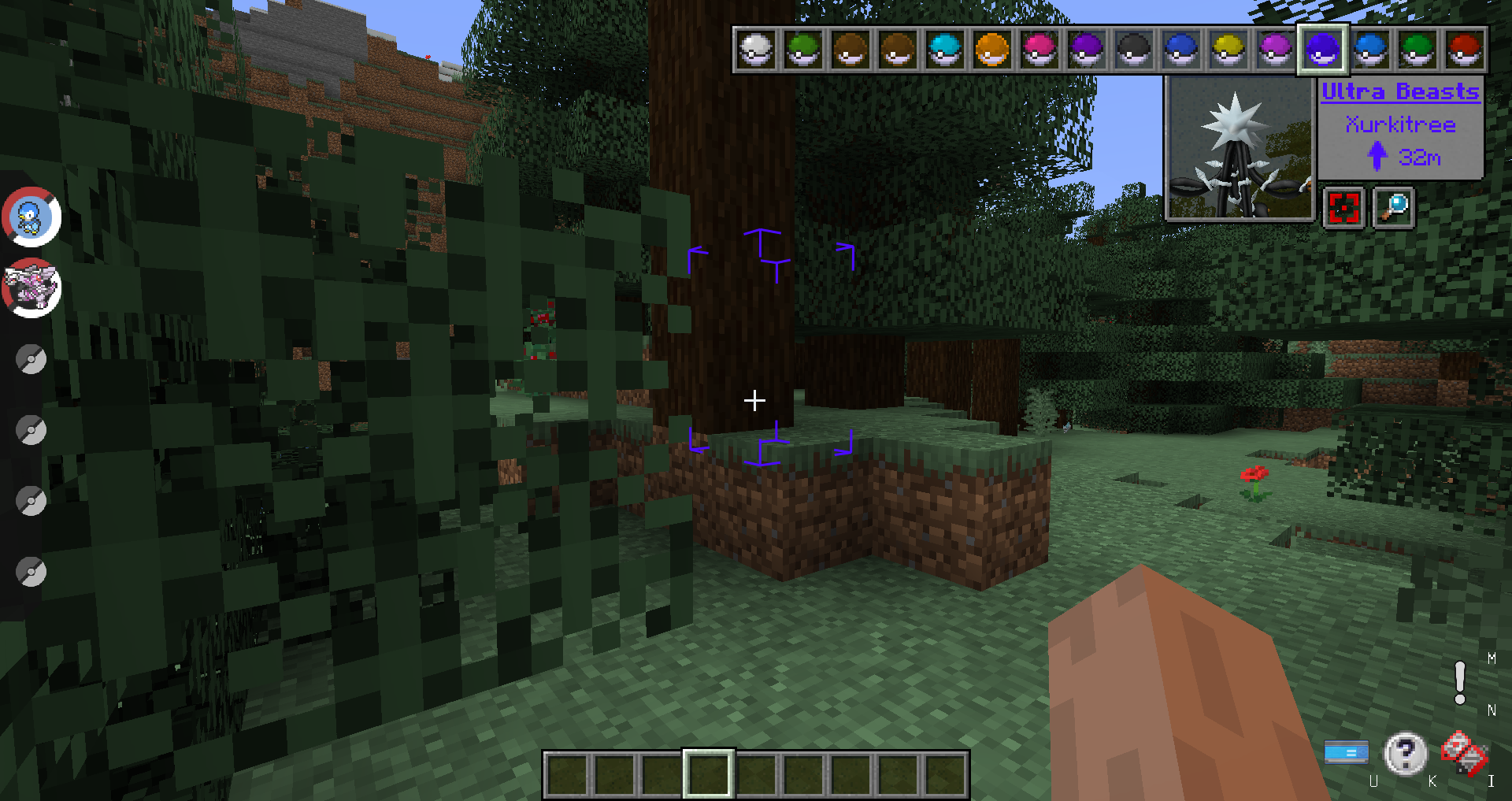
针对 1.16 版本的全面重制。Gameshark 从外观到后台运作逻辑都进行了从头到尾的重新设计。
Gameshark 始终优先尊重服务器设置。要在服务器上运行 Gameshark,必须在服务器上安装并启用它。
现在可以将搜索类型置于权限节点之后,从而允许将 Gameshark 用作管理工具,并且可以创建适用于更广泛对象的搜索类型。
自定义搜索类型也已扩展,以支持 Pixelmon 宝可梦规格!
默认情况下,Gameshark 可以找到以下内容:传说宝可梦、闪光宝可梦、首领、究极异兽、特殊配色(例如变异)、任务发布者、训练家、玩家、究极之洞、太晶团体战巢穴、宝可梦掉落物、宝可梦补给站、箱子、矿车中的箱子、基格尔德核心和细胞,以及自定义搜索规格。
由 Atlantis 提供支持。服务器端和客户端安装均必需。
可以通过编辑 ./config/gameshark 文件夹中的配置文件来创建新的搜索类型,或更改或删除现有的搜索类型。
专为 Pixelmon 打造。
命令:
/gameshark reload - gameshark.admin - 重载 Gameshark 的设置。
/gameshark update - gameshark.admin - 将 Gameshark 设置的更改发送给玩家。
默认控制键:
\ - 切换 Gameshark
, - 切换搜索类型
- 和 = - 切换搜索类型
. - 最小化搜索覆盖层
; - 切换准星
' - 打开自定义搜索菜单
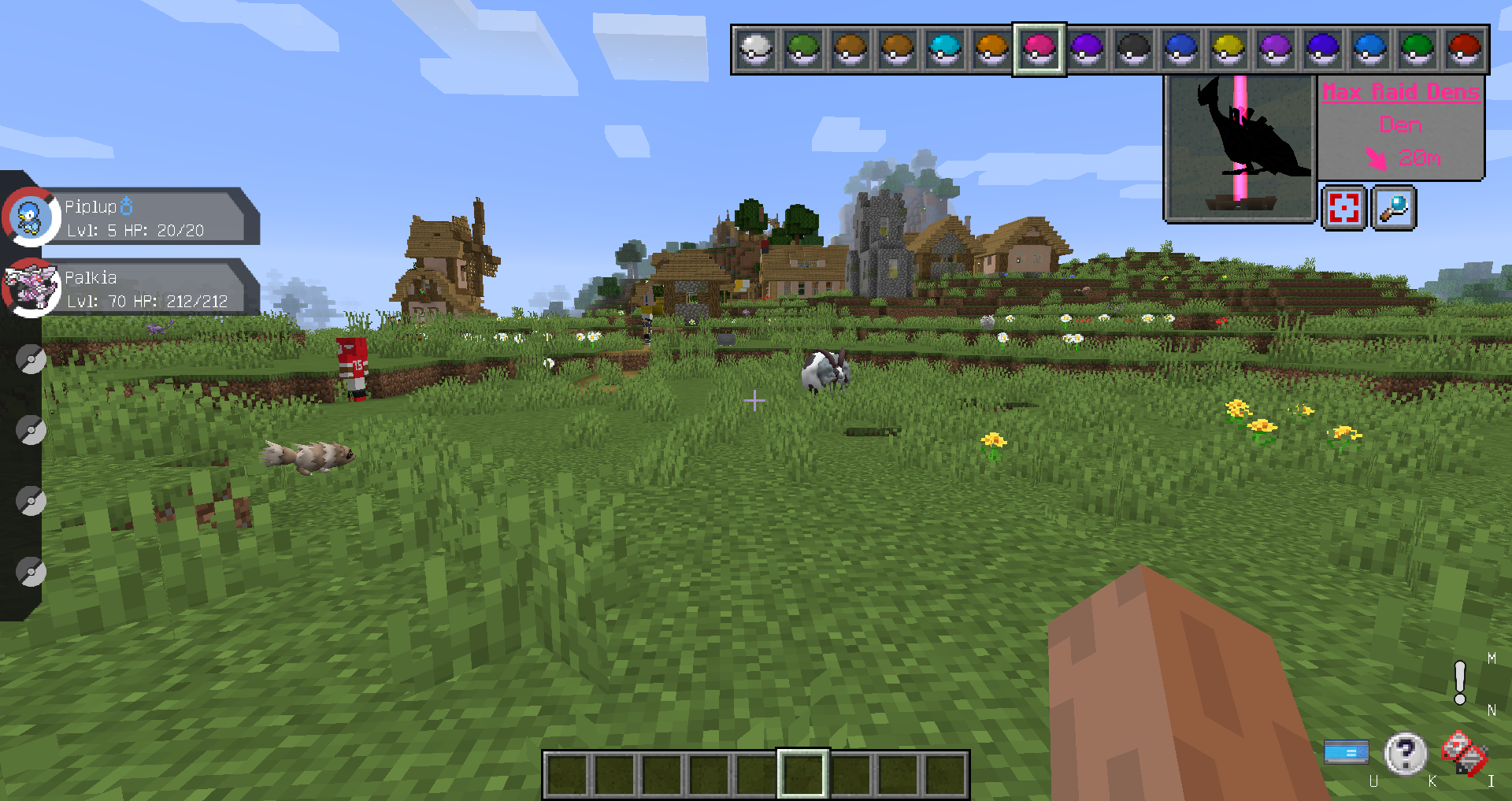
Gameshark, a Pixelmon addon which allows you to hunt down Pokémon and other points of interest with ease!
A total revamp for 1.16, Gameshark has been rethought from top to bottom, from the look of the addon to how it works in the back.
Gameshark still respects server settings first. For Gameshark to work on servers, it must be both installed and enabled there.
Search types can now be placed behind permission nodes to allow Gameshark to be used as an administration tool, and can be created for a more wider variety of objects.
The custom search type has also been expanded to support Pixelmon Pokémon specifications!
By default, Gameshark can find the following: legendaries, shinies, bosses, Ultra Beasts, special palettes (e.g. alter), quest givers, trainers, players, Ultra Wormholes, Max Raid Dens, Poké Loots, Poké Stops, chests, chests in minecarts, Zygarde cores and cells, and custom search specifications.
Powered by Atlantis. Required for both server and client installations.
New search types can be created, or existing ones changed or removed, by editing the configuration file in the ./config/gameshark folder.
Made for Pixelmon.
Commands:
/gameshark reload - gameshark.admin - Reload Gameshark's settings.
/gameshark update - gameshark.admin - Send changes to Gameshark's settings to players.
Default controls:
\ - Toggle Gameshark
, - Toggle search type
- and = - Switch search type
. - Minimize search overlay
; - Toggle crosshairs
' - Open custom search menu

下载 Gameshark (for Pixelmon)
下载 Gameshark (for Pixelmon)
下载 Gameshark (for Pixelmon)
下载 Gameshark (for Pixelmon)
下载 Gameshark (for Pixelmon)
下载 Gameshark (for Pixelmon)
- 已更新至最新的 Atlantis。
关于这个资源的讨论、问题反馈与使用心得
还没有讨论,来发第一帖吧
你是这个资源的作者?登录后可认领此资源。
相似资源
 模组

显示你正在注视的方块的信息。(适用于 Minecraft 1.16+ 的 Hwyla/Waila 分支)
 模组
在游戏画面角落显示附近世界地形、玩家、生物和实体的地图。可创建路径点,帮助你找到标记过的位置。
 模组

查看物品与配方
 模组
使用 JavaScript 编辑配方、添加自定义物品、编写世界事件!
 模组
AE2:一款流行的自动化与存储模组
 模组
那是什么?一个 Waila/Hwyla 的分支。
评论 0
登录后参与评分
还没有评论,来抢沙发吧