
Player Panel
Player Panel 是一款服务端 Fabric 模组,以及用于管理 Minecraft Java 版服务器、玩家、位置、地图、备份和服务器操作的自托管 Web 控制面板,提供现代化的浏览器界面。
Fabric 模组为 Player Panel Web 应用程序提供了安全的服务器 API。JAR 文件可以安装在 Fabric 服务器上,但完整的管理界面需要单独部署 Player Panel Web 面板。
截图
仪表盘

仪表盘提供所选 Minecraft 服务器的实时概览,包括世界状态、时间与天气控制、在线玩家、活动警报、最近会话、操作和插件指标。
亮色与暗色模式
暗色模式
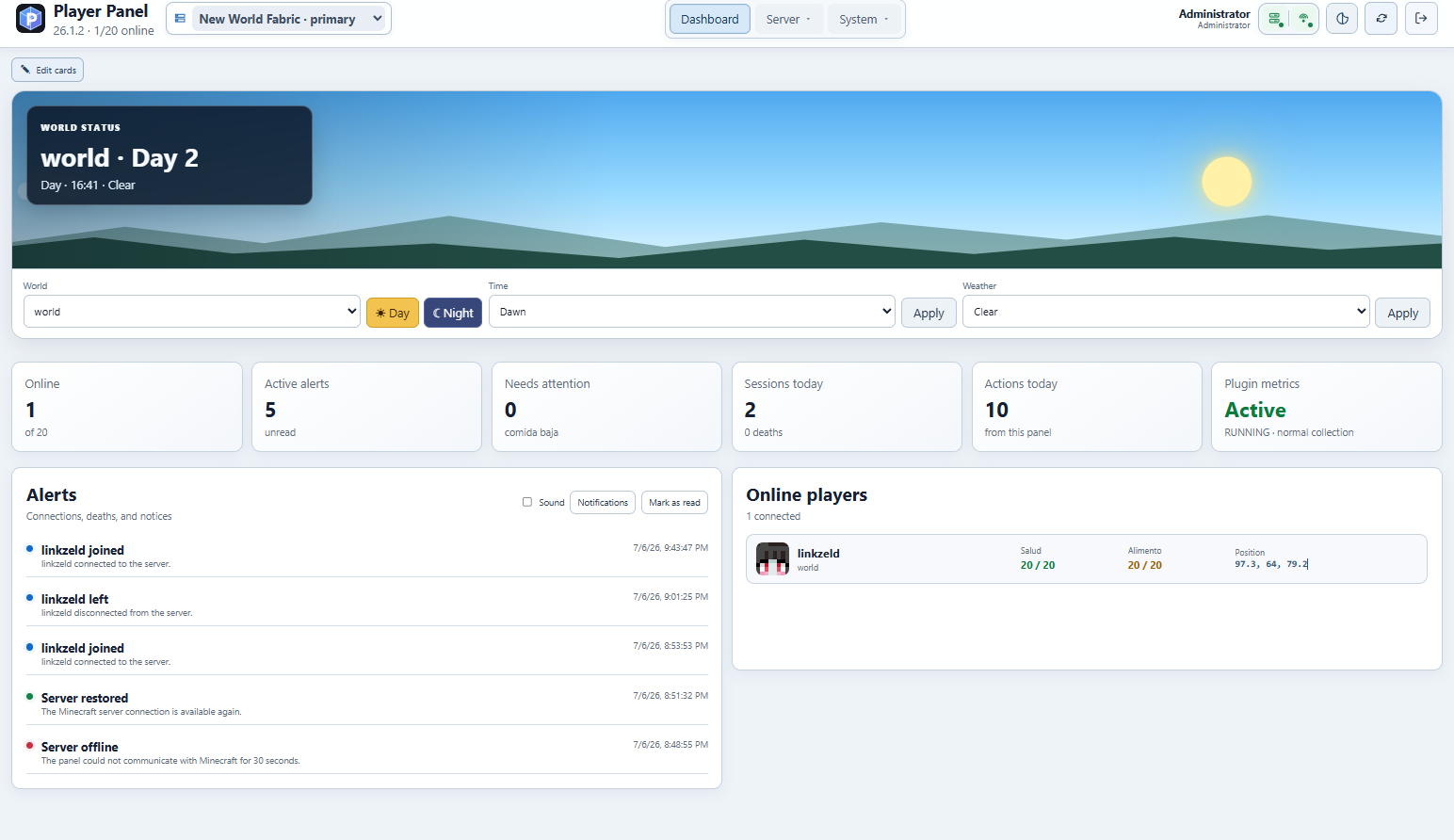 亮色模式
玩家管理
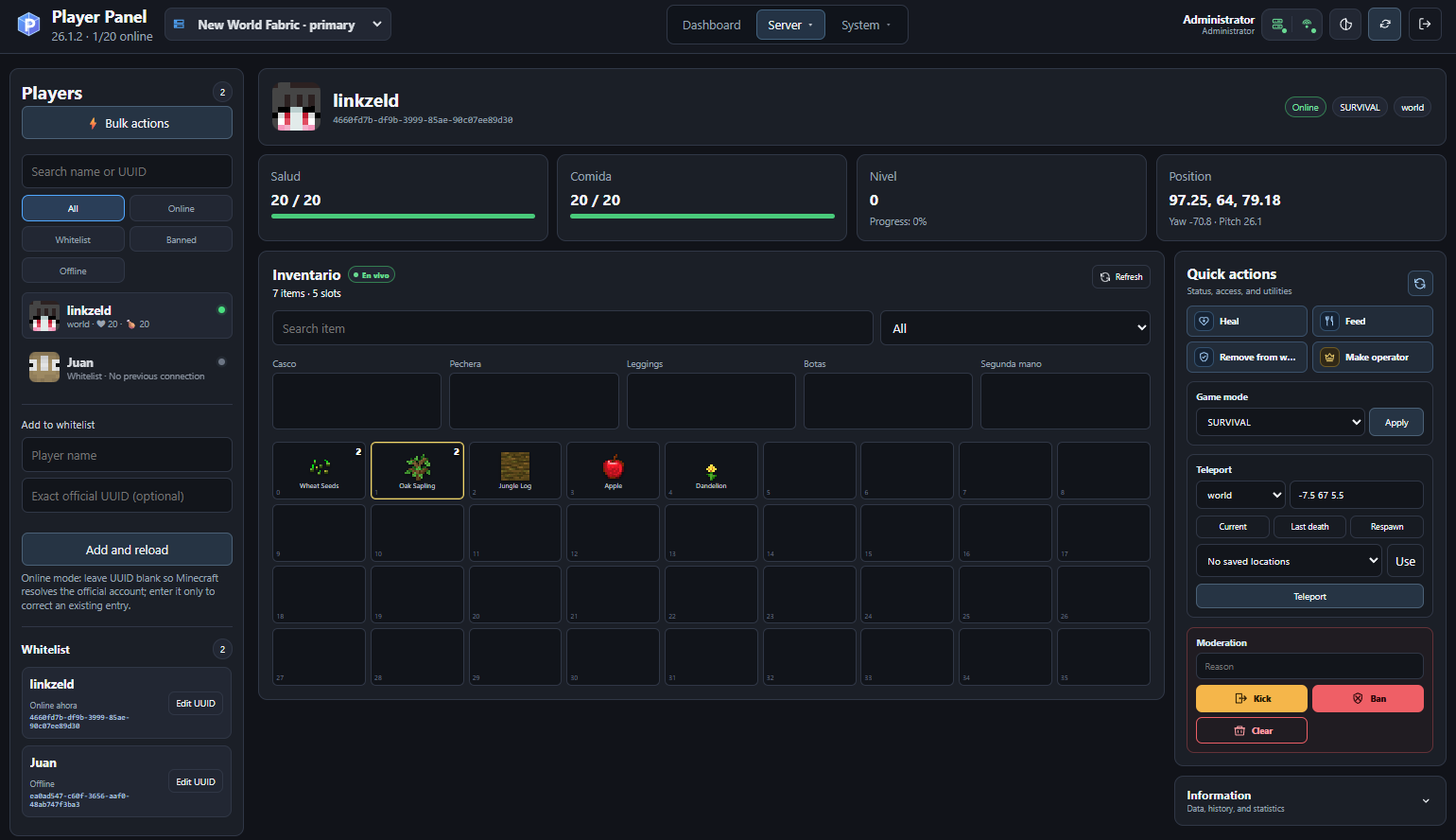
Player Panel 提供玩家档案、实时物品栏查看、生命值和饱食度信息、游戏模式控制、传送、白名单管理、操作员权限、踢出、封禁以及其他管理操作。
保存的位置与传送
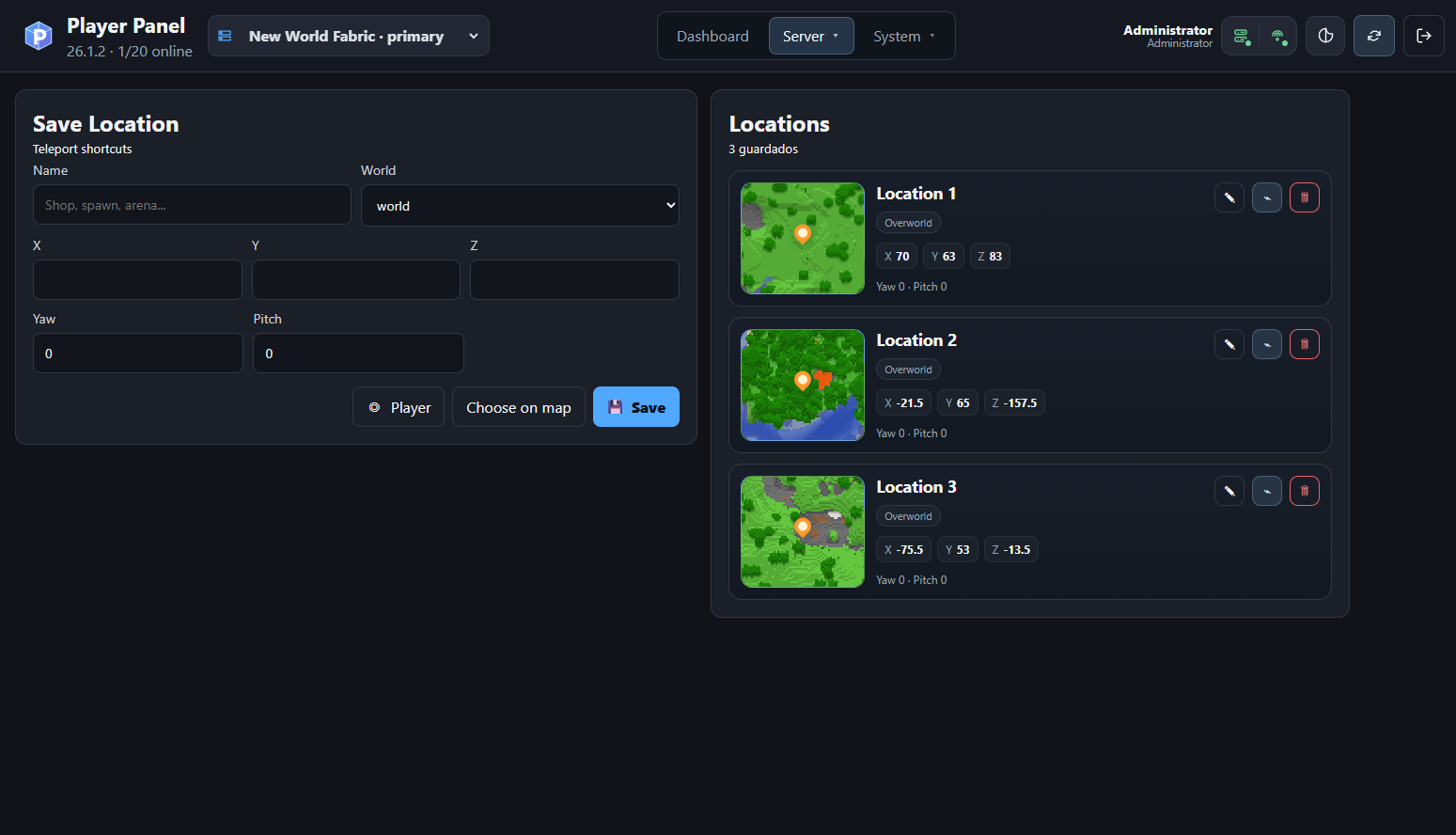
保存可重复使用的传送目标,包含世界坐标、朝向、地图缩略图,并可直接访问 BlueMap 或 squaremap 的坐标选择功能。
基于地图的坐标选择
Bluemap 3D
 选择一个确切的 Minecraft 方块,并将其 X、Y 和 Z 坐标直接发送至 Player Panel。
squaremap 2D
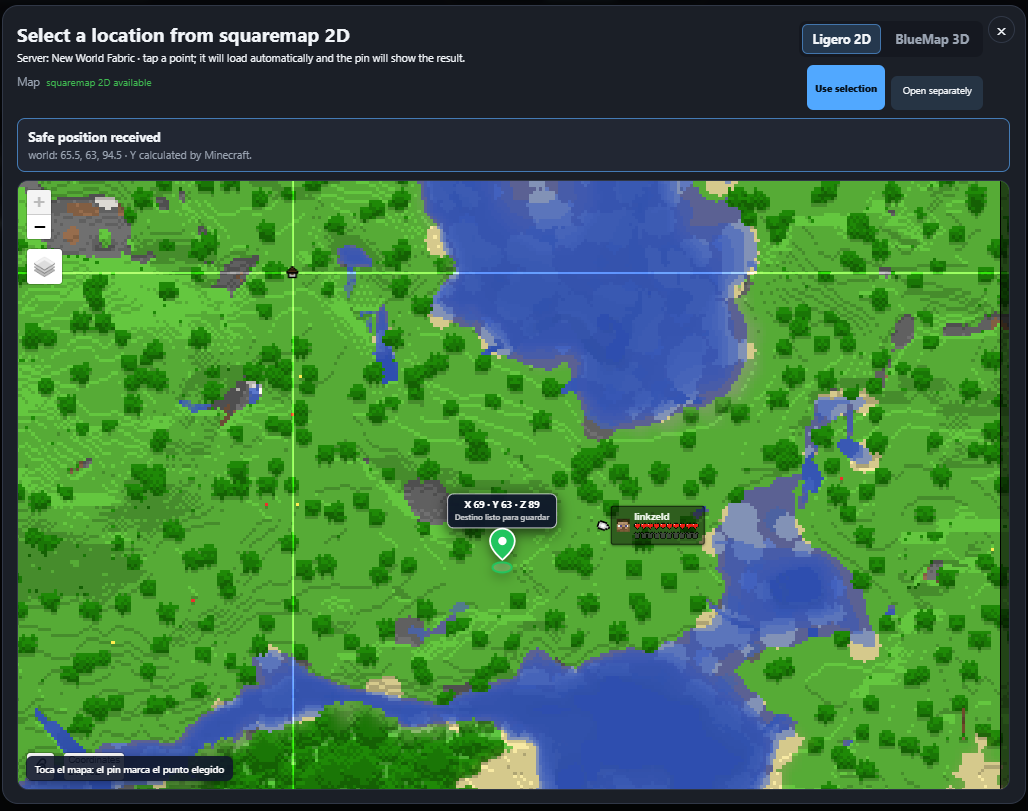 从轻量级的二维地图中选择一个目的地,系统会自动计算安全的 Y 坐标。
服务器配置
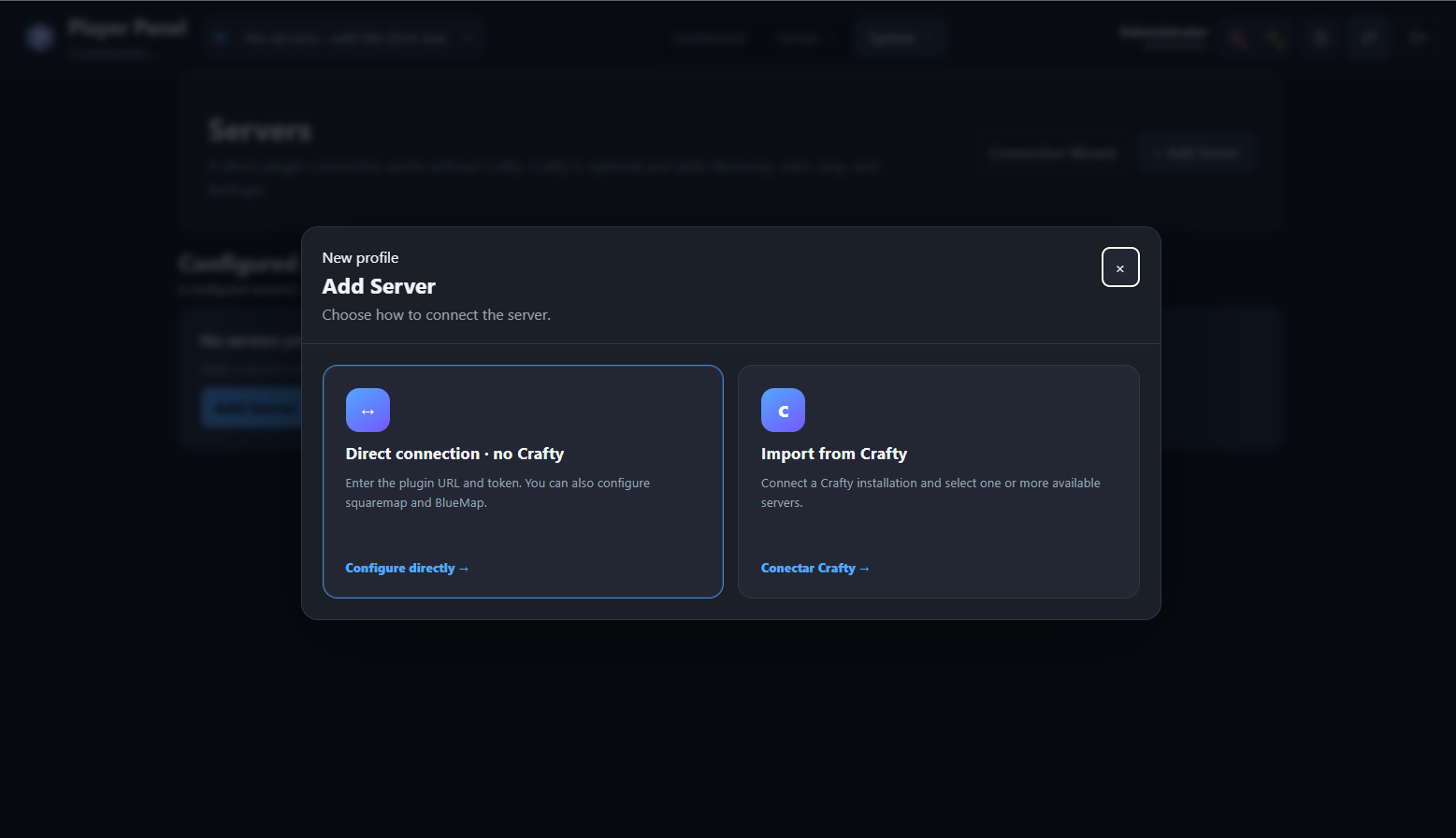
可以通过直接连接至 Player Panel Fabric API 添加服务器,也可以从现有的 Crafty Controller 安装中导入。
Crafty Controller 集成
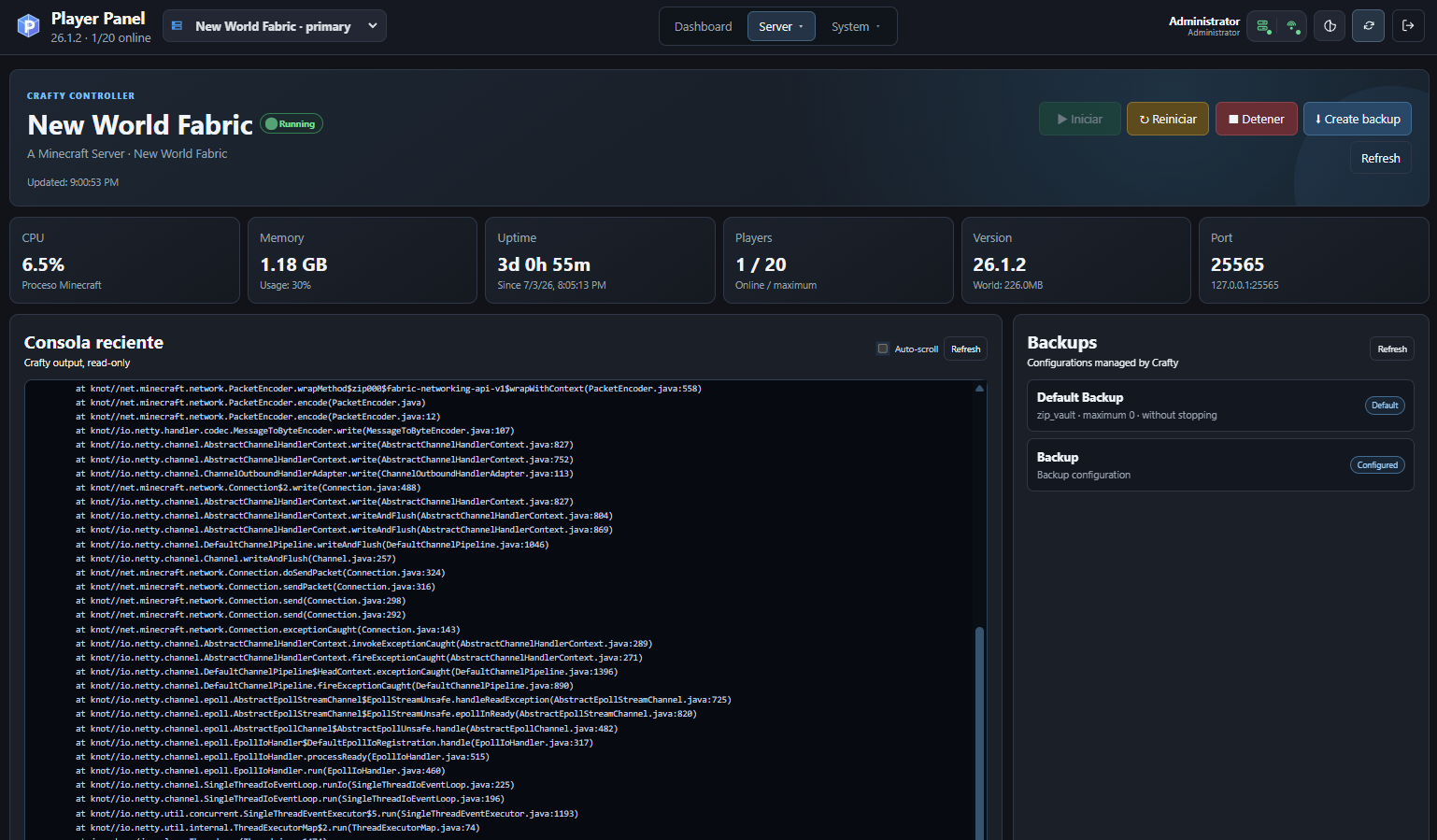
可选的 Crafty Controller 集成功能提供服务器发现、状态与指标、启动/停止/重启操作、最近的控制台输出以及备份管理。
响应式移动端界面
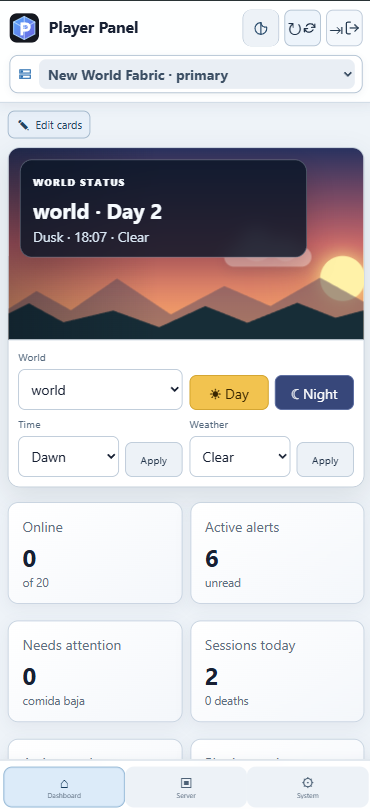
桌面端与移动端支持
Player Panel 包含一个响应式界面,专为台式电脑、平板电脑、Android 设备、iPhone 和 iPad 设计。
移动端布局提供:
• 触控友好的导航;
• 紧凑的服务器选择;
• 响应式仪表盘卡片;
• 世界时间与天气控制;
• 警报与服务器状态信息;
• PWA 安装支持。
|
Player Panel
Player Panel is a server-side Fabric mod and self-hosted web control panel for managing Minecraft Java servers, players, locations, maps, backups, and server operations from a modern browser interface.
The Fabric mod provides the secure server API used by the Player Panel web application. The JAR can be installed on a Fabric server, but the complete management interface requires the separate Player Panel web panel.
Screenshots
Dashboard
The dashboard provides a real-time overview of the selected Minecraft server, including world status, time and weather controls, online players, active alerts, recent sessions, actions, and plugin metrics.
Light and dark modes
Dark mode
Light mode
Player management
Player Panel provides player profiles, live inventory viewing, health and food information, game mode controls, teleportation, whitelist management, operator permissions, kicks, bans, and other moderation actions.
Saved locations and teleportation
Save reusable teleport destinations with world coordinates, orientation, map thumbnails, and direct access to BlueMap or squaremap coordinate selection.
Map-based coordinate selection
Bluemap 3D
Select an exact Minecraft block and send its X, Y and Z coordinates directly to Player Panel.
squaremap 2D
Choose a destination from a lightweight two-dimensional map with safe Y-coordinate calculation.
Server configuration
Servers can be added through a direct connection to the Player Panel Fabric API or imported from an existing Crafty Controller installation.
Crafty Controller integration
The optional Crafty Controller integration provides server discovery, status and metrics, start, stop and restart actions, recent console output, and backup management.
Responsive mobile interface
Desktop and mobile support
Player Panel includes a responsive interface designed for desktop computers, tablets, Android devices, iPhone and iPad.
The mobile layout provides:
• touch-friendly navigation;
• compact server selection;
• responsive dashboard cards;
• world time and weather controls;
• alerts and server status information;
• PWA installation support.
|


 模组

 模组

 模组
 模组
 模组

 模组
评论 0
登录后参与评分
还没有评论,来抢沙发吧