这是什么?
这是为 Lost Cities 添加的一个附加模组,用于生成带有科幻风格的后末日世界!
它是为了支持 Pomkots Mechs(一款高速自定义机甲模组)的生存模式整合而设计的元素之一。
演示视频
请阅读(重要!)
- 目前该模组处于超级 Alpha 测试阶段。请预期会有快速的更新和改动。
- 务必在配置全新的新世界时使用它。
- 尚不包含敌对机甲生成、自定义配方或任务——这些将作为独立整合包的一部分稍后推出。
- 许多结构内部仍然相当空旷(尤其是室内部分)。
需要你的帮助!
- 我计划在未来的更新中添加大量废墟建筑!
- 如果你有兴趣协助建造或提交你自己的废墟设计,我非常乐意合作!
- 欢迎随时在 X (Twitter) 上私信我!
新增的废墟城市
- 严重衰败的城市城区
- 废弃的工业区工厂地带
- 破败的港口区域
- 损毁的大型太阳能设施
- 军事基地废墟
散落的废墟
- 废弃的加油站
- 倒塌的农业种植厂
- 破损的车库
- 加工工厂废墟
- 灯塔废墟
- 观测塔
……还有更多!
使用方法(及推荐设置)
准备工作
- 将 Lost Cities 和此模组放入你整合包的 mods 文件夹中。
- 启动 Minecraft。
创建新世界
-
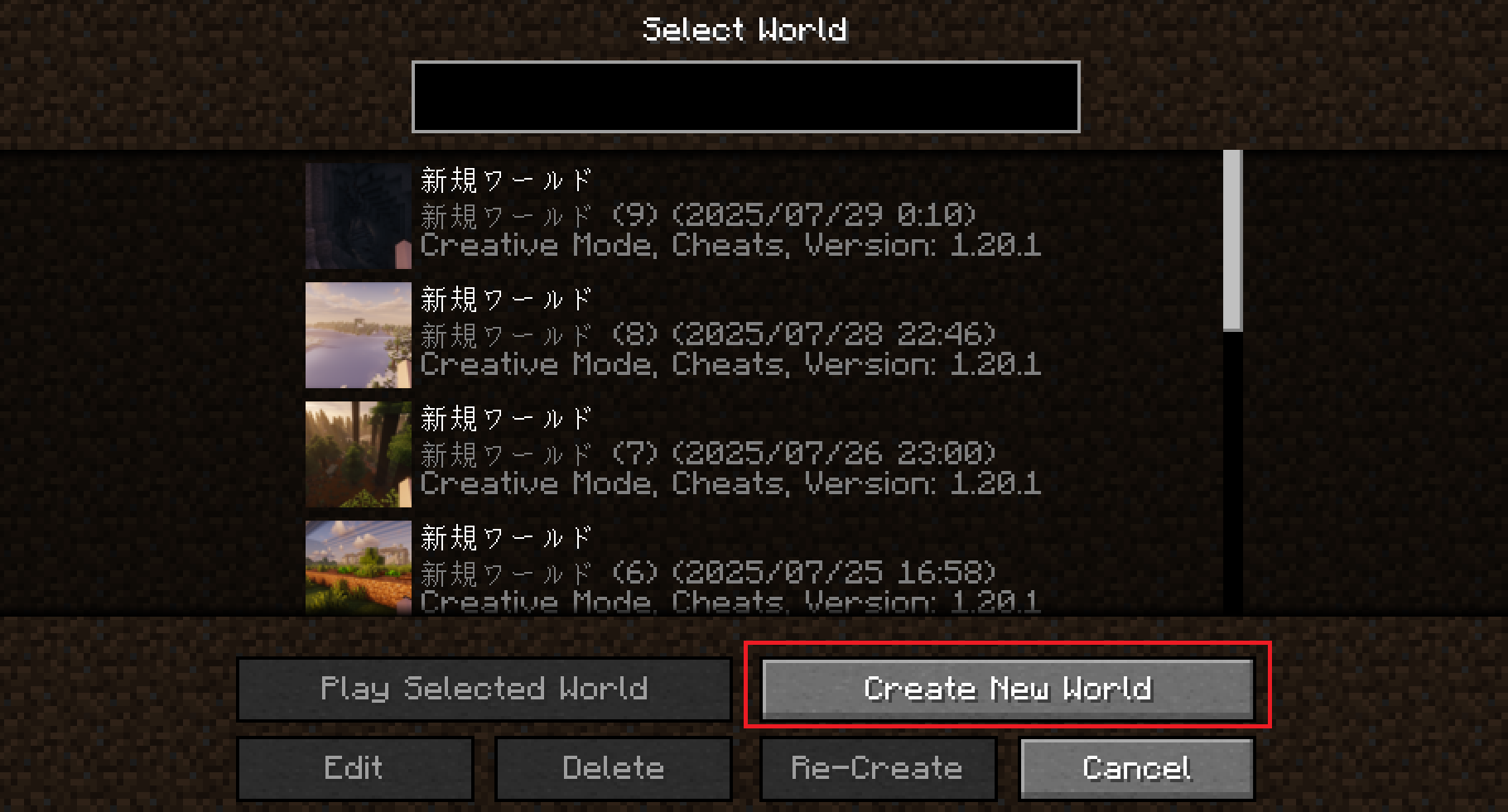
首先创建一个新世界。
-
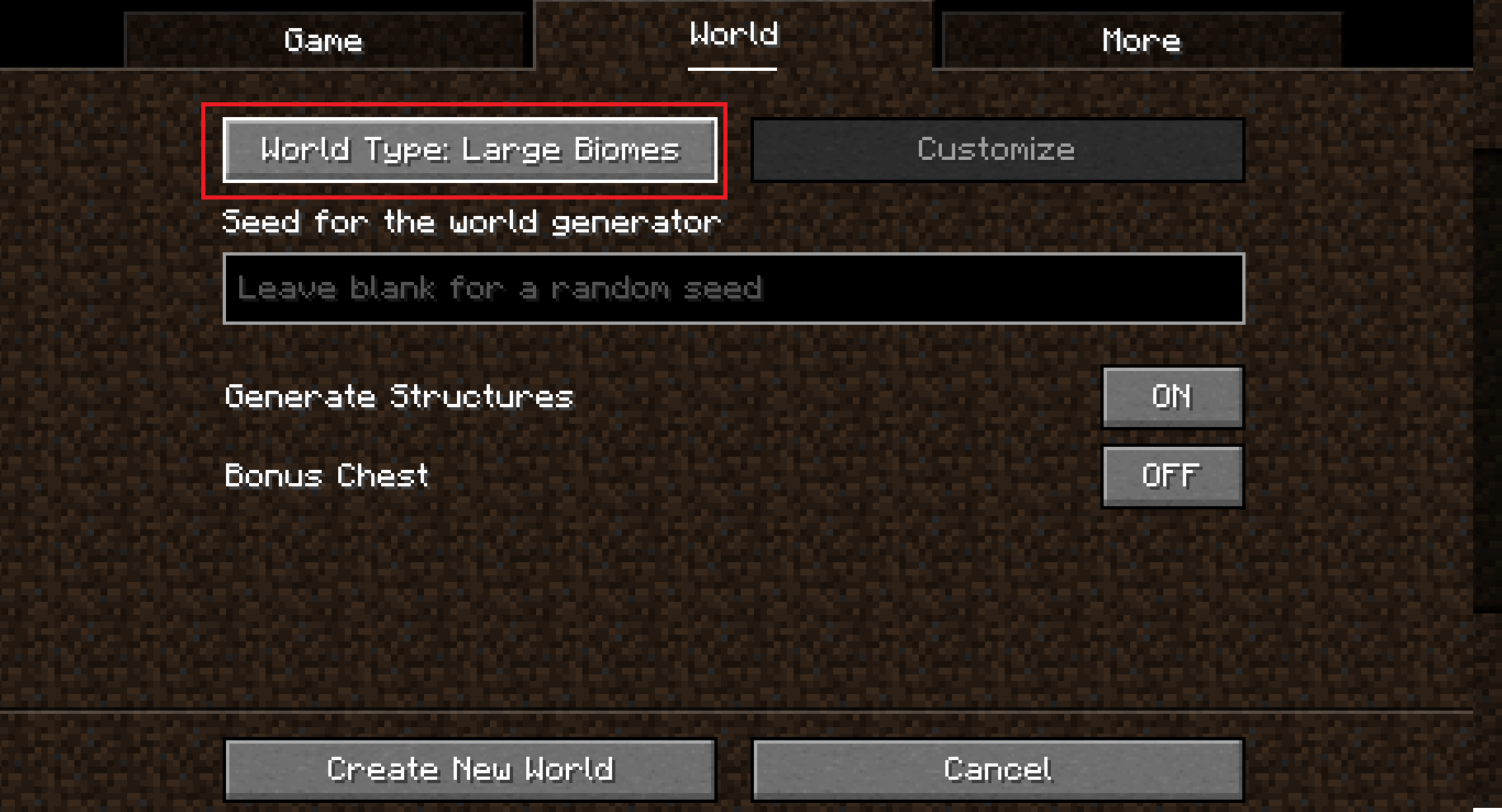
将世界类型设置为“大型生物群系”(推荐)。
-
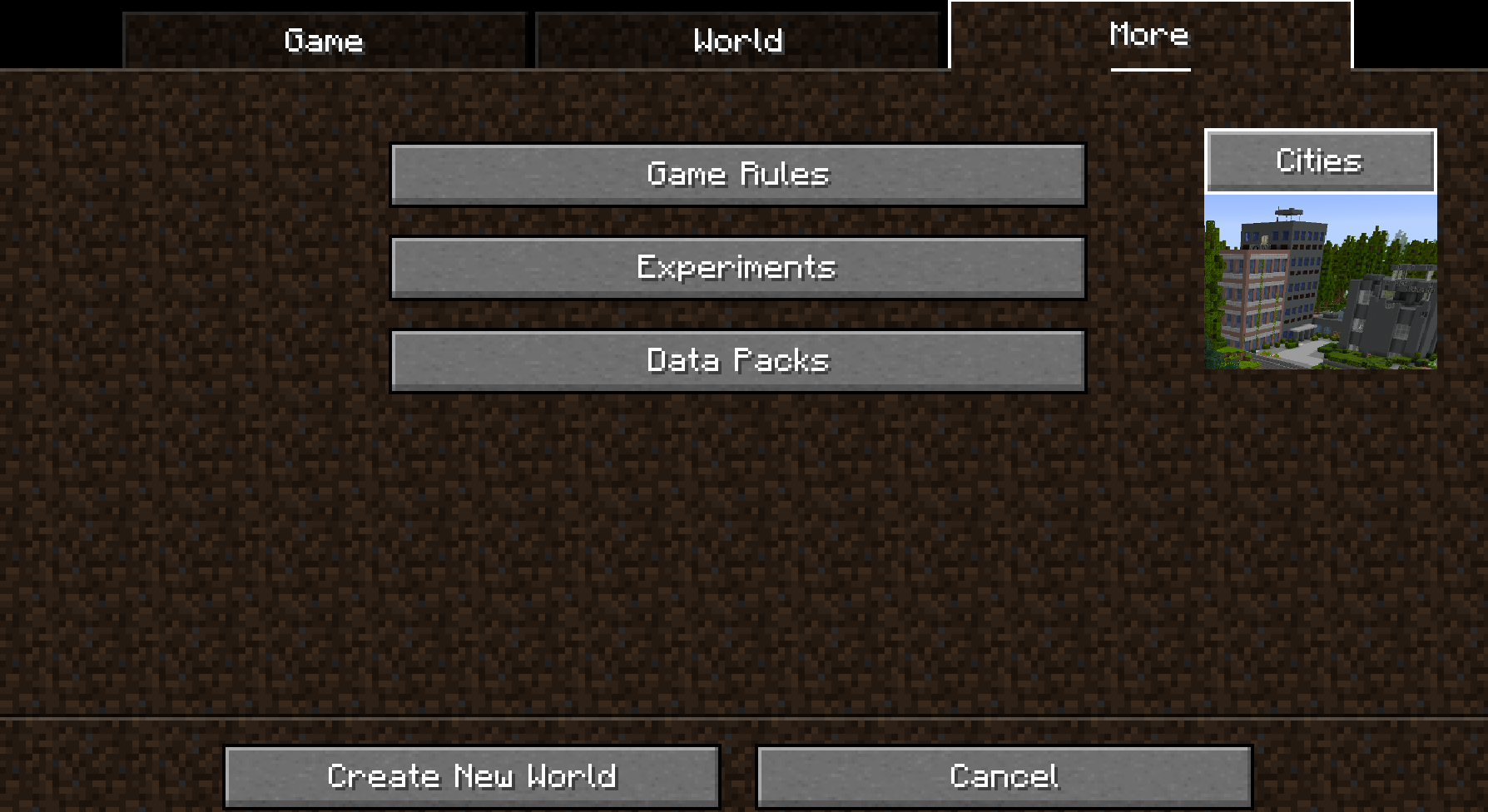
进入“更多”选项卡并点击“Cities”按钮。
-
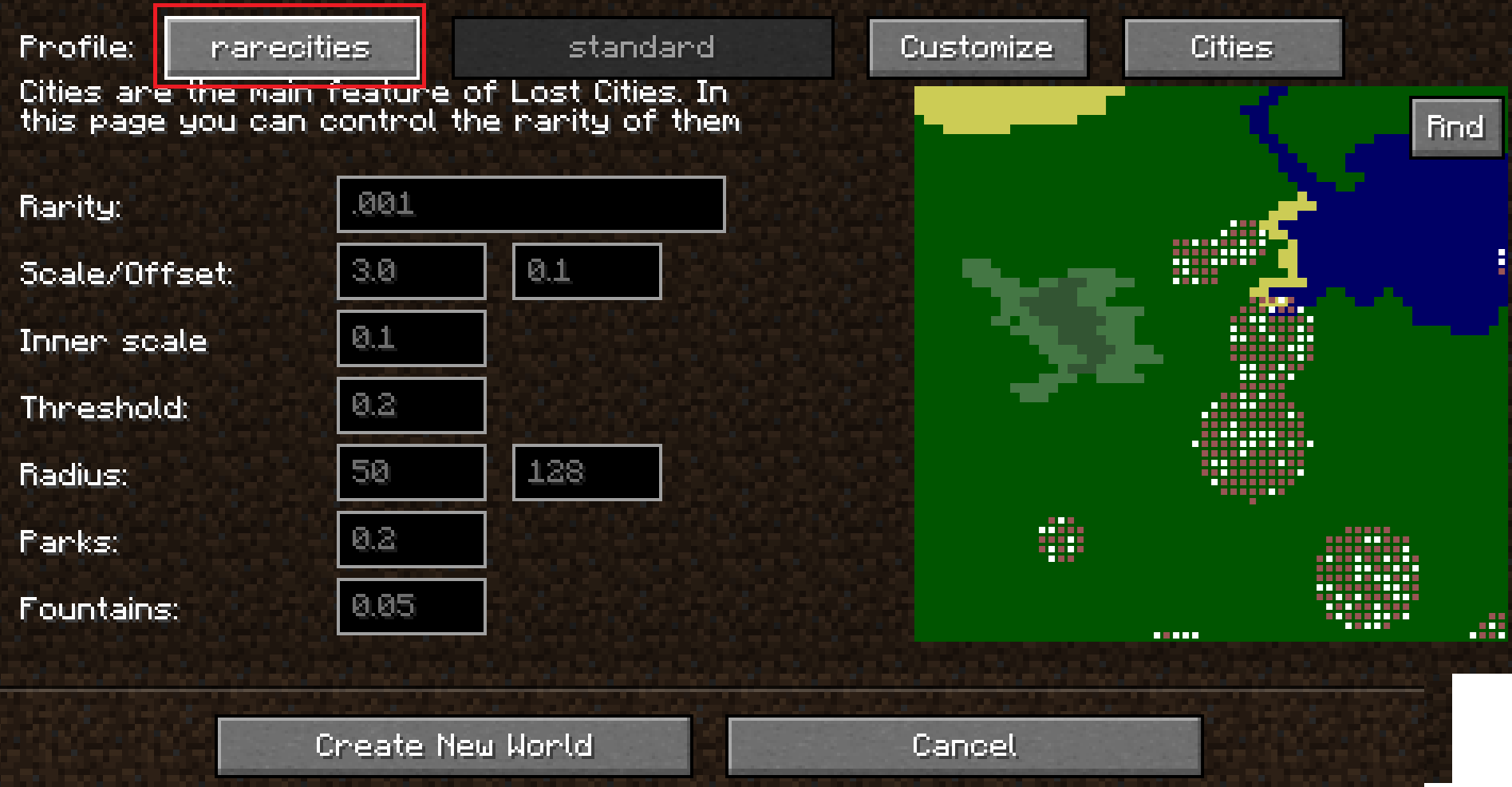
多次点击“Profile”按钮,直到选中 rarecities。
(你也可以使用其他配置文件,但推荐使用这个!)
-
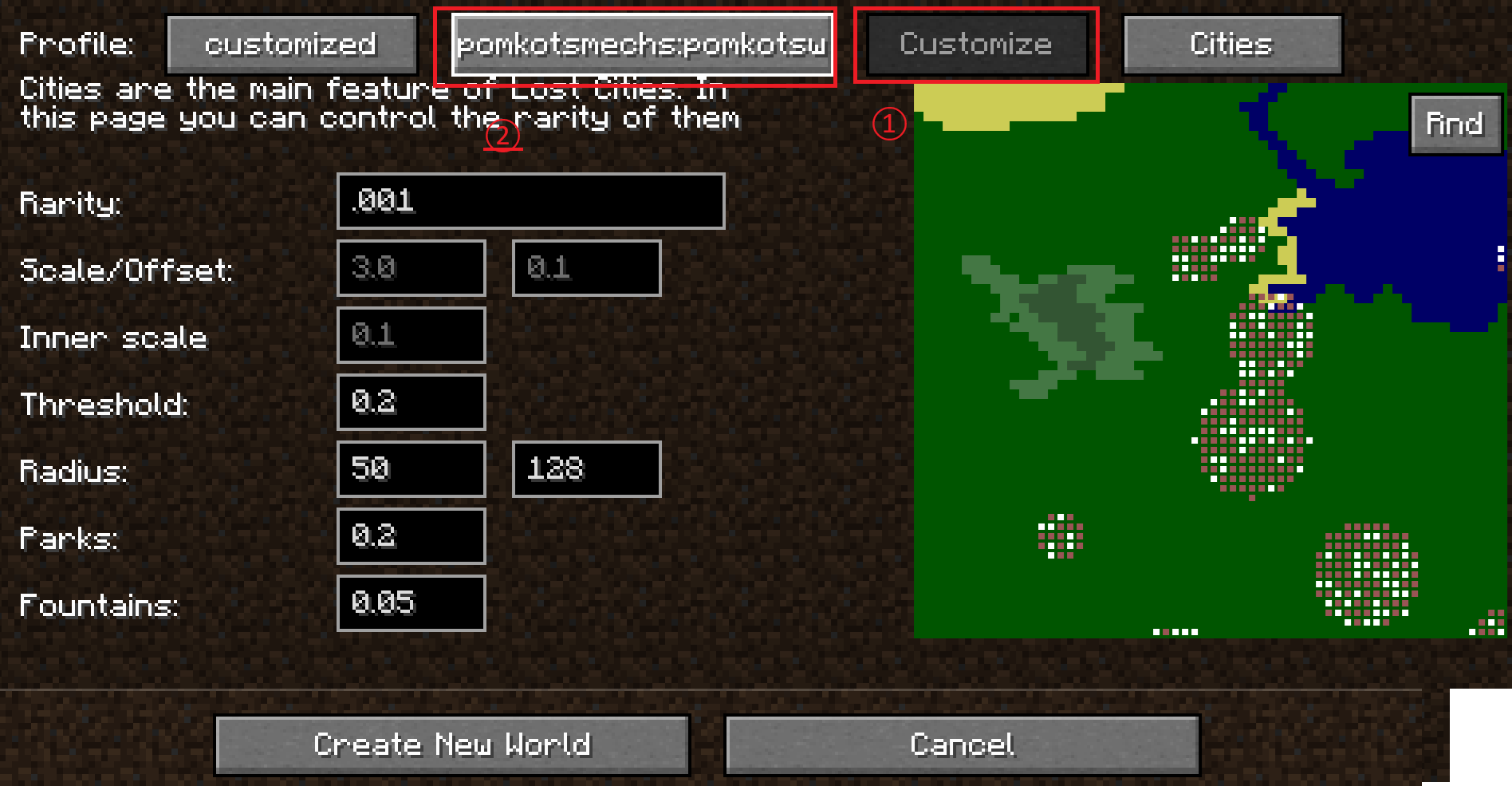
点击一次“Customize”按钮。然后多次点击显示为“standard”的设置,直到看到 pomkotsmechs:pomkotsworld。
-
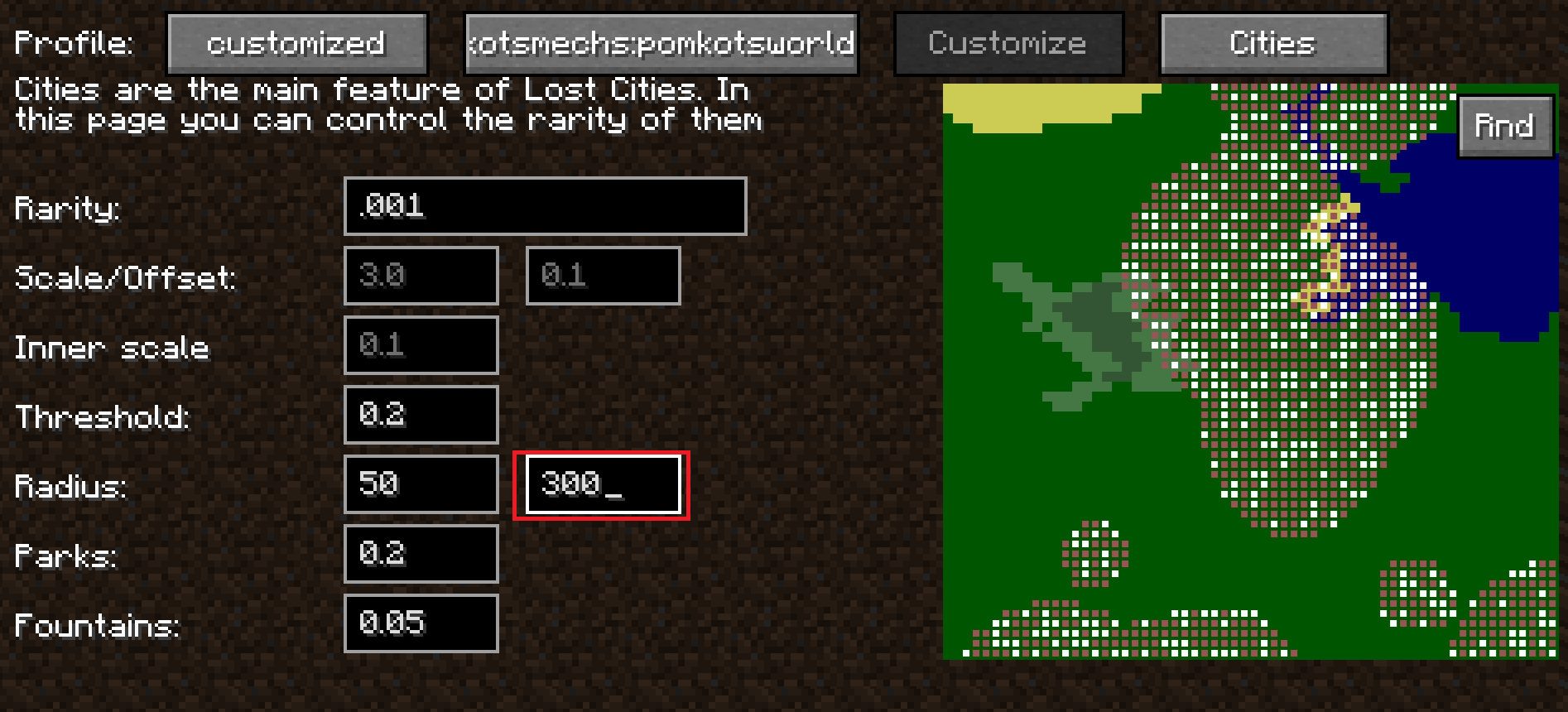
将 Radius(半径)设置为 300。
(推荐:将城市的最大半径设置为 300 格。)
-
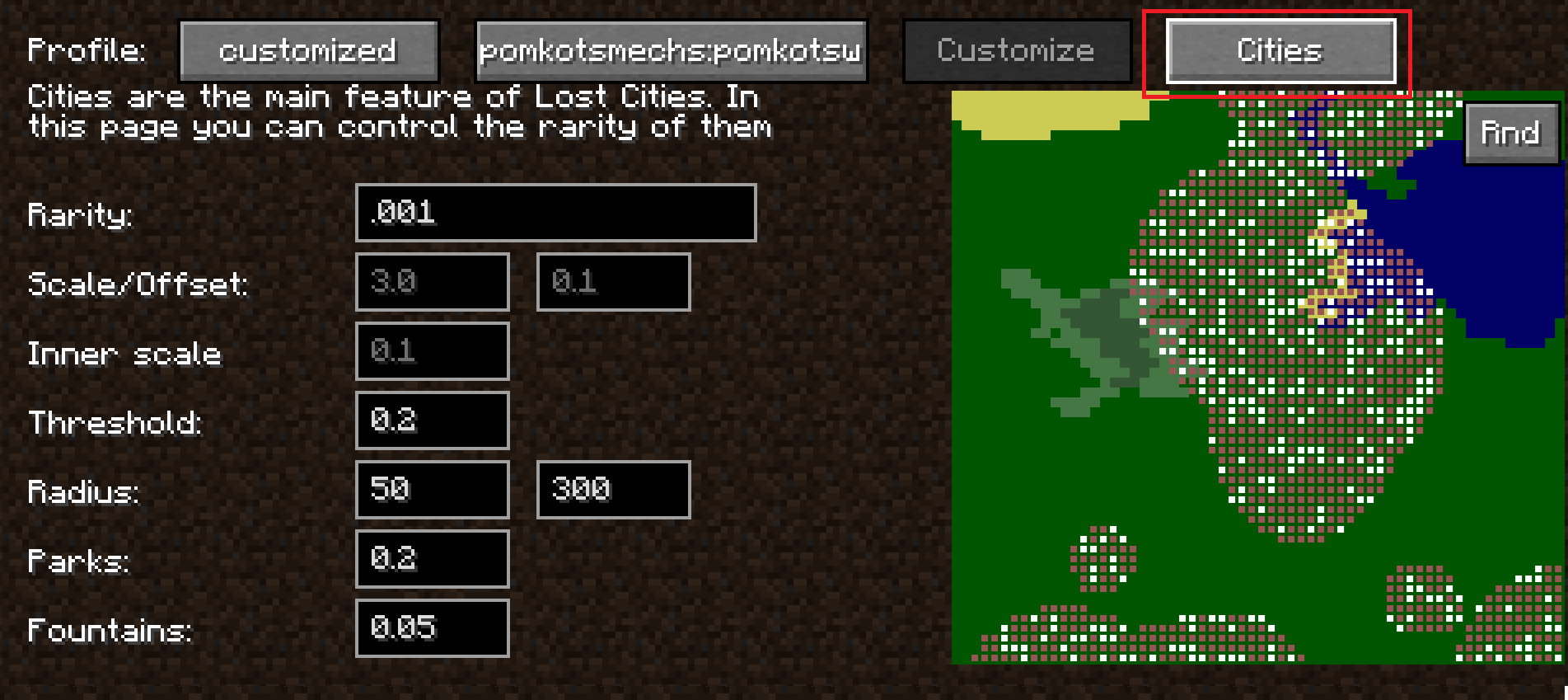
点击“Cities”按钮。
-
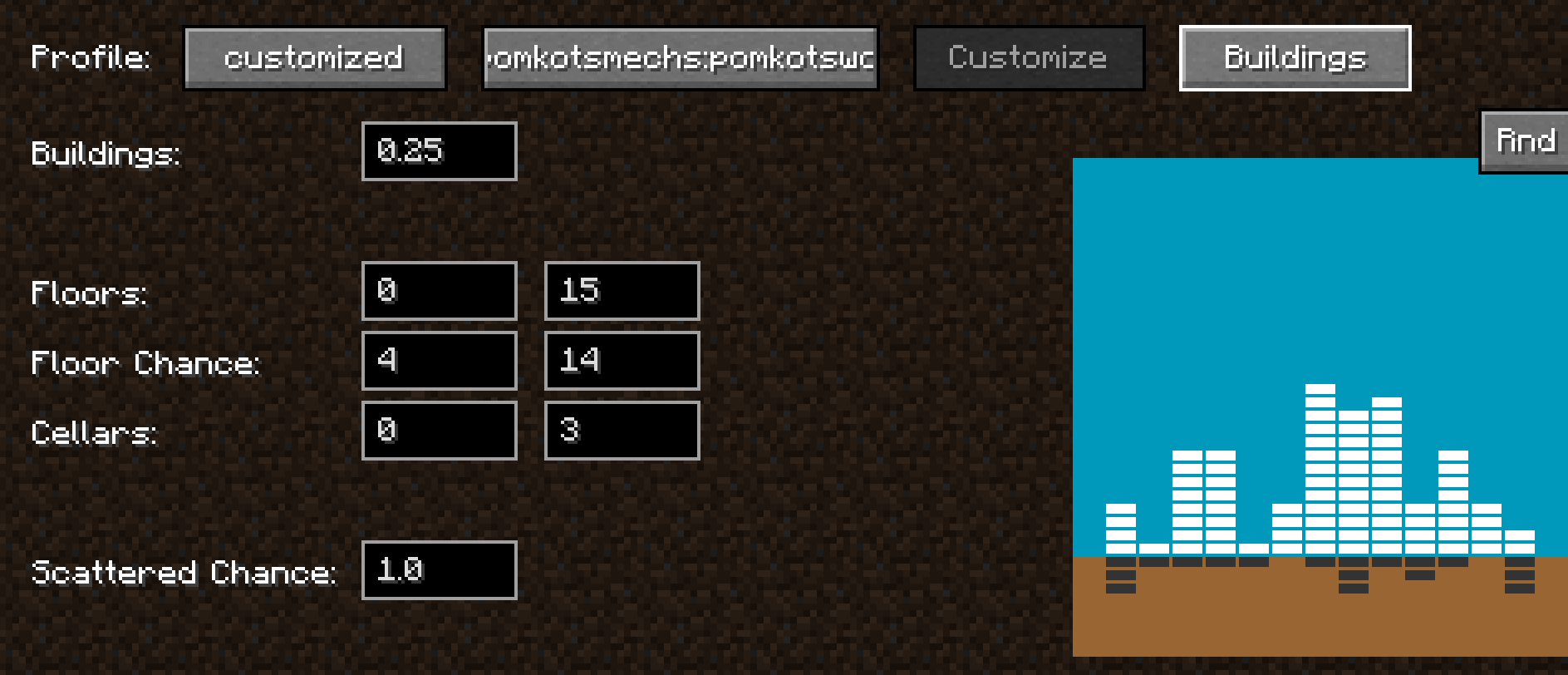
根据你的喜好调整建筑生成设置。
(有关更多详细信息,请参阅 Lost Cities 文档!)
参考链接
Lost Cities 官方使用说明:
致谢
衷心感谢 McJty 创建了令人惊叹的 Lost Cities 模组!
这是一个充满无限可能性和巨大潜力的模组。
祝愿 Lost Cities 取得持续的成功与繁荣!
贡献者
Pine-san (@Pining_Pine on X): 感谢提供飞机和战舰!
What's This?
This is an add-on for Lost Cities that generates a sci-fi flavored, post-apocalyptic world!
This is one of the elements to support the Survival Mode integration of Pomkots Mechs, a high-speed custom mech mod
Demo Movie
Please Read (Important!)
- This is currently in super alpha. Expect rapid updates and changes.
- Be sure to use it in a new world with a fresh configuration.
- Does NOT include enemy mech spawns, custom recipes, or quests yet — those will come later as part of a separate modpack.
- Many structures are still pretty empty inside (especially interiors).
Need Your Help!
- I plan to keep adding a ton of ruined structures in future updates!
- If you're interested in helping build or submitting your own ruins, I'd love to collaborate!
- Please feel free to DM me on X (Twitter)!
Ruined Cities Added
- Heavily decayed urban cities
- Abandoned industrial factory zones
- Derelict port areas
- Ruined mega-solar facilities
- Military base ruins
Scattered Ruins Added
- Abandoned gas stations
- Collapsed farming plants
- Ruined garages
- Process factory ruins
- Lighthouse ruins
- Observation towers
...and more!
How to Use (and Recommended Settings)
Preparation
- Place Lost Cities and this mod in your modpack's mods folder.
- Launch Minecraft.
Creating a New World
-
Start by creating a new world.

-
Set the World Type to Large Biomes (recommended).

-
Go to the More tab and click the Cities button.

-
Click the Profile button several times until you select rarecities.
(You can use other profiles too, but this one is recommended!)

-
Click the Customize button once. Then, click the setting that says standard several times until you see pomkotsmechs:pomkotsworld.

-
Set the Radius to 300.
(Recommended: sets the max radius of a city to 300 blocks.)

-
Click the Cities button.

-
Adjust the building generation settings to your liking.
(Check the Lost Cities documentation for more detail!)

Reference Links
Lost Cities official usage:
Acknowledgment
Huge, ultra-super thanks to McJty for creating the amazing mod Lost Cities!
It’s a mod full of infinite possibilities and incredible potential.
Wishing continued success and prosperity of Lost Cities!
Contributor
Pine-san(@Pining_Pine on X): Thanks for providing Aircraft and Warship!
评论 0
登录后参与评分
还没有评论,来抢沙发吧


