
Splinecart
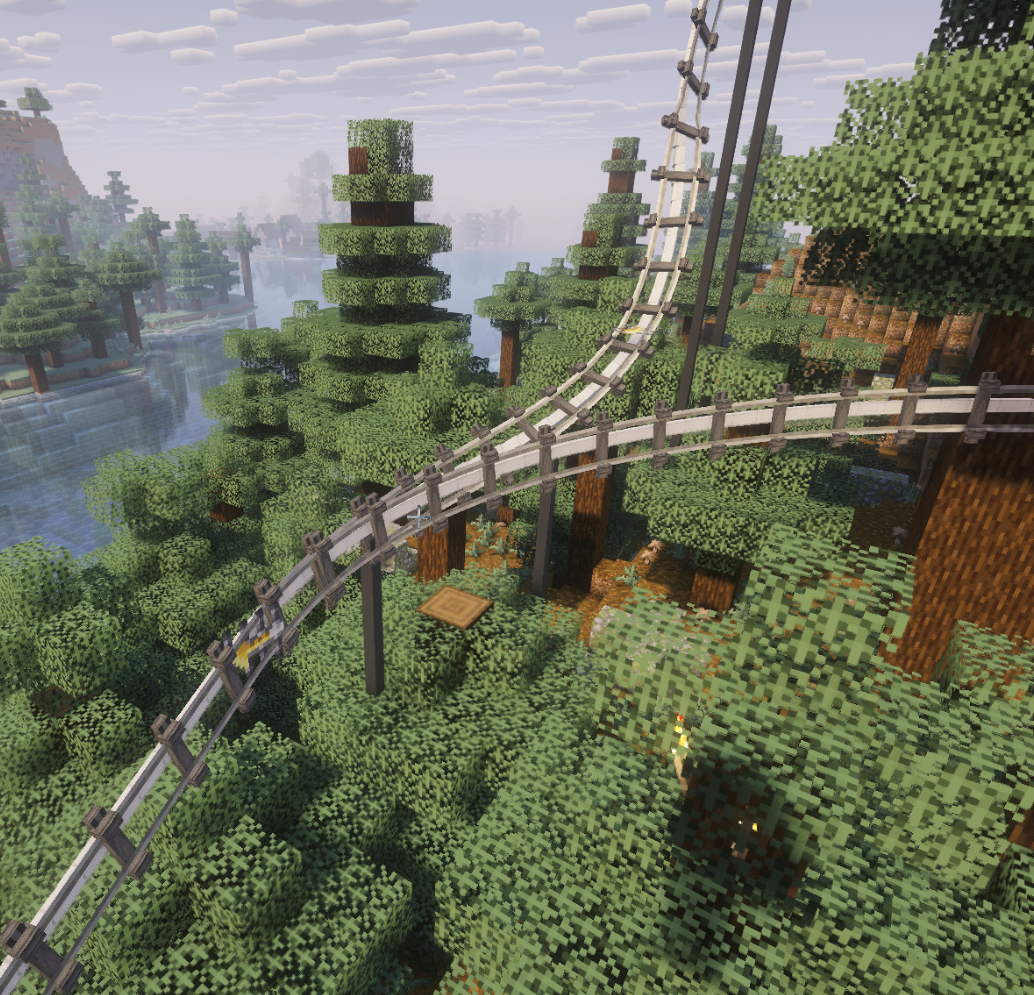
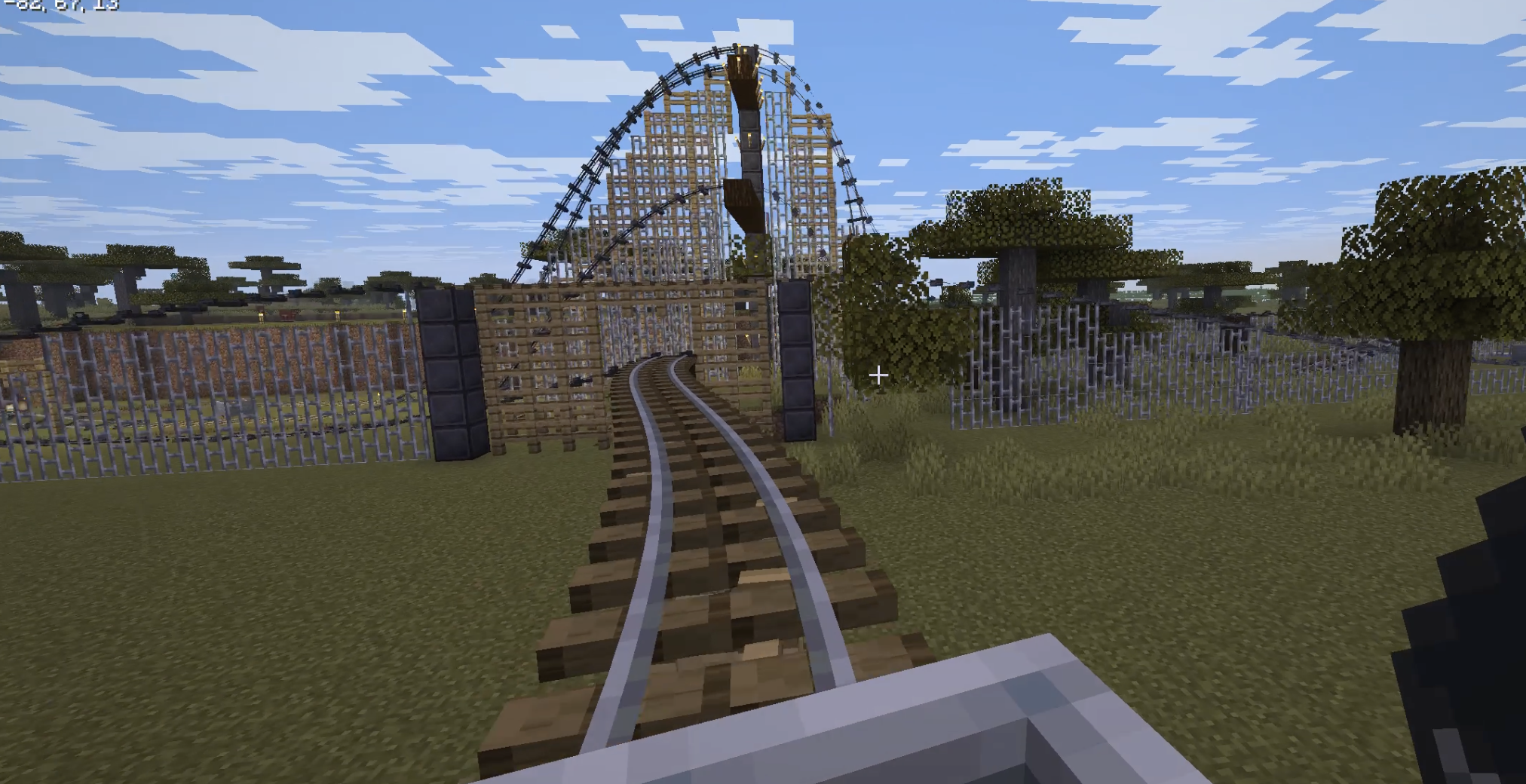
Splinecart 为 Minecraft 添加了平滑且符合物理规律的曲线铁轨(复合曲线/样条线)。矿车在其上行驶时不会发生颠簸,并具备完整的倾斜和速度物理效果。
主要元素与机制
1. 轨道枕木
- 木质(Wood Track Ties)、钢制(Steel Track Ties)以及经典款:
- 可放置在方块上和半空中。
- 自动根据朝向对齐:地面(向下)、墙壁(向前)、天花板(向上)。
- 空手点击可旋转枕木。
- 普通枕木充当探测铁轨功能(当矿车经过时发出红石信号 15)。
- 钢制枕木会生成第三根动力铁轨及支撑柱;木质枕木则生成木梁和立柱。
2. 连接轨道与变体
- 轨道物品(Track item)将两个枕木连接成一条平滑路径。
- 普通轨道(Regular Track):标准平滑乘坐体验与弯道平滑处理。
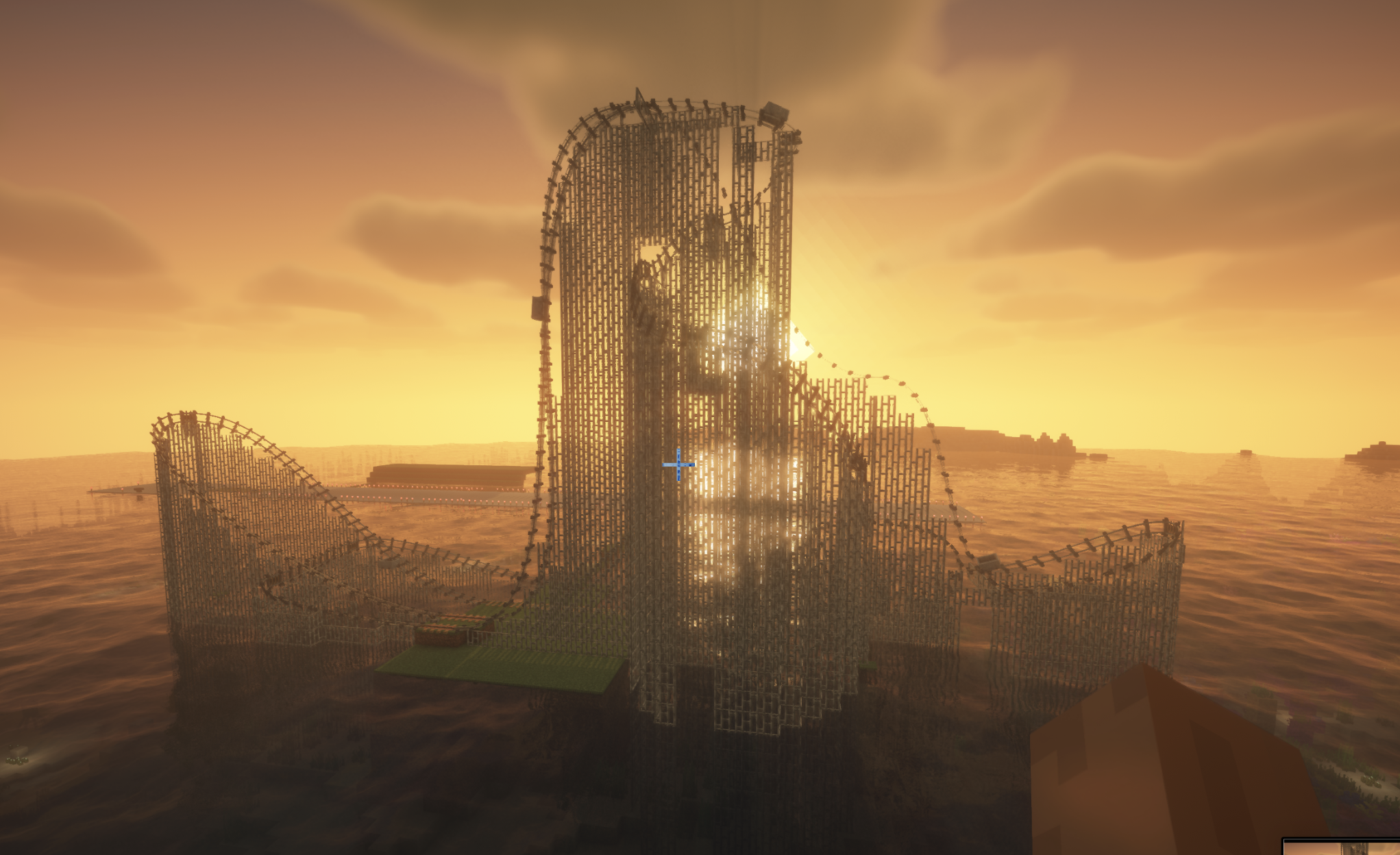
- 链式驱动轨道(Chain Drive Track):以恒定速度将矿车向上拉动(非常适合过山车)。
- 磁轨(Magnetic Track):被红石激活时会急剧加速;未激活时即使在上坡路段也会使矿车刹车停止。
- 与原版轨道无缝衔接:矿车从样条线轨道进入普通铁轨或反之,均能保持动量与相机视角的平滑过渡,无损失。
3. 道岔 / 开关
- 两条轨道可同时离开或进入同一个枕木。
- 该枕木会自动变为由红石控制的道岔:
- 状态 0(无信号):矿车沿主线行驶(第 1 个出口)。
- 状态 > 0(红石激活):矿车立即转向备用轨道(第 2 个出口)。
- 道岔上的探测铁轨功能被禁用——拉杆/粉尘的状态变化即时生效,即使是一整列紧随其后的矿车也是如此。
命令 (/splinecart)
| 命令 | 效果 |
|---|---|
/splinecart banking <on | off | toggle> |
启用/禁用曲线处的轨道和矿车倾斜效果。 |
/splinecart supports <none | wood | metal | steel | auto> |
设置新建轨道下方支撑结构和立柱的样式。 |
/splinecart build line <x1 y1 z1> <x2 y2 z2> [type] [supports] [banking] |
在坐标之间自动放置并连接一段直线轨道。 |
/splinecart build path <pos1> <pos2> ... [type] [supports] [banking] |
通过给定坐标构建连续的多点路线。 |
/splinecart connect <x1 y1 z1> <x2 y2 z2> [type] [supports] [banking] |
使用指定的轨道类型连接两个现有的枕木。 |
(命令中可用的类型:default, chain_drive, magnetic)
所有四种玩家可获取的物品均在生存模式中有形状合成配方。轨道跟随者(Track Follower)是由轨道生成的隐藏实体,不可合成。
轨道枕木 (Track Ties) 描述:放置后交互以旋转。
拾取一根木棍或任何木制台阶时解锁。
合成(产出 8 个): [木制台阶] [木制台阶] [木制台阶] [木棍] [木制台阶] [木制台阶] [木制台阶]
标记为“木制台阶”的每个槽位均可使用任意木制台阶。
轨道 (Track) 描述:将两个轨道枕木方块连接在一起。
拾取一根铁轨或铁块时解锁。
合成(产出 4 个): [铁块] [铁轨] [铁块]
链式驱动轨道 (Chain Drive Track) 描述:可拉动矿车的轨道变体。
拾取一根激活铁轨、链子或铁块时解锁。
合成(产出 4 个): [铁块] [链子] [激活铁轨] [链子] [铁块]
磁轨 (Magnetic Track) 描述:可加速或减速矿车的轨道变体。
拾取一根动力铁轨、铁块或铜块时解锁。
合成(产出 4 个): [铁块] [铜块] [动力铁轨] [铜块] [铁块]
磁轨的强度取决于为其轨道枕木方块供电的红石信号。
Splinecart
Splinecart adds smooth, realistically curved railway tracks (composite curves / splines) to Minecraft. Minecarts travel on them without jerking, with full banking and speed physics.
Main elements and mechanics
1. Track Ties
- Wooden (Wood Track Ties), Steel (Steel Track Ties), and Classic:
- Can be placed on blocks and in mid-air.
- Automatic alignment to look direction: floor (down), wall (forward), ceiling (up).
- Empty-hand click rotates the tie.
- Regular ties act as detector rails (emit Redstone signal 15 while a minecart passes).
- Steel ties generate a third powered rail plus support pillars; wooden ties create wooden beams and posts.
2. Connecting tracks and variants
- The Track item joins two ties into a smooth path.
- Regular Track: standard smooth riding and corner smoothing.
- Chain Drive Track: pulls the minecart at constant speed uphill (ideal for roller coasters).
- Magnetic Track: when powered by Redstone it accelerates sharply; when unpowered it brakes the minecart to a stop even on steep slopes.
- Seamless transition with vanilla tracks: a minecart smoothly enters from splines onto regular rails and vice versa without losing momentum or camera rotation.
3. Turnouts / Switches
- Two tracks can leave or enter a single tie at the same time.
- The tie automatically becomes a Redstone-controlled switch:
- State 0 (no signal): minecart follows the main track (1st exit).
- State > 0 (Redstone powered): minecart immediately turns onto the alternate track (2nd exit).
- Detector-rail function is disabled on a switch — lever/dust state changes take effect instantly, even with a whole train of minecarts following one another.
Commands (/splinecart)
| Command | Effect |
|---|---|
/splinecart banking <on | off | toggle> |
Enables/disables track and minecart banking on curves. |
/splinecart supports <none | wood | metal | steel | auto> |
Sets the style of supports and pillars built under new tracks. |
/splinecart build line <x1 y1 z1> <x2 y2 z2> [type] [supports] [banking] |
Automatically places and connects a straight track segment between coordinates. |
/splinecart build path <pos1> <pos2> ... [type] [supports] [banking] |
Builds a continuous multi-point route through the given coordinates. |
/splinecart connect <x1 y1 z1> <x2 y2 z2> [type] [supports] [banking] |
Connects two existing ties with the specified track type. |
(Available types in commands: default, chain_drive, magnetic)
All four player-obtainable items have shaped crafting recipes in Survival. The Track Follower is a hidden entity spawned by tracks and is not crafted.
Track Ties Description: Interact to rotate when placed.
Unlocks when you pick up a Stick or any Wooden Slab.
Crafting (makes 8): [Wooden Slab] [Wooden Slab] [Wooden Slab] [Stick] [Wooden Slab] [Wooden Slab] [Wooden Slab]
Any wooden slab works in every slot marked Wooden Slab.
Track Description: Links two Track Ties blocks together.
Unlocks when you pick up a Rail or Iron Block.
Crafting (makes 4): [Iron Block] [Rail] [Iron Block]
Chain Drive Track Description: Track variant that pulls minecarts.
Unlocks when you pick up an Activator Rail, Chain, or Iron Block.
Crafting (makes 4): [Iron Block] [Chain] [Activator Rail] [Chain] [Iron Block]
Magnetic Track Description: Track variant that accelerates or slows minecarts.
Unlocks when you pick up a Powered Rail, Iron Block, or Copper Block.
Crafting (makes 4): [Iron Block] [Copper Block] [Powered Rail] [Copper Block] [Iron Block]
The magnetic track's strength follows the redstone signal powering its Track Ties block.

下载 peterwolf's Splinecart
下载 peterwolf's Splinecart
下载 peterwolf's Splinecart
下载 peterwolf's Splinecart
下载 peterwolf's Splinecart
下载 peterwolf's Splinecart
下载 peterwolf's Splinecart
下载 peterwolf's Splinecart
下载 peterwolf's Splinecart
下载 peterwolf's Splinecart
0.5.2+1.21.1
- 修复了 NeoForge 1.21.1 加载器依赖约束(
versionRange="[21.1.0,)"),使模组能够在标准 NeoForge 构建版本上运行,无需要求 21.1.264 及以上版本。 - 修复了生存模式下的合成配方错误:通过将所有 6 个配方定义中的原料转换为 1.21.1 的对象格式(
{"item": "..."}/{"tag": "..."}),并将minecraft:iron_chain更正为minecraft:chain,解决了所有配方定义中出现的JsonParseException。 - 添加了 Wood Track Ties 和 Steel Track Ties 缺失的配方解锁进度,并修复了 Chain Drive Track 进度中的物品 ID。
- 修复了乘坐矿车时的 3D 相机旋转与翻滚倾斜问题:更新了
CameraMixin,使其注入到 NeoForge 的三参数Camera.setRotation(float, float, float)方法中。 - 改进了轨道挂载检测:当矿车从上方方块接近轨道枕木时,
EntityMixin现在会检查start.below()。
0.5.5+1.20.1
- 保存区块时会对整个 NBT 写入过程持有单一锁,因此实时编辑不会引发 ConcurrentModificationException。
- 在样条线上的矿车基于轨道基础进行绘制:包括方向、坡度和倾斜角度。不再通过固定的偏航角来调整其朝向。
移植至 NeoForge
关于这个资源的讨论、问题反馈与使用心得
还没有讨论,来发第一帖吧
你是这个资源的作者?登录后可认领此资源。
相似资源
 模组

一个用于收集生物掉落物的多区块模组。
 模组

显示你正在注视的方块的信息。(适用于 Minecraft 1.16+ 的 Hwyla/Waila 分支)
 模组
在游戏画面角落显示附近世界地形、玩家、生物和实体的地图。可创建路径点,帮助你找到标记过的位置。
 模组

查看物品与配方
 模组
使用 JavaScript 编辑配方、添加自定义物品、编写世界事件!
 模组
AE2:一款流行的自动化与存储模组
评论 0
登录后参与评分
还没有评论,来抢沙发吧