
添加了 3 种新物品:红石漏斗、红石漏斗矿车和物品过滤器。
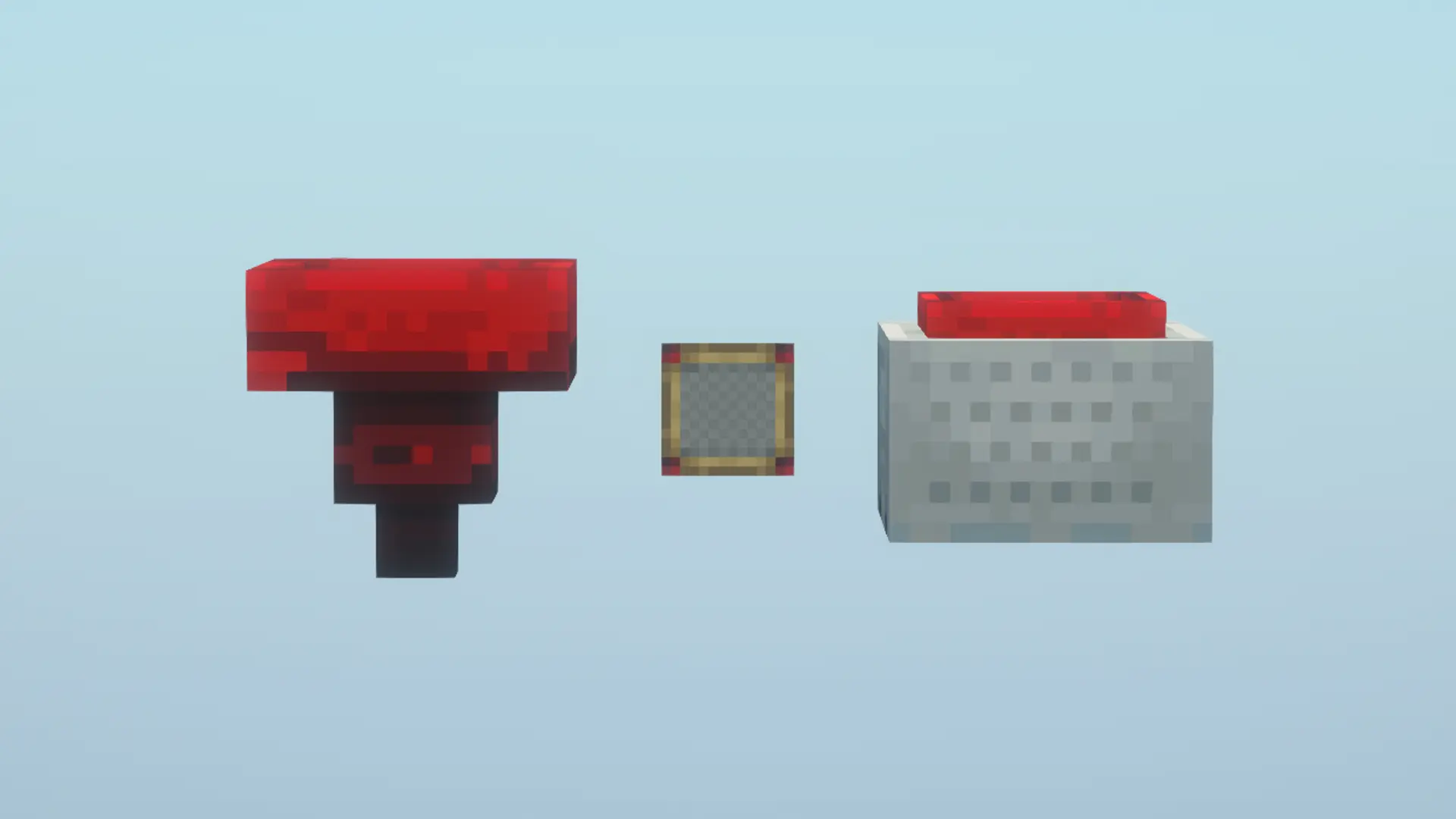
手持物品过滤器右键点击以打开过滤 GUI,在其中放入任意数量的物品(最多 27 个),这些物品将由红石漏斗或红石漏斗矿车进行过滤。
当物品过滤器被放入红石漏斗或红石漏斗矿车后,你可以通过中央按钮选择过滤器是处于允许模式还是禁止模式。
你可以在红石漏斗或红石漏斗矿车中放置一个物品过滤器或任何单个物品来启用过滤功能。
过滤器不考虑附魔或自定义 NBT 数据。例如,如果你在物品过滤器或直接放入红石漏斗中放置一把钻石剑,那么无论附魔如何,所有/任何钻石剑都会被过滤。
如果“检查槽”中未放入任何物品,则它充当普通漏斗,任何物品都可以自由通过。
合成配方
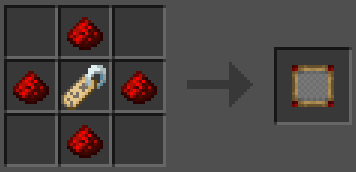
物品过滤器
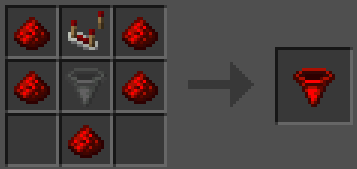
红石漏斗
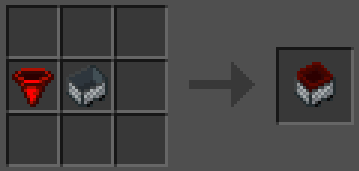
红石漏斗矿车
支持 Mod Menu,提供浅色和深色模式切换选项,可通过 Mod Menu 设置菜单进行切换。

你是这个资源的作者?登录后可认领此资源。
相似资源
 模组

Woot Revived
pharuxtan
一个用于收集生物掉落物的多区块模组。
生物科技
349
 模组

玉Jade ?
Snownee
显示你正在注视的方块的信息。(适用于 Minecraft 1.16+ 的 Hwyla/Waila 分支)
实用前置
341
 模组
Xaero的小地图
thexaero
在游戏画面角落显示附近世界地形、玩家、生物和实体的地图。可创建路径点,帮助你找到标记过的位置。
冒险交通
241
 模组
KubeJS
Lat
使用 JavaScript 编辑配方、添加自定义物品、编写世界事件!
前置实用
239
 模组

物品管理器Just Enough Items (JEI)
mezz
查看物品与配方
前置实用
239
 模组
Applied Energistics 2
shartte
AE2:一款流行的自动化与存储模组
存储科技
217
评论 0
登录后参与评分
还没有评论,来抢沙发吧