
资源包选择器
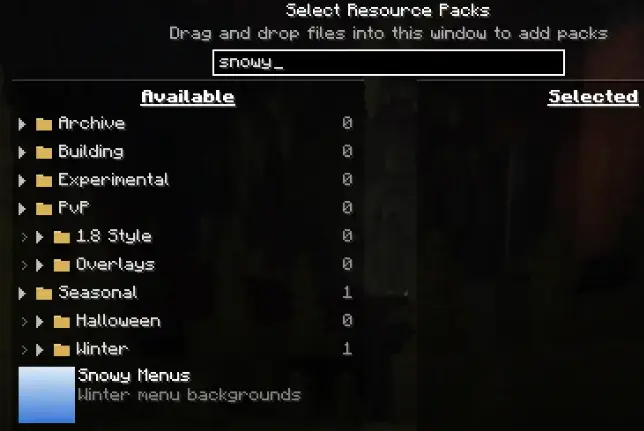
搜索
搜索任意整合包,即使它位于折叠的文件夹中。
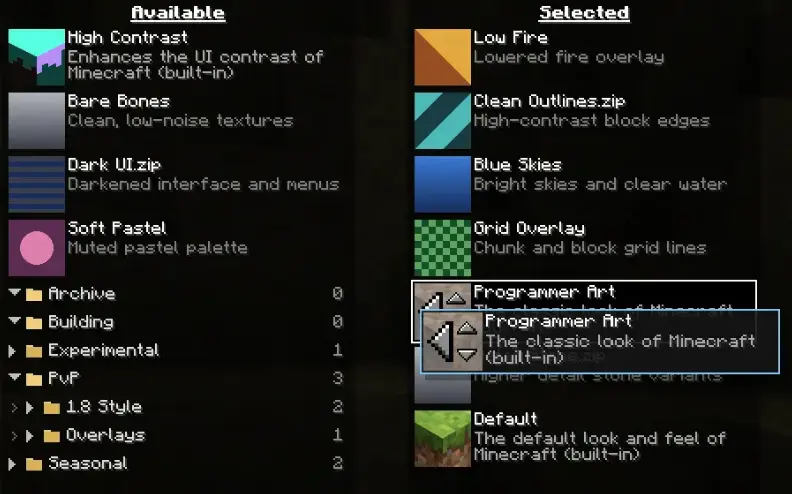
拖放操作
在图标之外的任何位置按住并拖动整合包。当您移动时,列表会实时重新排序,并且会出现一个间隙以准确显示整合包将放置的位置。将整合包直接从可用列表拖放到选定列表中的相应位置。
在列表顶部或底部附近拖动会自动滚动列表,因此您可以一次性将整合包跨越长列表进行移动。
整合包图标保留了原版的所有行为,因此旧的点击目标仍然像以前一样正常工作。
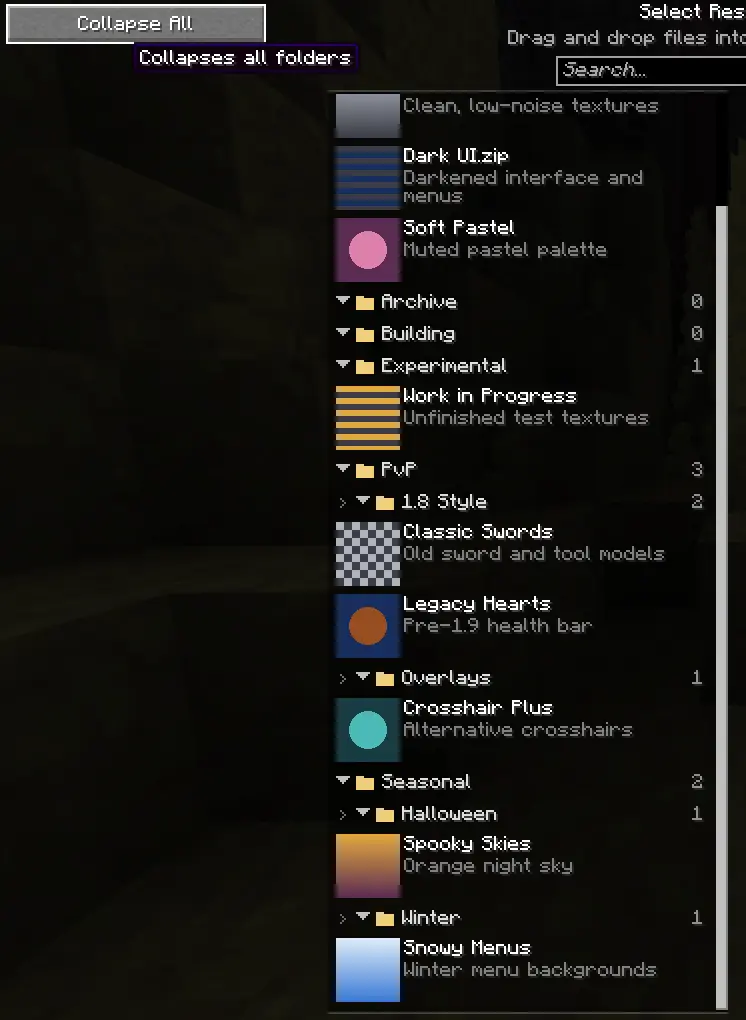
文件夹
文件夹会记住其展开状态,并提供“全部展开/折叠”按钮。搜索功能会暂时打开所有文件夹,以防止匹配项隐藏在闭合的文件夹内。
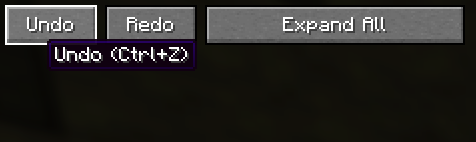
撤销与重做
支持 "Ctrl+Z" 和 "Ctrl+Y"(或 "Ctrl+Shift+Z"),以及屏幕上的按钮。涵盖所有操作:拖放、选择、箭头按钮以及键盘移动。
减少干扰
- 跳过 Mojang 加载界面。 启动时和每次切换整合包时显示的红色横幅变为纯进度条,跳过了烦人的淡入淡出动画。可在整合包设置页面切换此功能。
旧版

新版

-
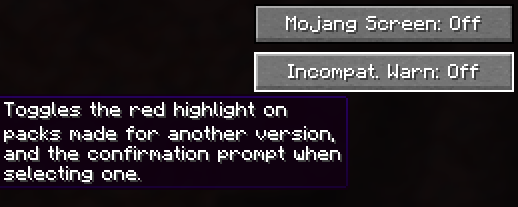
可选的不兼容警告。 关闭针对其他版本构建的整合包的红色高亮显示及确认提示框。
-
您的位置会被保留。 在界面打开时编辑整合包,不再让您回到列表顶部。
依赖项
- Fabric
- Fabric API(可选)

你是这个资源的作者?登录后可认领此资源。
相似资源
 模组

玉Jade ?
Snownee
显示你正在注视的方块的信息。(适用于 Minecraft 1.16+ 的 Hwyla/Waila 分支)
实用前置
339
 模组
KubeJS
Lat
使用 JavaScript 编辑配方、添加自定义物品、编写世界事件!
前置实用
239
 模组

物品管理器Just Enough Items (JEI)
mezz
查看物品与配方
前置实用
239
 模组
Xaero的小地图
thexaero
在游戏画面角落显示附近世界地形、玩家、生物和实体的地图。可创建路径点,帮助你找到标记过的位置。
冒险交通
239
 模组
Applied Energistics 2
shartte
AE2:一款流行的自动化与存储模组
存储科技
217
 模组
WTHIT
deirn
那是什么?一个 Waila/Hwyla 的分支。
前置实用
165
评论 0
登录后参与评分
还没有评论,来抢沙发吧