Retrogen
将新安装模组的矿石和结构添加到现有的 Minecraft 世界中。
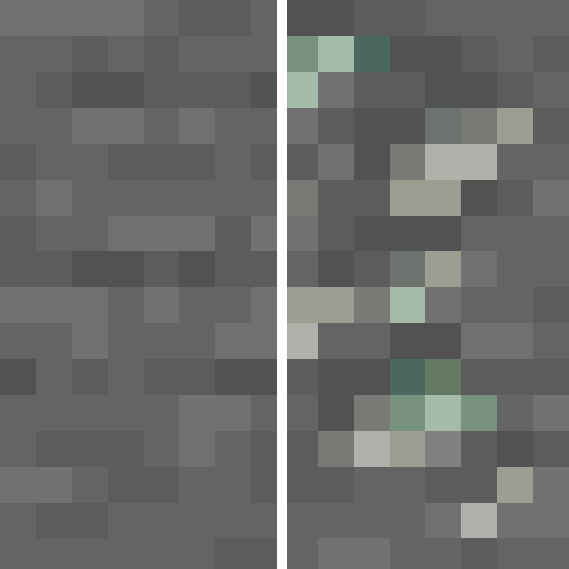
Retrogen 是一款针对 Minecraft 1.21.1 的服务端世界生成模组。它在区块加载时处理已生成的区块,并为后来安装的模组添加兼容的矿石和结构。
通常,新的世界生成内容仅出现在未探索的区域。Retrogen 允许你继续使用现有世界,而无需为了寻找新添加的资源或结构而跋涉数千格。
功能特性
- 向现有区块添加模组矿石
- 向现有区块添加模组结构
- 使用源模组提供的原始生成设置
- 保留生物群系、高度、频率、分布和方块替换规则
- 支持导入和自定义地形
- 可调整地表结构以匹配现有地貌
- 逐步处理区块以减少服务端卡顿
- 记录已完成的生成尝试
- 防止重复生成相同内容
- 支持配置包含和排除列表
- 支持 Fabric 和 NeoForge
支持版本
- Minecraft 1.21.1
- Fabric(需 Fabric API)
- NeoForge
Fabric 和 NeoForge 使用独立的 JAR 文件。
在专用服务器上,只需在服务端安装 Retrogen。玩家客户端无需安装。
对于单人世界,请将 Retrogen 安装到客户端的 mods 文件夹中。
工作原理
当加载现有区块时,Retrogen 会将其加入处理队列。
区块仅在完全加载后才会被处理。Retrogen 限制每个服务器刻(tick)的操作数量和处理时间。
矿石生成使用源模组提供的原始 PlacedFeature 设置。这意味着 Retrogen 保留了预期的:
- 生成高度;
- 矿脉大小;
- 频率;
- 生物群系限制;
- 方块替换规则。
结构通过 Minecraft 的标准结构生成系统创建。
Retrogen 将已处理的内容存储在各自区块内,并将世界的生成历史记录保存在:
data/retrogen_manifest.json
这可以防止每次加载区块时都重新生成相同的矿石或结构。
安装
- 备份你的世界。
- 安装正确的 Retrogen JAR 文件。
- 安装提供新矿石和结构的模组。
- 启动服务器或单人世界。
- 使用以下命令检查处理队列:
/retrogen status
Fabric 版还需要 Fabric API。
Retrogen 会自动创建其配置文件:
config/retrogen.json
配置
默认配置如下:
{
  "enabled": true,
  "generateOres": true,
  "generateStructures": true,
  "adaptStructuresToExistingTerrain": true,
  "maxOperationsPerTick": 2,
  "maxMillisPerTick": 8,
  "structureReferenceRadius": 8,
  "maxTerrainShift": 96,
  "maxTerrainSampleSpread": 32,
  "maxInhabitedTimeTicks": -1,
  "automaticNamespaces": ["*"],
  "excludedNamespaces": ["minecraft", "retrogen"],
  "includePlacedFeatures": [],
  "excludePlacedFeatures": [],
  "includeStructures": [],
  "excludeStructures": []
}
Retrogen 会自动从允许的命名空间中选择标准的模组矿石特征。
你可以将自动处理限制为特定模组:
{
  "automaticNamespaces": ["create", "alexscaves"]
}
你也可以手动包含或排除单个特征和结构:
{
  "includePlacedFeatures": [
    "example:underground_dungeon",
    "anothermod:*_ore"
  ],
  "excludePlacedFeatures": [
    "example:huge_test_ore"
  ],
  "includeStructures": [
    "minecraft:trial_chambers"
  ],
  "excludeStructures": [
    "example:unsafe_castle"
  ]
}
列表支持通配符模式:
无需重启服务器即可重新加载配置:
/retrogen reload
自定义与导入地形
矿石会在区块内已存在的方块中生成。
模组矿石只能替换源模组生成规则所接受的方块。例如,配置为替换普通 Minecraft 石头的矿石可能不会在自定义石头方块内生成。
Retrogen 还可以调整地表结构以匹配实际地形,而不是仅依赖当前的区块生成器。
启用后,Retrogen 会对现有地表或海底进行采样,并在必要时垂直移动结构。
这是一个尽力而为的系统。某些不常见的结构仍可能需要其原始模组开发者提供特殊支持。
重要警告
在使用 Retrogen 之前,请务必创建备份。
Minecraft 无法可靠地区分自然生成的方块和由玩家放置的方块。
矿石通常只替换有效的目标方块,但结构可能会与以下对象交叉:
- 玩家建筑;
- 道路;
- 农田;
- 地下基地;
- 其他修改过的地形。
在首次安装时,Retrogen 可能不知道在创建较旧区块时哪些模组矿石已经存在。因此,现有的模组世界可能会接收到额外的矿脉。
在处理重要世界时,请使用包含和排除列表。
局限性
Retrogen 支持通过标准 Minecraft 世界生成系统注册的内容,例如:
BiomeGenerationSettings;PlacedFeature;StructureSet。
它无法自动重现通过完全自定义模组事件或独立生成系统生成的内容。
在保持相同注册 ID 的情况下更改生成设置,不会自动触发另一次生成过程。
请勿删除:
data/retrogen_manifest.json
该文件存储了世界的 Retrogen 历史记录。
Retrogen 不会强制加载远处的区块以完成结构。非常大的结构可能需要同时加载其起始区块和远处的部分区块。
Retrogen 可以垂直移动结构,但无法在其周围重新生成自然地形的混合效果。
请勿在未备份的情况下将已处理的存档在 Fabric 和 NeoForge 之间切换。这两个加载器存储 Retrogen 区块标记的方式不同,这可能导致内容被重新处理。
命令
/retrogen status
显示当前处理队列。
/retrogen reload
重新加载配置及可用内容目录。
Retrogen
Add ores and structures from newly installed mods to your existing Minecraft world.
Retrogen is a server-side world-generation mod for Minecraft 1.21.1. It processes already generated chunks as they are loaded and adds compatible ores and structures from mods that were installed later.
Normally, new world-generation content only appears in unexplored areas. Retrogen allows you to continue using your existing world without travelling thousands of blocks just to find newly added resources or structures.
Features
- Adds modded ores to existing chunks
- Adds modded structures to existing chunks
- Uses the original generation settings from the source mod
- Preserves biome, height, frequency, spread, and block replacement rules
- Supports imported and custom terrain
- Can adjust surface structures to match the existing landscape
- Processes chunks gradually to reduce server lag
- Remembers completed generation attempts
- Prevents repeated generation of the same content
- Supports configurable include and exclude lists
- Supports Fabric and NeoForge
Supported Versions
- Minecraft 1.21.1
- Fabric with Fabric API
- NeoForge
Fabric and NeoForge use separate JAR files.
On a dedicated server, Retrogen only needs to be installed on the server. Players do not need to install it on their clients.
For single-player worlds, install Retrogen in the client’s mods folder.
How It Works
When an existing chunk is loaded, Retrogen adds it to a processing queue.
The chunk is processed only after it is fully loaded. Retrogen limits both the number of operations and the amount of processing time used during each server tick.
Ore generation uses the original PlacedFeature settings provided by the source mod. This means Retrogen keeps the intended:
- generation height;
- vein size;
- frequency;
- biome restrictions;
- block replacement rules.
Structures are created through Minecraft’s standard structure-generation system.
Retrogen stores processed content inside each chunk and keeps the world’s generation history in:
data/retrogen_manifest.json
This prevents the same ore or structure from being generated every time the chunk loads.
Installation
- Back up your world.
- Install the correct Retrogen JAR.
- Install the mods that provide the new ores and structures.
- Start the server or single-player world.
- Check the processing queue with:
/retrogen status
For Fabric, Fabric API is also required.
Retrogen creates its configuration file automatically:
config/retrogen.json
Configuration
Default configuration:
{
  "enabled": true,
  "generateOres": true,
  "generateStructures": true,
  "adaptStructuresToExistingTerrain": true,
  "maxOperationsPerTick": 2,
  "maxMillisPerTick": 8,
  "structureReferenceRadius": 8,
  "maxTerrainShift": 96,
  "maxTerrainSampleSpread": 32,
  "maxInhabitedTimeTicks": -1,
  "automaticNamespaces": ["*"],
  "excludedNamespaces": ["minecraft", "retrogen"],
  "includePlacedFeatures": [],
  "excludePlacedFeatures": [],
  "includeStructures": [],
  "excludeStructures": []
}
Retrogen automatically selects standard modded ore features from allowed namespaces.
You can restrict automatic processing to specific mods:
{
  "automaticNamespaces": ["create", "alexscaves"]
}
You can also manually include or exclude individual features and structures:
{
  "includePlacedFeatures": [
    "example:underground_dungeon",
    "anothermod:*_ore"
  ],
  "excludePlacedFeatures": [
    "example:huge_test_ore"
  ],
  "includeStructures": [
    "minecraft:trial_chambers"
  ],
  "excludeStructures": [
    "example:unsafe_castle"
  ]
}
The lists support wildcard patterns:
* matches any number of characters;? matches one character.
Reload the configuration without restarting the server:
/retrogen reload
Custom and Imported Terrain
Ores are generated in the blocks that already exist inside the chunk.
A modded ore can only replace blocks accepted by the source mod’s generation rules. For example, an ore configured to replace normal Minecraft stone may not generate inside custom stone blocks.
Retrogen can also adjust surface structures to match the real terrain instead of relying only on the current chunk generator.
When enabled, Retrogen samples the existing surface or ocean floor and moves the structure vertically when necessary.
This is a best-effort system. Some unusual structures may still require special support from their original mod developer.
Important Warning
Always create a backup before using Retrogen.
Minecraft cannot reliably distinguish naturally generated blocks from blocks placed by players.
Ores normally replace only valid target blocks, but structures may intersect:
- player buildings;
- roads;
- farms;
- underground bases;
- other edited terrain.
On its first installation, Retrogen may not know which modded ores were already present when older chunks were created. Existing modded worlds may therefore receive additional ore veins.
Use the include and exclude lists when working with an important world.
Limitations
Retrogen supports content registered through standard Minecraft world-generation systems such as:
BiomeGenerationSettings;PlacedFeature;StructureSet.
It cannot automatically reproduce content generated through completely custom mod events or independent generation systems.
Changing generation settings while keeping the same registry ID does not automatically trigger another generation pass.
Do not delete:
data/retrogen_manifest.json
This file stores the world’s Retrogen history.
Retrogen does not force-load distant chunks to complete structures. Very large structures may require both their starting chunk and distant piece chunks to be loaded at the same time.
Retrogen can move structures vertically, but it cannot regenerate natural terrain blending around them.
Do not move an already processed world between Fabric and NeoForge without a backup. The two loaders store Retrogen’s chunk markers differently, which may cause content to be processed again.
Commands
/retrogen status
Shows the current processing queue.
/retrogen reload
Reloads the configuration and available content catalogue.

 模组

 模组

 模组
 模组

 模组
 模组
评论 0
登录后参与评分
还没有评论,来抢沙发吧