一款为清晰、性能和风格而精心打造的精准小地图。Roman Minimap 提供实时的平滑旋转世界视图,具备真实的方块颜色、先进的地上/地下地形采样、可自定义的缩放级别以及完整的路标和玩家管理功能——包括传送、着色模式、亮度和饱和度控制,以及完全可编辑的按键绑定,让你拥有绝对的控制权。

包含以下功能:
- XYZ 坐标 – 始终知晓你的确切位置。
- 世界时间 – 显示当前的真实昼夜循环。
- 游戏时间 – 精确追踪已流逝的游戏内时间。
- 缩放控制 – 可根据你偏好的观看距离调整缩放级别。
- 罗盘玫瑰覆盖层 – 通过清晰的方向指示器轻松导航。
- 玩家图标 – 查看你周围的其他玩家,固定在小地图边缘。
- 路标图标 – 重要位置的视觉标记,固定在地图的外圈上。

概览地图
按 "N" 键(可在选项中更改)打开概览地图,以显示周围区域的更大方形地图。

可自定义的按键绑定
Roman Minimap 提供完全可控的可编辑按键绑定,所有绑定均可通过选项 → 控制 → 按键绑定菜单访问。
- K: 设置路标
- M: 旋转小地图玩家 / 北向上
- N: 切换概览地图开/关
- I: 切换其他玩家显示开/关
- J: 切换路标显示开/关
- H: 弹出对话框路标管理器
- P: 弹出对话框玩家管理器
- Z: 小地图缩放控制
- 缩放级别 1.0, 1.5, 2.0, 3.0
- 坡度着色/平面着色
- 传送确认/冷却/发送请求
- 地图亮度
- 地图饱和度
所有按键绑定设置也可在选项/控制/按键绑定屏幕中进行配置。

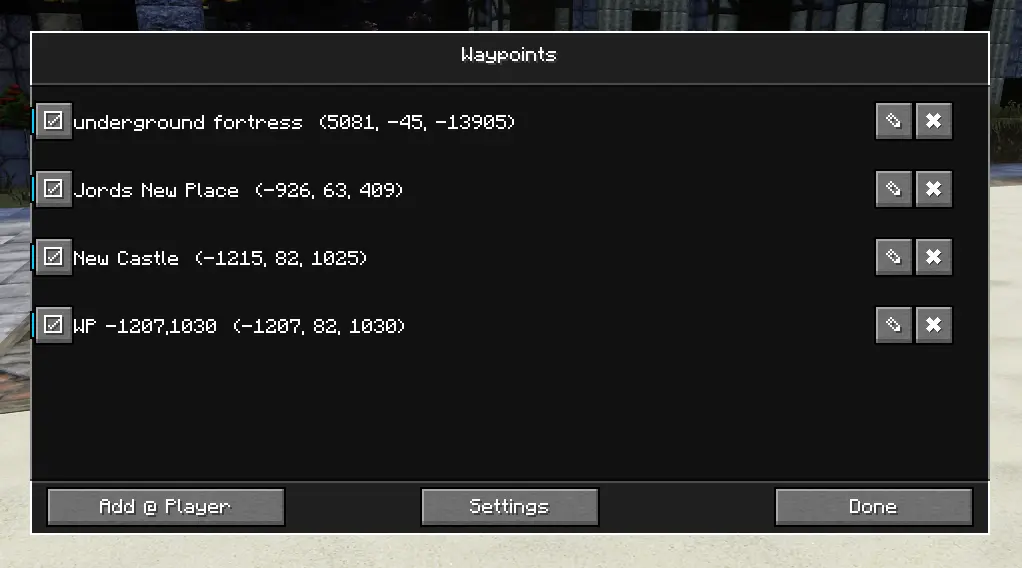
路标管理器:
一个直观的对话框,列出你保存的所有路标。
重命名路标以便更好地识别,并双击任何条目直接传送到该位置。包含一个快速访问的设置按钮,以便在按键绑定或设置屏幕中进一步自定义。
玩家传送管理器
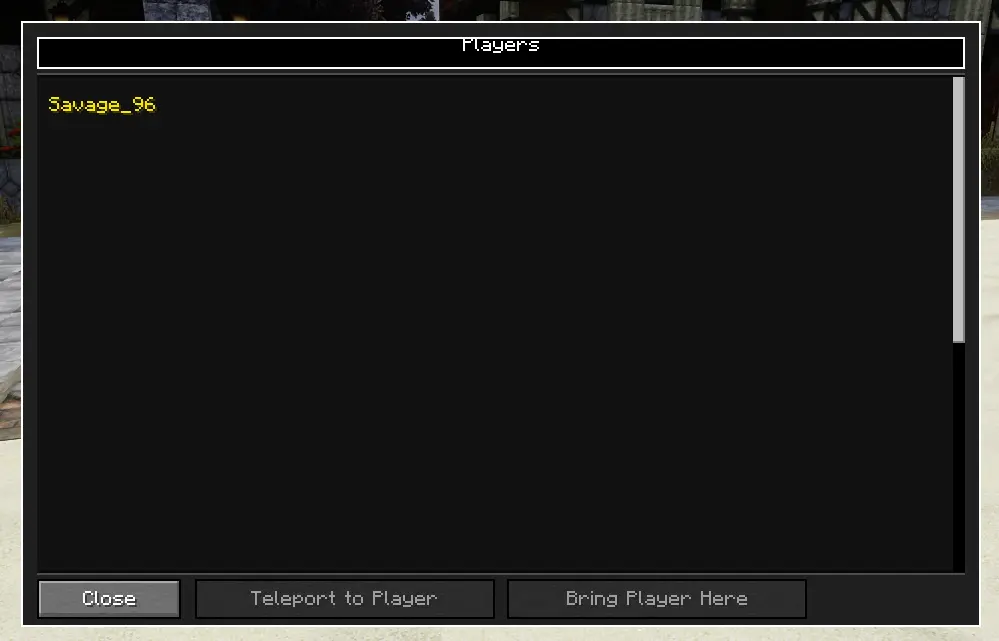
一个用于管理玩家传送的简洁界面。
查看所有在线玩家的列表,然后选择将他们传送到你身边或传送到他们的位置。支持 /tp 和 /tpa 命令,具体取决于你的服务器配置。
(注意:功能可能因服务器权限而异。)
A precision-crafted minimap built for clarity, performance, and style. Roman Minimap delivers a real-time, smoothly rotating view of your world with true block colors, advanced terrain sampling above and below ground, customizable zoom levels, and complete waypoint and player management—including teleportation, shading modes, brightness and saturation controls, and fully editable keybindings for total control.

Includes the following:
- XYZ Coordinates – Always know your exact position.
- World Time – Displays the current real-world day and night cycle.
- Game Time – Track elapsed in-game time with precision.
- Zoom Controls – Adjustable zoom levels for your preferred viewing distance.
- Compass Rose Overlay – Navigate effortlessly with clear directional indicators.
- Player Icons – View other players around you, pinned to the minimap’s edge.
- Waypoint Icons – Visual markers for important locations, pinned to the map’s outer circle.

Overview Map
Overview map via the "N" keybinding (can be changed in options) to show a larger square map of the surrounding area.

Customizable Keybindings
Roman Minimap gives you complete control with editable keybindings, all accessible through the Options → Controls → Keybindings menu.
- K: Sets a Waypoint
- M: Rotates minimap Player up / North Up
- N: Toggle Overview Map on/off
- I: Tottle other players on/off
- J: Toggle waypoints on/off
- H: Dialog popup waypoint manager
- P: Dialog popup player manager
- Z: Zoom control for minimap
- Zoom Levels 1.0, 1.5, 2.0, 3.0
- Slope shading/Flat shading
- Teleport confirm/cooldown/sendrequest
- Brighness of maps
- Saturation of maps
All settings for keybindings are also configurable in the options/controls/keybindings screen.

Waypoint Manager:
An intuitive dialog that lists all your saved waypoints.
Rename waypoints for better recognition, and double-click any entry to teleport directly to that location. Includes a quick-access Settings button for further customization in the keybindings or settings screen.

Player Teleport Manager
A streamlined interface for managing player teleportation.
View a list of all online players, then choose to teleport them to you or teleport to their location. Supports both /tp and /tpa commands, depending on your server configuration.
(Note: Functionality may vary by server permissions.)

评论 0
登录后参与评分
还没有评论,来抢沙发吧
