
Safepaths
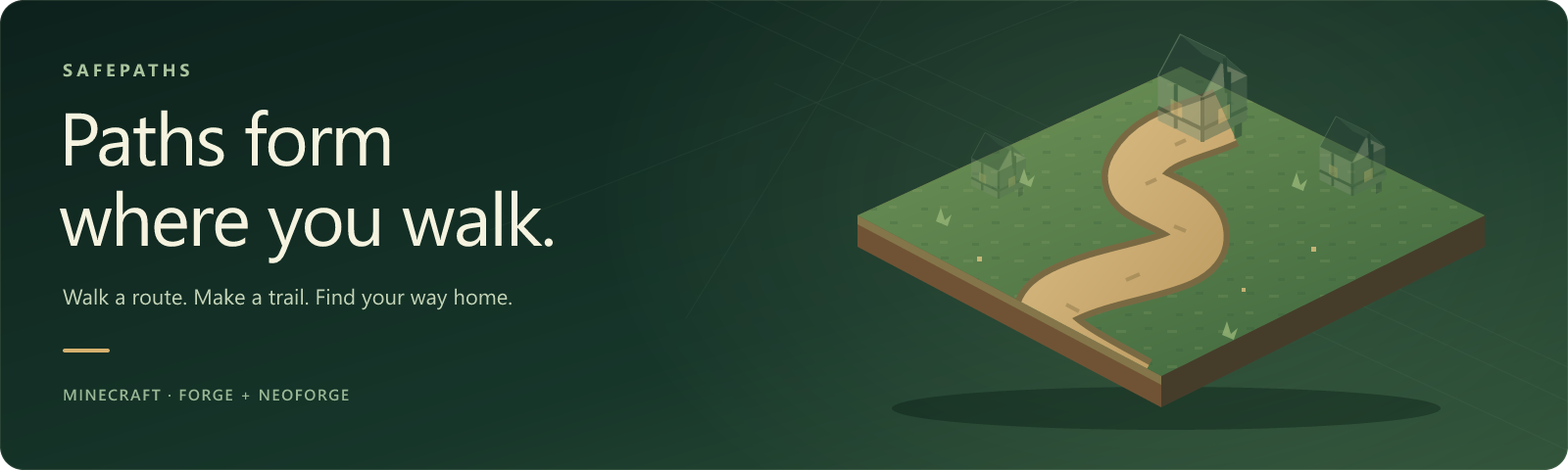
让旅程塑造世界:足迹形成路径,道路加快旅行速度,而未被使用的小径将回归自然。自定义你的路径和节奏,可选支持 MineColonies,允许公民创建尊重领地权限的路径。
👣 由你的旅程塑造的小径你行走的路线将成为景观的一部分。草、泥土、沙子和其他支持的方块在重复踩踏后会变成路径——默认情况下为一个 Minecraft 日内经过 20 次。想保留一块区域不被改变?潜行时启用地面保护即可。 |
⚡ 奖励旅途的道路默认享受20% 的速度加成,或者为每种转换设置不同的加成。草地和沙子可以生成相同的路径方块,同时保留各自的速度加成。还可以添加来自你喜爱的建筑材料的永久道路。 |
🌿 让自然收回小径默认情况下,未使用的追踪路径会在三个 Minecraft 日后恢复为原始地形。生成和衰变有独立的开关,让你选择景观如何变化。手动放置或用铲子制作的路径不会自动获得衰变计时器。 |
🏘️ 在你的领地中安家MineColonies 的公民可以在移动时形成路径。应用领地权限,且农田、容器和 MineColonies 方块受到保护。MineColonies 是可选的——Safepaths 也可以独立运行。 |
2.5.0 新增内容
- 打造专属路线: 按转换类型设置速度加成,独立的生成与衰变控制,以及潜行时的可选保护功能。
- 直观选择方块: 紧凑的设置选项卡,从源方块到道路的预览,以及可搜索的类似库存的方块选择器。
- 保持更改的一致性: 主界面的完成 (Done) 按钮保存设置和转换;取消 (Cancel) 则丢弃整个草稿。
安装
选择与你的 Minecraft 版本和加载器都匹配的 jar 文件:
| Minecraft | Loader | Java | 文件名后缀 |
|---|---|---|---|
| 1.21.1 | NeoForge 21.1.235+ | 21 | -1.21.1-neoforge.jar |
| 1.20.1 | Forge 47.3.0+ | 17 | -1.20.1-forge.jar |
- 安装匹配的加载器,并从上方链接下载 Safepaths。
- 将一个匹配版本的 Safepaths jar 放入实例的
mods文件夹中。 - 启动游戏,来回走一段短距离以试用该模组。
在服务器上游玩? 请在服务器端安装 Safepaths。客户端无需安装即可使用路径或速度加成。设置由服务器管理员控制。
升级到 2.5.0? 请备份你的世界并替换之前的 Safepaths jar 文件。仅保留一个已安装的版本。现有的配置文件和路径记录仍受支持;没有 @ speed 字段的转换条目将继续使用全局加成。
设置
打开 Mods → Safepaths → Config。选择 Creation(生成)、Decay(衰变) 或 Speed(速度),然后打开 Block Conversions...(方块转换...) 来编辑你的地面和道路选择。
你的道路,你的节奏。 输入 12.5 或 12,5 可获得 +12.5% 的加成。若留空某条规则的速度值,则使用全局加成;输入 0 则表示无加成。时间数值会在字段旁显示其刻度单位。
永久道路: 为源方块和道路选择相同的方块。碎石默认已以此方式工作。缺失模组的规则会作为非活动条目保留在你的列表中。
需要检查路径状态? 操作员可以使用 /safepaths inspect 命令查看进度、选定的速度、衰变和保护状态。该命令及其消息也适用于未安装 Safepaths 的客户端。
兼容性
Safepaths 可以独立运行。以下集成是可选的:
| Mod | Safepaths 提供的功能 |
|---|---|
| MineColonies | 公民生成的路径及领地权限检查。 |
| Oh The Biomes We've Gone | 所选茂密和沙质土壤的默认转换。 |
| Biomes O' Plenty | 起源草地的默认转换。 |
| Regions Unexplored | 泥炭、淤泥和白垩土壤的默认转换。 |
其他土壤和道路材料可以通过转换编辑器或 数据包标签 添加。每个可选模组必须与你的 Minecraft 版本和加载器相匹配。
帮助与支持
报告错误 时请提供你的 Minecraft 版本、加载器、Safepaths 版本、复现步骤以及相关日志或截图。
欢迎使用模组整合包,请保留原作者署名。 保留所有权利;禁止单独重新分发。详见 LICENSE。
Safepaths
Let journeys shape the world: footsteps form paths, roads speed up travel, and unused trails return to nature. Customize your paths and pace, with optional MineColonies support for citizen-made paths that respect colony permissions.
Install · Settings · Compatibility · Wiki
👣 Trails shaped by your journeysThe routes you walk become part of the landscape. Grass, dirt, sand, and other supported ground turn into paths after repeated use — 20 passes within one Minecraft day by default. Want to keep a patch untouched? Enable ground protection while sneaking. |
⚡ Roads that reward the journeyEnjoy a 20% road speed bonus by default, or set a different bonus for each conversion. Grass and sand can lead to the same path block while keeping their own bonuses. Add permanent roads from your favorite building materials, too. |
🌿 Let nature take the path backUnused tracked paths return to their original terrain after three Minecraft days by default. Creation and decay have separate switches, so you choose how the landscape changes. Placed and shovel-made paths are not automatically given a decay timer. |
🏘️ At home in your colonyMineColonies citizens can form paths as they travel. Colony permissions apply, and farmland, inventories, and MineColonies blocks are protected. MineColonies is optional — Safepaths also works on its own. |
New in 2.5.0
- Make each route your own: speed bonuses per conversion, separate creation and decay controls, and optional protection while sneaking.
- Choose blocks visually: compact settings tabs, source-to-road previews, and a searchable inventory-style block picker.
- Keep changes together: the main Done saves settings and conversions; Cancel discards the whole draft.
Install
Choose the jar that matches both your Minecraft version and loader:
| Minecraft | Loader | Java | File ending |
|---|---|---|---|
| 1.21.1 | NeoForge 21.1.235+ | 21 | -1.21.1-neoforge.jar |
| 1.20.1 | Forge 47.3.0+ | 17 | -1.20.1-forge.jar |
- Install the matching loader and download Safepaths from a link above.
- Put one matching Safepaths jar in your instance's
modsfolder. - Start the game and walk a short route back and forth to try it.
Playing on a server? Install Safepaths on the server. Clients do not need it to use the paths or speed bonus. Settings are controlled by the server owner.
Updating to 2.5.0? Back up your world and replace the previous Safepaths jar. Keep only one installed version. Existing configs and path records remain supported; conversion entries without @ speed keep using the global bonus.
Settings
Open Mods → Safepaths → Config. Choose Creation, Decay, or Speed, then open Block Conversions... to edit your ground and road choices.
Your roads, your pace. Enter 12.5 or 12,5 for a +12.5% bonus. Leave a rule's speed empty to use the global bonus, or enter 0 for no bonus. Time values show their tick unit beside the field.
Permanent roads: choose the same block for source and road. Gravel already works this way by default. Missing-mod rules stay in your list as inactive entries.
Need to inspect a path? Operators can use /safepaths inspect to see progress, the selected speed, decay, and protection status. The command and its messages also work for clients without Safepaths installed.
All settings · Conversion editor · Inspect command
Compatibility
Safepaths works on its own. These integrations are optional:
| Mod | What Safepaths adds |
|---|---|
| MineColonies | Citizen-made paths and colony permission checks. |
| Oh The Biomes We've Gone | Default conversions for selected lush and sandy soils. |
| Biomes O' Plenty | A default conversion for origin grass. |
| Regions Unexplored | Default conversions for peat, silt, and chalk soils. |
Other soils and road materials can be added through the conversion editor or datapack tags. Each optional mod must match your Minecraft version and loader.
Help and support
Report a bug with your Minecraft, loader, and Safepaths versions, reproduction steps, and a relevant log or screenshot.
Wiki · Changelog · Support development on Patreon
Modpacks are welcome with credit. All Rights Reserved; standalone redistribution is not permitted. See LICENSE.

下载 Safepaths (MineColonies)
下载 Safepaths (MineColonies)
下载 Safepaths (MineColonies)
下载 Safepaths (MineColonies)
下载 Safepaths (MineColonies)
下载 Safepaths (MineColonies)
下载 Safepaths (MineColonies)
下载 Safepaths (MineColonies)
下载 Safepaths (MineColonies)
下载 Safepaths (MineColonies)
新增
- 每次转换可选的速度加成,包括永久性道路。未指定速度的规则将沿用全局速度加成。
- 独立的创建与衰变开关,以及潜行时阻止路径创建的选项。
- 操作员指令
/safepaths inspect [x y z],用于解释进度、道路速度、衰变及保护检查情况。
更改
- 将设置重构为紧凑的“创建”、“衰变”和“速度”标签页,控件对齐,显示可见单位,提供从方块到道路的预览,并采用类似库存的可搜索方块选择器。
- 速度字段仅接受数值输入,旁边显示百分比和继承的加成。小数输入支持点号或逗号。
- 将设置与转换合并至同一草稿中:主界面的“完成”同时保存两者,“取消”则丢弃两者。默认值来自配置文件规范,需等待确认与保存。
- 在编辑器中说明不安全或冲突的规则,同时保留对库存和农田的保护。
- 改进了配置标签、转换编辑器帮助信息、所有九种支持语言的翻译以及安装说明。
- 统一了 Forge 1.20.1 和 NeoForge 21.1 下载版本的版本发布流程。
- 更新了 2.5.0 版本的模组图标、横幅、共享项目描述及 Wiki 指南。
修复
- 泥巴和苔藓在没有有效默认转换的情况下被错误标记为可通行。
- 打开并保存配置界面时,配置的速度值发生变化。
- Forge 服务器列表兼容性检查中,对于客户端无需安装 Safepaths 的服务器的处理问题。
- 缺少翻译时标签页位置偏移且方块名称不可读的问题。
- 调整窗口大小时丢失不完整的编辑器输入内容。未安装的可选模组的规则仍被列为非活动状态。
升级须知
没有指定速度的现有转换条目将继续继承全局速度加成。现有的配置文件和路径记录仍受支持。更新前请备份你的世界。
关于这个资源的讨论、问题反馈与使用心得
还没有讨论,来发第一帖吧
你是这个资源的作者?登录后可认领此资源。
相似资源
 模组

显示你正在注视的方块的信息。(适用于 Minecraft 1.16+ 的 Hwyla/Waila 分支)
 模组
在游戏画面角落显示附近世界地形、玩家、生物和实体的地图。可创建路径点,帮助你找到标记过的位置。
 模组
使用 JavaScript 编辑配方、添加自定义物品、编写世界事件!
 模组

查看物品与配方
 模组
AE2:一款流行的自动化与存储模组
 模组
那是什么?一个 Waila/Hwyla 的分支。
评论 0
登录后参与评分
还没有评论,来抢沙发吧