
Saved Commands
Saved Commands 是一款适用于 Fabric 的 Minecraft 客户端模组,允许你保存命令和聊天消息,以便通过键盘快捷键和已保存的命令菜单更方便地访问。
安装
本模组仅支持 Fabric 加载器。有关安装指南,请使用官方的 Fabric 玩家指南。
你可以在 Modrinth 或 GitHub 的 releases 页面下载本模组。 本模组需要以下依赖项:
- 必需:Fabric API
- 可选:Mod Menu
使用方法
要使用本模组,请按绑定按键(QWERTY 键盘默认为 Y,QWERTZ 键盘默认为 Z)打开 Saved Commands 界面。
在 Saved Commands 界面中,你可以:
- 点击 “+” 按钮添加新命令
- 点击右侧的铅笔图标编辑已保存的命令。在弹出的窗口中,你可以编辑命令、插入变量、添加或编辑名称以及添加或编辑快捷键组合。
- 点击右侧的垃圾桶图标删除已保存的命令。
- 点击命令以发送并运行它们。
- 在顶部栏中输入查询内容来搜索命令。
- 使用此模组与服务器上的其他玩家分享已保存的命令。
- 点击右上角的滑块图标更改全局和世界设置。
可以使用变量来插入玩家数据,例如持有物品的位置和物品 ID。 你还可以选择数据类型(如字符串、整数和浮点数),以便在发送前输入值。 如果你不了解这些类型,请使用字符串,因为它是限制最少的类型。
可以在设置中启用自定义分类。开启相关设置后,可以在编辑弹窗中创建和选择具有自定义名称的分类。
可以使用此模组与同一服务器上的玩家共享命令,这将共享所有命令属性(如名称、快捷键组合和变量),但不会共享自定义分类。 当你收到一个或多个命令时,游戏右上角会弹出通知,提示按下打开已保存命令界面的快捷键以查看或保存这些命令。在那里,你可以单独选择要保存的命令,也可以批量保存。请注意,命令是以未加密形式发送的!这意味着服务器管理员、你的 ISP 或其他相关方可能会看到你发送或接收的命令。可以在设置中禁用接收命令的功能。
我们不承担因使用本模组造成的任何损害责任。请自行承担风险!
截图
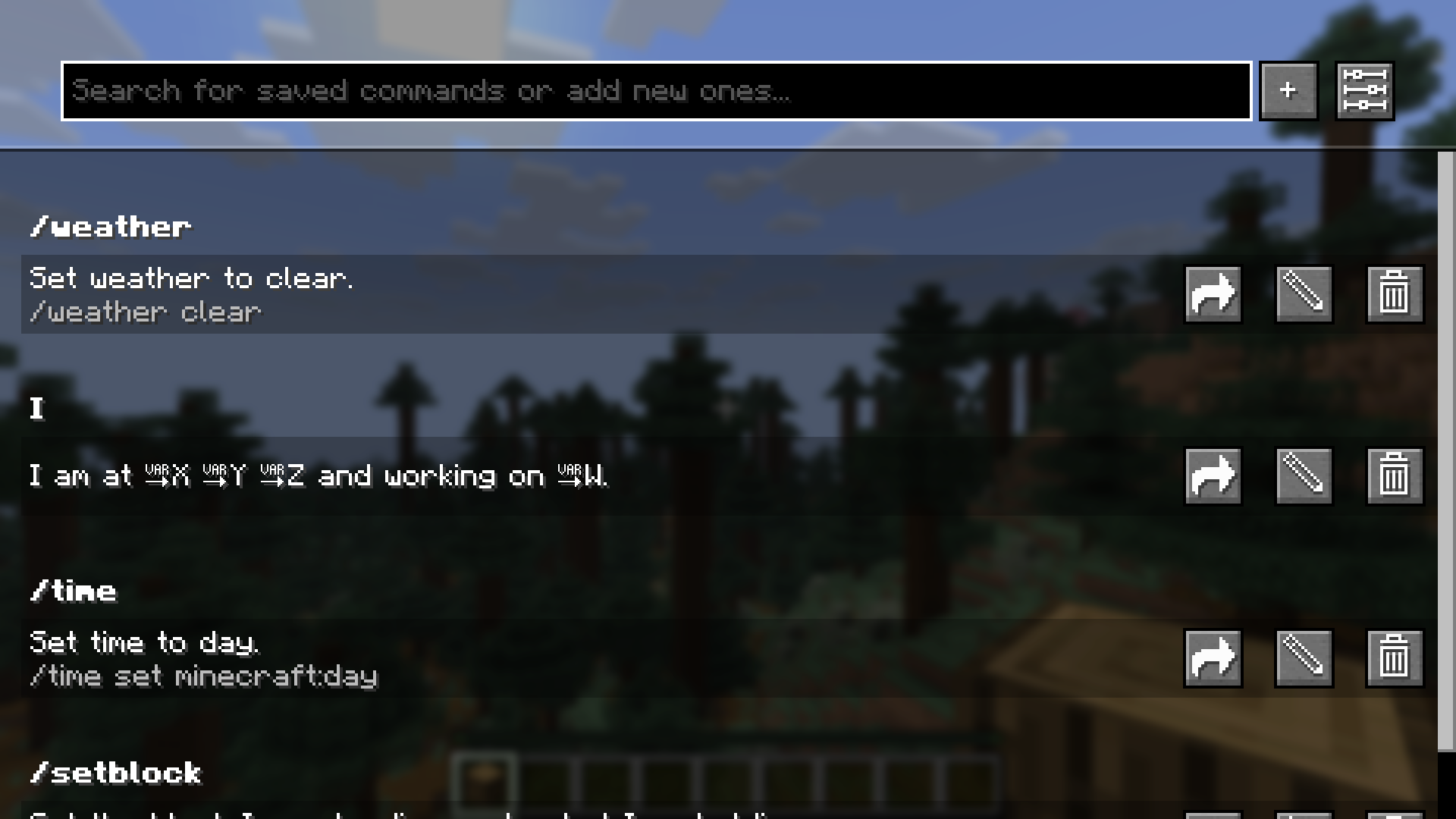 带有示例命令的 Saved Commands 界面。
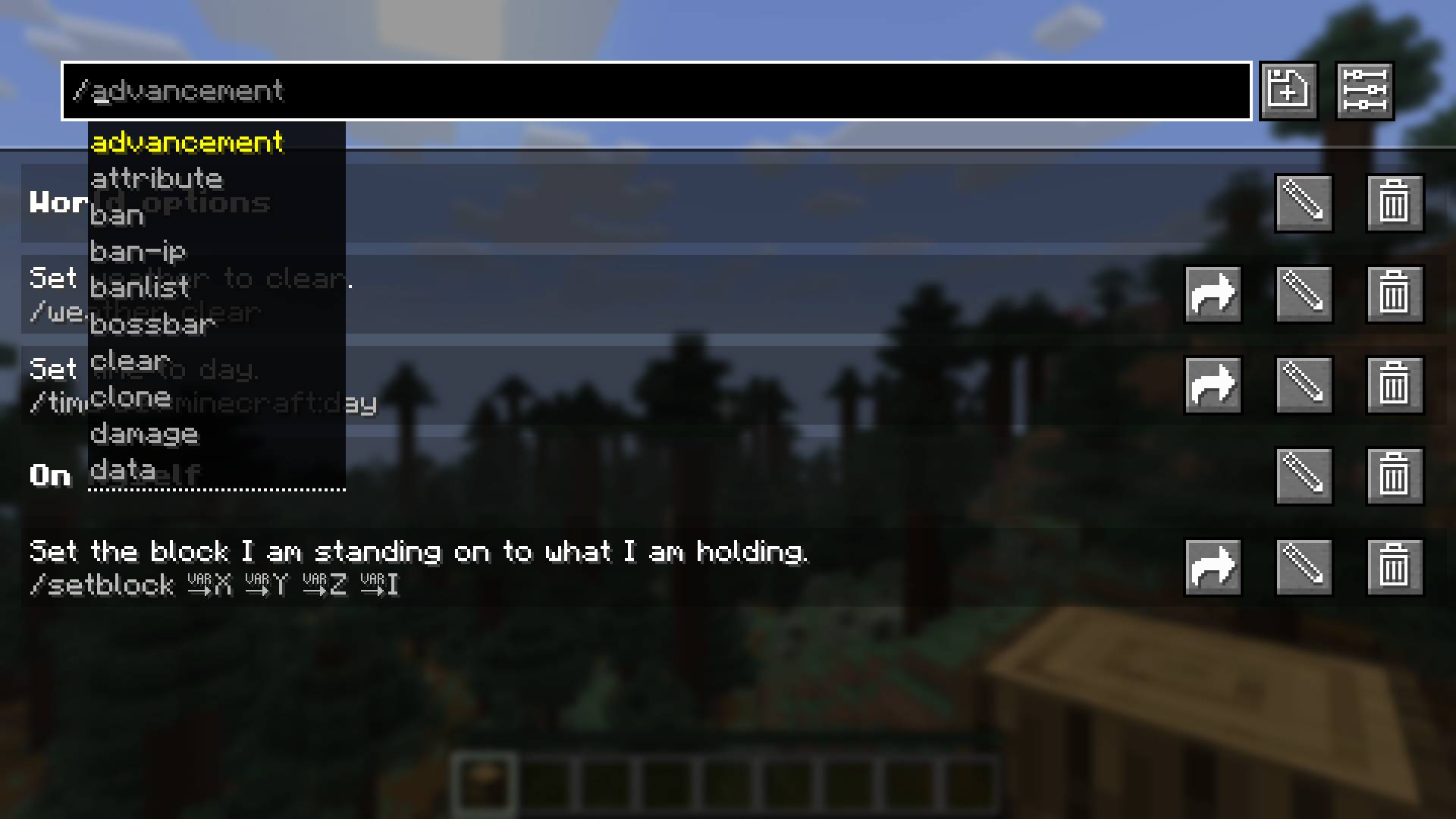 在顶部栏中,你可以获得类似聊天中的命令推荐。在此截图中,启用了自定义分类。
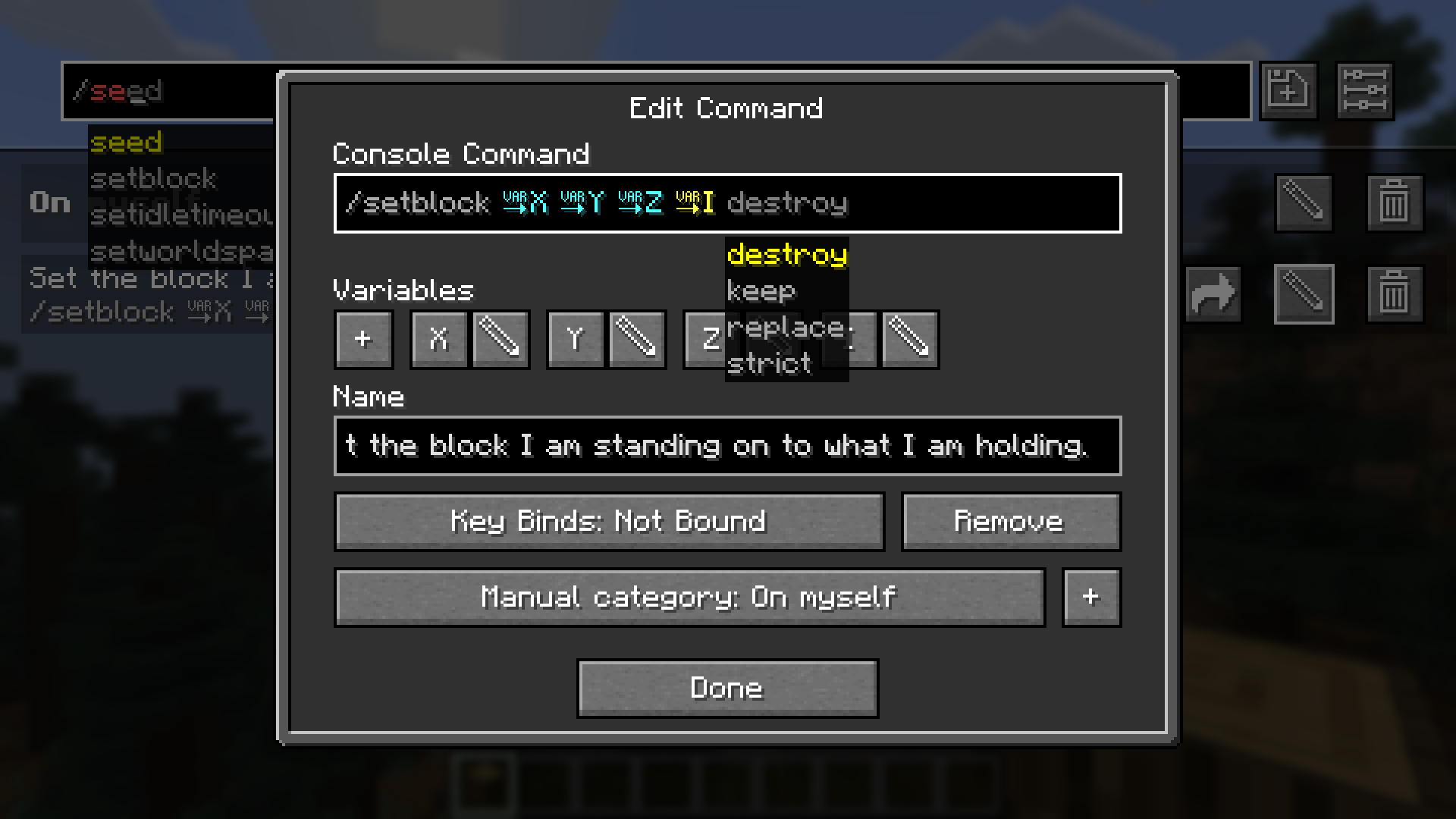 在编辑命令界面中,你可以编辑名称、命令和快捷键组合。
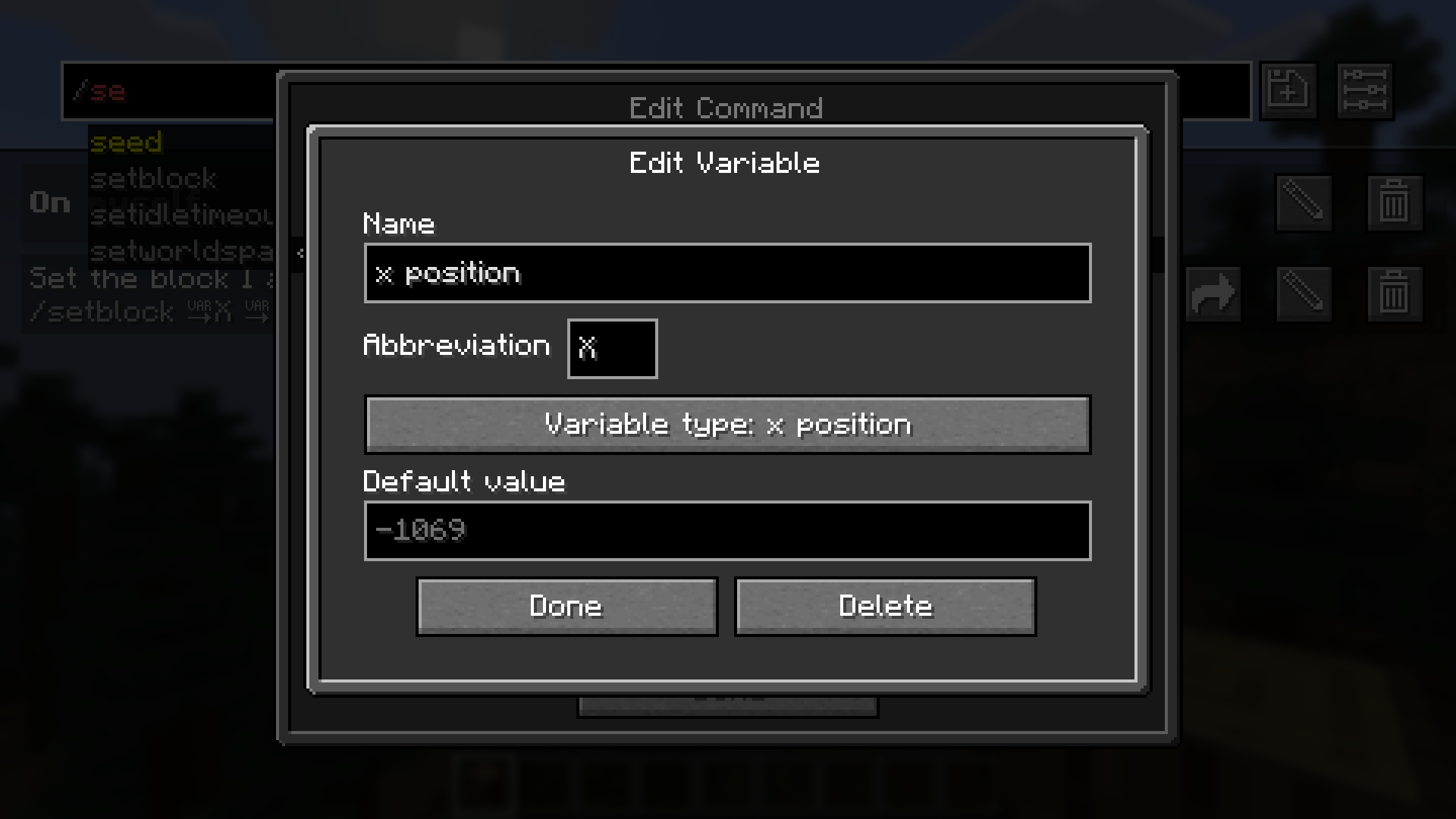 在编辑变量界面中,你可以编辑名称、缩写、变量类型和默认值。
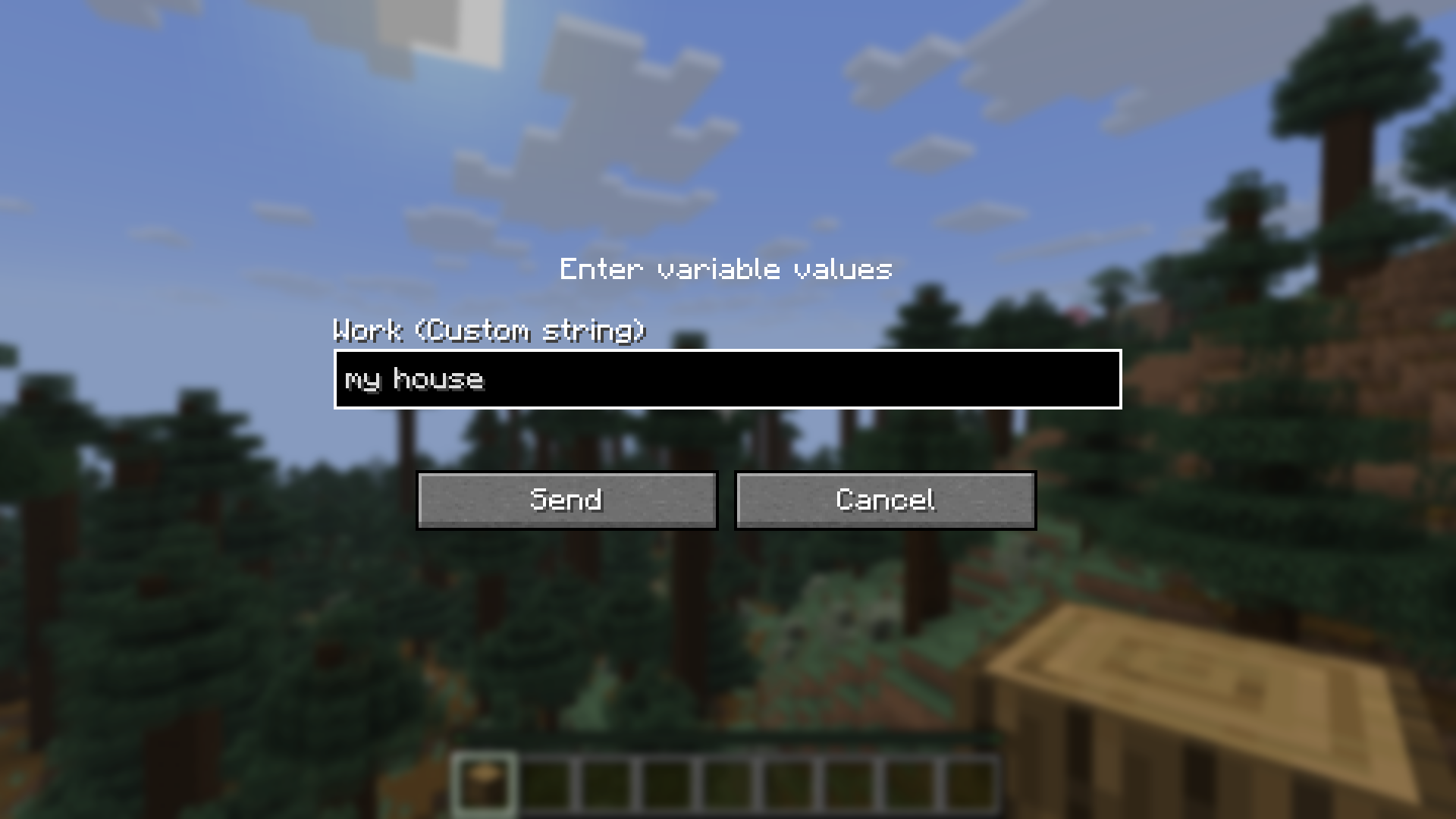 在发送包含自定义变量的命令或文本之前,系统会提示你输入值。
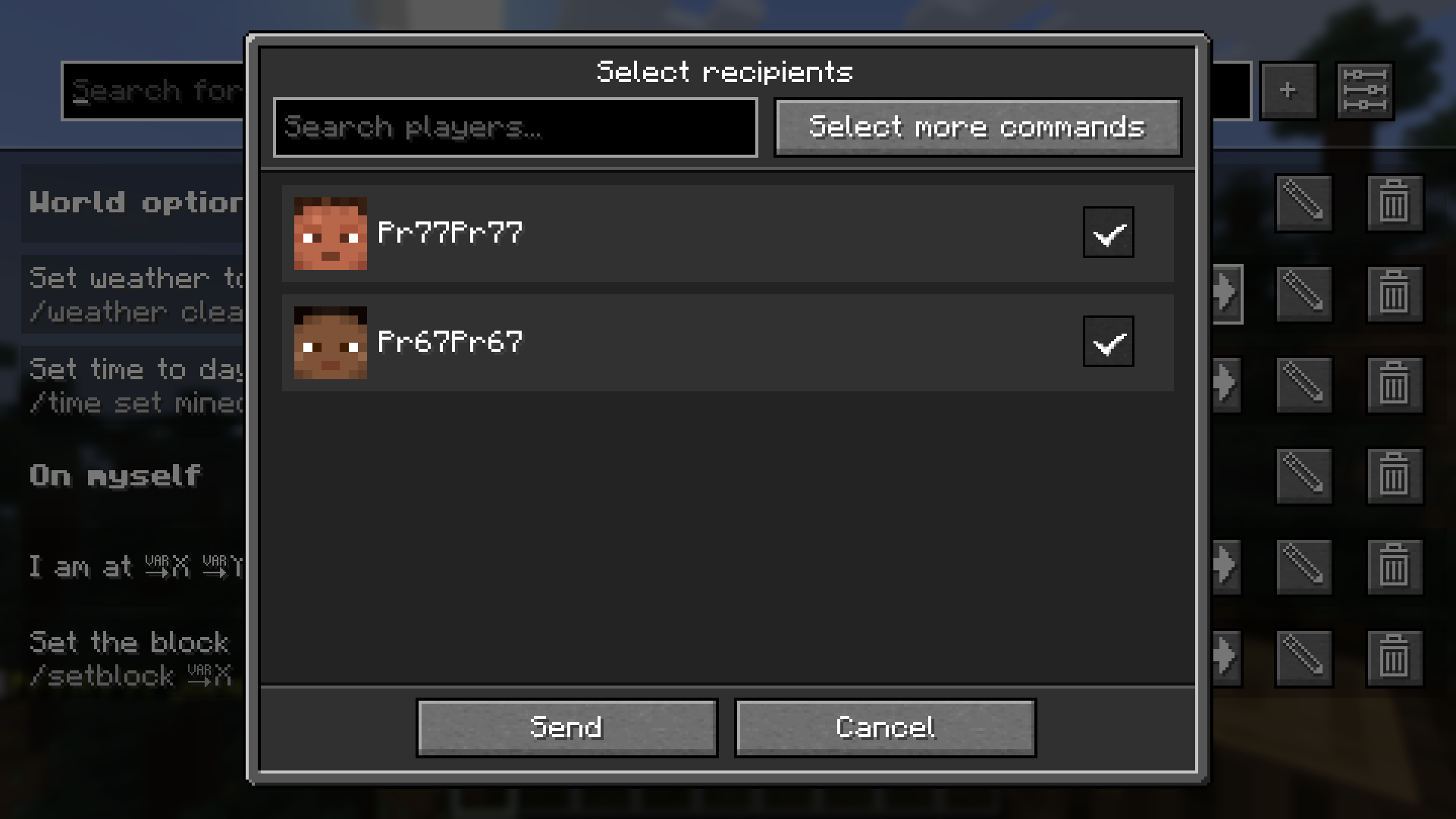 点击分享后,将打开用于选择接收者的屏幕。
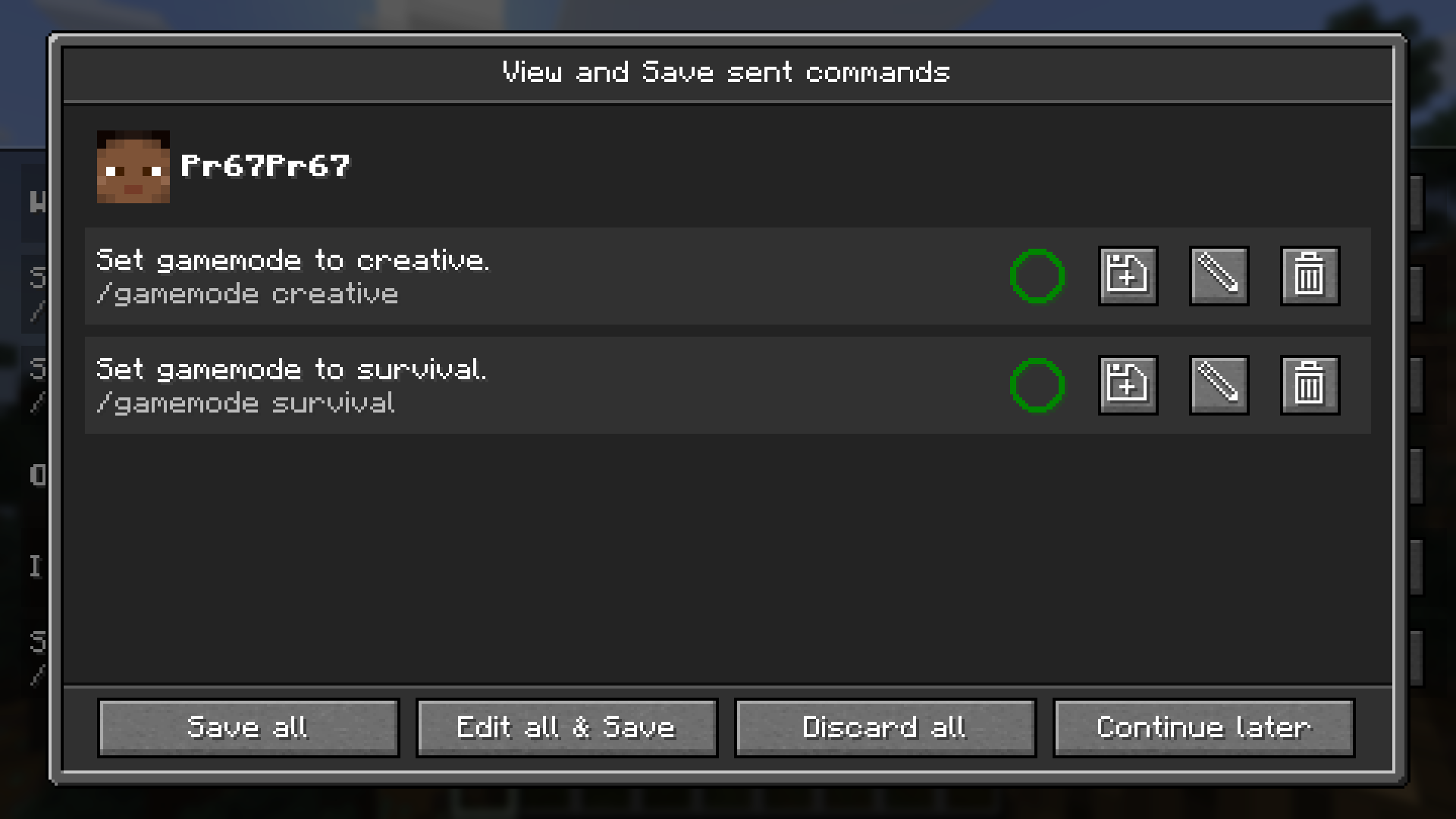 此屏幕允许你查看、保存和编辑收到的命令。圆圈显示你是否已经保存了该命令。
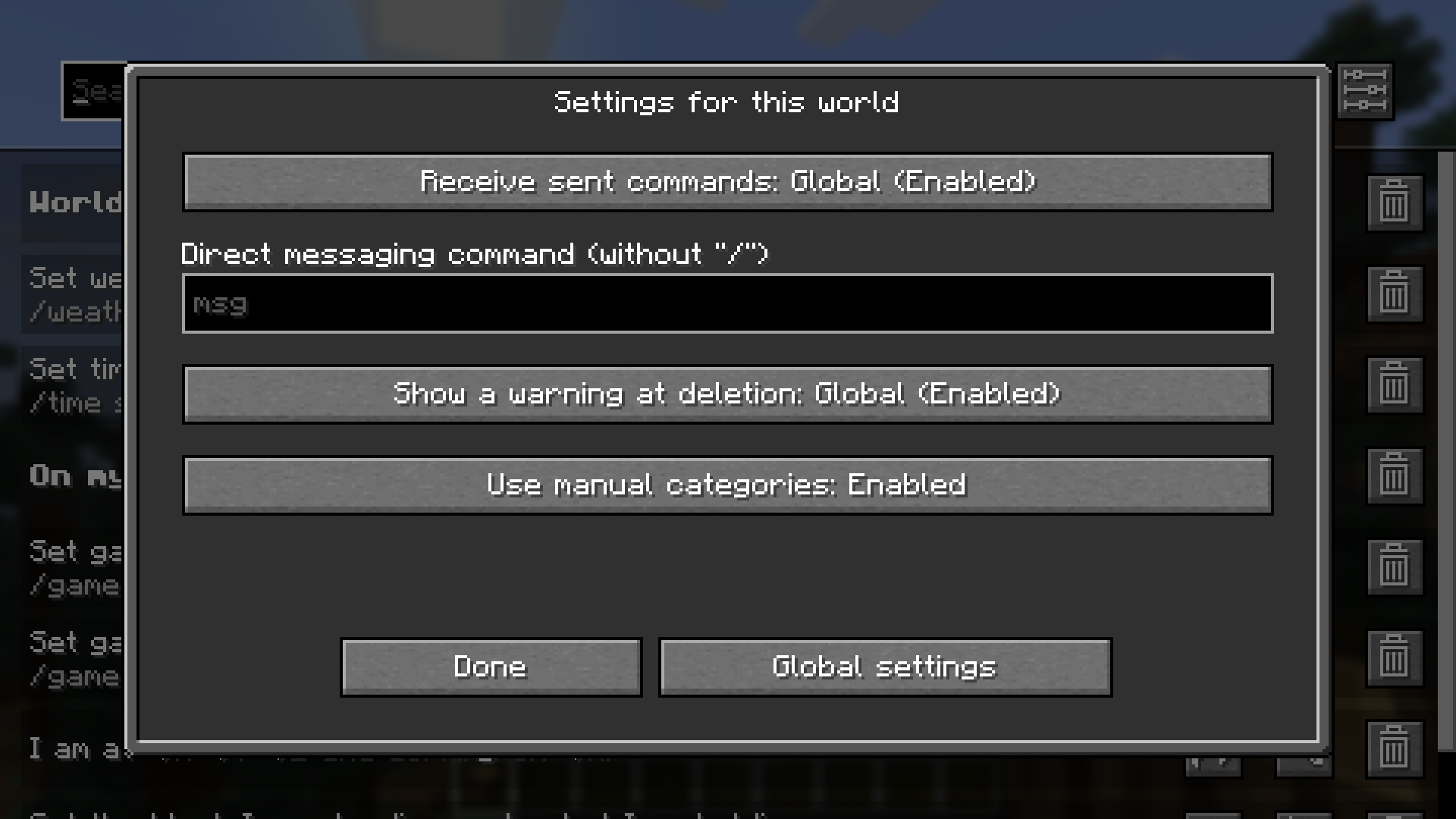 有些设置可以按世界更改,如截图所示,或者为整个安装进行更改。
工作原理
关于本模组,以下几点可能违反直觉:
- 本模组将每个世界和服务器彼此分离。这意味着你可能需要多次设置相同的命令。
- 如果你将快捷键设置为 Minecraft 中已存在的快捷键,它将屏蔽 Minecraft 的快捷键。这仅适用于组合键的第一个按键,或者如果组合键的下一个按键被按下(例如 Alt + W:Alt 永远不会触发,如果 Alt 未被按下,则 W 会被触发)。
- 如果你将两个命令快捷键设置为相同的按键或按键组合,先添加的那个将被执行。
报告问题、获取帮助和提出功能建议
如果你在使用本模组时遇到困难、发现错误、希望建议实现新功能,或者希望获得本模组的回溯移植版本, 请随时在 GitHub 上提交 issue 或在 Discord 服务器 上打开工单。 我会尽快回复,并可能会询问后续问题。
Saved Commands
Saved Commands is a client Minecraft mod for Fabric that lets you save commands and chat messages for easier access later using keyboard shortcuts and the saved commands menu.
Installation
This mod is only supported by the Fabric mod loader. For installation guides regarding please use the official Fabric player guides.
You can download the mod on either Modrinth or on GitHub under releases. This mod has the following dependencies:
- Required: Fabric API
- Optional: Mod Manu
Using the mod
To use the mod, open the Saved Commands screen by pressing the keybind (defaults to Y on QWERTY and Z on QWERTZ keyboards).
On the Saved Commands screen, you can:
- Add a new command by clicking the "+"-button
- Edit saved commands by clicking on the pen icon on the right. In the appearing popup, you can edit the command, insert variables, add or edit a name and add or edit the keybind combination (shortcut).
- Delete saved commands by clicking on the trash can icon on the right.
- Send and run commands by clicking on them
- Search for commands by entering the query into the top bar.
- Share saved commands with other players on the server using this mod.
- Change global and world settings by clicking on the sliders icon in the top right corner.
Variables can be used to insert player data, like the position and item id of the held item. You can also select a data type like string, integer and float, for you to input before sending. If you don't know these types, use string because it is the least "strict" one.
Custom categories can be enabled in the settings. Turning the related setting on, makes it possible to create and select categories with custom names from within the edit popup.
Commands can be shared with players on the same server using the mod, which also shares all command properties like the name, keybind combination and variables, but not custom categories. When you receive one or more commands, you will get a notification within the game in the top right corner, saying to press your keybind for opening the saved commands screen to view or save the commands. There you can pick commands to save separately or bulk save them. Please note, that commands are being sent unencrypted! This means, that server admins, your ISP or other involved parties could see the commands you sent or received. The ability to receive commands can be disabled in the settings.
We accept no liability for any damages caused by using this mod. Use at your own risk!
Screenshots
The Saved Commands screen with some example commands.
In the top bar you can get command recommendations like in the chat. In this screenshot, custom categories are
enabled.
In the edit command screen you can edit the name, command and keybind combination.
In the edit variable screen you can edit the name, abbreviation, variable type and defult value.
Before sending a command or text containing a custom variable, you are prompted to input the values.
After clicking share, this screen to select the recipients opens.
This screen lets you view, save and edit received commands. The circle shows, if you already have the command saved.
There are settings which can be changed per world, as seen in the screenshot, or changed for the whole installation.
Working principles
The following things regarding the mod might be counterintuitive:
- The mod separates every world and server from each other. This means, that you might have to set the same command up multiple times.
- If you set a keybind to one that already exists in the Minecraft keybinds, it will block the Minecraft keybind. This only applies to the first key of a combination or if the next key of the combination is pressed (e.g. Alt + W: Alt is never triggered, W is triggered, if Alt is not pressed)
- If you set two command keybinds to the same key or key combination, the one added first will be executed.
Reporting issues, getting help and suggesting features
If you have trouble using the mod, if you stumble upon a bug, if you want to suggest a feature to be implemented or if you would like to have a backport of the mod, please don't hesitate to post an issue on GitHub or open a ticket on the Discord server. I will try to respond as soon as possible and maybe ask follow-up questions.

下载 Saved Commands
下载 Saved Commands
需要联机服务器吗?
稳定流畅、一键部署,几分钟即可和朋友联机开服
最低仅需 8 元/月 即可畅快联机
下载 Saved Commands
需要联机服务器吗?
稳定流畅、一键部署,几分钟即可和朋友联机开服
最低仅需 8 元/月 即可畅快联机
下载 Saved Commands
需要联机服务器吗?
稳定流畅、一键部署,几分钟即可和朋友联机开服
最低仅需 8 元/月 即可畅快联机
下载 Saved Commands
下载 Saved Commands
需要联机服务器吗?
稳定流畅、一键部署,几分钟即可和朋友联机开服
最低仅需 8 元/月 即可畅快联机
下载 Saved Commands
需要联机服务器吗?
稳定流畅、一键部署,几分钟即可和朋友联机开服
最低仅需 8 元/月 即可畅快联机
下载 Saved Commands
下载 Saved Commands
需要联机服务器吗?
稳定流畅、一键部署,几分钟即可和朋友联机开服
最低仅需 8 元/月 即可畅快联机
下载 Saved Commands
移植到 Minecraft 26.3!
- 更改配置以使用与输入 API 无关的友好名称(迁移会自动进行)。
- 修复将左键设置为按键绑定时的软锁问题。
- 修复关于输入和文件名中冒号处理的一些小错误。
请注意,由于配置已更改且 Mojang 现在使用不同的输入 API(从 GLFW 切换到 SDL3),某些按键绑定可能需要重新配置。
完整更新日志:
关于这个资源的讨论、问题反馈与使用心得
还没有讨论,来发第一帖吧
你是这个资源的作者?登录后可认领此资源。
相似资源
 模组

显示你正在注视的方块的信息。(适用于 Minecraft 1.16+ 的 Hwyla/Waila 分支)
 模组
使用 JavaScript 编辑配方、添加自定义物品、编写世界事件!
 模组

查看物品与配方
 模组
在游戏画面角落显示附近世界地形、玩家、生物和实体的地图。可创建路径点,帮助你找到标记过的位置。
 模组
AE2:一款流行的自动化与存储模组
 模组
那是什么?一个 Waila/Hwyla 的分支。
评论 0
登录后参与评分
还没有评论,来抢沙发吧