
截图画廊

在暂停菜单中添加一个画廊界面,让你无需切换窗口即可浏览、删除和定位截图。
按下 Escape,点击 Gallery,即可进入。在那里你可以全屏查看截图、删除不需要的截图,或者点击“Go To”以打开文件资源管理器并高亮选中对应文件,方便你将截图拖入 Discord 或发布到其他平台。
功能
- 暂停菜单(Esc)中的画廊按钮
- 全屏查看器
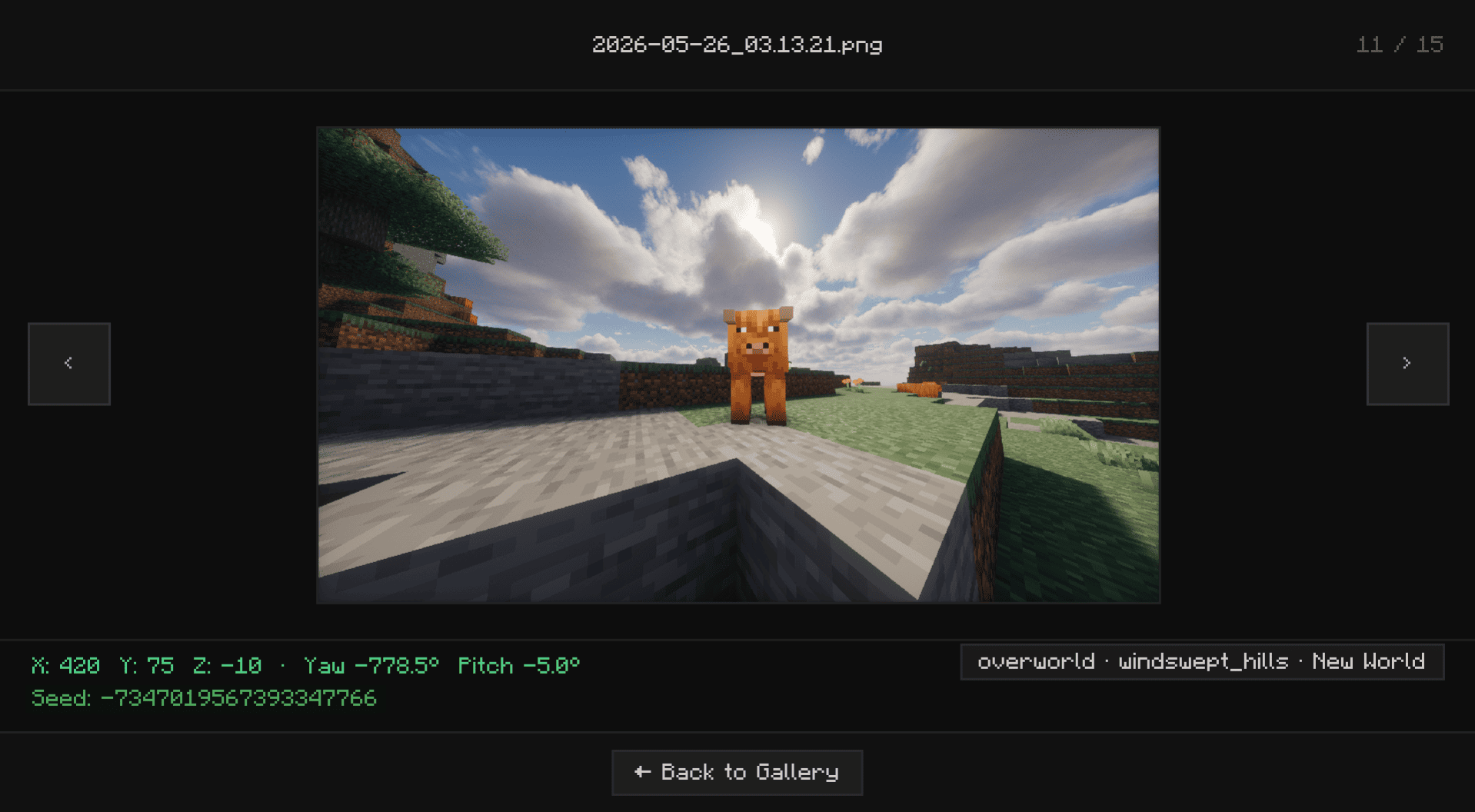
- 直接从 UI 中删除截图,无需操作文件夹
- “Open Folder”会打开文件资源管理器并选中截图,方便直接复制
- 懒加载图片,即使面对大量截图也能保持良好性能
安装
支持 Fabric、Forge 和 NeoForge。
Fabric: 下载该模组和 Fabric API,然后将两者放入 .minecraft/mods 文件夹。
Forge / NeoForge: 下载与你的加载器匹配的版本,并将其放入 .minecraft/mods 文件夹。无需额外模组。
Screenshot Gallery
Adds a gallery screen to your pause menu so you can browse, delete, and locate screenshots without ever alt-tabbing out.
Hit Escape, click Gallery, and you're in. From there you can view shots fullscreen, delete the ones you don't want, or hit "Go To" to open File Explorer with the exact file already highlighted useful when you want to drag it into Discord or post it somewhere.
Features
- Gallery button in the pause menu (Esc)
- Fullscreen viewer
- Delete screenshots directly from the UI without touching your folders
- "Open Folder" opens File Explorer with the screenshot selected and ready to grab
- Lazy-loads images holds up fine even with large screenshot folders
Installation
Supports Fabric, Forge, and NeoForge.
Fabric: Grab the mod and Fabric API, then drop both into .minecraft/mods.
Forge / NeoForge: Download the version that matches your loader and drop it into .minecraft/mods. No extra mods needed.

下载 Screenshot Gallery
下载 Screenshot Gallery
下载 Screenshot Gallery
下载 Screenshot Gallery
下载 Screenshot Gallery
下载 Screenshot Gallery
下载 Screenshot Gallery
下载 Screenshot Gallery
下载 Screenshot Gallery
下载 Screenshot Gallery
支持 26.3
关于这个资源的讨论、问题反馈与使用心得
还没有讨论,来发第一帖吧
你是这个资源的作者?登录后可认领此资源。
相似资源
 模组

显示你正在注视的方块的信息。(适用于 Minecraft 1.16+ 的 Hwyla/Waila 分支)
 模组
在游戏画面角落显示附近世界地形、玩家、生物和实体的地图。可创建路径点,帮助你找到标记过的位置。
 模组

查看物品与配方
 模组
使用 JavaScript 编辑配方、添加自定义物品、编写世界事件!
 模组
AE2:一款流行的自动化与存储模组
 模组
那是什么?一个 Waila/Hwyla 的分支。
评论 0
登录后参与评分
还没有评论,来抢沙发吧