
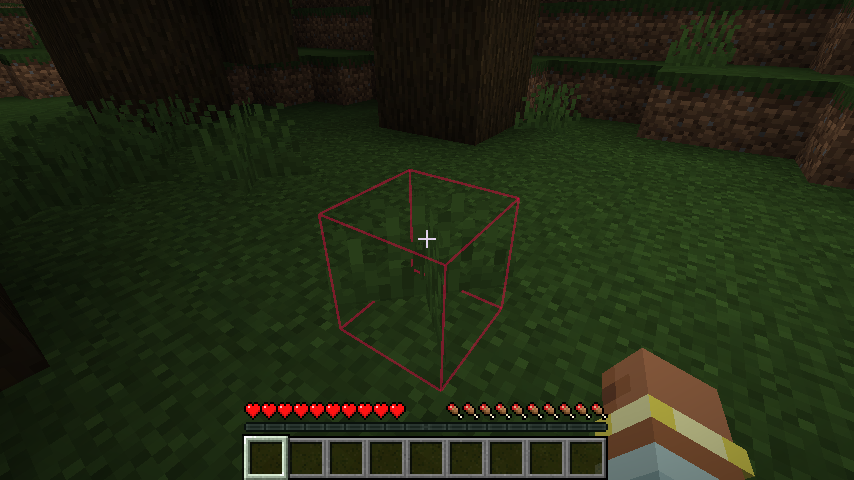
Selectweaks 是一款客户端模组,允许你更改方块选择框的颜色,并提供多种自定义选项。此外,当你的生命值或饥饿值较低,或者受到伤害时,选择框会做出反应,以防你在生存模式建造过程中受伤而浑然不觉。快醒醒——有只僵尸正在啃你。
Selectweaks 选项 包括将选择框设置为纯色、闪烁的纯色或彩虹轮廓。你可以使用配置文件来设定首选的默认值。你也可以通过该模组引入的效果快捷键切换回 Minecraft 默认的黑色轮廓。如果你选择使用闪烁或彩虹效果,还可以通过快捷键调整闪烁或颜色循环的速度。此模组甚至遵循无障碍设置菜单中的“高对比度方块轮廓”选项。最后,如果你希望让选择框不可见,这也是可以实现的。
默认情况下,新的快捷键为 [`] 和 [shift-`],但它们可以在按键绑定菜单中更改。
如需留下 反馈 或 错误报告,请点击右侧的“Report Issues”,然后点击“New Issue”。你也欢迎留下评论、建议或提出问题。
权限
- 请勿将此模组上传到其他网站。
- 如果整合包在 Modrinth 上分享,请随意将其包含在内。
制作模组既困难又耗时。如果你喜欢这个模组,请考虑 捐赠。
我的项目


你是这个资源的作者?登录后可认领此资源。
相似资源
 模组

玉Jade ?
Snownee
显示你正在注视的方块的信息。(适用于 Minecraft 1.16+ 的 Hwyla/Waila 分支)
实用前置
247
 模组

物品管理器Just Enough Items (JEI)
mezz
查看物品与配方
前置实用
229
 模组
Xaero的小地图
thexaero
在游戏画面角落显示附近世界地形、玩家、生物和实体的地图。可创建路径点,帮助你找到标记过的位置。
冒险交通
196
 模组
KubeJS
Lat
使用 JavaScript 编辑配方、添加自定义物品、编写世界事件!
前置实用
181
 模组
Applied Energistics 2
shartte
AE2:一款流行的自动化与存储模组
存储科技
165
 模组
开放派对与认领Open Parties and Claims
thexaero
添加区块认领和玩家组队功能,并与 Xaero's Minimap 和 World Map 集成
前置实用
153
评论 0
登录后参与评分
还没有评论,来抢沙发吧