Selenium
一款简单的模组,允许你创建自己的 GUI,并包含可编辑的 HUD。
此模组旨在帮助那些不愿花费大量时间创建 GUI 的开发者简化工作。
他们可以直接使用本模组的 API,轻松添加控制其功能的按钮。
这包括:
- 创建主标签页
- 创建设置项
- 创建子设置项
- 选择类型(CHECK、NUMBER、TEXT)
- 设置默认值
- 将其标记为 HUD 元素
- 后续读取/写入你的数值
当前 API 包含以下功能
确保在 Selenium 中存在一个主标签页。
SeleniumApi.ensureMainTab(name)
注册一个顶级设置项,默认使用锁定的 API 权限。
SeleniumApi.registerSetting(ownerModId, key, mainTab, label, type, renderType, defaultValue, hud, subSettings)
注册一个顶级设置项,并明确赋予玩家编辑权限。
SeleniumApi.registerSetting(ownerModId, key, mainTab, label, type, renderType, defaultValue, hud, subSettings, permissions)
在现有父级下注册一个子设置项,默认使用锁定的 API 权限。
SeleniumApi.registerChildSetting(ownerModId, key, mainTab, parentId, label, type, renderType, defaultValue, hud, subSettings)
在现有父级下注册一个子设置项,并明确赋予玩家编辑权限。
SeleniumApi.registerChildSetting(ownerModId, key, mainTab, parentId, label, type, renderType, defaultValue, hud, subSettings, permissions)
检查是否存在具有该 ID 的 Selenium 设置项。
SeleniumApi.hasSetting(id)
以布尔值形式读取复选框/开关设置项。
SeleniumApi.getToggle(id)
设置复选框/开关设置项的值。
SeleniumApi.setToggle(id, enabled)
以双精度浮点数形式读取数值设置项。
SeleniumApi.getNumber(id)
设置数值设置项的值。
SeleniumApi.setNumber(id, value)
读取文本设置项的值。
SeleniumApi.getText(id)
设置文本设置项的值。
SeleniumApi.setText(id, value)
声明布尔类型的开/关设置项
SeleniumApi.SettingType.CHECK
声明数值类型设置项。
SeleniumApi.SettingType.NUMBER
声明文本/字符串类型设置项。
SeleniumApi.SettingType.TEXT
定义玩家对由 API 创建的设置项所允许执行的操作。
SeleniumApi.Permissions(allowHudEdits, allowGuiAdd, allowGuiEdit, allowHiding)
返回默认的 API 权限:禁止编辑,允许隐藏。
SeleniumApi.Permissions.defaults()
返回允许玩家完全编辑设置项和 HUD 的权限。
SeleniumApi.Permissions.fullyEditable()
添加颜色类型设置项(将颜色存储为十六进制 #RRGGBB 格式)
SeleniumApi.registerSetting(ownerModId, key, mainTab, label, SeleniumApi.SettingType.COLOR, renderType, "#FFFFFF", hud, subSettings, permissions)
添加有界滑块类型设置项(最小值/最大值/步长)
SeleniumApi.registerSetting(ownerModId, key, mainTab, label,
    SeleniumApi.SettingType.SLIDER, renderType, "50",
    Map.of("min", "0", "max", "100", "step", "1"),
    hud, subSettings, permissions)
你可以通过 Map<String, String> 参数传递元数据来设置最小值/最大值/步长。
默认值通过硬编码 "50" 设定(这是滑块启动时的默认位置)
添加可选选项类型设置项(逗号分隔的选项)
    SeleniumApi.SettingType.CHOICE, renderType, "Medium",
    Map.of("options", "Low, Medium, High"),
    hud, subSettings, permissions)
与滑块类似,元数据可以通过 Map<String, String> 参数传递来设置选项。默认选项通过硬编码设定
命令
Selenium 添加了一些命令,具体如下:
/selenium gui
打开主 GUI,列出所有选项,允许启用或禁用这些选项
/selenium edithud
允许通过拖拽和调整大小来编辑 HUD 元素
/selenium editgui
允许创建/删除新按钮
默认情况下编辑功能是禁用的,除非开发者选择启用它。
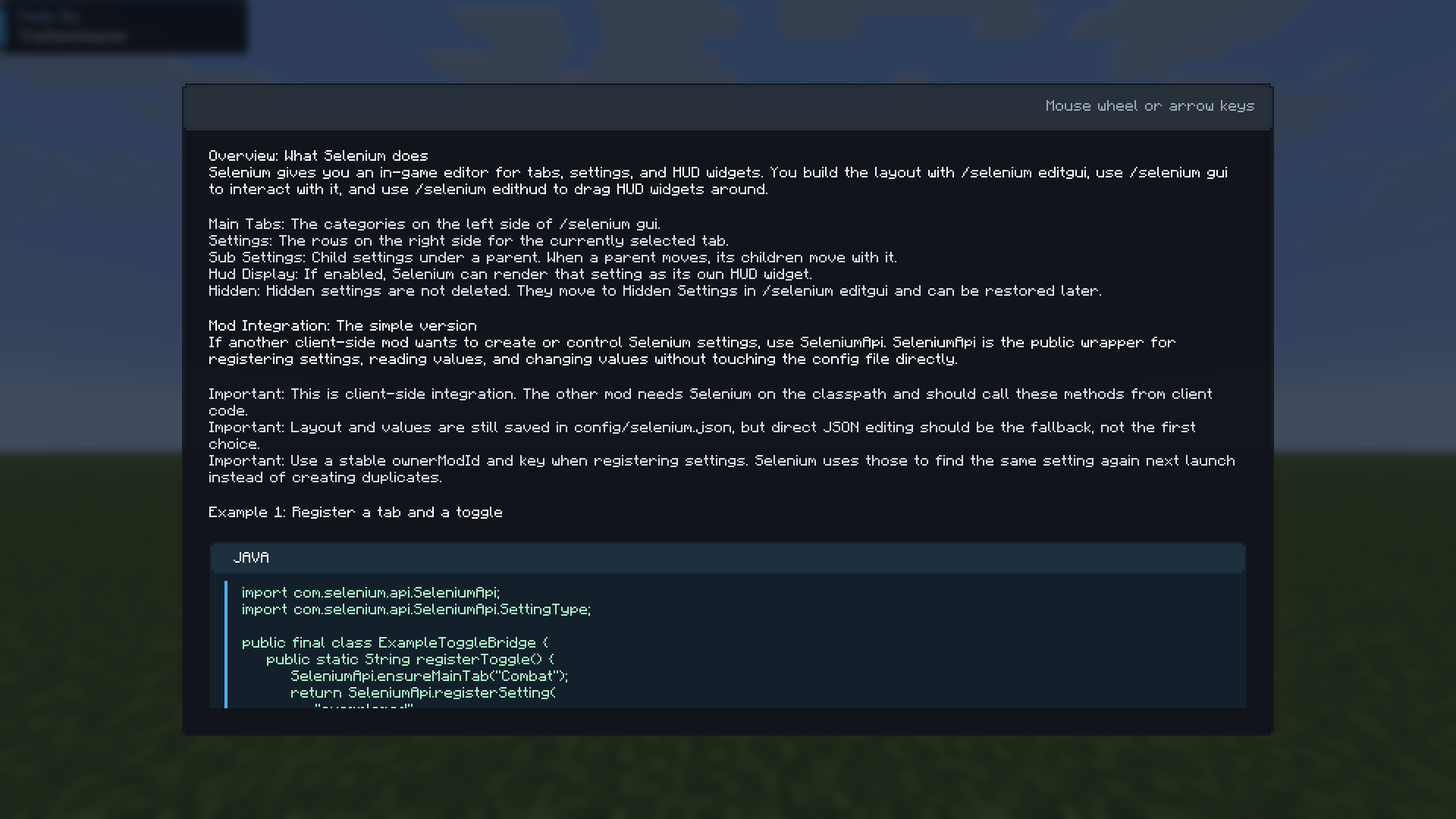
/selenium tutorial
打开教程界面
HUD 渲染

主用户界面
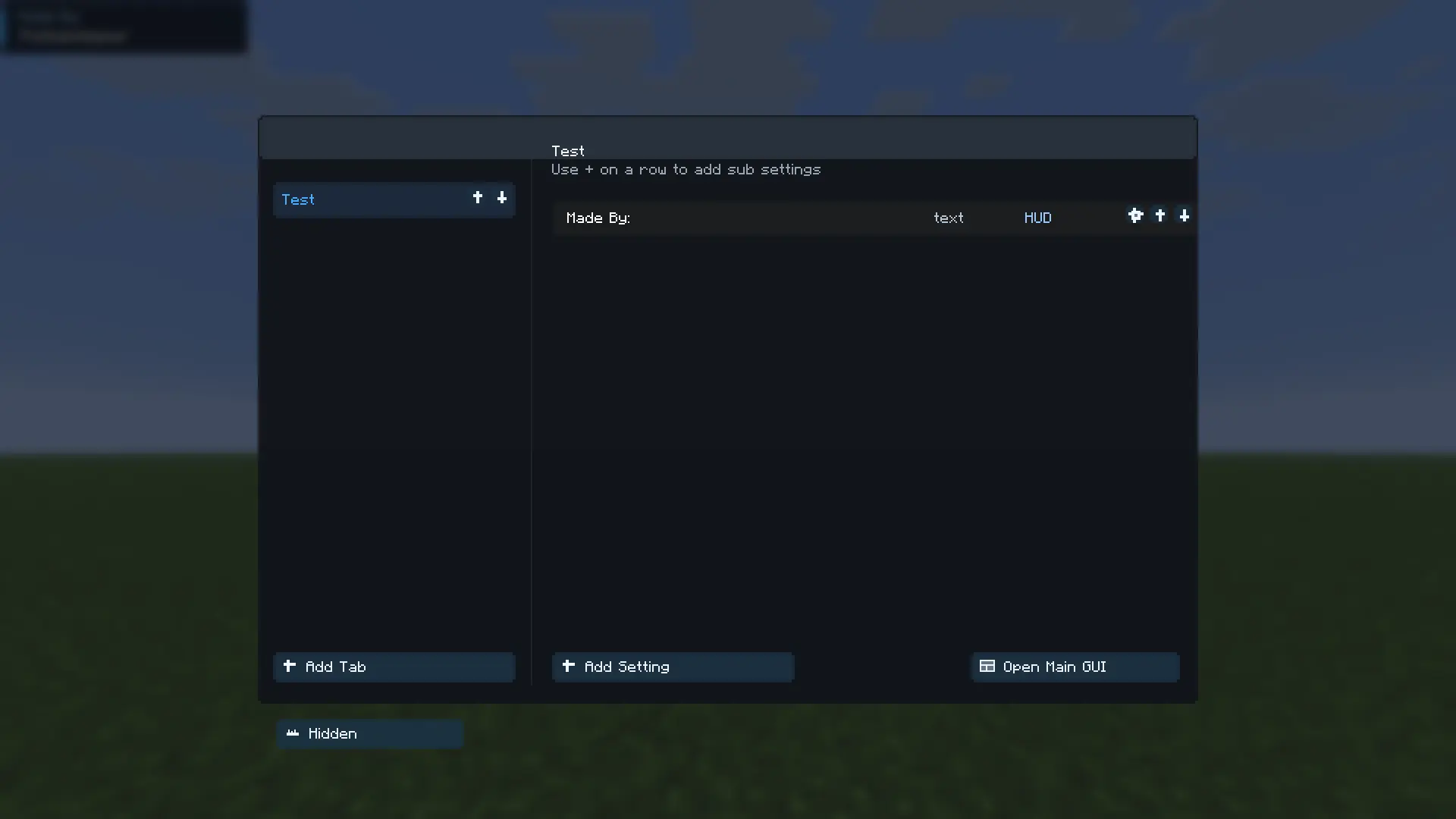
编辑主标签页
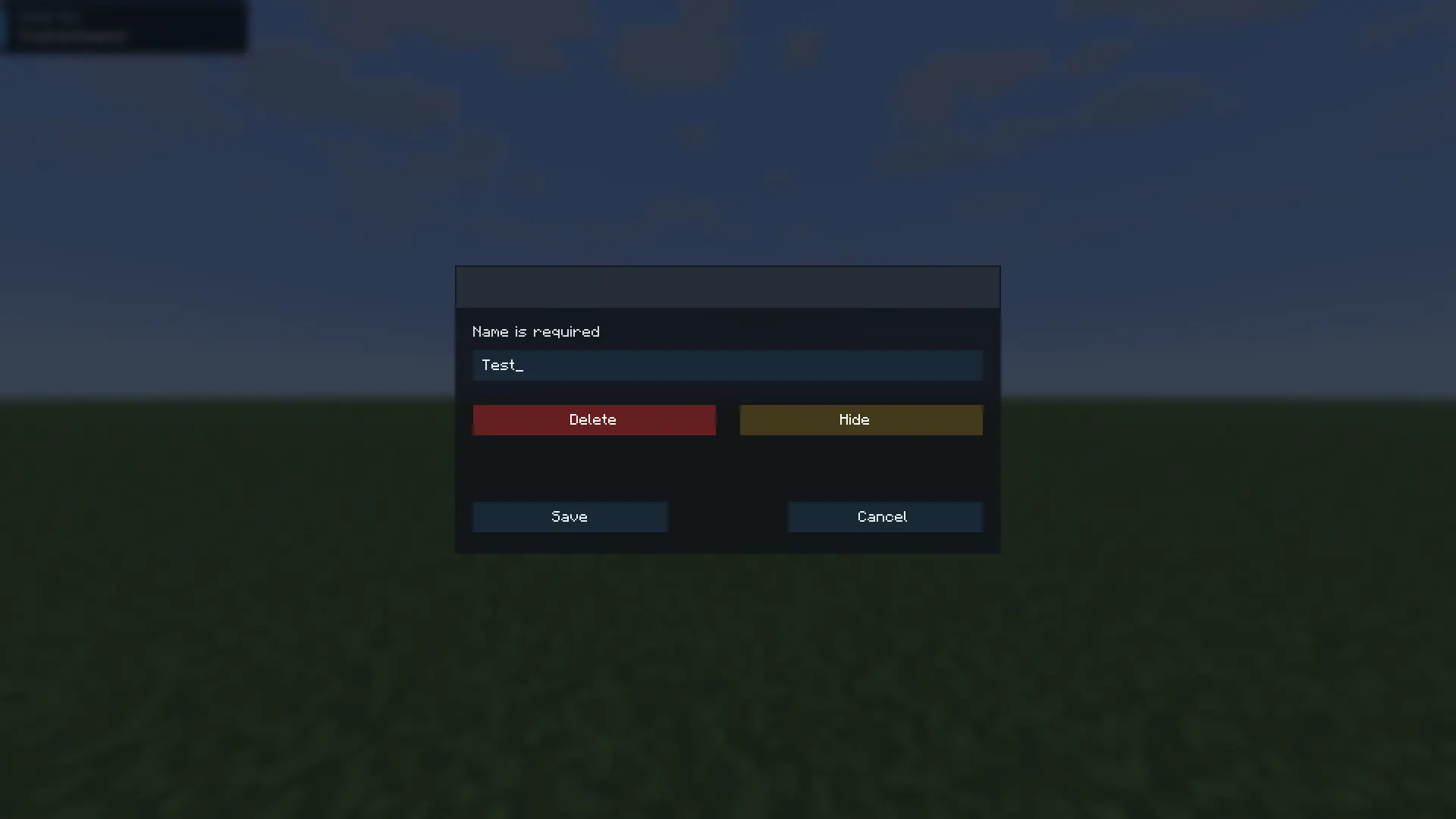
编辑现有设置项
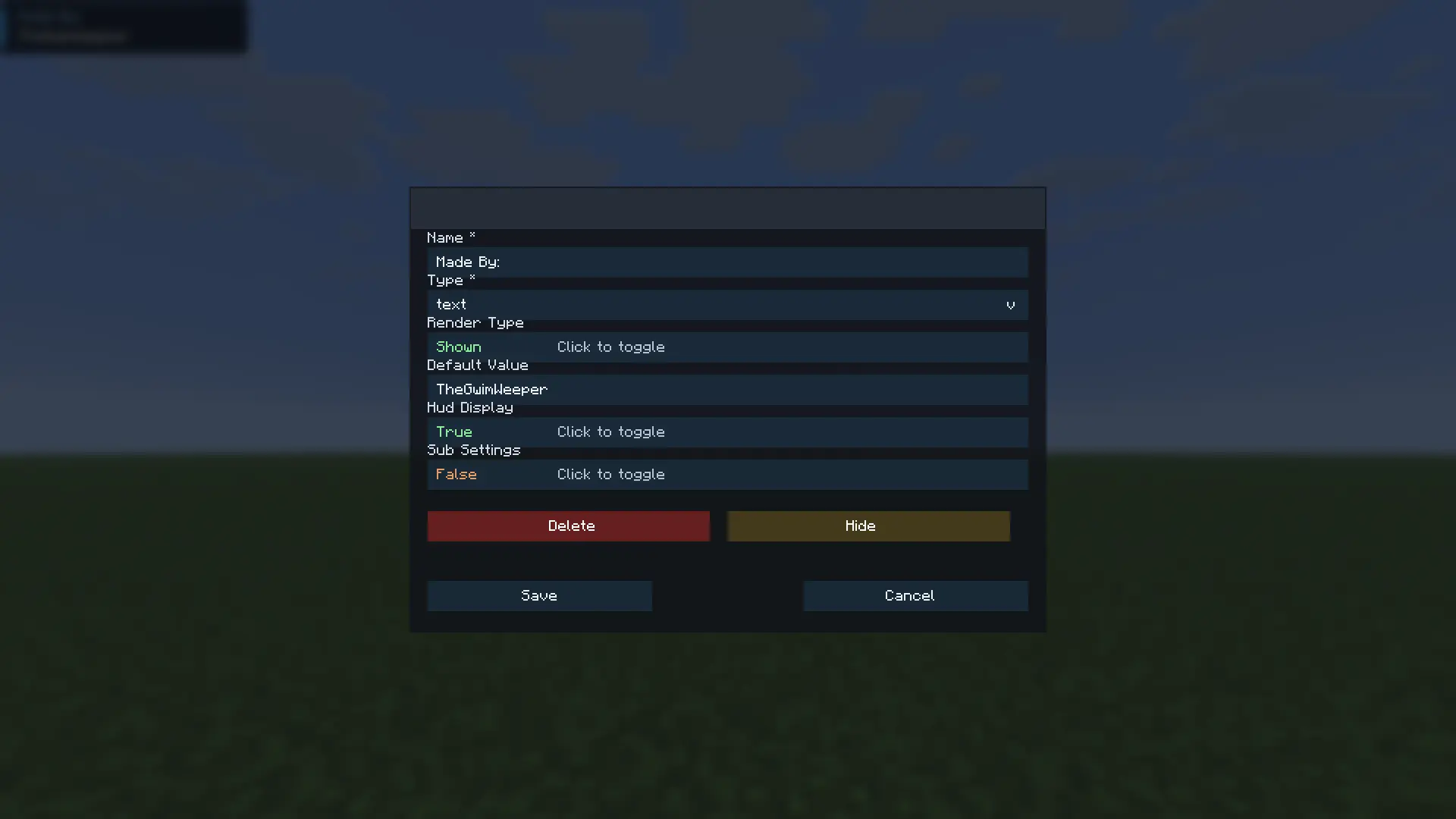
创建主标签页(显示在 UI 左侧)
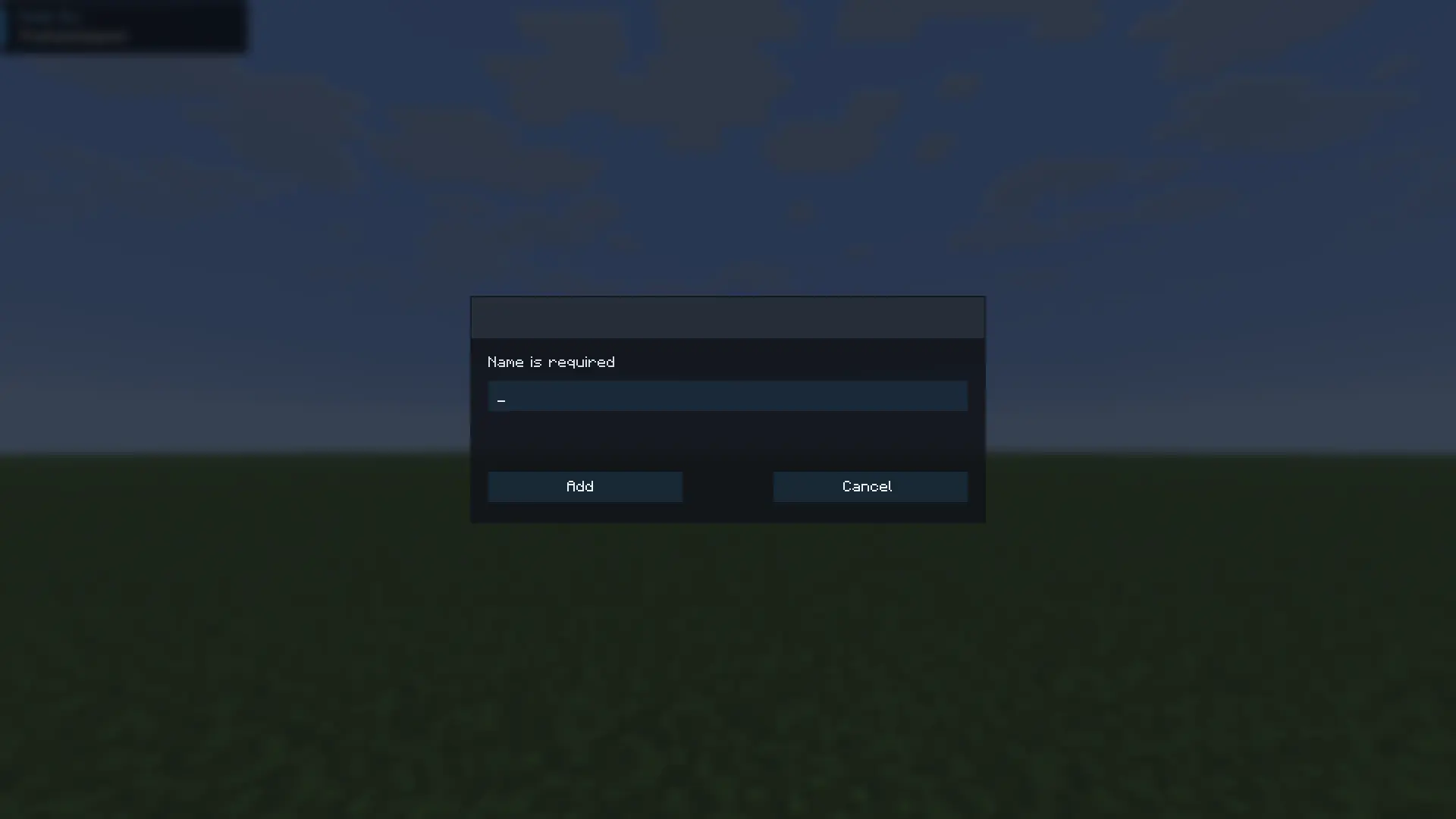
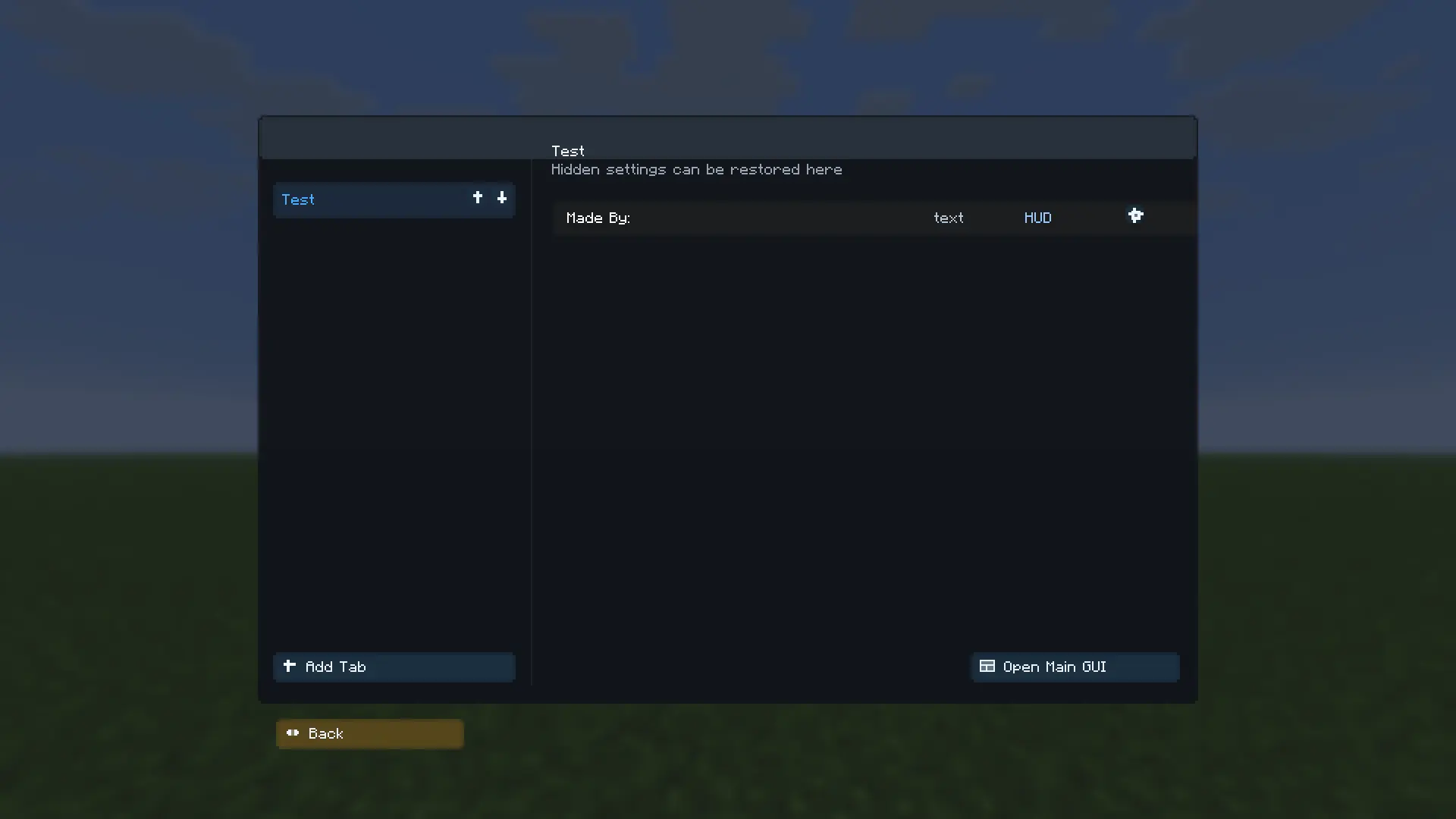
轻松隐藏设置项并访问它们
教程界面
Selenium
A simple mod that allows YOU to make your own gui complete with editable hud.
This mod aims at easing the lives of developers who don't wish to spend the excessive time needed to create a gui.
They can directly use this mod's api to easily add buttons that control their functions.
This includes:
- creating main tabs
- creating settings
- creating child settings
- choosing type (CHECK, NUMBER, TEXT)
- setting default value
- marking them as HUD
- reading/writing your values later
The current api includes the following features
Ensures a main tab exists in Selenium.
SeleniumApi.ensureMainTab(name)
Registers a top-level setting with default locked API permissions.
SeleniumApi.registerSetting(ownerModId, key, mainTab, label, type, renderType, defaultValue, hud, subSettings)
Registers a top-level setting with explicit player-edit permissions.
SeleniumApi.registerSetting(ownerModId, key, mainTab, label, type, renderType, defaultValue, hud, subSettings, permissions)
Registers a child setting under an existing parent with default locked API permissions.
SeleniumApi.registerChildSetting(ownerModId, key, mainTab, parentId, label, type, renderType, defaultValue, hud, subSettings)
Registers a child setting under an existing parent with explicit player-edit permissions.
SeleniumApi.registerChildSetting(ownerModId, key, mainTab, parentId, label, type, renderType, defaultValue, hud, subSettings, permissions)
Checks whether a Selenium setting with that id exists.
SeleniumApi.hasSetting(id)
Reads a check/toggle setting as a boolean.
SeleniumApi.getToggle(id)
Sets a check/toggle setting value.
SeleniumApi.setToggle(id, enabled)
Reads a number setting as a double.
SeleniumApi.getNumber(id)
Sets a number setting value.
SeleniumApi.setNumber(id, value)
Reads a text setting value.
SeleniumApi.getText(id)
Sets a text setting value.
SeleniumApi.setText(id, value)
Declares a boolean on/off setting type
SeleniumApi.SettingType.CHECK
Declares a numeric setting type.
SeleniumApi.SettingType.NUMBER
Declares a text/string setting type.
SeleniumApi.SettingType.TEXT
Defines what the player is allowed to do to an API-created setting.
SeleniumApi.Permissions(allowHudEdits, allowGuiAdd, allowGuiEdit, allowHiding)
Returns the default API permissions: locked editing, hiding allowed.
SeleniumApi.Permissions.defaults()
Returns permissions that let the player fully edit the setting and HUD.
SeleniumApi.Permissions.fullyEditable()
Add a color setting type (stores the color as hex #RRGGBB)
SeleniumApi.registerSetting(ownerModId, key, mainTab, label, SeleniumApi.SettingType.COLOR, renderType, "#FFFFFF", hud, subSettings, permissions)
Add a bounded slider setting type (min/max/step)
SeleniumApi.registerSetting(ownerModId, key, mainTab, label,
    SeleniumApi.SettingType.SLIDER, renderType, "50",
    Map.of("min", "0", "max", "100", "step", "1"),
    hud, subSettings, permissions)
You can pass metadata via a Map<String, String> parameter to set the min/max/steps.
The default value is set by "50" by hardcoding it (This is where the slider starts by default)
Add a selectable choice setting type (comma separated options)
    SeleniumApi.SettingType.CHOICE, renderType, "Medium",
    Map.of("options", "Low, Medium, High"),
    hud, subSettings, permissions)
Same as slider, the metadata can be passed via a Map<String, String> parameter to set the choices. The default chocie is set by hardcoding it
Commands
Selenium adds a few commands, namely:
/selenium gui
Opens the main gui, listing all the options allowing enabling/disabling options
/selenium edithud
Allows the editing of the hud, by dragging and resizing the elements
/selenium editgui
Allows the creation/deletion of new buttons
Editing is disbaled by default, unless the develpoer chooses to enable it.
/selenium tutorial
Opens the tutorial screen
Hud rendering
The main UI
Editing main tab
Editing an existing setting
Creating a main tab (shown on the left side of the ui)
Easily hide settings and access them
The tutorial screen


 模组

 模组

 模组
 模组

 模组
 模组
评论 0
登录后参与评分
还没有评论,来抢沙发吧