
Sentinel
一款高度轻量级的 Fabric 客户端实用模组,通过统一且现代化的界面提供超过 30 个提升生活质量和视觉效果的模块。
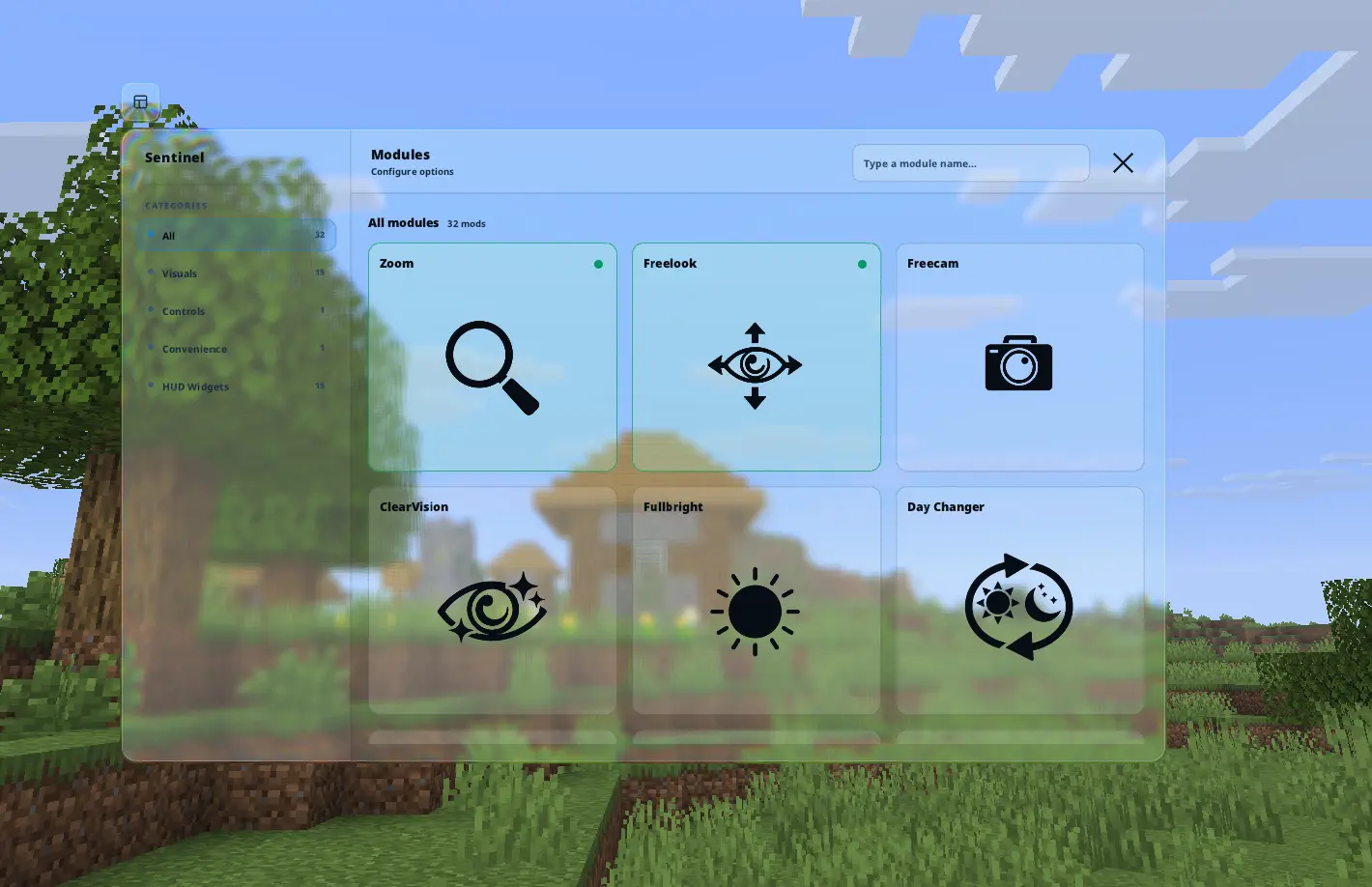
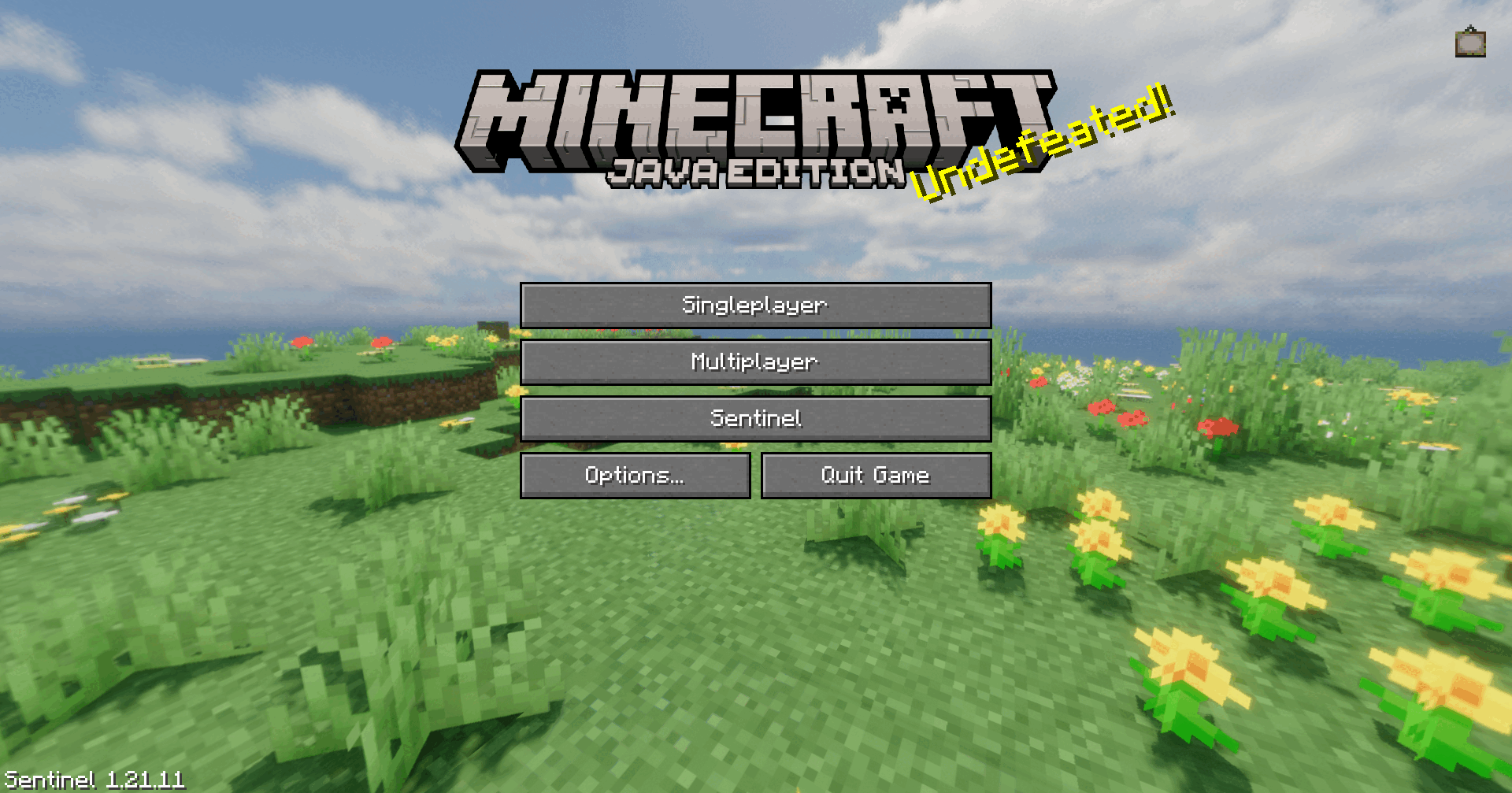
? 模块目录
点击下方的分类以展开并查看可用模块。分类与游戏内菜单对应。
?️ 视觉效果
| 模块 | 描述 |
|---|---|
| Zoom | 按住按键进行缩放;利用滚轮实现精确的放大倍数调整。 |
| Freecam | 将摄像机分离出来自由飞行,而你的玩家实体保持静止。 |
| Freelook | 在不改变玩家视角旋转的情况下,自由观察第三人称环境。 |
| Fullbright | 覆盖伽马值设置,在黑暗环境中提供最大能见度。 |
| Hide Armor | 禁用玩家模型上单个护甲部件的渲染。 |
| Hitbox | 自定义击打框渲染,包含目标高亮和视线指示器。 |
| Hit Color | 用自定义的可配置色调替换原版红色的伤害覆盖层。 |
| Crosshair Indicator | 当瞄准实体时显示自定义准星光标精灵。 |
| ClearVision | 禁用水、熔岩和粉雪覆盖层;移除失明和黑暗雾效。 |
| Low Fire | 降低第一人称视角下火焰覆盖层的垂直高度。 |
| Lower Shield | 调整第一人称视角中盾牌的渲染位置,以获得更好的视野。 |
| Smaller Totem | 减小手持不死图腾及其激活动画的视觉比例。 |
| Day Changer | 覆盖客户端的时间设定,例如永久白天或夜晚。 |
| Health Indicator | 直接在玩家和生物头顶渲染精确的数值生命值。 |
| TNT Timer | 在被引燃的 TNT 实体上方叠加精确倒计时计时器。 |
? HUD 组件
| 模块 | 描述 |
|---|---|
| HUD Editor | 直观的拖放界面,可缩放并自由定位所有 HUD 元素。 |
| Nutrition HUD | 显示数值化的饥饿度、饱和度和 exhaustion(疲劳),并附带精确的食物工具提示。 |
| Status Effect Bars | 通过简洁极简的图标栏数组可视化活跃的状态效果。 |
| Armor Status | 显示当前装备的护甲部件及其剩余耐久度。 |
| Scoreboard | 可自定义记分板样式,包括颜色、边框和透明度。 |
| Character Renderer | 将玩家模型的实时预览直接投射到 HUD 上。 |
| Centered Crosshair | 为原版准星提供像素级精准居中。 |
| Shulker Box Insides | 按住 Shift 键可在工具提示中通过 3×9 网格直接检查潜影盒内容。 |
| Beehive Infos | 在蜂箱和蜂巢的工具提示中直接添加居民年龄状态(幼年或成年)。 |
| FPS / CPS / Ping | 轻量级性能叠加层。 |
| Keystrokes | 显示你当前的移动和点击输入。 |
| Coordinates / Server IP | 快速查看世界坐标和连接信息。 |
| Reach Display | 显示你当前的攻击和交互距离。 |
? 控制
| 模块 | 描述 |
|---|---|
| Auto Sprint | 向前移动时自动进入疾跑状态。 |
?️ 便捷功能
| 模块 | 描述 |
|---|---|
| Auto Reconnect | 断开连接后自动尝试重新连接到上一个服务器,支持可配置的延迟时间。 |
| Quick Chat | 通过快捷键发送可配置的消息,无需打开聊天输入框。如果检测到移动输入,发送会等待移动停止以避免服务器端反作弊误判。 |
每个模块均可单独切换、完全自定义,并可绑定独立快捷键——在游戏中按下 Right Shift 即可打开菜单。
? 依赖要求
| 依赖项 | 状态 | 描述 |
|---|---|---|
| Fabric API | 必需 | 模组兼容性所需的核心钩子。 |
| Mod Menu | 可选 | 推荐用于通过暂停屏幕访问配置项。 |
? 支持与反馈
如果你遇到问题、发现错误或有任何功能建议,请提交至我们的社区服务器。
Sentinel
A highly lightweight, client-side utility mod for Fabric providing over 30 quality-of-life and visual modules within a unified, modern interface.
? Module Directory
Click on a category below to expand and view the available modules. Categories match the in-game menu.
?️ Visuals
| Module | Description |
|---|---|
| Zoom | Hold a key to zoom; utilize the scroll wheel for precise magnification steps. |
| Freecam | Detach the camera to fly freely while your player entity remains stationary. |
| Freelook | Freely observe your surroundings in third-person without altering player rotation. |
| Fullbright | Overrides gamma settings to provide maximum visibility in dark environments. |
| Hide Armor | Disables rendering of individual armor pieces on your player model. |
| Hitbox | Custom hitbox rendering with target highlights and line-of-sight indicators. |
| Hit Color | Replaces the vanilla red damage overlay with a custom, configurable tint. |
| Crosshair Indicator | Shows a custom crosshair sprite when aiming at an entity. |
| ClearVision | Disables water, lava, and powder snow overlays; removes blindness and darkness fog. |
| Low Fire | Reduces the vertical height of the fire overlay in the first-person perspective. |
| Lower Shield | Adjusts the shield rendering position in the first-person view for better visibility. |
| Smaller Totem | Reduces the visual scale of both the held Totem of Undying and its activation animation. |
| Day Changer | Overrides the client-side time of day, such as perpetual day or night. |
| Health Indicator | Renders precise numerical health values directly above players and mobs. |
| TNT Timer | Overlays a precise countdown timer above primed TNT entities. |
? HUD Widgets
| Module | Description |
|---|---|
| HUD Editor | An intuitive drag-and-drop interface to scale and freely position all HUD elements. |
| Nutrition HUD | Displays numerical hunger, saturation, and exhaustion alongside exact food tooltips. |
| Status Effect Bars | Visualizes active status effects via a clean, minimalist icon bar array. |
| Armor Status | Displays currently equipped armor pieces and their remaining durability. |
| Scoreboard | Customizable scoreboard styling with colors, borders, and transparency. |
| Character Renderer | Projects a live preview of your player model directly onto the HUD. |
| Centered Crosshair | Pixel-accurate centering for the vanilla crosshair. |
| Shulker Box Insides | Hold Shift to inspect shulker box contents via a 3×9 grid directly in the tooltip. |
| Beehive Infos | Adds occupant age status, young or grown, directly into beehive and nest tooltips. |
| FPS / CPS / Ping | Lightweight performance overlays. |
| Keystrokes | Displays your current movement and click inputs. |
| Coordinates / Server IP | Quick-glance world position and connection info. |
| Reach Display | Shows your current attack and interaction reach distance. |
? Controls
| Module | Description |
|---|---|
| Auto Sprint | Automatically engages the sprint state upon forward movement. |
?️ Convenience
| Module | Description |
|---|---|
| Auto Reconnect | Automatically attempts to reconnect to the previous server after a disconnect, with a configurable delay. |
| Quick Chat | Sends a configurable chat message through a keybind without opening the chat input. If movement input is active, delivery waits until movement stops to avoid server-side anti-cheat false positives. |
Every module is individually toggleable, fully customizable, and can be bound to its own keybind — press Right Shift in-game to open the menu.
? Requirements
| Dependency | Status | Description |
|---|---|---|
| Fabric API | Required | Essential hooks for mod compatibility. |
| Mod Menu | Optional | Recommended for accessing configurations via the pause screen. |
? Support & Feedback
If you encounter an issue, discover a bug, or have a feature request, please submit a report on our community server.

下载 Sentinel Client
下载 Sentinel Client
下载 Sentinel Client
下载 Sentinel Client
下载 Sentinel Client
下载 Sentinel Client
下载 Sentinel Client
下载 Sentinel Client
下载 Sentinel Client
新增
便利性
- 快速聊天 — 添加了可自定义的聊天消息和快捷键功能,无需打开聊天输入框即可发送消息。
关于这个资源的讨论、问题反馈与使用心得
还没有讨论,来发第一帖吧
你是这个资源的作者?登录后可认领此资源。
相似资源
 模组

显示你正在注视的方块的信息。(适用于 Minecraft 1.16+ 的 Hwyla/Waila 分支)
 模组
使用 JavaScript 编辑配方、添加自定义物品、编写世界事件!
 模组

查看物品与配方
 模组
在游戏画面角落显示附近世界地形、玩家、生物和实体的地图。可创建路径点,帮助你找到标记过的位置。
 模组
AE2:一款流行的自动化与存储模组
 模组
那是什么?一个 Waila/Hwyla 的分支。
评论 0
登录后参与评分
还没有评论,来抢沙发吧