 Shulker Packer Mod
 1.0.2
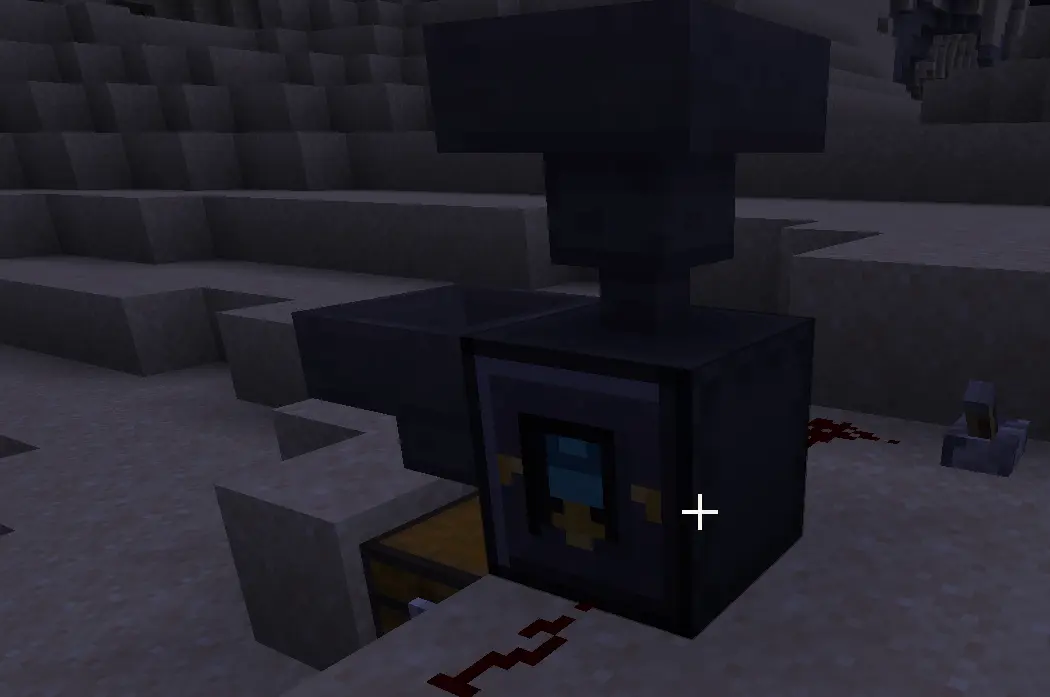
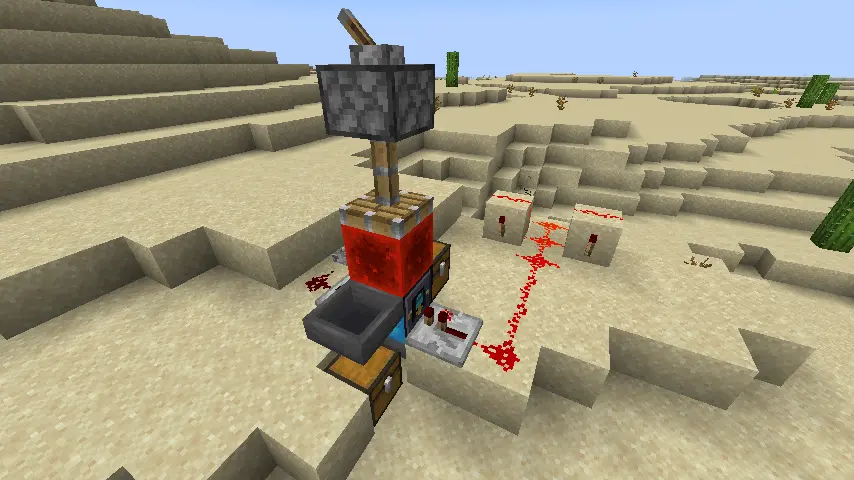
Shulker Packer Mod 添加了两个用于处理潜影盒物品的紧凑型自动化方块:Shulker Packer(打包器)和 Shulker Unpacker(拆解器)。它们专为基于漏斗的存储室、农场、分拣器和批量物品系统而设计,在这些场景中,潜影盒应保持为可携带的物品状态,而非放置在世界中。
这两个方块均无需图形用户界面(GUI)。插入潜影盒物品,连接漏斗,并通过简单的红石信号控制输出。
特性:
- 无需放置即可将物品直接打包进潜影盒物品中。
- 通过漏斗自动化从潜影盒物品中提取物品。
- 手动右键点击已装载的 Shulker Packer 以装入普通物品。
- 当装满时,自动将完整的打包潜影盒移入相邻的侧边箱子。
- 允许下方的漏斗提取完整或手动请求的打包潜影盒。
- 当可能时,将空的未打包潜影盒移入相邻的侧边箱子。
- 若无侧边箱子可用,允许下方的漏斗提取空的未打包潜影盒。
- 使用比较器读取存储的潜影盒内容。
Shulker Packer:
- 从侧面插入空或部分填充的潜影盒。
- 通过顶部漏斗插入物品。
- 手持普通物品右键点击该方块,将其打包到存储的潜影盒中。
- 当存储的潜影盒装满时,打包器会自动使其可用于输出。
- 若打包器侧面有箱子,满的潜影盒会自动移至其中。
- 若无侧边箱子可接收,下方的漏斗可以提取满的潜影盒。
- 脉冲前面以在潜影盒未满前请求提前输出。
- 标记的侧面表示预期的比较器读数侧面,用于监控占用堆栈。
Shulker Packer 比较器输出:
- 信号 0:无存储的潜影盒或无占用的物品槽位。
- 信号 1-14:部分占用槽位计数。
- 信号 15:所有 27 个潜影盒槽位均被占用。
比较器信号基于占用的物品堆栈数量,而非物品满度。例如,一个泥土物品和一个满的泥土堆栈都计为一个占用的堆栈。
Shulker Unpacker:
- 从侧面插入装满的潜影盒。
- 脉冲前面以允许下方漏斗提取一个物品。
- 在脉冲前面的同时给顶面通电,改为提取一整组物品。
- 当存储的潜影盒为空时,拆解器在可能时将潜影盒移入相邻的侧边箱子。
- 若无侧边箱子可用,下方的漏斗可以提取空的潜影盒。
红石行为:
- 前面:输出控制。
- 后面:自动化锁定。
- 拆解器的顶面:将前面的脉冲从单物品输出切换为单组输出。
- 比较器:读取存储的潜影盒内容。
当背面通电时,漏斗插入、漏斗提取和自动侧边箱子输出暂停。这使得锁定机器、延迟提取或将方块与更大的红石系统同步成为可能。
自动化摘要:
- 打包器顶部:物品输入。
- 打包器侧面:潜影盒输入和可选的全潜影盒箱子输出。
- 打包器底部:完整或请求的潜影盒输出。
- 拆解器侧面:潜影盒输入和可选的空潜影盒箱子输出。
- 拆解器底部:物品输出、组输出或空潜影盒输出。
目标是保持潜影盒自动化实用且符合原版风格:无需 GUI,无需多方块结构,仅依赖可预测的漏斗和红石行为。
作者:Antara89
Shulker Packer Mod
Shulker Packer Mod 1.0.2
Shulker Packer Mod adds two compact automation blocks for working with shulker box items: the Shulker Packer and the Shulker Unpacker. They are made for hopper-based storage rooms, farms, sorters, and bulk item systems where shulker boxes should stay as portable items instead of being placed in the world.
Both blocks work without a GUI. Insert a shulker box item, connect hoppers, and control output with simple redstone signals.
Features:
- Pack items directly into a shulker box item without placing it.
- Empty a shulker box item through hopper automation.
- Right-click normal items into a loaded Shulker Packer by hand.
- Auto-eject full packed shulker boxes into an adjacent side chest when possible.
- Let a bottom hopper extract full or manually requested packed shulker boxes.
- Move empty unpacked shulker boxes into an adjacent side chest when possible.
- Let a bottom hopper extract empty unpacked shulker boxes when no side chest is available.
- Read stored shulker contents with a comparator.
Shulker Packer:
- Insert an empty or partially filled shulker box from the side.
- Insert items from the top with a hopper.
- Right-click the block with normal items to pack them into the stored shulker box.
- When the stored shulker box is full, the packer automatically makes it available for output.
- If a chest is adjacent to a side of the packer, a full shulker box is moved there automatically.
- If no side chest can accept it, a hopper below the packer can extract the full shulker box.
- Pulse the front face to request early output before the shulker box is full.
- The marked side indicates the intended comparator readout side for occupied-stack monitoring.
Shulker Packer comparator output:
- Signal 0: no stored shulker box or no occupied item slots.
- Signal 1-14: partial occupied-slot count.
- Signal 15: all 27 shulker slots are occupied.
The comparator signal is based on the number of occupied item stacks, not item fullness. For example, one dirt item and one full dirt stack both count as one occupied stack.
Shulker Unpacker:
- Insert a filled shulker box from the side.
- Pulse the front face to allow a bottom hopper to extract one item.
- Power the top face while pulsing the front face to extract one whole stack instead.
- When the stored shulker box is empty, the unpacker moves it into an adjacent side chest when possible.
- If no side chest is available, a hopper below the unpacker can extract the empty shulker box.
Redstone behavior:
- Front face: output control.
- Back face: automation lock.
- Top face on the unpacker: switches front pulses from one-item output to one-stack output.
- Comparator: reads the stored shulker box contents.
When the back face is powered, hopper insertion, hopper extraction, and automatic side-chest output pause. This makes it possible to lock machines, delay extraction, or synchronize the blocks with larger redstone systems.
Automation summary:
- Packer top: item input.
- Packer sides: shulker box input and optional full-shulker chest output.
- Packer bottom: full or requested shulker box output.
- Unpacker sides: shulker box input and optional empty-shulker chest output.
- Unpacker bottom: item output, stack output, or empty-shulker output.
The goal is to keep shulker box automation practical and vanilla-friendly: no GUI, no multi-block structure, just predictable hopper and redstone behavior.
Author: Antara89


 模组

 模组
 模组

 模组
 模组
 模组
评论 0
登录后参与评分
还没有评论,来抢沙发吧