Simple Fullbright

Simple Fullbright 是一款轻量级的客户端 Minecraft 模组,通过扩展游戏内的伽马值限制来增强黑暗环境下的可见度。
它允许你在洞穴、夜晚和其他低光照区域体验全亮度效果,无需使用光影或外部工具。
要求
功能
- 在洞穴和夜间提供全亮度
- 可调节的伽马值控制
- 可选的夜视切换功能
- 平滑过渡支持
- 轻量级且对性能友好
切换夜视
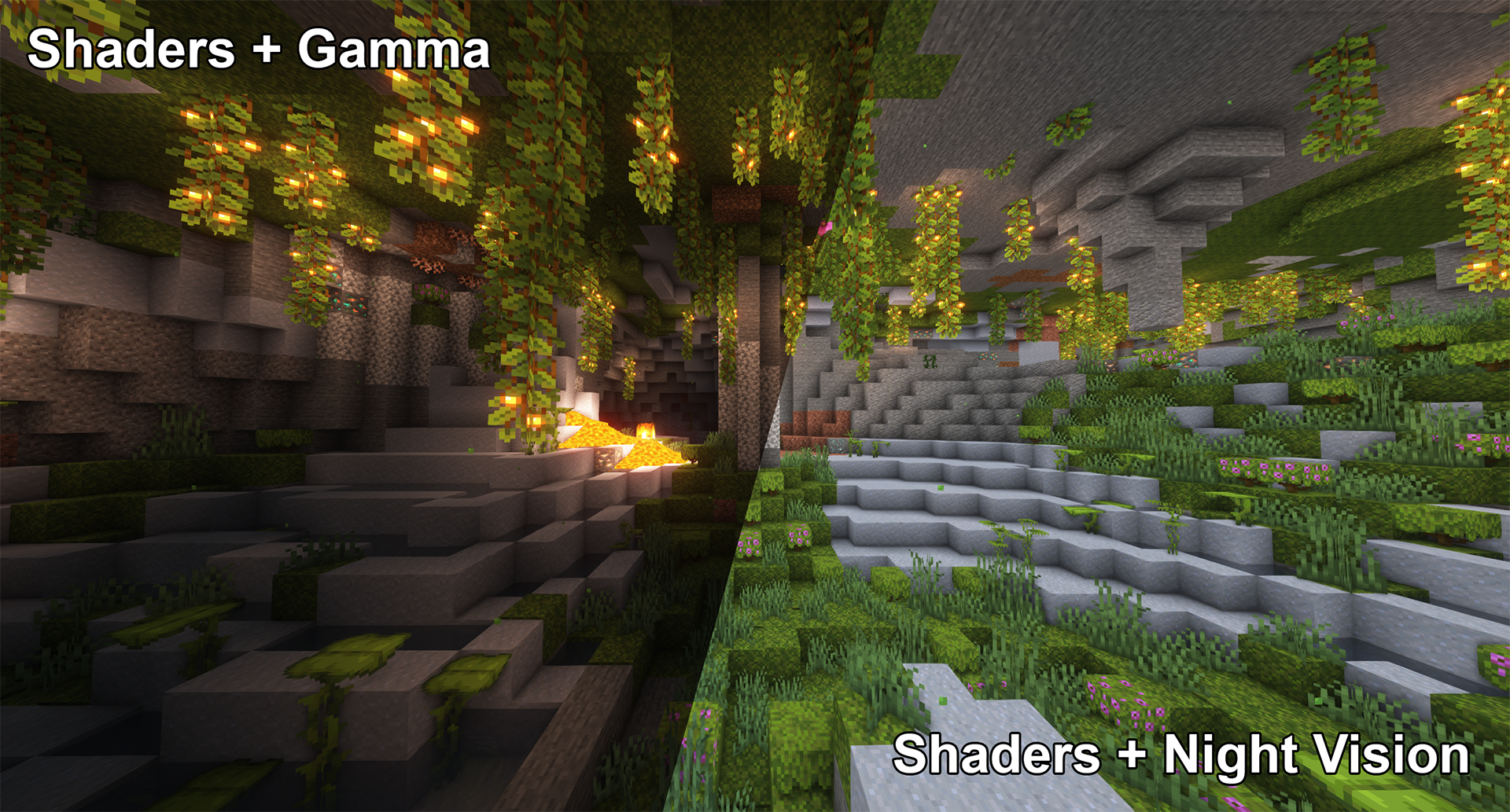
高伽马值无法与光影配合使用,
但夜视功能至少在某些光影下可以正常工作:
平滑过渡
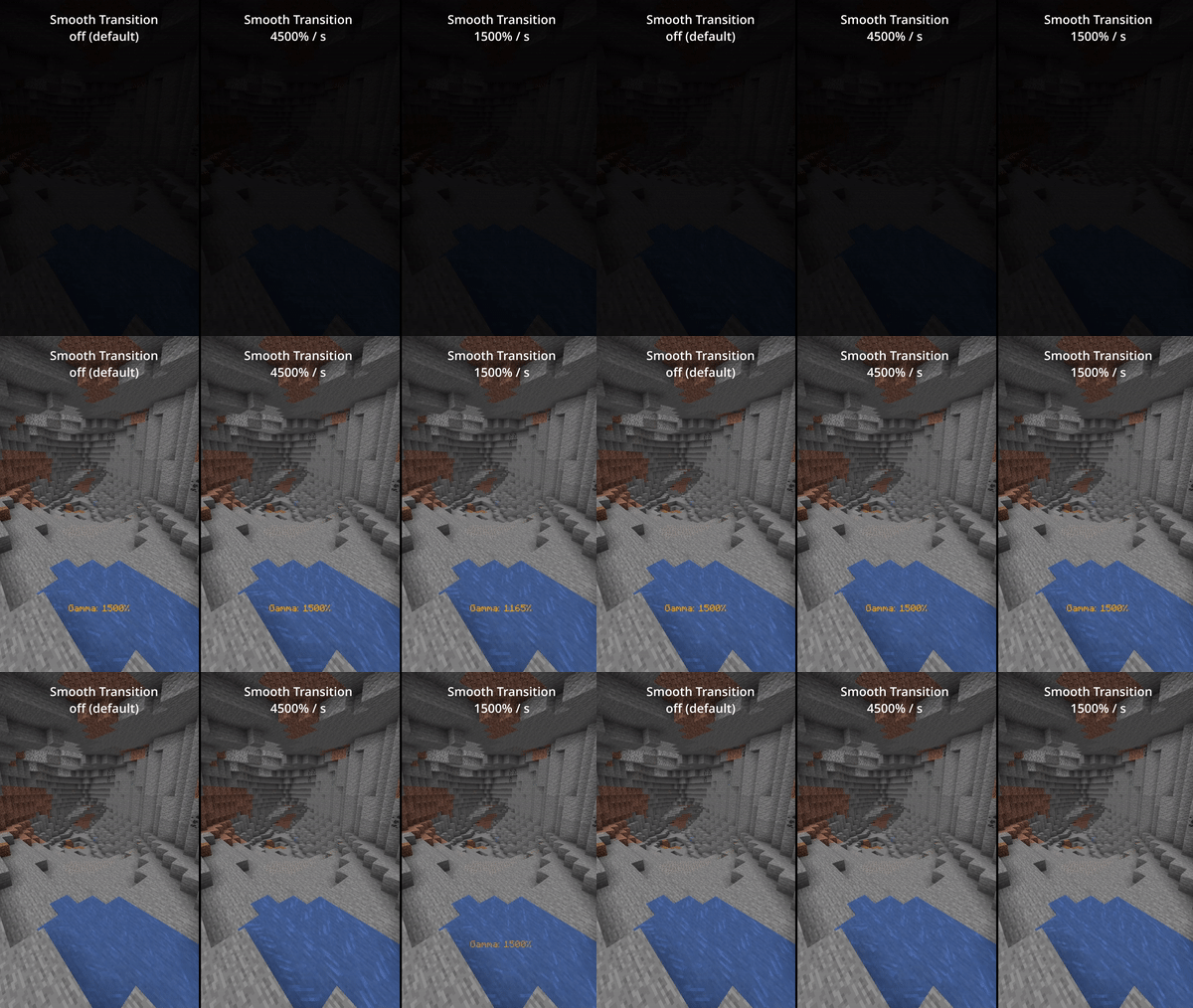
启用平滑过渡(默认关闭),在切换伽马值时减少剧烈感:
状态效果
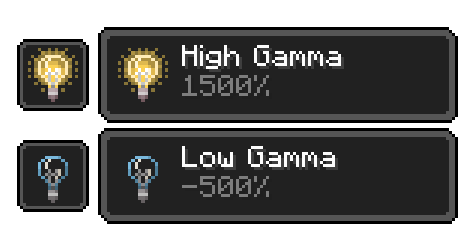
启用完全客户端侧的状态效果(默认关闭)
以便提醒你当前伽马值已超出正常范围:
所有功能
所有功能和命令
切换伽马值
用法:按键绑定(默认:G)或 /gamma toggle
在默认伽马百分比和配置后的切换伽马百分比之间切换。
增加伽马值
用法:按键绑定(默认:向上箭头)或 /gamma increase <value>
按配置的步长百分比或给定值增加伽马百分比。
减少伽马值
用法:按键绑定(默认:向下箭头)或 /gamma decrease <value>
按配置的步长百分比或给定值减少伽马百分比。
设置伽马值
用法:/gamma set <value>
将伽马值设置为特定百分比。
最小伽马值
用法:按键绑定或 /gamma min
将伽马值设置为配置的最小限制。
最大伽马值
用法:按键绑定或 /gamma max
将伽马值设置为配置的最大限制。
切换夜视
用法:按键绑定(默认:H)或 /gamma nightvision
开启或关闭夜视功能。
配置(文件 / Mod Menu)
所有配置选项
默认伽马百分比
默认:100%
模组关闭时的伽马百分比。
切换后伽马百分比
默认:1500%
模组开启时的伽马百分比。
更新切换值
默认:false
记住上次使用的非默认伽马值。
平滑过渡
默认:false
使切换伽马值时的过渡更加平滑。
过渡速度
默认:4500
每秒伽马百分比的变化速度。
显示状态效果
默认:false
当伽马值超出正常范围时显示状态效果。
限制检查
默认:true
强制执行最小和最大伽马值限制。
最小伽马值限制
默认:-750%
允许的最小伽马值。
最大伽马值限制
默认:1500%
允许的最大伽马值。
伽马值步长
默认:10%
每次增加/减少的变更量。
显示伽马消息
默认:true
当伽马值发生变化时显示消息。
关闭时重置
默认:false
Minecraft 关闭时重置伽马值。
注意事项
- 仅限客户端
- 需要 Fabric Loader
- 配置功能需要 Cloth Config API
- 推荐安装 Mod Menu 以在游戏内设置
Simple Fullbright
Simple Fullbright is a lightweight, client-side Minecraft mod that enhances visibility in dark environments by extending the in-game gamma limits.
It allows you to experience full brightness in caves, nighttime, and other low-light areas without requiring shaders or external tools.
Requirements
Features
- Full brightness in caves and nighttime
- Adjustable gamma controls
- Optional night vision toggle
- Smooth transition support
- Lightweight and performance-friendly
Toggle Night Vision
High gamma won't work in combination with shaders,
however, night vision will work with at least some shaders:
Smooth Transition
Enable smooth transition (off by default) for a less intense transition when toggling gamma:
Status Effects
Enable fully client side status effects (off by default)
To keep you reminded that you've enabled gamma outside normal values:
All Functions
All functions and commands
Toggle Gamma
Usage: Keybind (default: G) or /gamma toggle
Toggle between the default gamma percentage and the configured toggled percentage.
Increase Gamma
Usage: Keybind (default: Arrow Up) or /gamma increase <value>
Increase the gamma percentage by the configured step percentage or the given value.
Decrease Gamma
Usage: Keybind (default: Arrow Down) or /gamma decrease <value>
Decrease the gamma percentage by the configured step percentage or the given value.
Set Gamma
Usage: /gamma set <value>
Set the gamma to a specific percentage.
Min Gamma
Usage: Keybind or /gamma min
Sets the gamma to the configured minimum limit.
Max Gamma
Usage: Keybind or /gamma max
Sets the gamma to the configured maximum limit.
Toggle Night Vision
Usage: Keybind (default: H) or /gamma nightvision
Toggle night vision on or off.
Configuration (File / Mod Menu)
All configuration options
Default Gamma Percentage
Default: 100%
Gamma percentage for when the mod is toggled off.
Toggled Gamma Percentage
Default: 1500%
Gamma percentage for when the mod is toggled on.
Update Toggle Value
Default: false
Remembers the last non-default gamma value used.
Smooth Transition
Default: false
Makes the transition when toggling gamma smoother.
Transition Speed
Default: 4500
Speed in gamma percentage per second.
Show Status Effect
Default: false
Displays a status effect when gamma is outside normal range.
Limit Check
Default: true
Enforces minimum and maximum gamma limits.
Minimum Gamma Limit
Default: -750%
Minimum allowed gamma value.
Maximum Gamma Limit
Default: 1500%
Maximum allowed gamma value.
Gamma Percentage Step
Default: 10%
Change amount per increase/decrease.
Show Gamma Message
Default: true
Displays a message when gamma changes.
Reset on Close
Default: false
Resets gamma when Minecraft closes.
Notes
- Client-side only
- Requires Fabric Loader
- Cloth Config API required for configuration
- Mod Menu recommended for in-game settings


 模组

 模组
 模组

 模组
 模组
 模组
评论 0
登录后参与评分
还没有评论,来抢沙发吧