
Sound Controller
我们都曾遇到过那种震耳欲聋的下界传送门,或者噪音大到离谱的生物刷怪塔。也许你在洞穴探险时还会特意留意某种特定生物的声响。你是否曾想过,能够不受类别音量滑块限制,对特定音效进行精细调节?
Sound Controller 是一款客户端 Minecraft 模组,提供对游戏内播放的所有音量的完全控制。它为你的声音设置界面添加了一组额外选项,让你可以针对每个单独的声音调整音量滑块、自定义区域以及应用预设!
本模组可在 GitHub 和 Modrinth 获取。CurseForge 的支持已停止,但早期 Fabric 版本仍可在该平台上找到。
功能特性
- 滑块:支持调节游戏内每一个声音的音量,包括模组添加的声音。音量范围可从 0% 至 200%。
- 预览与重置按钮:伴随音量滑块出现,方便试听和调整。
- 搜索:快速定位你正在寻找的声音。
- 筛选:仅显示已被修改过音量的声音,便于快速找到你更改过的音效。
- 识别:通过将原版字幕替换为声音 ID(可切换),帮助你识别附近的噪音来源。
- 区域:让你的音量调整不必全部全局生效!
- 预设:可叠加应用于所有音量配置。只需一次静音鸡群,即可将其应用到所有的鸡舍中!
- 模组和数据包支持:确保所有新增的声音均可用!
关于配置的说明
全局音量和预设在所有服务器之间共享。区域设置则按服务器独立存储和加载。
截图
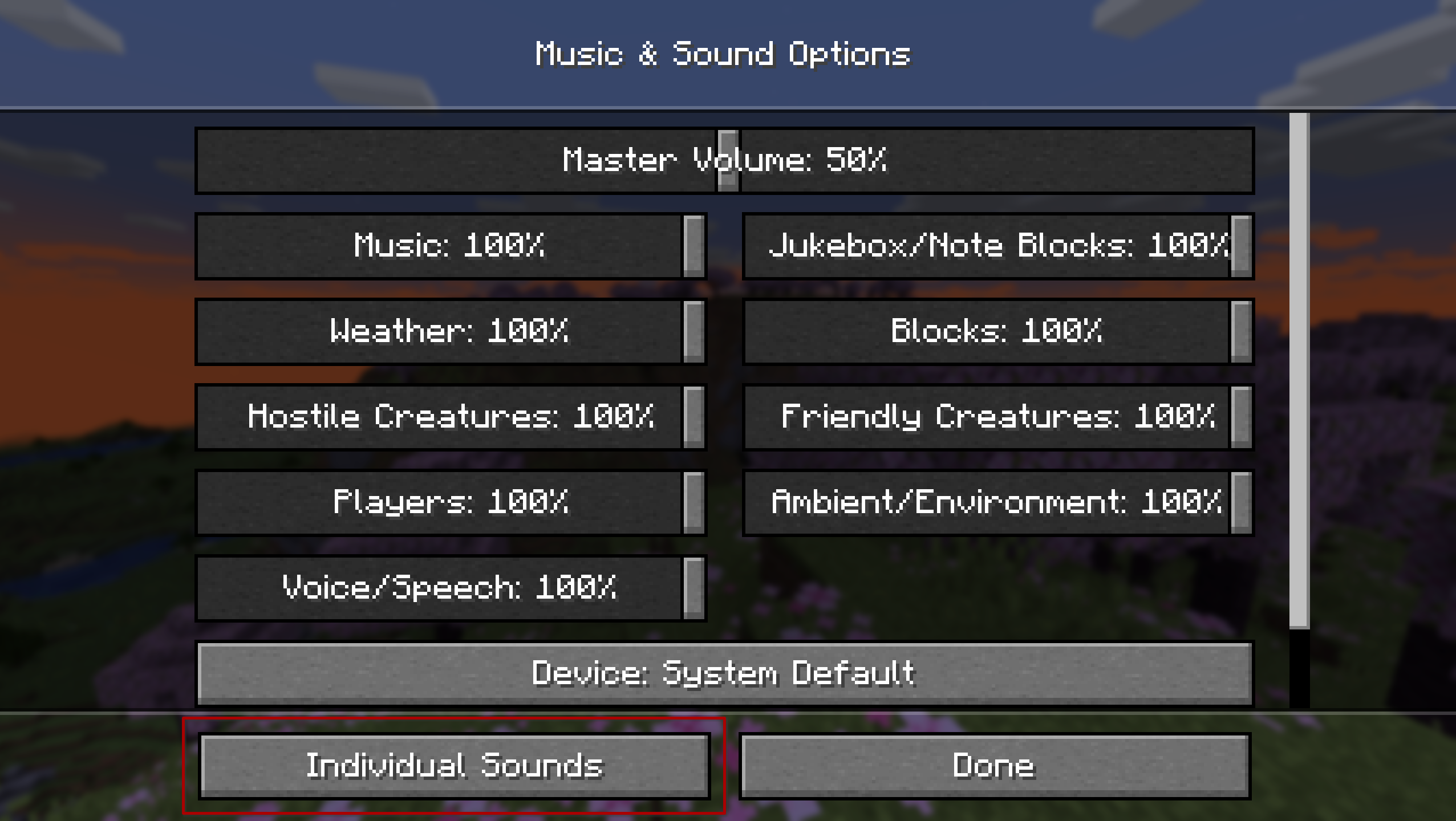
本模组会在默认的声音设置界面注入一个“独立声音”按钮,以便快速访问。此外,也可以通过 ModMenu 或 NeoForge 的模组列表进入。
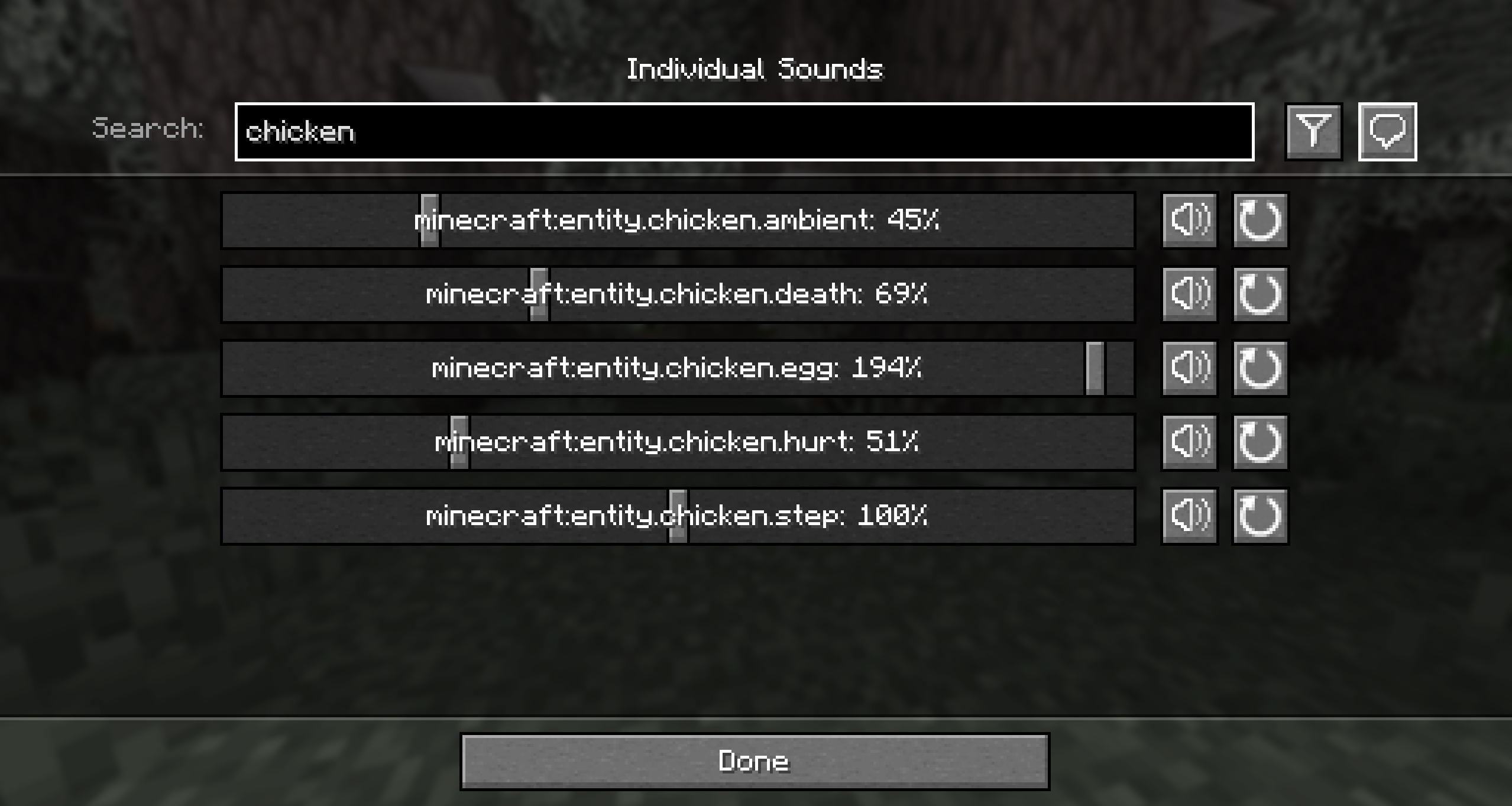
全局标签页允许你设置游戏中所有声音的音量,无论身处何地或连接哪个服务器,都能保持一致的游戏体验。
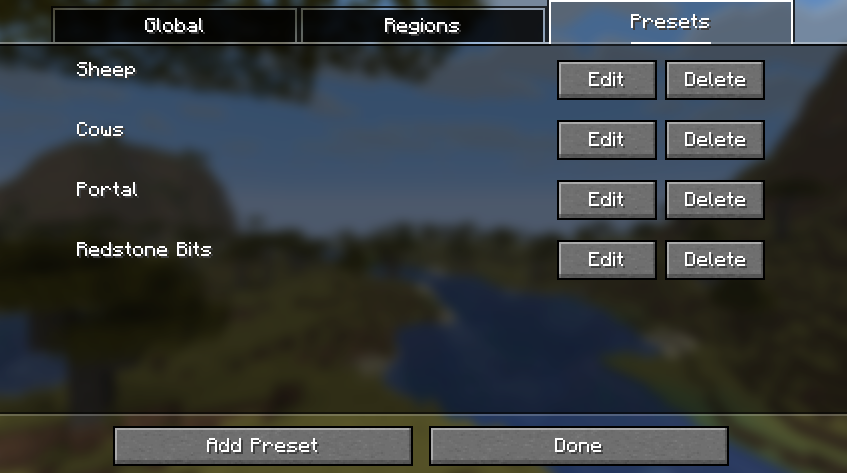
预设标签页显示所有可叠加应用于你的全局或区域音量列表的预设配置。请注意,这不会替换现有列表,因此你可以同时应用多个预设!
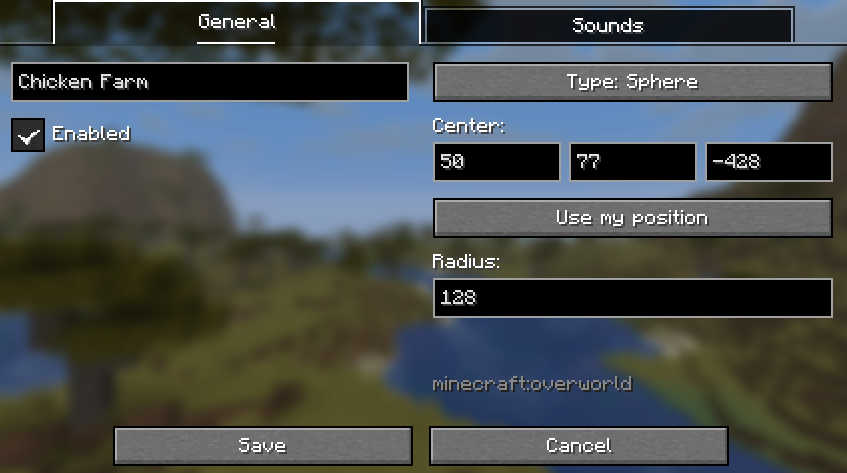
在区域设置界面中,你可以选择两种几何类型之一。盒子区域由两个对角相对的坐标定义。球形区域由一个中心点和半径距离定义。
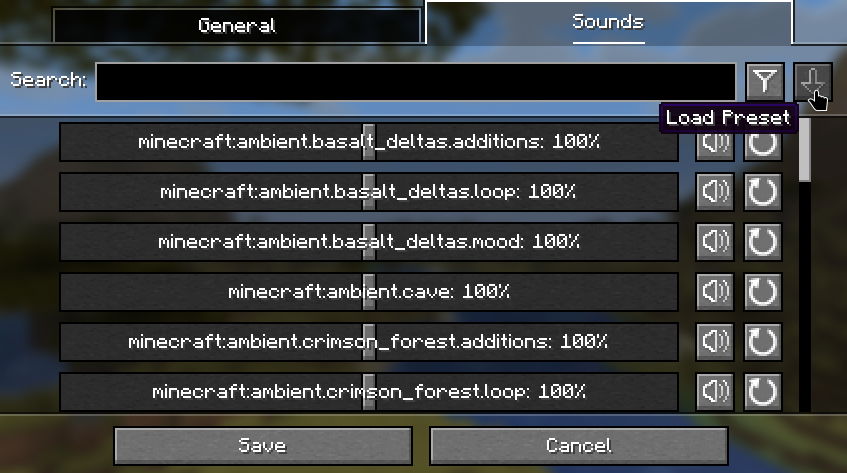
以下是用于将预设应用到当前音量配置的按钮。
贡献
欢迎贡献代码和建议!请将问题反馈限制在每个议题只讨论一个功能——如果你有多个想法,请随时分别提交多个议题。同样,拉取请求也应每次只包含单个功能,并尽量遵循现有的代码风格。
如需进一步交流或获取新更新的通知,请访问我的 Discord。如果你喜欢我的工作,欢迎通过 Ko-Fi 支持我!
Sound Controller
We've all dealt with that loud portal before, or those ridiculously loud mob farms. Perhaps you're even listening out for a particular mob while caving. Have you ever wanted to just fine-tune those specific sounds without being limited by the category sliders?
Sound Controller is a client-side Minecraft mod providing complete volume control over the sounds played in the game. It adds an extra set of options to your sound settings, providing you with per-sound volume sliders, custom regions, and presets!
This mod is available on GitHub and Modrinth. Support for CurseForge has been dropped, but very early Fabric versions can still be found there.
Features
- Sliders for every sound in the game, including those added by mods. Allows setting volumes between 0% to 200%.
- Preview and reset buttons accompanying the volume sliders.
- Search to quickly find the sound you're looking for.
- Filter to your modified volumes, so you can easily find the sounds you've changed.
- Identify noises nearby by replacing the vanilla subtitles with sound IDs (toggleable).
- Regions, so that not all of your volume changes need to be global!
- Presets that can be applied on top of all your volume configurations. Mute the chickens once, and then apply to all your chicken farms!
- Mod and datapack support - your sounds should all be available!
A note on configs
Global volumes and presets are shared across all servers. Regions are stored and loaded per-server
Images
The mod injects an 'Individual Sounds' button into the default sound options screen for quick and easy access. Alternatively, it can be accessed via ModMenu or NeoForge's mods list.
The global tab is where you can set the volumes for all sounds in the game no matter where you are or which server you are on, for a consistent playing experience.
The presets tab displays all of the preset configurations that can be applied on top of your global or regional volume lists. Note that this doesn't replace the list, so you can apply multiple presets at once!
In the region screen, you can pick from two types of geometry. The box region is defined by two diagonally opposing coordinates. The spherical region is defined by a single point and a distance from that point.
Below is the button used to apply a preset to the current volume configuration.
Contributing
Contributions and suggestions are always welcome! Please limit all issues to only one feature at a time - feel free to open multiple at once if you have many ideas. Similarly, please limit pull requests to a single feature at a time and try to follow the existing code style.
To further discuss or get notifications of new updates, check out my Discord. If you like what I do, consider supporting me on Ko-Fi!

下载 Sound Controller
下载 Sound Controller
下载 Sound Controller
下载 Sound Controller
下载 Sound Controller
下载 Sound Controller
下载 Sound Controller
下载 Sound Controller
下载 Sound Controller
需要联机服务器吗?
稳定流畅、一键部署,几分钟即可和朋友联机开服
最低仅需 8 元/月 即可畅快联机
下载 Sound Controller
需要联机服务器吗?
稳定流畅、一键部署,几分钟即可和朋友联机开服
最低仅需 8 元/月 即可畅快联机
已更新为 MC 26.3!
几处小改动:
- 区域控制的声音现在基于声源,而非玩家位置。因此你可以仅静音传送门、农场等的方块声音,而不是屏蔽烦人音源周围的一大片区域。
- 抑制被静音的声音注册到声音引擎中(参见 #40),使其不再占用声音上限
关于这个资源的讨论、问题反馈与使用心得
还没有讨论,来发第一帖吧
你是这个资源的作者?登录后可认领此资源。
相似资源
 模组

显示你正在注视的方块的信息。(适用于 Minecraft 1.16+ 的 Hwyla/Waila 分支)
 模组

查看物品与配方
 模组

原版世界生成优化模组
 模组
在游戏画面角落显示附近世界地形、玩家、生物和实体的地图。可创建路径点,帮助你找到标记过的位置。
 模组
使用 JavaScript 编辑配方、添加自定义物品、编写世界事件!
 模组
缓冲的原始输入和线程化的事件轮询
评论 0
登录后参与评分
还没有评论,来抢沙发吧