
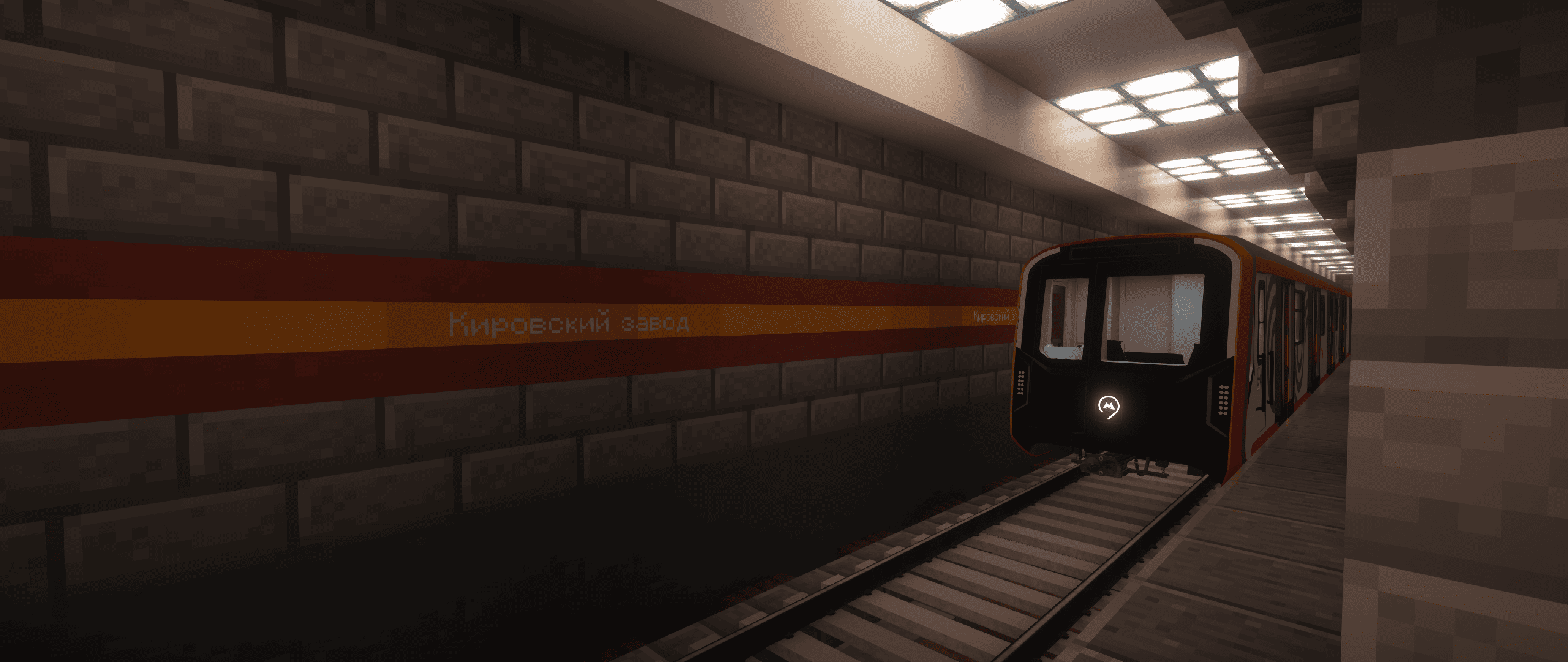
Station Sticker 是 Minecraft Transit Railway (MTR) 的附加组件,添加了地铁站风格的站名标识、线路图和乘客信息显示屏。
灵感源自圣彼得堡地铁和莫斯科地铁,它利用你的 MTR 车站和线路数据帮助乘客找到方向。
2.0 版本现已发布! 探索到达显示屏、方向指示牌、导航标志和信息屏幕。

✨ 方块与特性
- Station Sticker — 自动显示站名和线路颜色。可放置在墙壁、地面和天花板上。
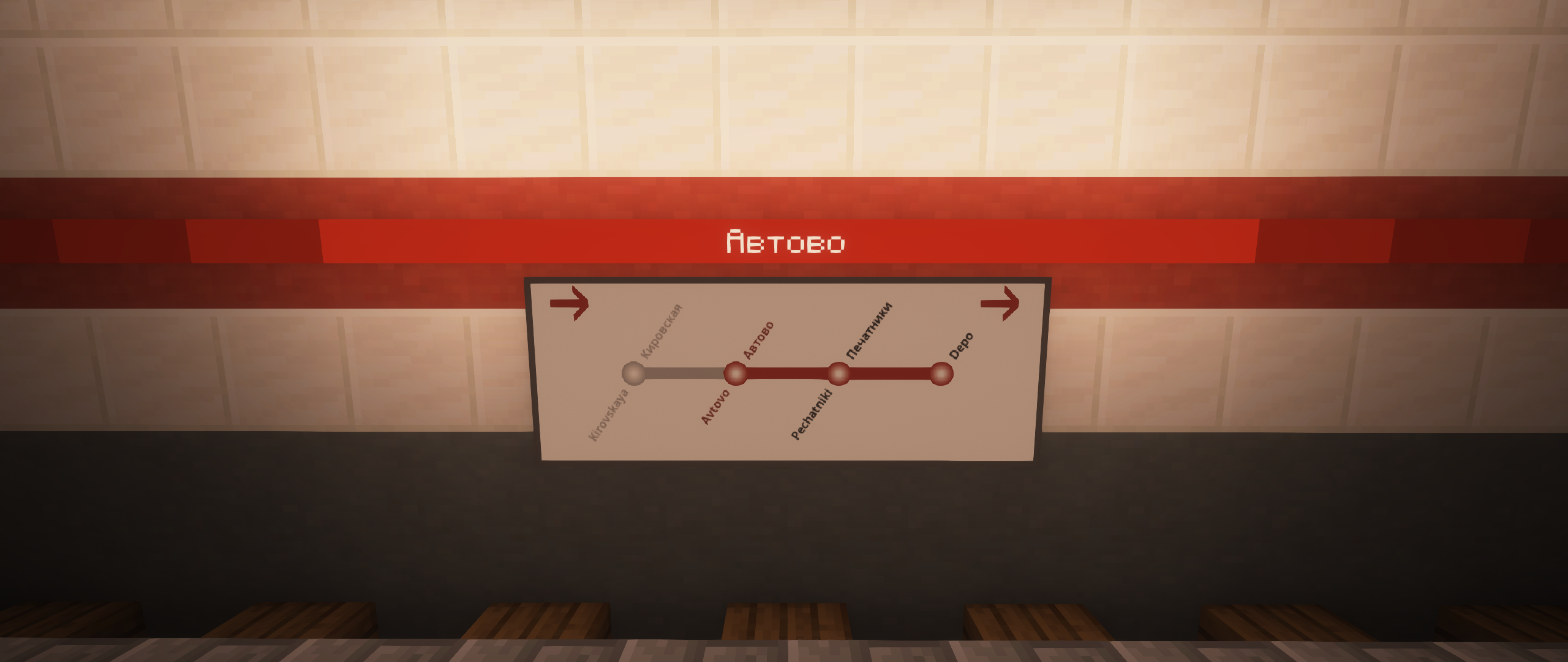
- Line Scheme — 显示站台沿线各站点及换乘站。使用 MTR 刷子可反转其方向。
- Arrival Display — 2.0 新增 — 显示目的地、线路编号、下一班列车倒计时以及游戏内时间。包含可选的到站提示音,并在终点站服务时显示“禁止上车”指示。
- Direction Sign — 2.0 新增 — 显示两个方向的目的地、后续站点及换乘标记。
- Navigation Sign — 2.0 新增 — 可选择换乘布局或出站布局,支持自定义箭头、图标和 MTR 出口信息。
- Info Display — 2.0 新增 — 在车站信息与动态游戏内天气之间循环切换。
方向指示牌、导航标志和信息屏幕的宽度可调范围为 2–8 个方块。新添加的显示屏可安装在墙壁上或悬挂于天花板下。
支持俄语和英语显示文本。当存在多语言 MTR 站名中的现有英文翻译时,将优先使用。
?️ 使用方法
- 在 MTR 中设置好你的车站、站台和线路。
- 在车站内放置这些方块。
- 使用 MTR 刷子右键点击 以配置支持的方块。
使用刷子可更改指示牌宽度和导航布局、反转线路图方向,或切换到达提示音。
彩色圆圈内的数字来自 MTR 的线路编号字段。 它们与站台编号分开。请在 MTR 仪表板中设置线路编号,以便在指示牌上显示。
? 线路图效果展示
以圣彼得堡地铁的风格展示你车站的线路和换乘信息。
? 依赖要求
必须安装 Minecraft Transit Railway。
请确保 Station Sticker 和 MTR 选择匹配的 Minecraft 版本。多人游戏时,需在客户端和服务端都安装此附加组件。
? 链接
由 Tr1nity 制作。感谢 MTR 团队和 kykko。
采用 MIT 许可证 授权。

Station Sticker is an addon for Minecraft Transit Railway (MTR) that adds metro-style station signs, route maps and passenger information displays.
Inspired by the Saint Petersburg Metro and Moscow Metro, it uses your MTR station and route data to help passengers find their way.
Version 2.0 is now available! Discover arrival displays, direction signs, navigation signs and information screens.
✨ Blocks and features
- Station Sticker — automatically displays the station name and line color. Can be placed on walls, floors and ceilings.
- Line Scheme — displays stations and interchanges along a platform’s routes. Reverse its direction with the MTR brush.
- Arrival Display — new in 2.0 — shows the destination, route number, countdown to the next train and in-game time. Includes an optional arrival chime and a “No Boarding” indication for terminating services.
- Direction Sign — new in 2.0 — shows destinations in both directions, following stations and interchange markers.
- Navigation Sign — new in 2.0 — choose between transfer and station-exit layouts, with configurable arrows, pictograms and MTR exit information.
- Info Display — new in 2.0 — cycles between station information and animated in-game weather.
Direction signs, navigation signs and information screens have an adjustable width of 2–8 blocks. The new displays can be mounted on walls or suspended from ceilings.
Russian and English display text is supported. Existing English translations in multilingual MTR station names are used when available.
?️ How to use
- Set up your station, platforms and routes in MTR.
- Place the blocks inside the station area.
- Right-click with the MTR brush to configure supported blocks.
Use the brush to change sign widths and navigation layouts, reverse the line scheme, or toggle the arrival chime.
Numbers inside the colored circles come from MTR’s route-number field. They are separate from platform numbers. Set route numbers in the MTR dashboard to display them on the signs.
? Line Scheme in action
Display your station’s routes and interchanges in the style of the Saint Petersburg Metro.
? Requirements
Minecraft Transit Railway is required.
Choose matching Minecraft versions for Station Sticker and MTR. Install the addon on both the client and server when playing multiplayer.
? Links
Created by Tr1nity. Thanks to the MTR team and kykko.
Licensed under the MIT License.

下载 Station Sticker
需要联机服务器吗?
稳定流畅、一键部署,几分钟即可和朋友联机开服
最低仅需 8 元/月 即可畅快联机
下载 Station Sticker
需要联机服务器吗?
稳定流畅、一键部署,几分钟即可和朋友联机开服
最低仅需 8 元/月 即可畅快联机
下载 Station Sticker
需要联机服务器吗?
稳定流畅、一键部署,几分钟即可和朋友联机开服
最低仅需 8 元/月 即可畅快联机
下载 Station Sticker
需要联机服务器吗?
稳定流畅、一键部署,几分钟即可和朋友联机开服
最低仅需 8 元/月 即可畅快联机
下载 Station Sticker
下载 Station Sticker
下载 Station Sticker
下载 Station Sticker
需要联机服务器吗?
稳定流畅、一键部署,几分钟即可和朋友联机开服
最低仅需 8 元/月 即可畅快联机
下载 Station Sticker
需要联机服务器吗?
稳定流畅、一键部署,几分钟即可和朋友联机开服
最低仅需 8 元/月 即可畅快联机
下载 Station Sticker
暂无更新日志
关于这个资源的讨论、问题反馈与使用心得
还没有讨论,来发第一帖吧
你是这个资源的作者?登录后可认领此资源。
相似资源
 模组

一个用于收集生物掉落物的多区块模组。
 模组

显示你正在注视的方块的信息。(适用于 Minecraft 1.16+ 的 Hwyla/Waila 分支)
 模组
在游戏画面角落显示附近世界地形、玩家、生物和实体的地图。可创建路径点,帮助你找到标记过的位置。
 模组

查看物品与配方
 模组
使用 JavaScript 编辑配方、添加自定义物品、编写世界事件!
 模组
AE2:一款流行的自动化与存储模组
评论 0
登录后参与评分
还没有评论,来抢沙发吧