
你是否对结构方块中的空气(Structure Void)妨碍你在结构中放置/破坏方块而感到烦恼?我也一样!
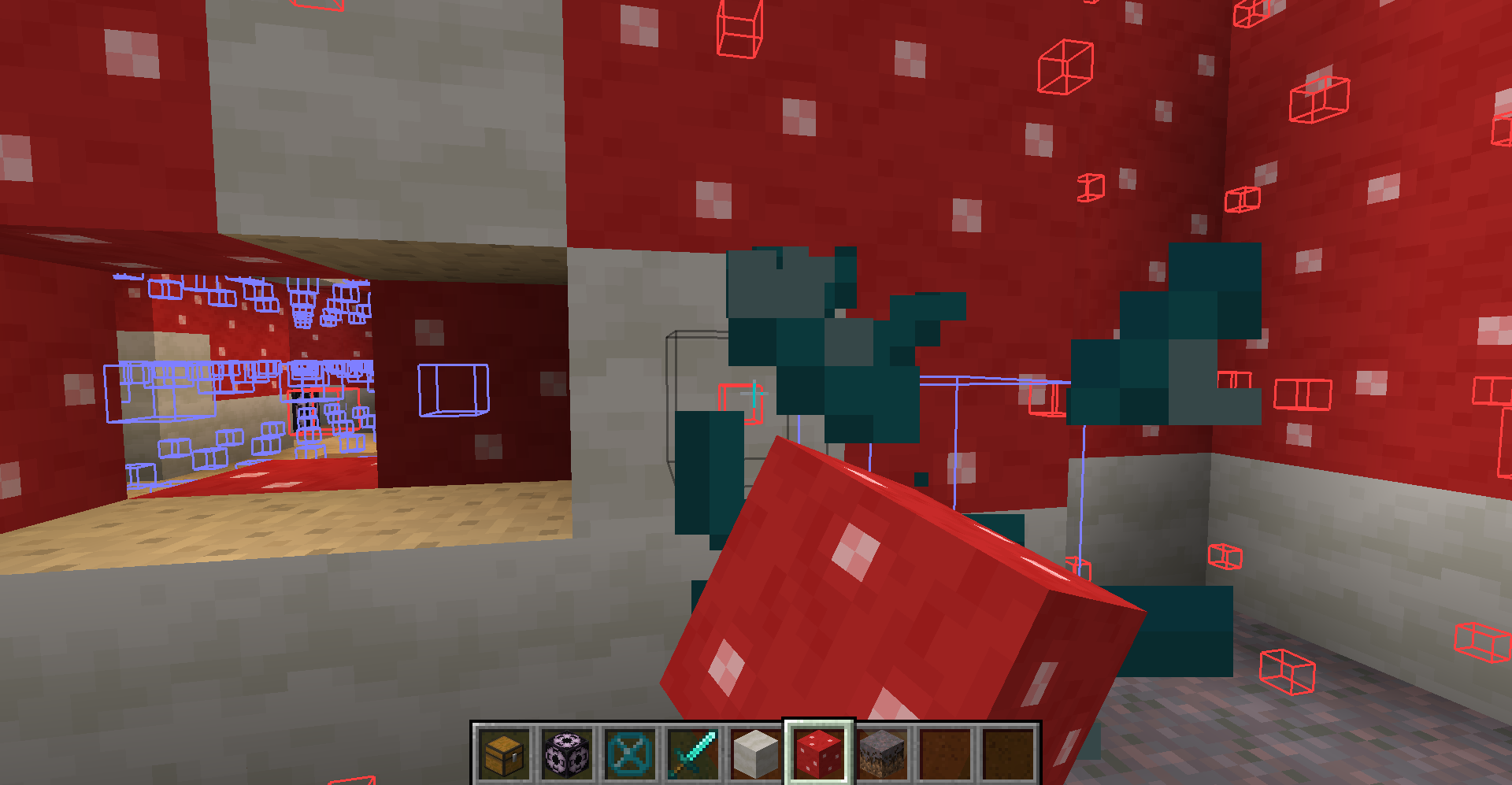
解决方案:结构方块空气切换模组!
简要背景:我在制作结构并使用结构方块保存它们,以便后续进行世界生成时使用结构方块空气。然而,我厌倦了结构方块空气使得在结构中添加/移除方块变得困难。因此,我决定制作这个非常简单的模组,允许你切换该方块的碰撞箱大小!
自 1.19.2 版本起(部分功能在旧版 Minecraft 中不可用):
-
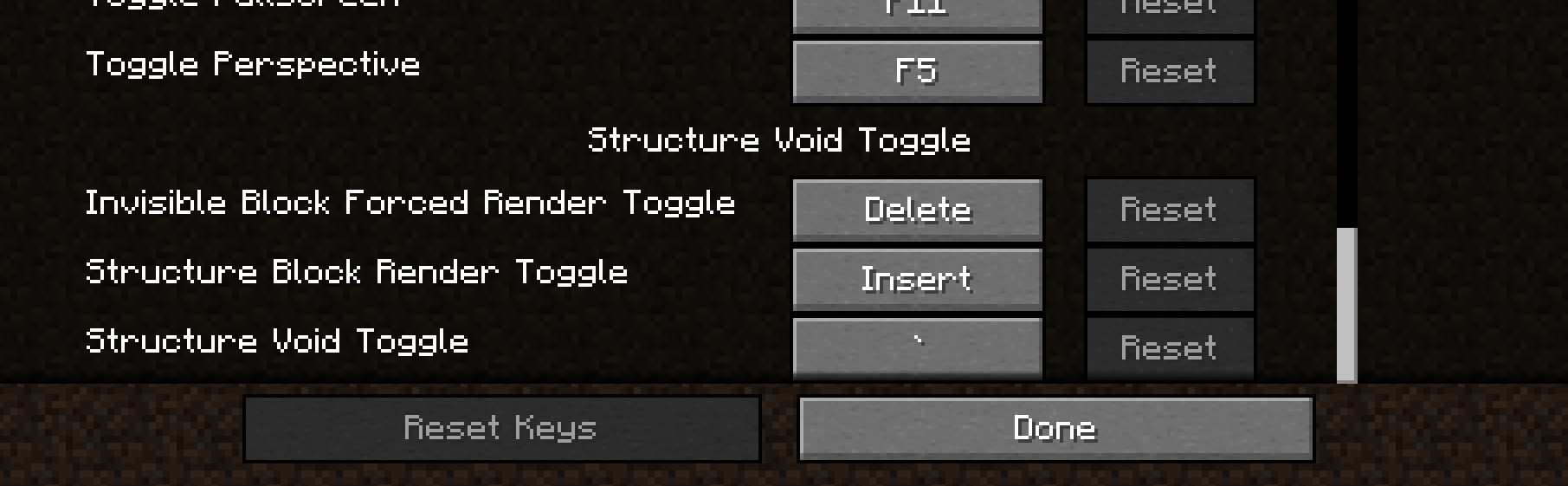
反引键 ` 将在 '默认'、'无碰撞箱'、'小碰撞箱' 和 '大碰撞箱' 之间切换。这将应用于结构方块空气、发光方块和屏障方块。默认模式会恢复每个方块的正常形状和行为。其余模式强制将方块的碰撞箱设置为相应模式的尺寸。
-
插入键 (Insert) 将禁用来自结构方块的任何不可见方块的渲染。当显示大量不可见方块时,结构方块的渲染可能会导致严重卡顿,此功能可能很有用。
-
删除键 (Delete) 将开启 "强制渲染" 选项,该选项会渲染所有结构方块空气、发光方块和屏障方块,使它们在距离你足够近时即使不在结构方块边界内也能可见!如果同时开启了 "大碰撞箱" 模式和 "强制渲染",这些方块将获得完整的实体立方体渲染效果,从而更容易看清所有方块的位置并破坏它们。
-
页面上翻键 (Page Up) 将使在结构方块空气或发光方块上放置任何方块时,方块会被放置在侧面而不是替换掉结构方块空气或发光方块。
-
(26.2+) 减号键 (-) 将减少强制渲染的距离。渲染距离不是持久化的,重新打开 Minecraft 时会重置。
-
(26.2+) 等号键 (=) 将增加强制渲染的距离。渲染距离不是持久化的,重新打开 Minecraft 时会重置。
注意:你可以在设置的控制部分更改任何按键绑定。
我希望你能喜欢这个让结构建造变得稍微容易一点的模组,并且不要忘记在上面的“问题”标签页或下方的 Discord 中报告你发现的任何错误或问题!你也可以在这个模组页面下发表评论。
我的模组 Discord #telepathicgrunt-mods 频道链接:
Are you annoyed with Structure Void getting in the way of you breaking/placing blocks in your structure? SO WAS I!
SOLUTION: STRUCTURE VOID TOGGLE MOD!
A little backstory, I was making structures and using Structure Blocks to save them with Structure Void for world generation later. However, I got fed up with Structure Void making it difficult to add/remove blocks in my structures. So I decided to make this really simple mod where you can toggle between the size of the hitbox for the block!
AS OF 1.19.2 (Some features are not available in older MC versions):
-
BACKTICK KEY ` will switch between 'Default', 'No Hitbox', 'Small Hitbox', and 'Large Hitbox'. This will apply to Structure Void, Light, and Barrier block. Default goes back to normal shape and behavior for each block. The rest forces the block's hitbox to be whatever the mode is.
-
INSERT KEY will disable any invisible block rendering from Structure Blocks. May be useful as the Structure Block's rendering is very laggy when showing a ton of invisible blocks.
-
DELETE KEY will switch on the 'Forced Rendering' option which will render all Structure Void, Light, and Barrier blocks so that they all are visible when close enough to you even if not in bounds of a Structure Block! If 'Large Hitbox' mode is on alongside 'Forced Rendering', the blocks will get a full-cube solid rendering to make it mush easier to see where all the blocks are and easier to break them.
-
PAGE UP KEY will make it so that placing any block on Structure Void or Light will place the blocks on the side instead of replacing the Structure Void or Light block.
-
(26.2+) MINUS KEY will reduce the forced render distance. The render distance is not persistent and will be reset on relaunch of Minecraft.
-
(26.2+) EQUALS KEY will increase the forced render distance. The render distance is not persistent and will be reset on relaunch of Minecraft.
NOTE: You can change any of the keybinds in the Controls section of settings.
I hope you enjoy this mod to make structure building a little easier and don't forget to report any bugs or issues you find with this mod in the Issue tab above or in my discord below! Or you can comment on this mod page too
Discord Link to #telepathicgrunt-mods channel for my mods! :

下载 Structure Void Toggle
需要联机服务器吗?
稳定流畅、一键部署,几分钟即可和朋友联机开服
最低仅需 8 元/月 即可畅快联机
下载 Structure Void Toggle
需要联机服务器吗?
稳定流畅、一键部署,几分钟即可和朋友联机开服
最低仅需 8 元/月 即可畅快联机
下载 Structure Void Toggle
需要联机服务器吗?
稳定流畅、一键部署,几分钟即可和朋友联机开服
最低仅需 8 元/月 即可畅快联机
下载 Structure Void Toggle
下载 Structure Void Toggle
下载 Structure Void Toggle
需要联机服务器吗?
稳定流畅、一键部署,几分钟即可和朋友联机开服
最低仅需 8 元/月 即可畅快联机
下载 Structure Void Toggle
(V.4.5.6 更新内容) (26.3 Minecraft)
主要更新:
已更新至 v26.3
关于这个资源的讨论、问题反馈与使用心得
还没有讨论,来发第一帖吧
你是这个资源的作者?登录后可认领此资源。
相似资源
 模组

显示你正在注视的方块的信息。(适用于 Minecraft 1.16+ 的 Hwyla/Waila 分支)
 模组

查看物品与配方
 模组
在游戏画面角落显示附近世界地形、玩家、生物和实体的地图。可创建路径点,帮助你找到标记过的位置。
 模组
使用 JavaScript 编辑配方、添加自定义物品、编写世界事件!
 模组
添加区块认领和玩家组队功能,并与 Xaero's Minimap 和 World Map 集成
 模组
AE2:一款流行的自动化与存储模组
评论 0
登录后参与评分
还没有评论,来抢沙发吧