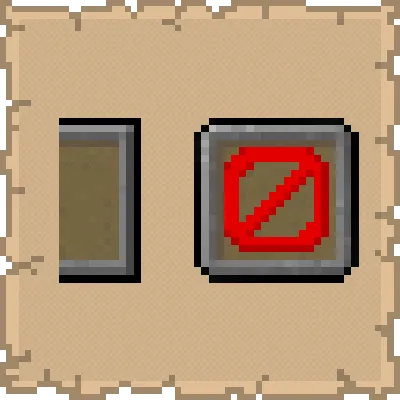
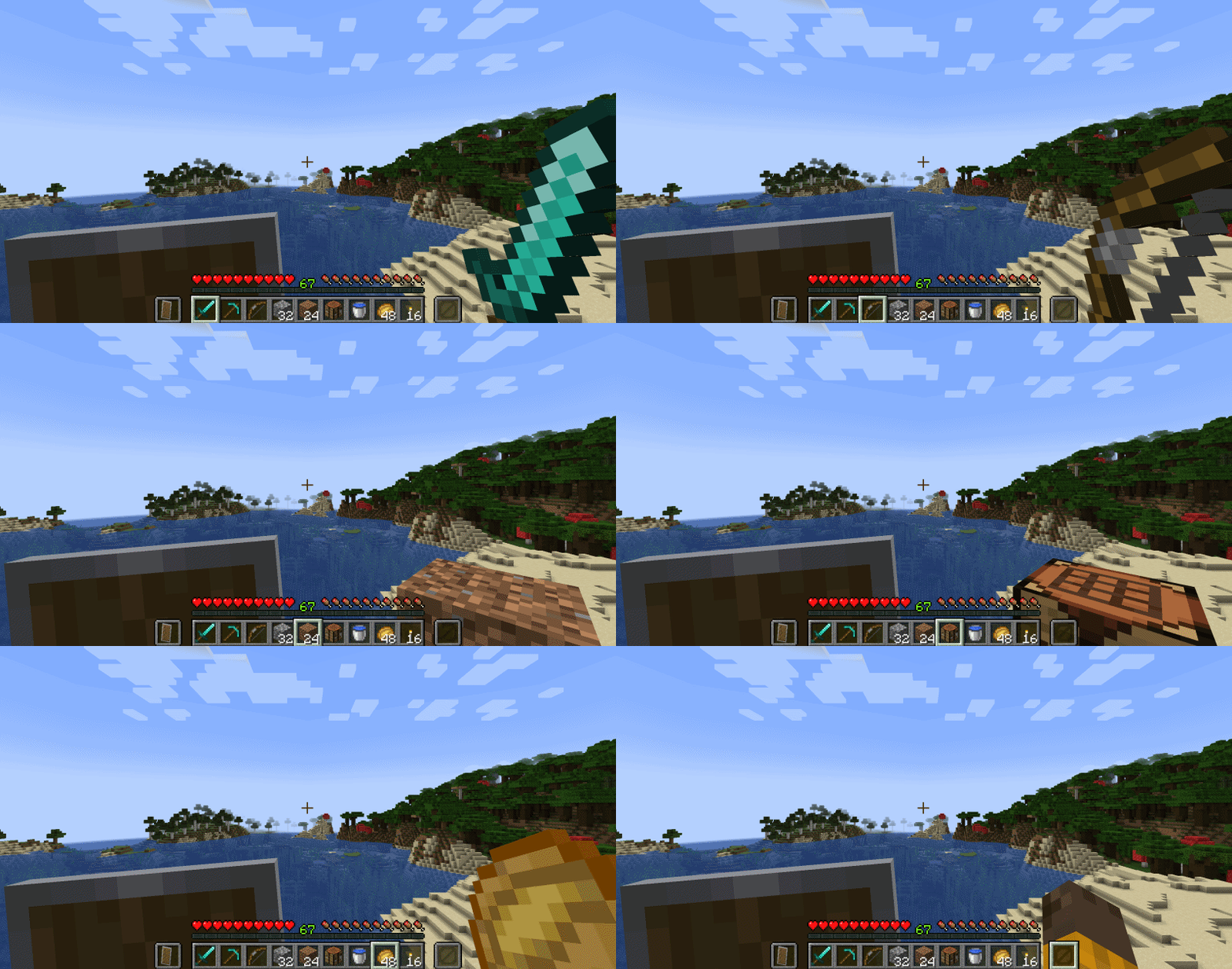
是否曾为了腾出手来,手忙脚乱地清空快捷栏的某个槽位?Tenth Slot 能瞬间解决这一问题。它在你的快捷栏中添加了一个永久存在且始终为空的第十个槽位,为你提供了一个专用的空手位置,只需按键一次或滚动鼠标即可切换。不再需要来回倒腾物品,不再误放物品,也不再因挥出空拳而打断游戏节奏。它无缝融入原版 HUD,仿佛原本就在那里,在你需要之前完全不会碍事。
功能特性
| 第十个快捷栏槽位 | 添加一个永久显示的第十个槽位,作为原版快捷栏 HUD 的延伸部分 |
| 空手切换 | 第十个槽位是一个专用的空手位置,始终显示无物品模型的空手 |
| 永久锁定为空 | 第十个槽位无法持有物品。从地面拾取、从容器获取或通过指令放入的物品会自动重定向到其他可用槽位 |
使用方法
- 向上滚动第 1 个槽位和向下滚动第 9 个槽位可进入第十个槽位。
- 按下
 可直接跳转到第十个槽位。
配置选项
更改键位绑定:
- 前往 选项 → 控制设置 → 键位绑定
- 滚动至 “库存” 类别
- 点击 “Hotbat Slot 10 (Tenth Slot)” 并按下你希望设置的按键
Mod Menu 设置:
| 仅在快捷栏满时显示 | 启用后,仅当所有 9 个快捷栏槽位都被占用时才显示第十个槽位 |
| 原版副手操作 | 禁用后,选中第十个槽位时将阻止所有副手操作(放置方块、吃东西、使用物品等) |
| 原版非物品右键交互 | 禁用后,选中第十个槽位时将阻止非物品右键交互(开门、骑乘、交易、打开方块 GUI 等) |
| 原版左键交互 | 禁用后,选中第十个槽位时将阻止左键交互(攻击实体、破坏方块) |
需求
| Minecraft 版本 | Fabric 加载器 | Configuration Library | Fabric API | Mod Menu |
| 1.21.x | 0.18.6+ | Cloth Config API | 因 Minecraft 版本而异 | |
| 26.1 - 26.2 | YetAnotherConfigLib | |||
| 26.3 | 0.19.5+ | |||
客户端与服务器
部分功能同时存在于客户端和服务器端,因此需要在两侧都安装该模组。
免费且公开源码
本项目完全免费。我不接受捐赠或“请我喝咖啡”式的资助。如果你喜欢这个模组,最好的支持方式是:
- 留下评分/评论
- 与朋友分享
- 报告你发现的任何错误
不兼容的模组
- Smooth Scrolling
- DisableHotbarWrap
这些模组与 Tenth Slot 处理快捷栏和滚动的方式冲突。修复正在开发中,即将发布。
Ever found yourself frantically clearing out a hotbar slot just to free up your hands? Tenth Slot solves that instantly. It adds a permanent, always-empty tenth slot to your hotbar, giving you a dedicated bare-hand position that is always one keypress or scroll away. No more juggling items, no more accidental placements, no more interrupting your flow just to swing an empty fist. It fits seamlessly into the vanilla HUD as if it were always there, and stays completely out of your way until you need it.
FEATURES
| Tenth Hotbar Slot | Adds a permanent tenth slot displayed as an extension of the vanilla hotbar HUD |
| Empty Hand Toggle | The tenth slot is a dedicated empty hand position that always shows a bare hand with no item model |
| Permanently Locked Empty | The tenth slot can never hold an item. Items picked up from the ground, received from containers, or inserted via commands are automatically redirected to other available slots |
HOW TO USE
- Scrolling up slot 1 and down slot 9 goes to the tenth slot.
- Jump directly to the tenth slot by pressing .
CONFIGURATION
Changing the Keybind:
- Go to Options → Controls → Key Binds
- Scroll to the "Inventory" category
- Click on "Hotbat Slot 10 (Tenth Slot)" and press your desired key
Mod Menu Settings:
| Show Only When Hotbar Is Full | When enabled, the tenth slot is only shown when all 9 hotbar slots are occupied |
| Vanilla Offhand Actions | When disabled, all offhand actions are blocked while the tenth slot is selected (placing blocks, eating, using items, etc.) |
| Vanilla Non-Item Right Click | When disabled, non-item right-click interactions are blocked while the tenth slot is selected (opening doors, mounting, trading, opening block GUIs, etc.) |
| Vanilla Left Click | When disabled, left-click interactions are blocked while the tenth slot is selected (attacking entities, breaking blocks) |
REQUIREMENTS
| Minecraft Version | Fabric Loader | Configuration Library | Fabric API | Mod Menu |
| 1.21.x | 0.18.6+ | Cloth Config API | Varies by Minecraft version | |
| 26.1 - 26.2 | YetAnotherConfigLib | |||
| 26.3 | 0.19.5+ | |||
CLIENT & SERVER
Some functionality exists on both the client and server, requiring the mod to be installed on both sides.
FREE & PUBLIC SOURCE
This is a completely free project. I'm not asking for donations or "buy me a coffee" contributions. If you enjoy the mod, the best way to support it is by:
- Leaving a rating/review
- Sharing it with friends
- Reporting any bugs you find
INCOMPATIBLE MODS
- Smooth Scrolling
- DisableHotbarWrap
These mods conflict with how Tenth Slot handles your hotbar and scrolling. Fixes are being worked on right now and will be included soon.
下载 Tenth Slot
下载 Tenth Slot
下载 Tenth Slot
下载 Tenth Slot
下载 Tenth Slot
下载 Tenth Slot
下载 Tenth Slot
下载 Tenth Slot
需要联机服务器吗?
稳定流畅、一键部署,几分钟即可和朋友联机开服
最低仅需 8 元/月 即可畅快联机
下载 Tenth Slot
下载 Tenth Slot
- 新增对 Minecraft 26.3 的支持
- 更新 Fabric Loader 至 0.19.5(26.3 所需)
- 添加了对 Minecraft 26.2 的支持
关于这个资源的讨论、问题反馈与使用心得
还没有讨论,来发第一帖吧
你是这个资源的作者?登录后可认领此资源。
相似资源
 模组

显示你正在注视的方块的信息。(适用于 Minecraft 1.16+ 的 Hwyla/Waila 分支)
 模组
在游戏画面角落显示附近世界地形、玩家、生物和实体的地图。可创建路径点,帮助你找到标记过的位置。
 模组

查看物品与配方
 模组
使用 JavaScript 编辑配方、添加自定义物品、编写世界事件!
 模组
AE2:一款流行的自动化与存储模组
 模组
那是什么?一个 Waila/Hwyla 的分支。
评论 0
登录后参与评分
还没有评论,来抢沙发吧