
Minecraft 待办事项模组
一个简单而实用的 Minecraft 待办事项模组,支持单人、本地局域网和多人服务器协作。
A simple and practical todo list mod for Minecraft, built for single-player, LAN, and multiplayer collaboration.
功能 / Features
v1.3.0 版本能力概览 / Capability Overview
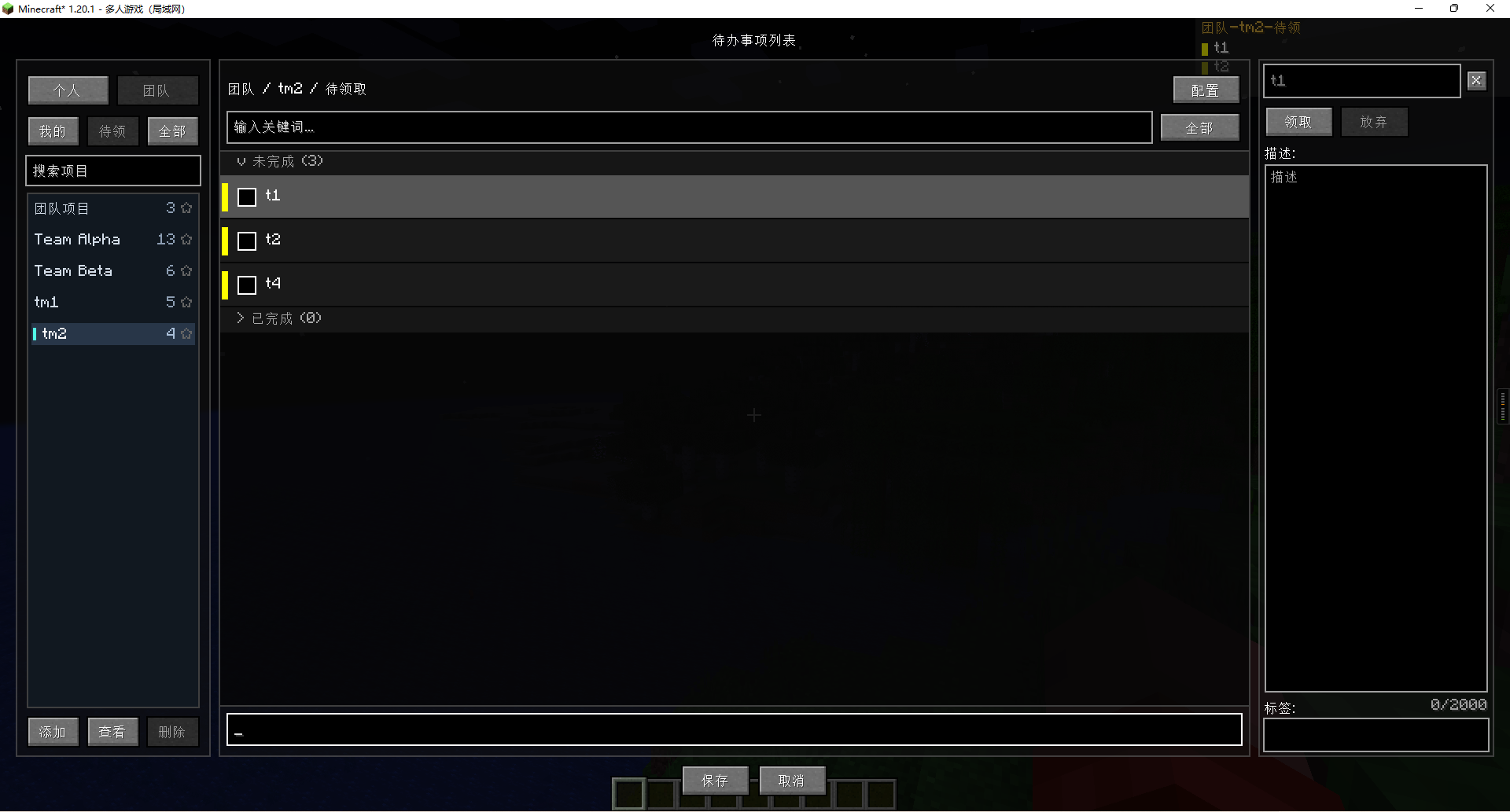
- 游戏内 GUI 任务管理:支持创建、编辑、删除、完成、搜索、筛选、拖拽排序未完成任务,以及按优先级和标签组织任务 / In-game GUI task management: create, edit, delete, complete, search, filter, drag-sort unfinished tasks, and organize tasks by priority and tags
- 个人与团队项目:支持在个人与团队工作区之间切换,提供项目搜索提示,并按项目维度组织任务 / Personal and team projects: switch between personal and team workspaces, search projects with hints, and organize tasks by project
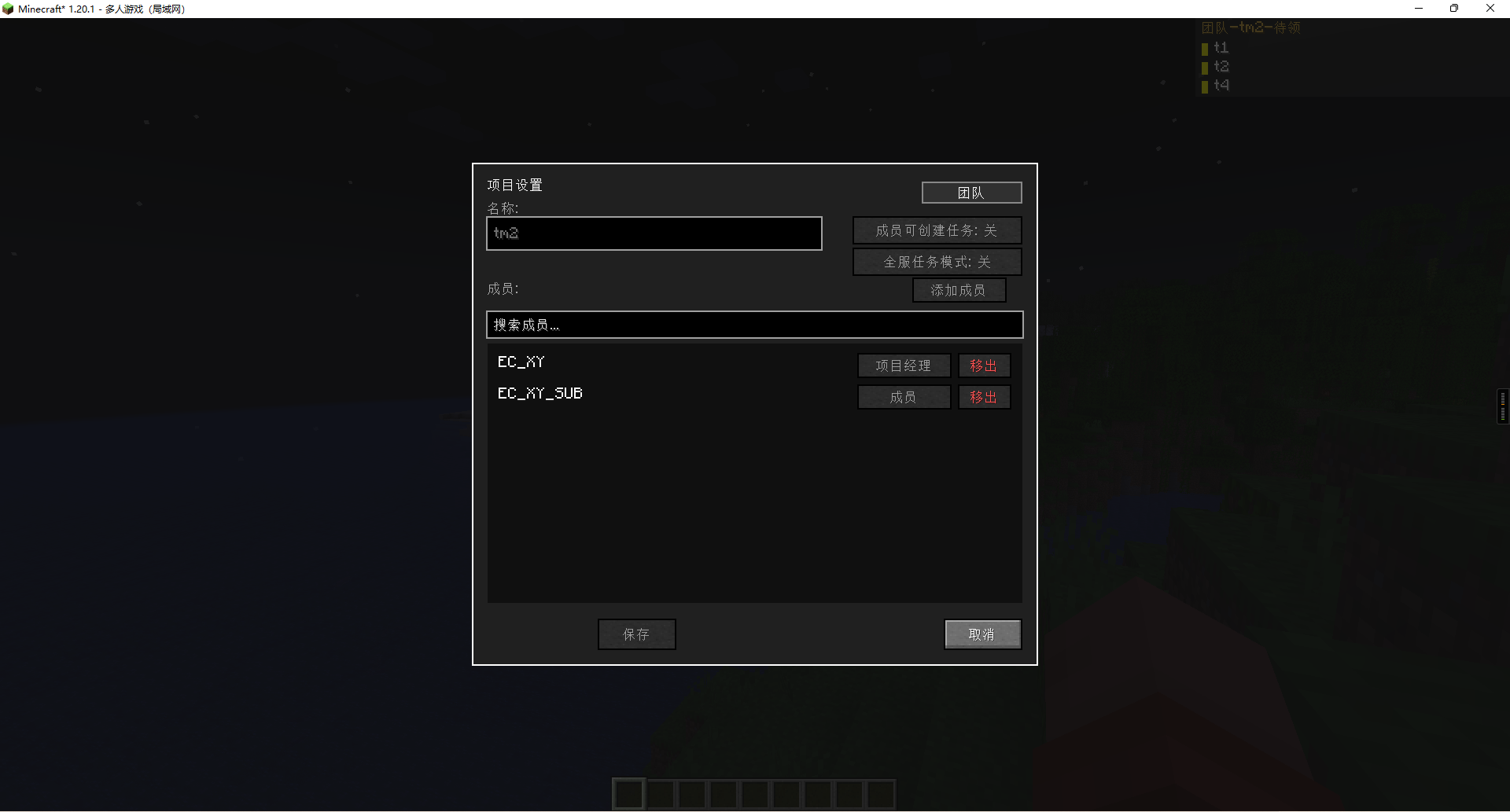
- 团队协作增强:支持领取、放弃、指派他人、离线成员指派,以及团队项目可选的全服任务模式 / Team collaboration upgrades: support claim, abandon, assign others, offline-member assignment, and optional all-player mode for team projects
- HUD 显示与配置:可配置 HUD 列表,并同步优先级色块、隐藏数量提示、视图状态与显隐状态 / HUD display and config: configurable HUD list with synchronized priority colors, hidden-count summary, view sync, and visibility state
- 更安全的持久化:任务、项目与配置文件已切换到带备份与自动恢复的安全写盘机制 / Safer persistence: tasks, projects, and config files now use backup-aware safe writes and automatic recovery after file corruption
- 本地单人稳定性:本地单人环境会同步维护本地与玩家任务副本,降低类似回滚的恢复问题 / Local singleplayer stability: local singleplayer personal-task storage keeps local and per-player copies in sync to avoid rollback-like restores
更多说明 / More details:
- FEATURES.md / FEATURES_EN.md
- ROADMAP.md / ROADMAP_EN.md
- CHANGELOG.md / CHANGELOG_EN.md
截图 / Screenshots
单人游戏 / Singleplayer
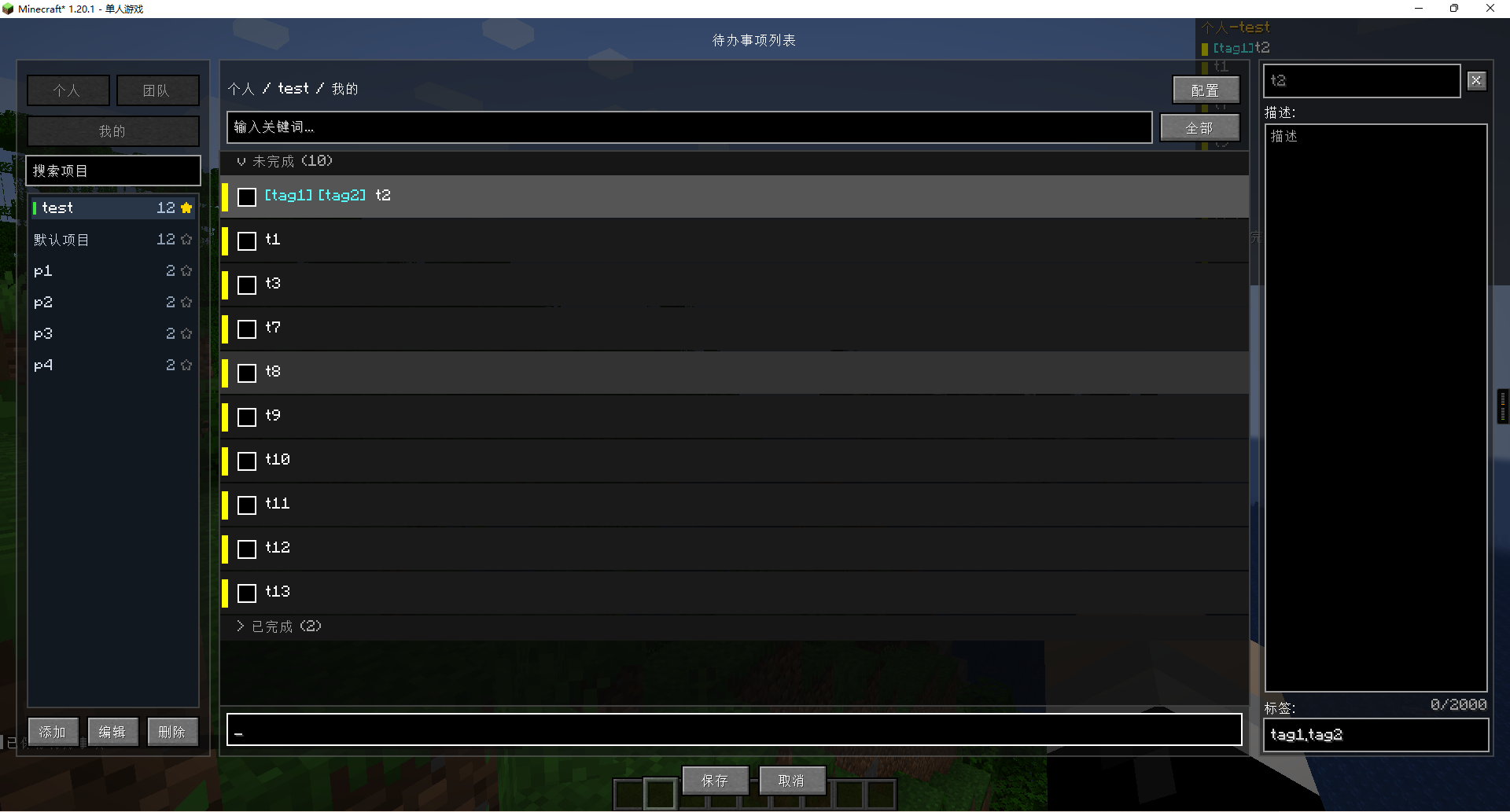
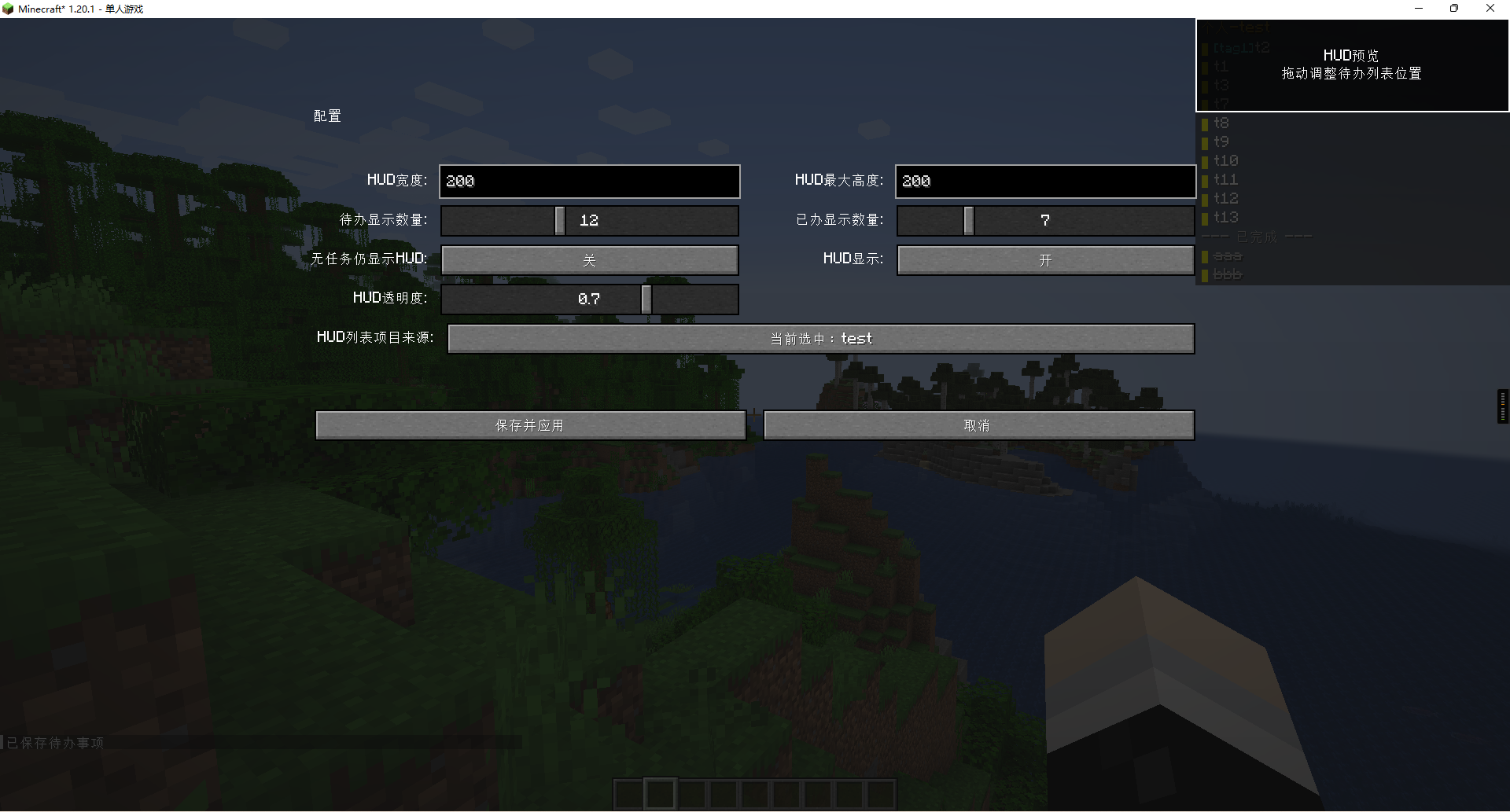
多人游戏 / Multiplayer
管理员视角 / Op View
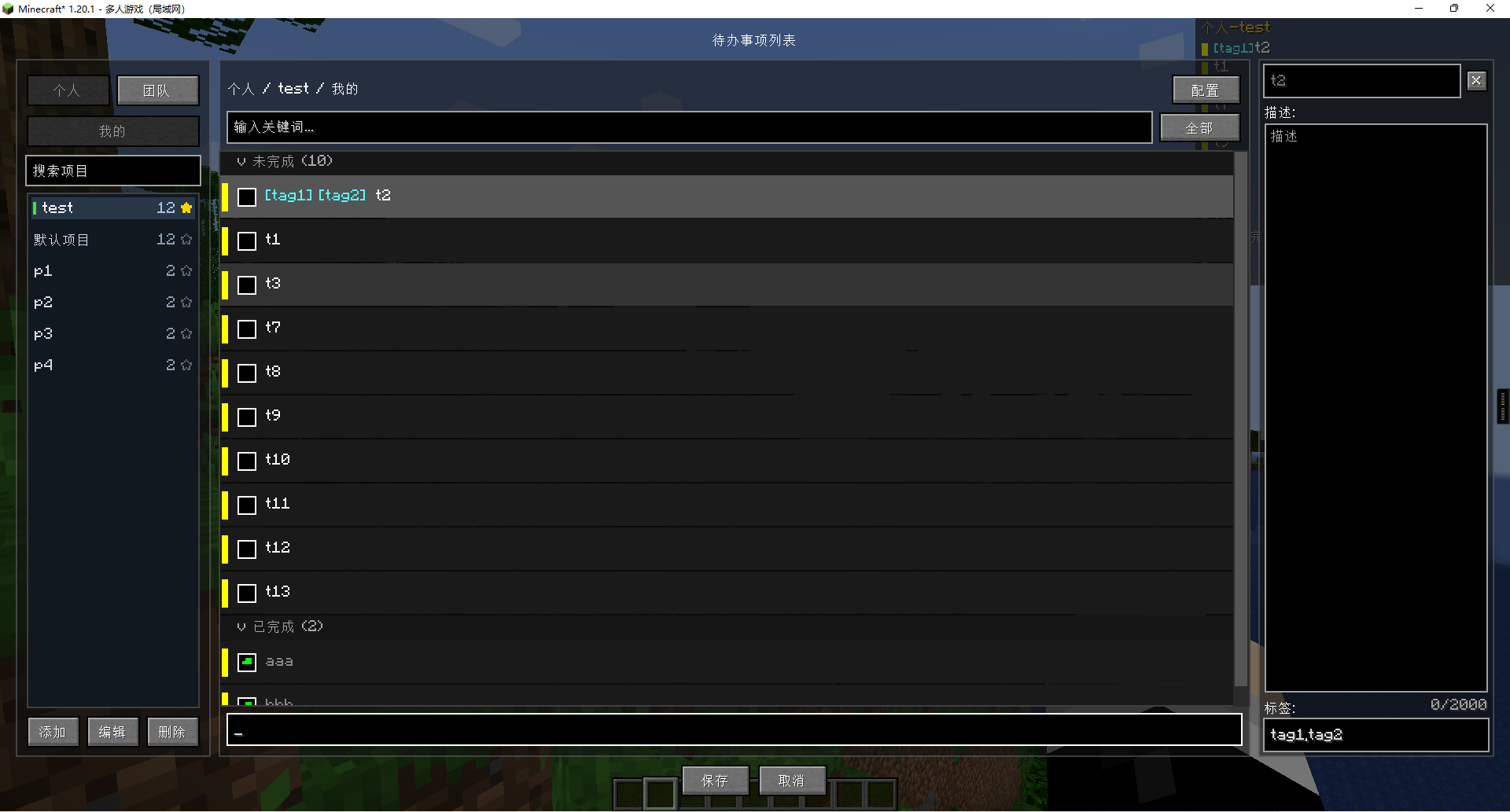
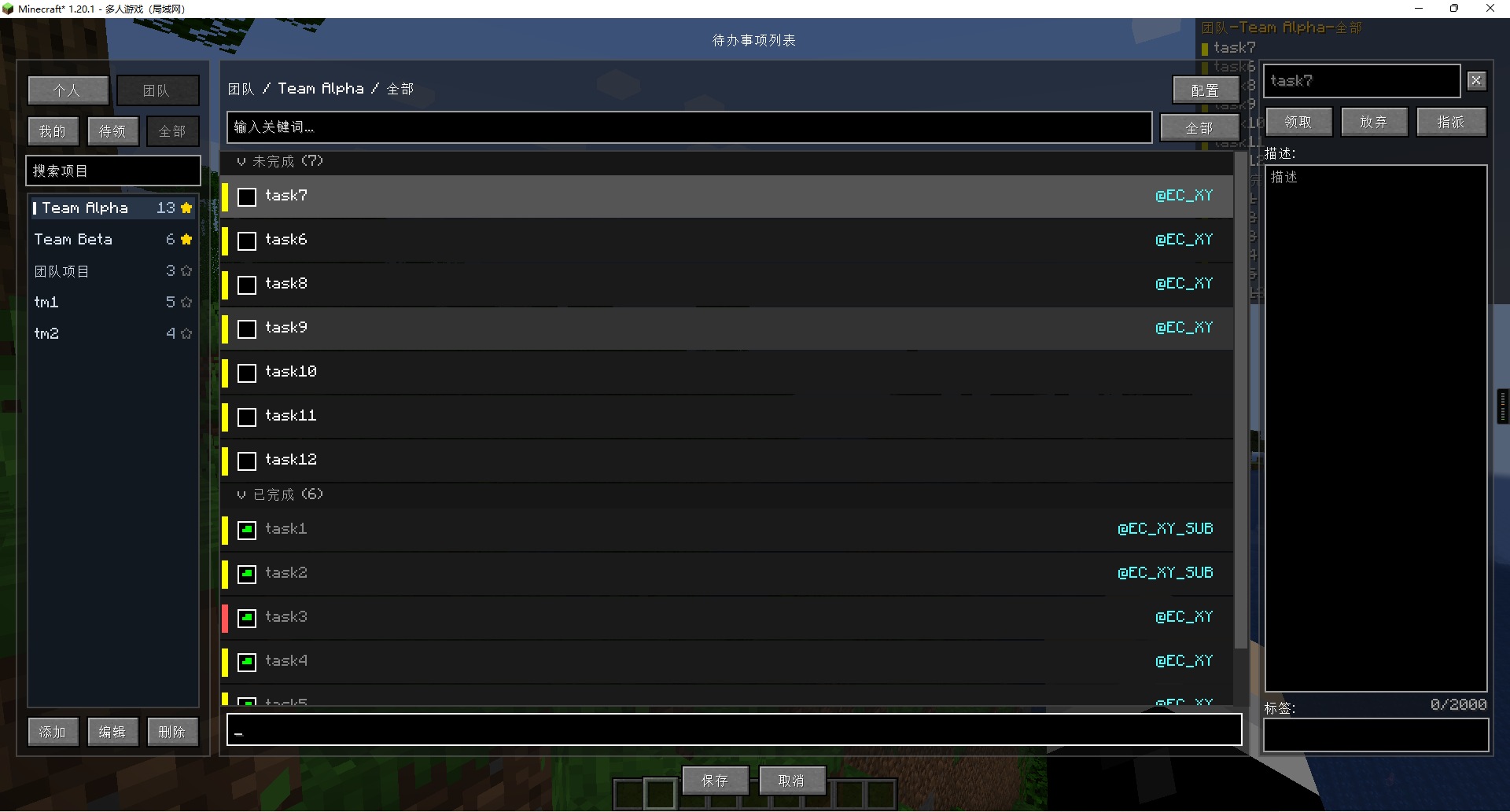
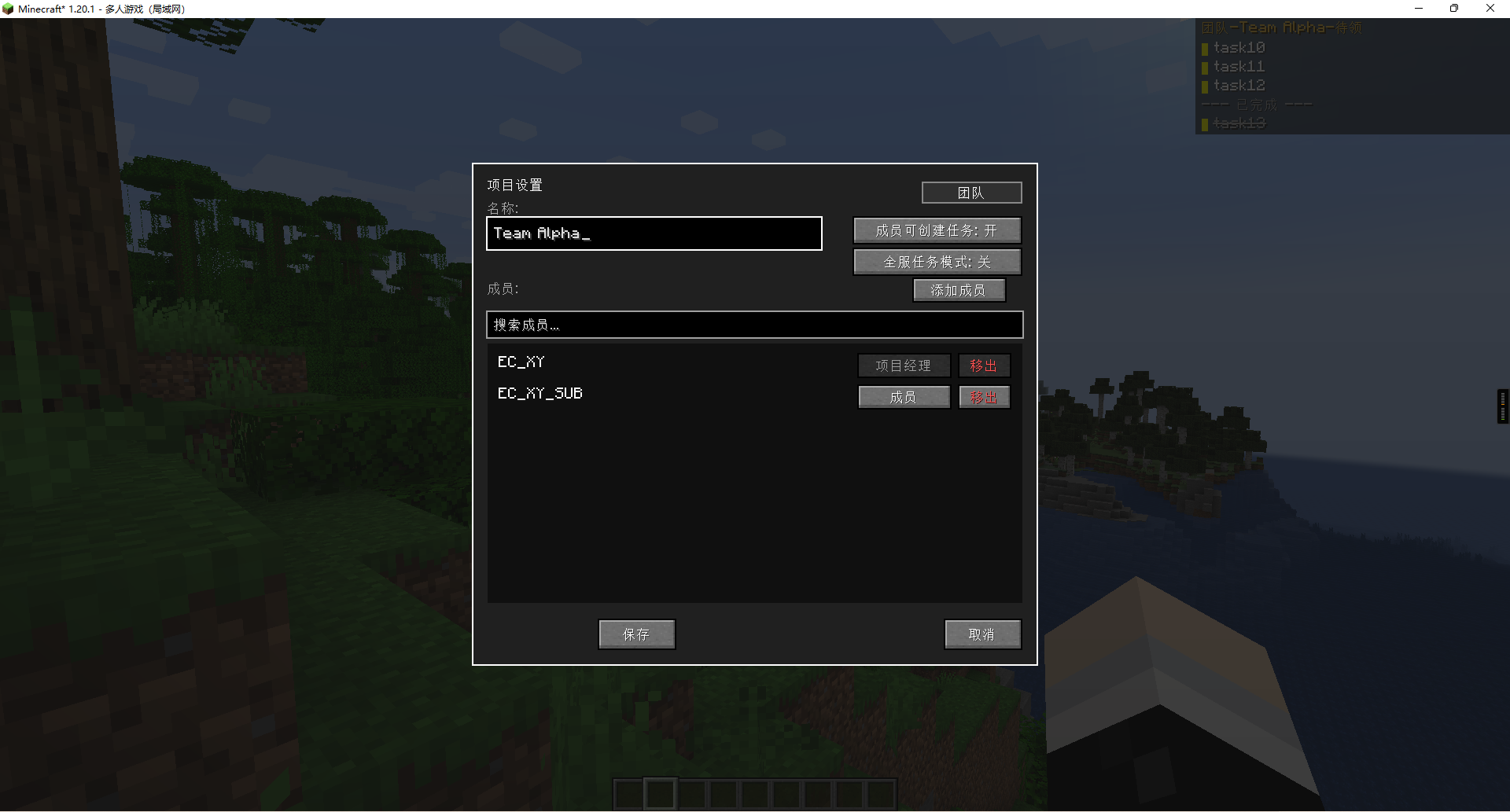
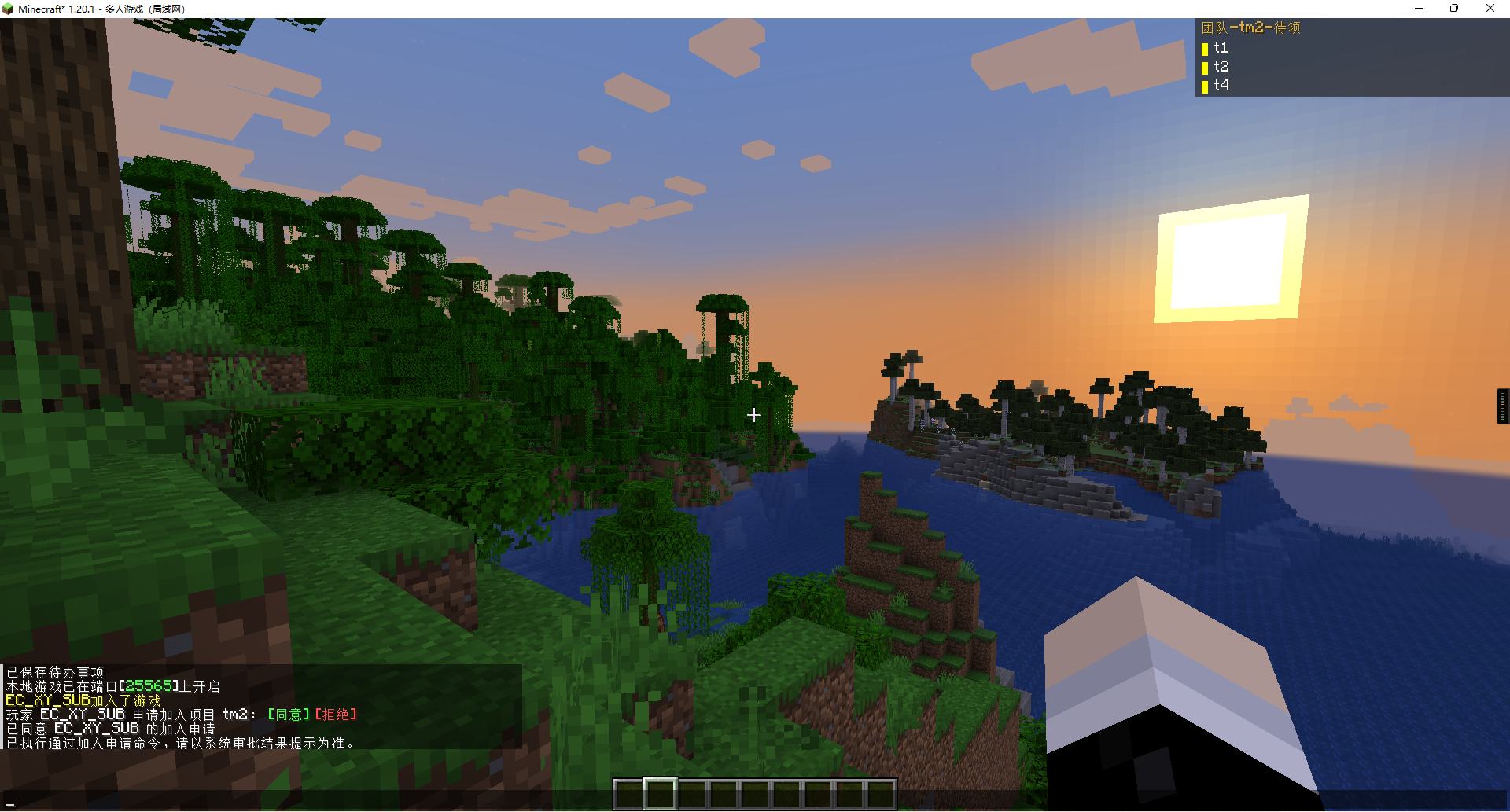
玩家视角 / Player View
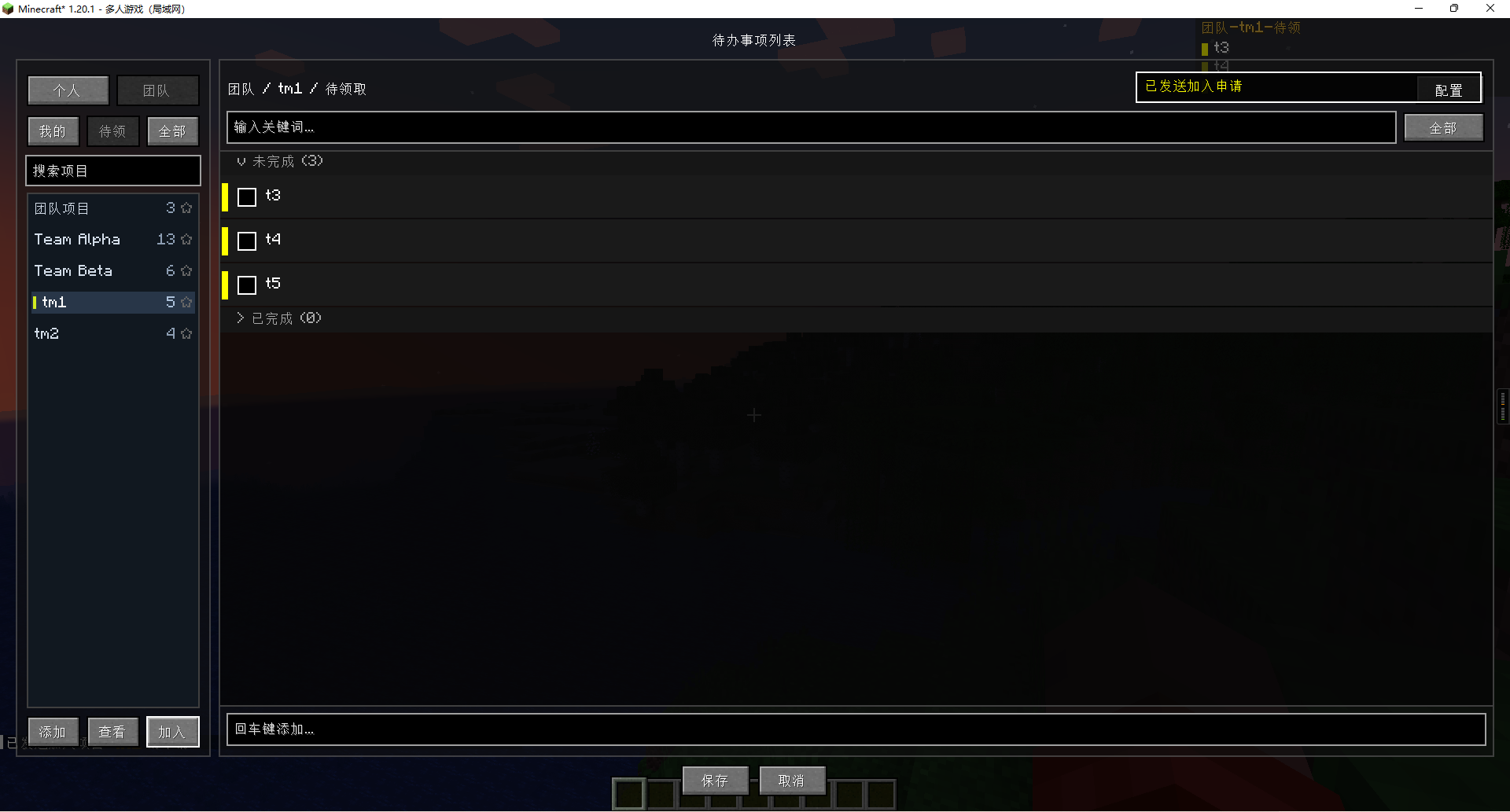
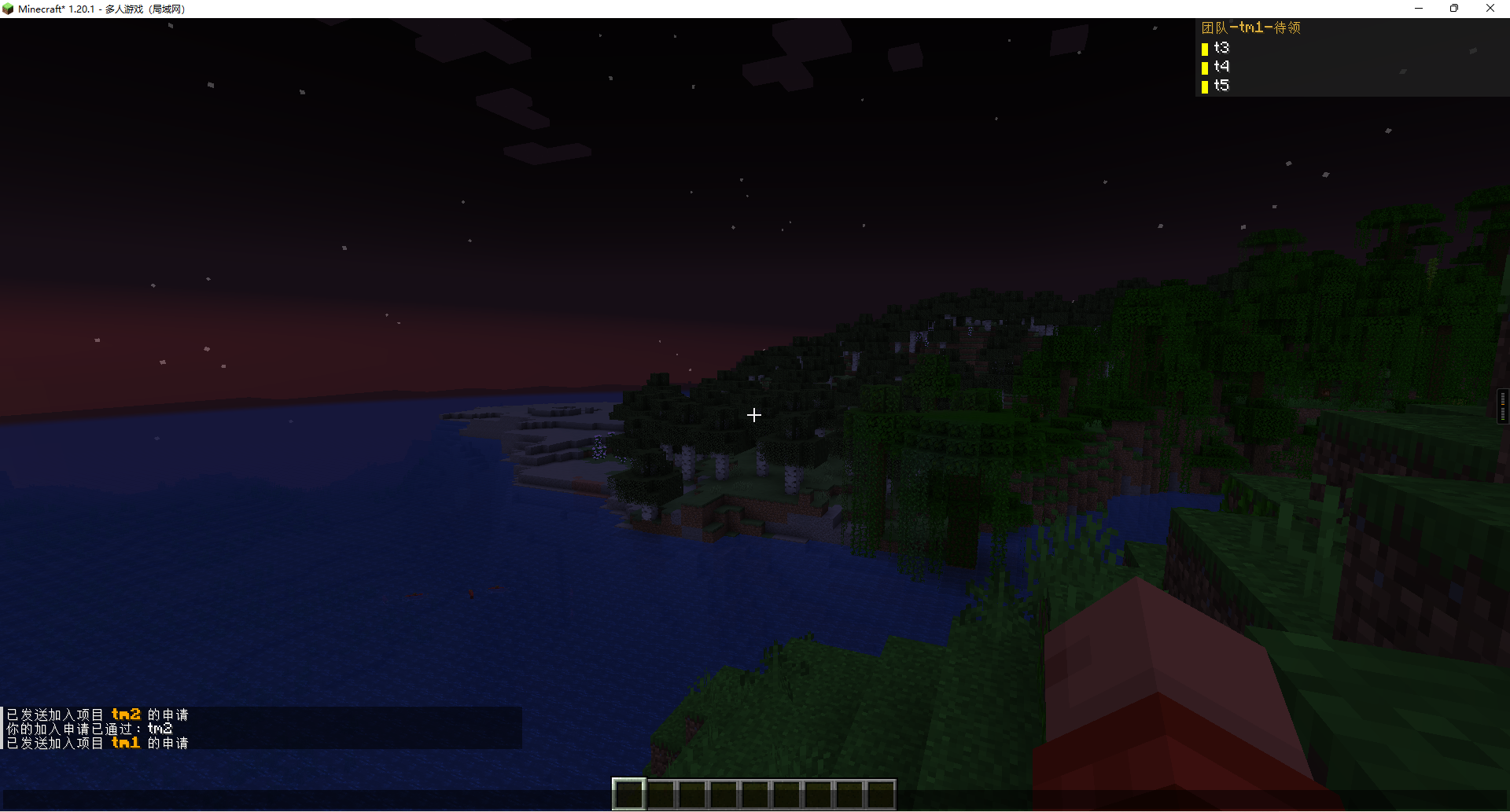
安装 / Installation
要求 / Requirements
- Minecraft 1.20.1
- Fabric Loader 0.15.11+ 与 Fabric API 0.86.1+1.20.1 / Fabric Loader 0.15.11+ with Fabric API 0.86.1+1.20.1
- 或使用 GitHub Releases 中对应的 Forge 版本构建 / Or the matching Forge release package from GitHub Releases
步骤 / Steps
- 下载与你使用的加载器对应的最新模组 JAR 文件 / Download the latest mod JAR that matches your loader
- 将文件放入
mods文件夹 / Put it into yourmodsfolder - 启动 Minecraft / Launch Minecraft
- 在游戏中按
K打开待办列表 / PressKin game to open the todo list
使用说明 / Usage
按键绑定 / Key Bindings
K: 打开待办列表 / Open Todo ListH: 展开或收起 HUD / Toggle HUD Expanded StateJ: 显示或隐藏 HUD / Toggle HUD Visibility
项目 / Projects
- 任务归属于左侧栏当前选中的项目 / Tasks belong to the currently selected project in the left sidebar
- 可在侧边栏顶部切换个人项目和团队项目 / Switch between personal and team projects from the sidebar header
- 星标项目会优先排序,也可作为 HUD 项目来源 / Starred projects are sorted first and can be used as HUD sources
- 可在侧边栏中通过搜索前缀和下拉提示快速定位项目 / Search projects with prefixes and dropdown hints from the sidebar
- 可通过侧边栏按钮新增、编辑和删除项目 / Add, edit, and delete projects from the sidebar actions
任务 / Tasks
- 未完成任务可直接在列表中拖拽排序 / Unfinished tasks can be drag-sorted directly in the list
- 主界面会更清晰地分开展示待办与已完成任务 / The main screen now keeps a clearer split between todo and done sections
- 删除任务前会弹出明确确认 / Deleting a task requires explicit confirmation
- 任务详情与编辑流程会在独立详情区中处理,减少列表区域拥挤感 / Task details and edits are handled in a dedicated detail area instead of crowding the list
团队协作 / Team Collaboration
- 团队视图包含待分配、全部已分配和分配给我 / Team views include Unassigned, All Assigned, and Assigned to Me
- 团队改动需要点击保存后生效,保存或取消后客户端会重新从服务端同步 / Team changes take effect after clicking Save, and the client will re-sync from server after Save or Cancel
- “指派他人”弹窗现在展示项目成员而不是在线玩家,离线成员也可被正常指派 / The Assign Others dialog now lists project members instead of online players, and offline members can still be assigned
- 团队项目可按需开启全服任务模式,适配更宽松的共享协作流程 / Team projects can optionally enable an all-player task mode for broader shared workflows
- 团队权限基于角色控制:管理者和负责人可完整管理团队任务,成员主要负责领取和完成自己的任务 / Team permissions are role-based: managers and leads can fully manage team tasks, while members focus on claiming and completing their own tasks
HUD 配置 / HUD Config
- 可配置宽度、高度、显示条数、默认展开状态、透明度与项目来源 / Configure width, height, visible item count, default expanded state, opacity, and project source
- HUD 列表会更一致地跟随当前视图筛选和显示状态 / The HUD list follows current view filters and visibility state more consistently
- 优先级色块与隐藏数量摘要已与当前 GUI 语义对齐 / Priority color blocks and hidden-count summary are aligned with the current GUI semantics
- 在真正的单人环境中,团队 HUD 视图保持隐藏,默认视图固定为个人视图 / In true singleplayer, team HUD views stay hidden and personal view remains the default
持久化
- 任务、项目、玩家项目状态和配置文件现在使用更安全的临时写入加备份恢复流程
- 当主数据文件损坏时,模组会自动尝试从最近一次备份恢复
- 本地单人个人任务文件会同步维护本地与玩家副本,减少意外回滚
权限系统
OP: 服务器管理员PROJECT_MANAGER: 项目经理或创建者LEAD: 团队负责人MEMBER: 普通项目成员
服务端会基于角色、当前视图、任务归属和项目成员身份校验团队操作,所有生效的团队操作都会以统一的 [TEAM_OP] 格式记录到日志中。
参与贡献
欢迎贡献内容,提交 Issue 或 Pull Request 都很欢迎。
许可证
本项目采用 MIT 许可证,详见 LICENSE。
联系方式
- GitHub Issues: 报告错误
- Discord: 加入我们的服务器

你是这个资源的作者?登录后可认领此资源。
相似资源
 模组

玉Jade ?
Snownee
显示你正在注视的方块的信息。(适用于 Minecraft 1.16+ 的 Hwyla/Waila 分支)
实用前置
341
 模组
Xaero的小地图
thexaero
在游戏画面角落显示附近世界地形、玩家、生物和实体的地图。可创建路径点,帮助你找到标记过的位置。
冒险交通
241
 模组

物品管理器Just Enough Items (JEI)
mezz
查看物品与配方
前置实用
240
 模组
KubeJS
Lat
使用 JavaScript 编辑配方、添加自定义物品、编写世界事件!
前置实用
239
 模组
Applied Energistics 2
shartte
AE2:一款流行的自动化与存储模组
存储科技
217
 模组
WTHIT
deirn
那是什么?一个 Waila/Hwyla 的分支。
前置实用
165
评论 0
登录后参与评分
还没有评论,来抢沙发吧