
Unbound Third Person - 适用于 Fabric、Forge 和 NeoForge 的解耦式 360 自由视角第三人称模组
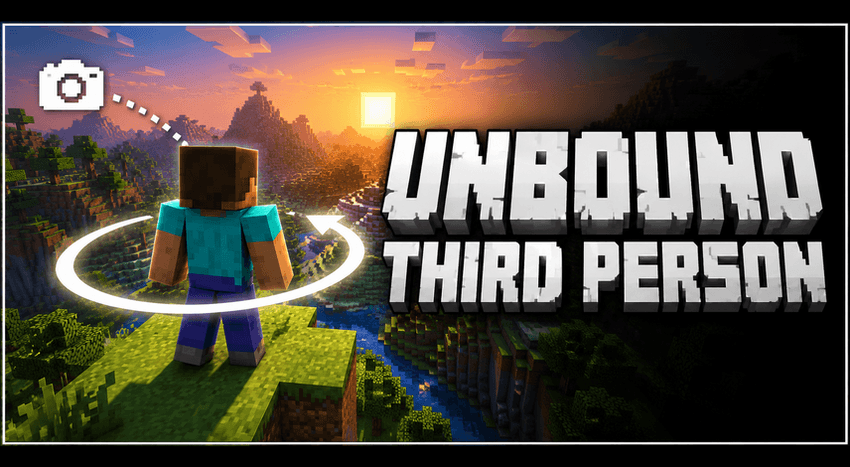
一款简洁、轻量级且完全解耦的第三人称摄像机模组,专为现代 Minecraft 打造。看向任意方向,向任意方向移动——你的摄像机与角色独立运动,且不会触发任何反作弊检测。支持 Fabric、Forge 和 NeoForge。替代已停止维护的 Better Third Person。
为何开发此模组
Better Third Person 曾是解耦式摄像机模组的黄金标准,但它已停止维护,且未针对现代 Minecraft 版本进行更新。Unbound Third Person 是一个从头开始的重构版本,具有相同的行为表现、更好的性能,并且在三个加载器上实现 100% 完全合法的移动方式——在真实服务器中测试过,零误报。
核心功能
解耦摄像机
你的鼠标控制摄像机,WASD 键控制角色。移动鼠标以环顾四周。按 W 键沿摄像机朝向向前奔跑。按 S 键向摄像机方向奔跑。按 A 或 D 键向左或向右平移。在冲刺、战斗或建造时拥有完整的 360 度视野——在向前奔跑的同时回头张望,在向右平移时扫描左侧,在不改变移动方向的情况下检查周围环境。
以服务器安全的速度实现平滑的旋转过渡。旋转变化永远不会超过安全的每刻限制。绝不会发送超出正常参数范围的旋转数据包。移动重定向不修改网络数据包。已在 ExtremeCraft、mineman-club 及其他服务器上测试,零误报。
8 方向移动
W、W+A、A、S+A、S、S+D、D 和 W+D 均能正常工作。对角线移动会产生正确的朝向角度。前进键会重定向为纯向前移动。在所有按键组合下,玩家模型始终面向正确的行走方向。

基于摄像机的瞄准
攻击、方块放置和实体交互都击中摄像机所注视的位置,而非角色模型面朝的方向。准星显示真正的目标。这是通过直接覆盖摄像机前向向量射线检测来实现的,而不是玩家偏航角瞬间调整——这意味着服务器端永远不会看到突兀的旋转。

完全合法的移动方式 - 符合 Minecraft 标准
该模组完全在正常的玩家旋转和移动参数内运行。每次旋转变化都保持在 Minecraft 视为有效的鼠标视角输入范围内。不修改、伪造或发送超出正常游戏循环的网络数据包。移动方向由玩家偏航角控制,其变化速率与正常鼠标输入无异。已在多个服务器上测试,零误报。
战斗与交互
“交互时瞄准”功能可将玩家俯仰角锁定至摄像机,以便进行垂直瞄准,同时保持偏航角不变。基于摄像机的命中检测确保攻击飞向你所瞄准的位置。不会引入点击抑制或攻击延迟。该功能默认禁用,可从配置界面启用。
鞘翅飞行
启用后,在鞘翅飞行期间摄像机保持完全解耦。飞行方向基于玩家面朝方向,而摄像机可自由看向任意位置。在激活或着陆鞘翅时不会出现摄像机卡顿或强制对齐。
坐骑与载具
骑乘马匹、船只和其他载具时,解耦摄像机无缝工作。骑乘期间摄像机保持完全独立——你可以自由环顾四周侦察环境,而角色继续向前行进。上马或下马时不会出现摄像机卡顿。支持的载具包括马、驴、骡、骆驼、船和矿车。

建造
基于摄像机的瞄准使方块放置精确且直观。将方块放置在准星所指的确切位置,而非角色模型面朝的方向。结合解耦摄像机,你可以在奔跑或看向完全不同方向时,在你身后、头顶或侧面放置方块。对于需要全方位空间感知而不牺牲放置精度的建筑师来说,这是完美选择。

自定义设置
可调节的相机距离,支持自定义范围。可选滚轮缩放功能,在缩放时禁用快捷栏切换。F5 跳过正面视角仅在第一人称和第三人称背面之间循环。跟随偏航使静止的玩家模型略微跟随相机。完整的设置界面可通过 Fabric 上的 ModMenu 或 Forge 和 NeoForge 上的模组配置屏幕访问。提供十个按键绑定,包括切换模组、自由视角、肩膀交换、放大和缩小、配置文件循环以及相机方向控制。
配置文件
五个内置预设自动为不同的游戏风格配置模组:
- 生存模式 - 默认设置,平衡适用于一般游戏玩法
- 建造者 - 启用跳过正面视角,F5 保持在背面视角
- PvP - 战斗锁定目标,更紧凑的相机
- 鞘翅飞行 - 增加飞行时的距离
- 电影化 - 最大距离,自由相机
多加载器支持
Fabric、Forge 和 NeoForge 均受支持,所有三个加载器的行为完全一致。您可以从“Files”选项卡下载对应加载器的 JAR 文件。
安装
- 安装您选择的模组加载器(Fabric、Forge 或 NeoForge)
- 从“Files”选项卡下载匹配的 JAR 文件
- 将 JAR 文件放入您的 mods 文件夹
- 启动游戏并按 F5 进入第三人称视角
依赖项
- Fabric: Fabric API, Fabric Loader, ModMenu
- Forge: 无
- NeoForge: 无
常见问题
这在服务器上能正常工作吗?
可以。它是 100% 客户端端的模组。服务器无需安装该模组。已在带反作弊系统的服务器上测试过。
使用这个会被封禁吗?
不会。该模组不修改移动数据包、发送非法旋转数据或自动化任何操作。所有的旋转变化都在正常鼠标视角范围内。
Better Third Person 与此模组兼容吗?
不要同时使用两者。Unbound Third Person 是 BTP 的完整替代品。
我可以与 OptiFine、Sodium、Iris 或 Embeddium 一起使用吗?
可以。该模组使用 MixinExtras WrapOperation,与其他渲染模组兼容良好。
如何打开配置屏幕?
在 Fabric 上,使用 ModMenu。在 Forge 和 NeoForge 上,在模组列表中找到该模组并点击 Config。
致谢
- 作者: Xeonz
- 许可证: MIT
- 灵感来源: Better Third Person(不再维护现代版本)
Unbound Third Person - Decoupled 360 Free-Look Camera Mod for Fabric, Forge, and NeoForge
A clean, lightweight, fully decoupled third-person camera mod for modern Minecraft. Look anywhere, move any direction - your camera and your character move independently with zero anticheat flags. Supports Fabric, Forge, and NeoForge. Replaces Better Third Person (no longer maintained).
Why This Exists
Better Third Person was the gold standard for decoupled camera mods, but it is no longer maintained and has not been updated for modern Minecraft versions. Unbound Third Person is a complete ground-up rebuild with identical behavior, better performance, and 100 percent fully legal movement on all three loaders - tested on live servers, zero false flags.
Core Features
Decoupled Camera
Your mouse controls the camera. Your WASD keys control your character. Move your mouse to look around. Press W to run forward relative to the camera. Press S to run toward the camera. Press A or D to strafe left or right. Full 360-degree awareness while sprinting, fighting, or building - look behind you while running forward, scan left while strafing right, check your surroundings without changing your movement direction.
Smooth rotation transitions at server-safe speeds. Rotation changes never exceed safe per-tick limits. No rotation packets are ever sent outside normal parameters. Movement redirect does not modify network packets. Tested on ExtremeCraft, mineman-club, and other servers with zero false flags.
8-Directional Movement
W, W+A, A, S+A, S, S+D, D, and W+D all work correctly. Diagonal movement produces the correct facing angle. Forward keys redirect to pure forward movement. The player model faces the correct walking direction on every key combination.
Camera-Based Targeting
Attacks, block placement, and entity interaction all hit where the camera is looking, not where your character model is facing. The crosshair shows the true target. This is handled through a direct camera-forward-vector raycast override, not a player yaw snap - which means no abrupt rotation is ever visible to the server.
Fully Legal Movement - Supported by Minecraft Standards
The mod operates entirely within normal player rotation and movement parameters. Every rotation change stays within what Minecraft considers valid mouse-look input. No network packets are modified, faked, or sent outside the normal game loop. Movement direction is controlled by the player yaw, which changes at rates indistinguishable from normal mouse input. Tested on multiple servers with zero false flags.
Combat and Interaction
Aim on interact can snap player pitch to camera for vertical aiming while leaving yaw unchanged. Camera-based hit detection ensures attacks go where you aim. No click suppression or attack delay is introduced. The feature is disabled by default and can be enabled from the config screen.
Elytra Flight
Camera stays fully decoupled during elytra flight when enabled. Flight direction is based on player facing while the camera is free to look anywhere. No camera snapping occurs on elytra activation or landing.
Mounts and Vehicles
The decoupled camera works seamlessly while riding horses, boats, and other vehicles. Your camera stays fully independent while mounted - look around freely to scout your surroundings while your character rides forward. No camera snapping when mounting or dismounting. Supported vehicles include horses, donkeys, mules, camels, boats, and minecarts.
Building
Camera-based targeting makes block placement precise and intuitive. Place blocks exactly where the crosshair points, not where your character model faces. Combined with the decoupled camera, you can place blocks behind you, above you, or to your side while running or looking in a completely different direction. Perfect for builders who need full spatial awareness without sacrificing placement accuracy.
Customization
Adjustable camera distance with configurable range. Optional scroll wheel zoom that blocks hotbar switching while zooming. F5 skip front view cycles between first person and third person back only. Follow yaw makes the stationary player model slightly follow the camera. Full settings UI is accessible from ModMenu on Fabric or from the mod config screen on Forge and NeoForge. Ten keybinds are available including toggle mod, freelook, shoulder swap, zoom in and out, profile cycle, and camera direction controls.
Profiles
Five built-in presets auto-configure the mod for different play styles:
- Survival - default, balanced for general gameplay
- Builder - skip front view enabled, F5 stays in back view
- PvP - combat lock-on, tighter camera
- Elytra - increased distance for flight
- Cinematic - maximum distance, free camera
Multi-Loader
Fabric, Forge, and NeoForge are all supported with identical behavior across all three loaders. The JAR for your loader is available from the Files tab.
Installation
- Install the mod loader of your choice (Fabric, Forge, or NeoForge)
- Download the matching JAR from the Files tab
- Place the JAR in your mods folder
- Launch the game and press F5 to enter third person
Dependencies
- Fabric: Fabric API, Fabric Loader, ModMenu
- Forge: None
- NeoForge: None
FAQ
Does this work on servers?
Yes. It is 100 percent client-side. Servers do not need the mod installed. Tested on servers with anticheat.
Will I get banned for using this?
No. The mod does not modify movement packets, send illegal rotation data, or automate any actions. All rotation changes are within normal mouse-look parameters.
Is Better Third Person compatible with this?
Do not use both at the same time. Unbound Third Person is a complete replacement for BTP.
Can I use this with OptiFine, Sodium, Iris, or Embeddium?
Yes. The mod uses MixinExtras WrapOperation which stacks cleanly with other rendering mods.
How do I open the config screen?
On Fabric, use ModMenu. On Forge and NeoForge, find the mod in the mod list and click Config.
Credits
- Author: Xeonz
- License: MIT
- Inspiration: Better Third Person (no longer maintained for modern versions)

下载 Unbound Third Person
下载 Unbound Third Person
下载 Unbound Third Person
需要联机服务器吗?
稳定流畅、一键部署,几分钟即可和朋友联机开服
最低仅需 8 元/月 即可畅快联机
下载 Unbound Third Person
需要联机服务器吗?
稳定流畅、一键部署,几分钟即可和朋友联机开服
最低仅需 8 元/月 即可畅快联机
下载 Unbound Third Person
下载 Unbound Third Person
需要联机服务器吗?
稳定流畅、一键部署,几分钟即可和朋友联机开服
最低仅需 8 元/月 即可畅快联机
下载 Unbound Third Person
需要联机服务器吗?
稳定流畅、一键部署,几分钟即可和朋友联机开服
最低仅需 8 元/月 即可畅快联机
下载 Unbound Third Person
下载 Unbound Third Person
需要联机服务器吗?
稳定流畅、一键部署,几分钟即可和朋友联机开服
最低仅需 8 元/月 即可畅快联机
下载 Unbound Third Person
需要联机服务器吗?
稳定流畅、一键部署,几分钟即可和朋友联机开服
最低仅需 8 元/月 即可畅快联机
Unbound Third Person v1.0.6 适用于 MC 26.3
加载器版本: Forge 66.0.3 NeoForge 26.3.0.16-beta Fabric 0.161.0+26.3
更新内容: 新增对 Minecraft 26.3 在 Fabric、Forge 和 NeoForge 上的支持。 完整移植自 MC 26.2,所有功能与配置选项均已同步。
关于这个资源的讨论、问题反馈与使用心得
还没有讨论,来发第一帖吧
你是这个资源的作者?登录后可认领此资源。
相似资源
 模组

一个用于收集生物掉落物的多区块模组。
 模组

显示你正在注视的方块的信息。(适用于 Minecraft 1.16+ 的 Hwyla/Waila 分支)
 模组
在游戏画面角落显示附近世界地形、玩家、生物和实体的地图。可创建路径点,帮助你找到标记过的位置。
 模组

查看物品与配方
 模组
使用 JavaScript 编辑配方、添加自定义物品、编写世界事件!
 模组

适用于 MC 1.18+ 的 Effekseer 加载器
评论 0
登录后参与评分
还没有评论,来抢沙发吧