一款简单且完全基于客户端的模组,在游戏中叠加层渲染原版时钟和系统时间:

该模组此前是 Enigmatic Legacy 的一部分。我主要是为自己制作这个模组的,因为我是少数喜欢以全屏模式玩游戏的人之一(由于分辨率问题),在全屏模式下很难看清时间,而对我来说,时间必须清晰可见。
此外,config 文件夹中还包含一个配置文件(UniversalClockHUD.toml),你可以在其中进行以下调整:
- 设置仅在 fullscreen 模式下显示时钟;
- 设置打开聊天时是否隐藏时钟;
- 启用或禁用时钟背景;
- 在多个预设中选择时钟的位置;
- 如果你不喜欢标准的 24 小时制,可以启用 12 小时制;
- 如果默认预设不够用,可以定义自定义预设,并调整锚点及屏幕上的 X/Y 位置;
- 阻止时钟数字在下界或末地中不受控制地旋转(默认情况下会这样);
- 要求玩家的物品栏中存在原版时钟才能看到 HUD;
- 让时钟显示游戏内时间而非系统时间;
- 完全启用或禁用时钟。
默认情况下,时钟位于屏幕左下角,但你可以通过编辑配置文件中的 X 和 Y 位置将其自由调整到屏幕的任何位置。不过请注意,如果你更改这些值,它们在不同 GUI 缩放比例和不同屏幕分辨率下可能会有不同的表现。你需要根据自己的分辨率和 GUI 缩放比例创建个性化的调整,以达到最佳效果。
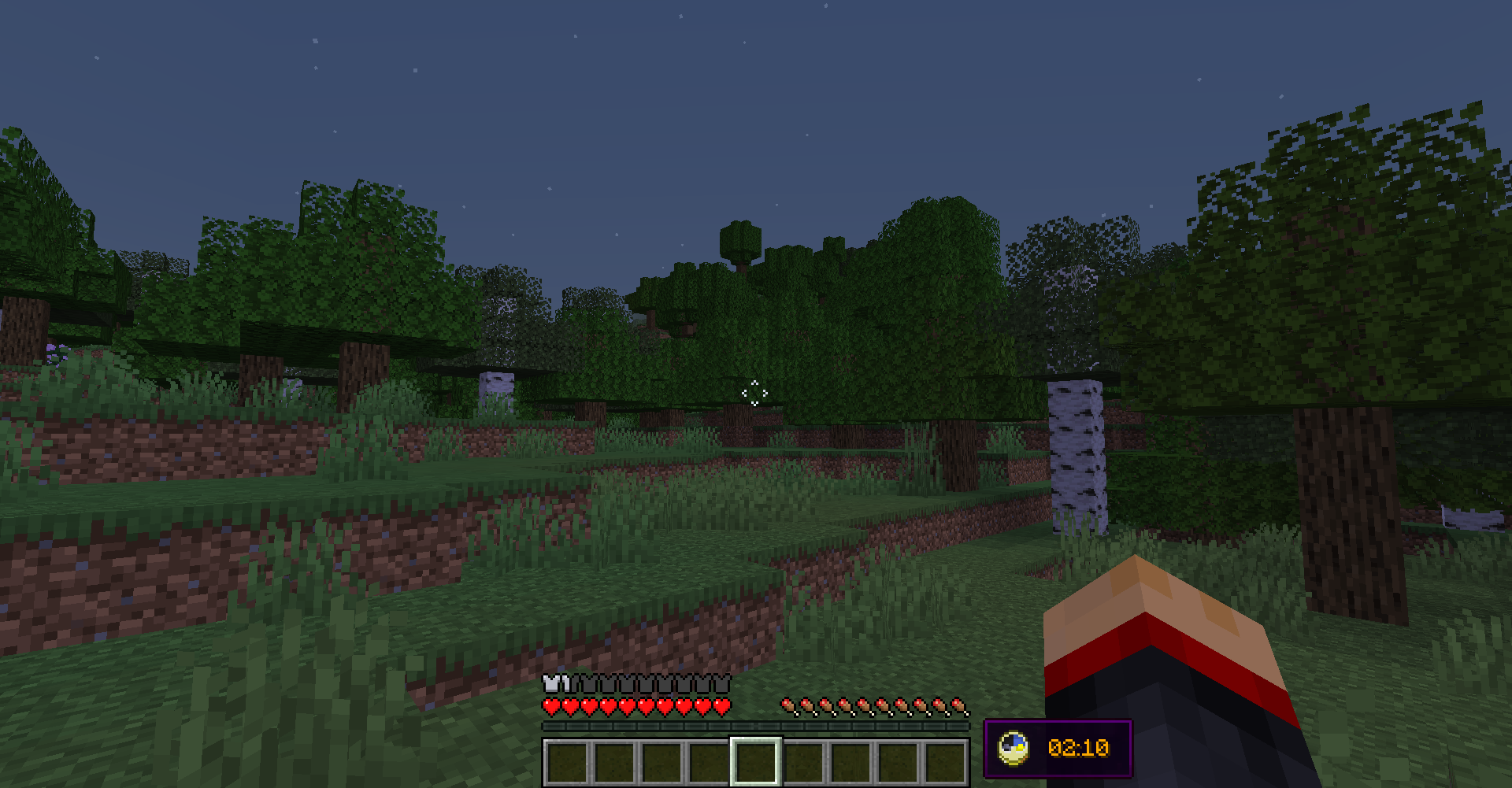
Universal Clock 的默认外观:
Simple and completely client-sided mod that renders vanilla clock and system time in the game overlay:

Previously was a part of Enigmatic Legacy. I mainly made this for myself, as one of few people who prefer to play in fullscreen mode (because of resolution issues), where you can't easily see the time, which for me is absolutely required to be easily visible.
There is also a config file (UniversalClockHUD.toml) located in the config folder, where you can make following adjustments:
- Set the clock to be only visible in fullscreen mode;
- Set whether or not the clock is hidden when chat is opened;
- Enable or disable background behind the clock;
- Choose where the clock is positioned among multiple presets;
- Enable 12-hour time format if you're not a fan of standard 24-hour option;
- If default presets aren't enough, define custom preset with adjustable anchor point and X/Y position on the screen;
- Stop the numbers on the clock from spinning uncontrollably in the Nether or The End (which they do, by default);
- Require vanilla clock to be present in player's inventory in order for them to see the HUD;
- Make the clock display in-game time instead of system time;
- Enable or disable the clock entirely.
By default, the clock is located in left-bottom corner of the screen, but you can freely adjust it to be anywhere on your screen by editing X and Y position in the config file. Notice, however, that if you change those values, they might behave differently with different gui scales and on different screen resolutions. You will have to create personal adjustments that will work perfectly with your resolution and GUI scale.
The default appearance of Universal Clock:

评论 0
登录后参与评分
还没有评论,来抢沙发吧