

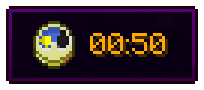
一款简单且完全客户端的模组,可在游戏覆盖层中渲染原版时钟和系统时间:
此前它是 Enigmatic Legacy 的一部分。Aizistral 主要是为自己制作了这个模组,但在两年后,我决定接手该模组并将其更新至 1.20.1。
此外,在配置文件夹中还有一个配置文件(universalclockhud-client.toml),你可以在其中进行以下调整:
- 设置仅在全屏模式下显示时钟;
- 设置打开聊天栏时是否隐藏时钟;
- 启用或禁用时钟背后的背景;
- 从多个预设中选择时钟的位置;
- 如果你不喜欢标准的 24 小时制,可以启用 12 小时制;
- 在 12 小时制下显示上午/下午(AM/PM)
- 如果默认预设不够用,可以定义自定义预设,并调整锚点及屏幕上的 X/Y 位置;
- 阻止时钟上的数字在地狱或末地中不受控制地旋转(默认情况下会这样);
- 要求玩家物品栏中存在原版时钟才能看到 HUD;
- 让时钟显示游戏内时间而非系统时间;
- 完全启用或禁用时钟。
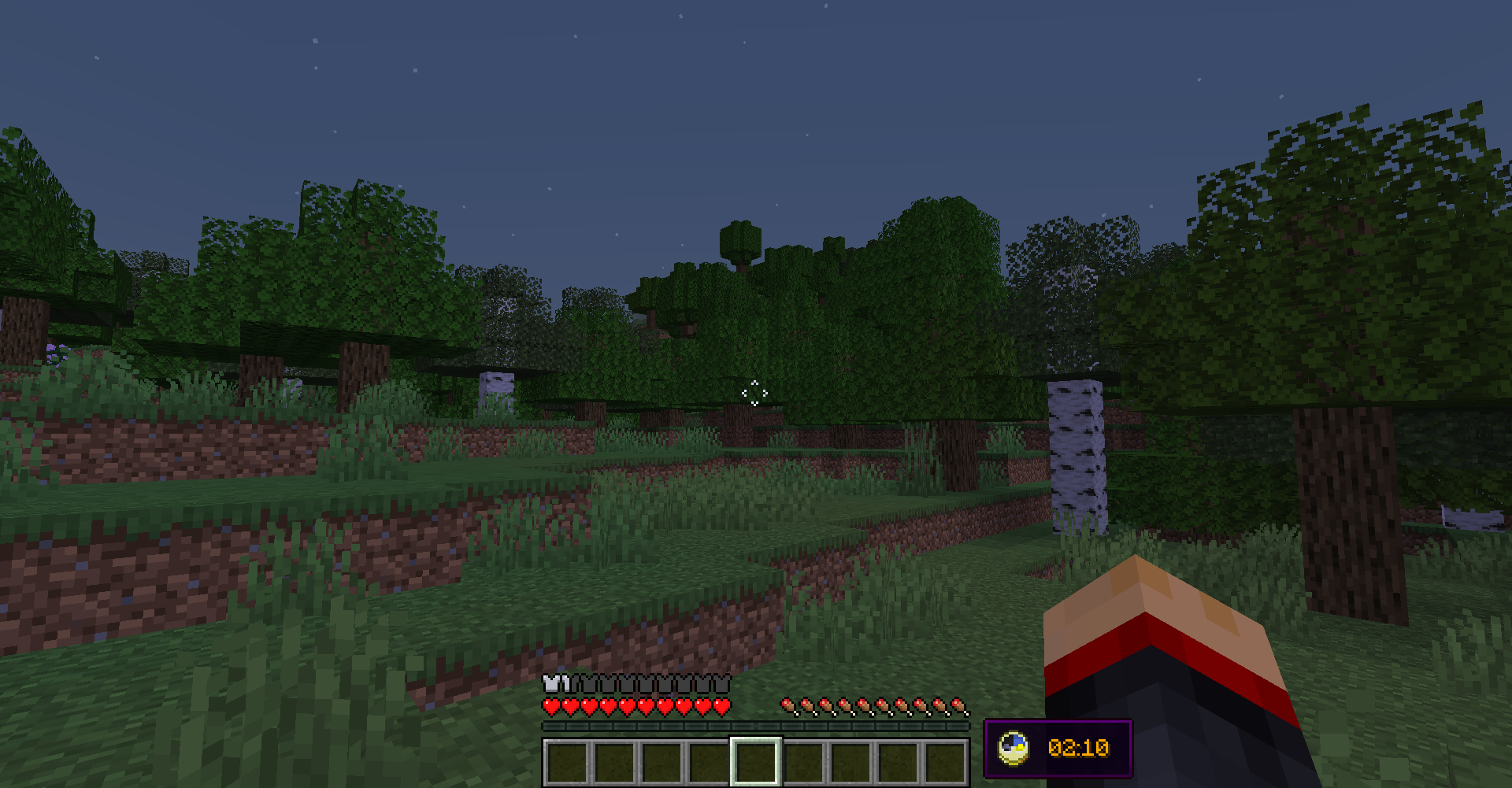
默认情况下,时钟位于屏幕左下角,但你可以通过编辑配置文件中的 X 和 Y 位置将其自由调整到屏幕的任何位置。请注意,如果你更改这些值,它们在不同 GUI 缩放比例和不同屏幕分辨率下的表现可能会有所不同。你需要创建适合你的分辨率和 GUI 缩放的个性化调整。
时钟 HUD 的默认外观如下:
常见问题
问:支持 Forge 吗?
答:支持 Forge。
问:我可以把您的模组包含在视频中吗?
答:只要您附上模组链接(如果它属于某个整合包,则附上整合包链接),绝对可以。
问:我可以将您的模组添加到整合包中吗?
答:CurseForge/Modrinth 整合包没问题。


Simple and completely client-sided mod that renders vanilla clock and system time in the game overlay:

Previously was a part of Enigmatic Legacy. Aizistral mainly made this for themselves, but after 2 years I decided to pick up the mod and update it to 1.20.1.
There is also a config file (universalclockhud-client.toml) located in the config folder, where you can make following adjustments:
- Set the clock to be only visible in fullscreen mode;
- Set whether or not the clock is hidden when chat is opened;
- Enable or disable background behind the clock;
- Choose where the clock is positioned among multiple presets;
- Enable 12-hour time format if you're not a fan of standard 24-hour option;
- Show AM/PM with 12-hour time format
- If default presets aren't enough, define custom preset with adjustable anchor point and X/Y position on the screen;
- Stop the numbers on the clock from spinning uncontrollably in the Nether or The End (which they do, by default);
- Require vanilla clock to be present in player's inventory in order for them to see the HUD;
- Make the clock display in-game time instead of system time;
- Enable or disable the clock entirely.
By default, the clock is located in left-bottom corner of the screen, but you can freely adjust it to be anywhere on your screen by editing X and Y position in the config file. Notice, however, that if you change those values, they might behave differently with different gui scales and on different screen resolutions. You will have to create personal adjustments that will work perfectly with your resolution and GUI scale.
The default appearance of the clock hud:

FAQ
Q: Forge?
A: Forge.
Q: Can I include your mod in a video?
A: As long as you include a link to the mod/modpack (if it happens to be in one), absolutely
Q: Can I add your mod to a modpack?
A: CurseForge/Modrinth modpacks are cool.
评论 0
登录后参与评分
还没有评论,来抢沙发吧
