
1.3.5 版本已发布! 详情请查看更新日志
我一直很忙,还没来得及制作更多视频,但如果你有关于如何使用该模组的问题,请加入我的 Discord 并提问!我保证非常友好且乐于助人,对于这样一个缺乏良好文档的模组,没有任何问题是过于简单的。
该模组的文档仍然有些有限,但我正在努力同时提升本模组的可用性和说明,同时也作为 Create: Motorsports 开发团队的一员。你可以在此处 加入 C:MS 的 Discord。Create: Motorsports 专注于改进 Sable 的车辆机制,让驾驶体验更像赛车游戏。
主要功能:
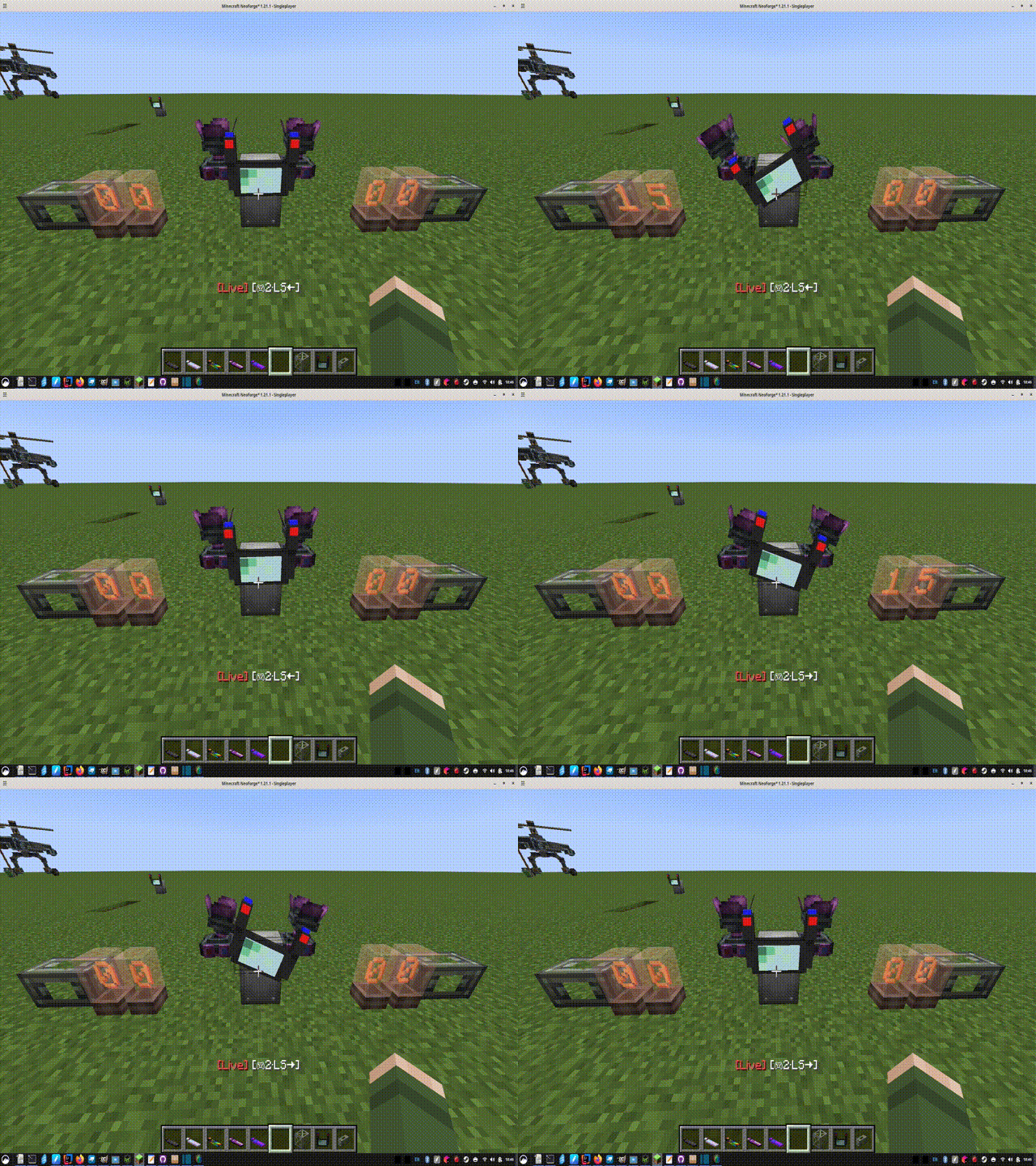
实时控制模式 --- 你是否觉得 Aeronautics Typewriter 需要升级?使用你的键盘和鼠标或兼容 GLFW 的控制器来控制红石信号等更多内容!你可以设置小于 15 的红石信号、切换该信号,或通过按键增加或减少其强度。
序列器模式 --- 可视化脚本可以与实时控制器交互,因此你可以根据需要实现复杂的逻辑!读取 Sable 子级信息,并编写 PID 脚本。我的 GitHub 上有 .seq 文件,你可以加载到游戏中尝试使用。
高级控制器支持 --- 在配置文件中启用这些功能。将鼠标用作操纵杆(在实时控制模式下按住 Alt 键以冻结摄像机),或者设置你的方向盘 / HOTAS 风格控制器。当配置文件中启用“高级控制”时,可以添加原始轴输入。
我可以控制什么?
“通用”是一个很大的说法。当然,这个模组无法控制一切。如果列表中没有其他你想要控制的内容,请告诉我。
--- 红石 ---
- 未安装 Create 时的本地红石(东/南/西/北或上/下)
- 安装 Create 后,最多可添加 20 个 Redstone Link 频率,或 100 个 Wireless Copycat 频率
- 保持、切换和递增操作,这样你就不必依赖切换杠杆或累加器
--- CC: Tweaked 外设 ---
通过 Shift+右键点击远程将控制器链接到 CC: Tweaked 外设。在序列器模式中获取 Getter 和 Setter。
已添加一些“特殊兼容性”。如果你能想到其他的,请告诉我!它们包括:
- Propulsion: Simulated thrusters 可以直接通过 'Thr' 模式供电,矢量推进器可以通过 'VEC' 进行控制。如果推进器已链接,你会在这些模式旁边看到 "RS"
- RPM 模式 可用于某些电机和转速控制器。应该适用于任何具有 CC: Tweaked 兼容性的设备。
- 显示变量或直接输入到 CC:Tweaked 显示器或计算机终端
--- Create 的“数值面板” ---
这实际上是此模式的原始目的。这些是速度控制器上的 RPM、引擎的旋转方向或活塞的设置。这些内容可以在“数值面板模式”中实时控制,也可以在序列器模式的脚本中使用“Set Value”行进行控制。
--- Vista 模组 ---
目前可用的唯一功能是在控制轮盘或仪表盘上查看电视屏幕。给控制器一个链接的空心卡带,并在配置文件中将行号设置为“切换摄像机”。这将在下一个版本中得到改进,现在它不太直观。切换摄像机以在屏幕上查看它,而不是其他统计信息。
下一次更新将包括使用专用的“CAM”模式在实时控制器中实际控制取景器。
附加功能
-
Sable 2.0 兼容性 --- 在序列器模式中读取和使用子级信息(x,y,z, 俯仰角, 偏航角等)
-
实时控制中的超速(OD)模式允许你倍增各种行的功率或递增速度。排除可以忽略的行,允许为不同的行设置单独的超速。超速也可以倍增,从而实现齿轮比(自定义齿轮比将在 1.3.5 中添加)
-
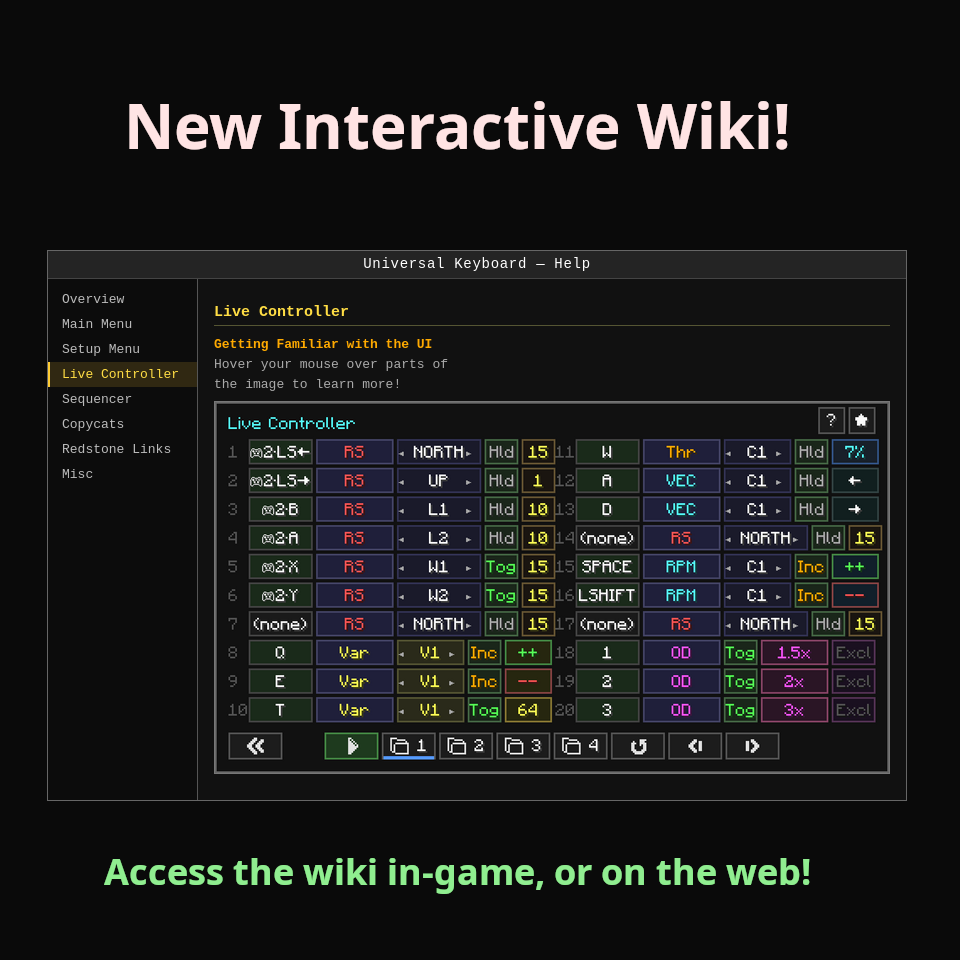
游戏内 Wiki,尚未完成,但会随着时间不断完善!
-
序列器模式中的“Display”允许你将行设置为由 Create 模组的 Display link 读取,并显示在该模组的仪表盘和控制轮块上
-
从 Aeronautics typewriter 导入按键绑定
-
根据已安装的模组动态生成配方(欢迎提供更多建议)。还有一个服务器端配置可以“使配方更难”(需要 Aeronautics)
-
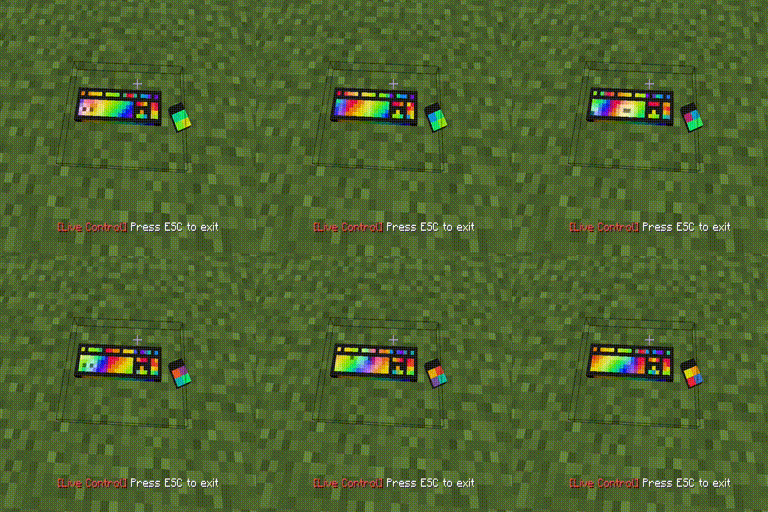
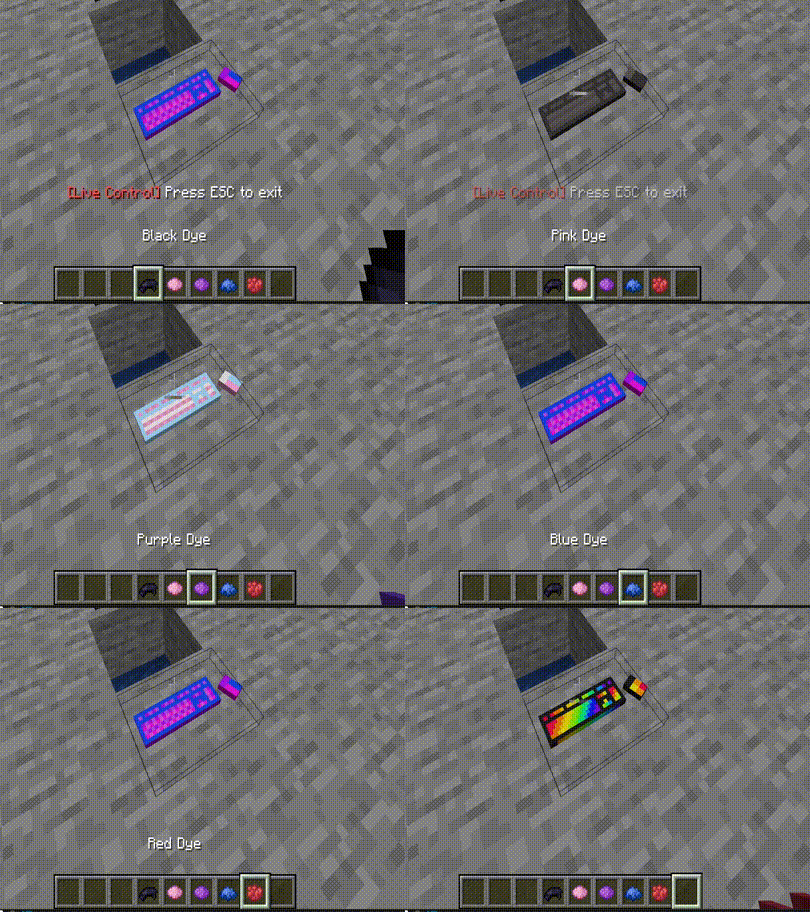
动画鼠标 / 键盘!在实时控制模式下按下左 Alt 键以冻结摄像机,并观看鼠标移动!
交互式 Wiki - Web 版
[ ]
Update 1.3.5 has released! See changelog for details
I have been busy and haven't made more videos yet, however if you have questions about how to use the mod, please join my discord and ask! I promise I am very friendly and helpful and no question is too simple for a mod lacking good documentation
The documentation for this mod is still a bit limited, but I am working on improving the usability and instructions of this mod concurrently with being on the development team for Create: Motorsports. You can join the C:MS discord here. Create: Motorsports is focused on improving Sable's vehicle mechanics so driving feels like a racing game.
Main Features:
Live Control Mode --- do you feel like the Aeronautics Typewriter needs an upgrade? Use your keyboard & mouse or GLFW-compatible controller to control redstone signals and more! You can set a redstone signal less than 15, toggle that signal, or increment it's strength up/down with a keystroke.
Sequencer Mode --- visual scripting that can interact with the live controller, so you can be as complex as you need to be! Read Sable sub-level information, and write PID scripts. There are .seq files on my github that you can load into your game to try out
Advanced Controller Support --- enable these in the config files. Use your mouse as a joystick (press alt to freeze camera while in live control), or set up your racing wheel / HOTAS style controllers. Raw axis inputs can be added when "Advanced Controls" are enabled in the config file
What Can I Control?
'Universal' is quite a claim. This mod can't control everything of course. If there's something else that isn't on this list, that you want to control, then please let me know.
--- Redstone ---
- Local Redstone (N/E/S/W or up/down) without Create installed
- With Create installed, add up to 20 Redstone Link frequencies, or 100 Wireless Copycat frequencies
- Hold, toggle, and increment actions so you dont need to rely on the toggle lever or accumulator
--- CC: Tweaked Peripherals ---
Remotely link the controller to a CC: Tweaked peripheral using shift+right-click. Get getters, and set setters in the sequencer mode
Some "Special compatibilites" have been added. Let me know if you can think of another! They are:
- Propulsion: Simulated thrusters can be directly powered with 'Thr' mode, and the vector thrusters can be controled with 'VEC'. You will see these modes next to "RS" if a thruster is linked
- RPM mode available for some motors and the rotation speed controller. Should work for any that have CC: Tweaked compat.
- Display variables or type directly to a CC:Tweaked monitor or computer terminal
--- Create's "Value Panel" ---
This is actually the original purpose of this mode. These are the RPM on the speed controller, the rotation direction of engine, or the settings of a piston. These things can be controlled live in "Value Panel Mode", or in a script in the sequencer mode with "Set Value" line.
--- Vista Mod ---
Currently, the only feature available is to view the TV screen on the control wheel or dashboard. Give a linked hollow cassette to the controller, and set up a row number in the configuration files to "Toggle camera". This will be improved in the next version, its not very intuitive now. Toggle the camera to view it on the screen instead of the other stats.
The next update will include actually controlling the viewfinder with a dedicated "CAM" mode in the live controller
Additional Features
-
Sable 2.0 compatibility --- read and use sub-level information (x,y,z, pitch,yaw,etc) in the sequencer mode
-
Overdrive (OD) mode in Live Controls allows you to multiply the power, or incrementing speed of various rows. Exclude rows that can be ignores, allowing for seperate overdrives for seperate rows. Overdrive can be multiplied as well, allowing for gear ratios (customization gear ratios coming in 1.3.5)
-
In-game wiki, which is not done but will be improved upon over time!
-
'Display' in the sequencer mode allows you to set lines to be read by the Create mod's Display link, as well as displayed on the mod's dashboard and control wheel blocks
-
Import keybindings from an Aeronautics typewriter
-
Dynamic recipes depending on the mods installed (I will take suggestions for more). And there is a server-side config to "make recipe harder" (requires Aeronautics)
-
Animated mouse / keyboard! Press left-alt to freeze camera while in live controls, and watch the mouse move!
Interactive Wiki - Web Version
[]
下载 Universal Keyboard Controller
下载 Universal Keyboard Controller
下载 Universal Keyboard Controller
下载 Universal Keyboard Controller
下载 Universal Keyboard Controller
下载 Universal Keyboard Controller
下载 Universal Keyboard Controller
下载 Universal Keyboard Controller
下载 Universal Keyboard Controller
下载 Universal Keyboard Controller
抱歉让大家久等了,我最近一直在忙于让 Create: Motorsports 准备好发布。我仍然对这个项目有许多计划,但需要一些时间来完成。
- 用棍子击打控制器以获取 Linking Stick,这是一种在不破坏和替换键盘的情况下管理外设连接的方法
- 改进 Vista 兼容性,通过 CAM 控制模式来控制摄像机
- Supplementaries 的 Cannon 兼容 GUN 模式,目前由于容器 proximity 检查而限制了射程
- 推进器(THR)和(VEC)模式可以在 不安装 CC Tweaked 的情况下驱动
- 电机上的 RPM 模式同理,支持直接驱动
- 修复了无线递增红石信号无法正常工作的 bug
- 改进了 CC Tweaked 与外设透传的兼容性(详见 wiki)
关于这个资源的讨论、问题反馈与使用心得
还没有讨论,来发第一帖吧
你是这个资源的作者?登录后可认领此资源。
相似资源
 模组

一个用于收集生物掉落物的多区块模组。
 模组

显示你正在注视的方块的信息。(适用于 Minecraft 1.16+ 的 Hwyla/Waila 分支)
 模组
使用 JavaScript 编辑配方、添加自定义物品、编写世界事件!
 模组

查看物品与配方
 模组
在游戏画面角落显示附近世界地形、玩家、生物和实体的地图。可创建路径点,帮助你找到标记过的位置。
 模组
AE2:一款流行的自动化与存储模组
评论 0
登录后参与评分
还没有评论,来抢沙发吧