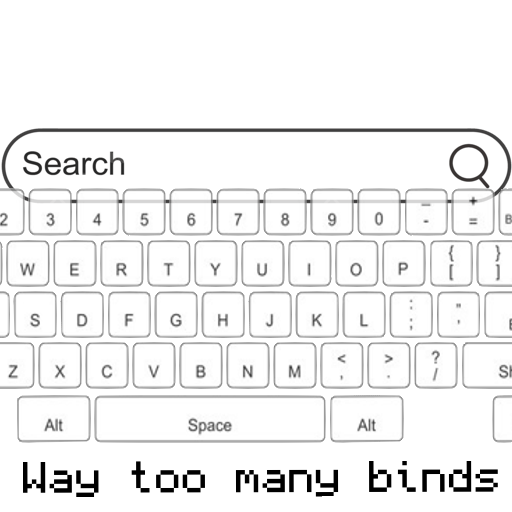
Way Too Many Binds
通过搜索框按名称查找按键绑定并触发它们,
而无需在控制菜单中翻找。
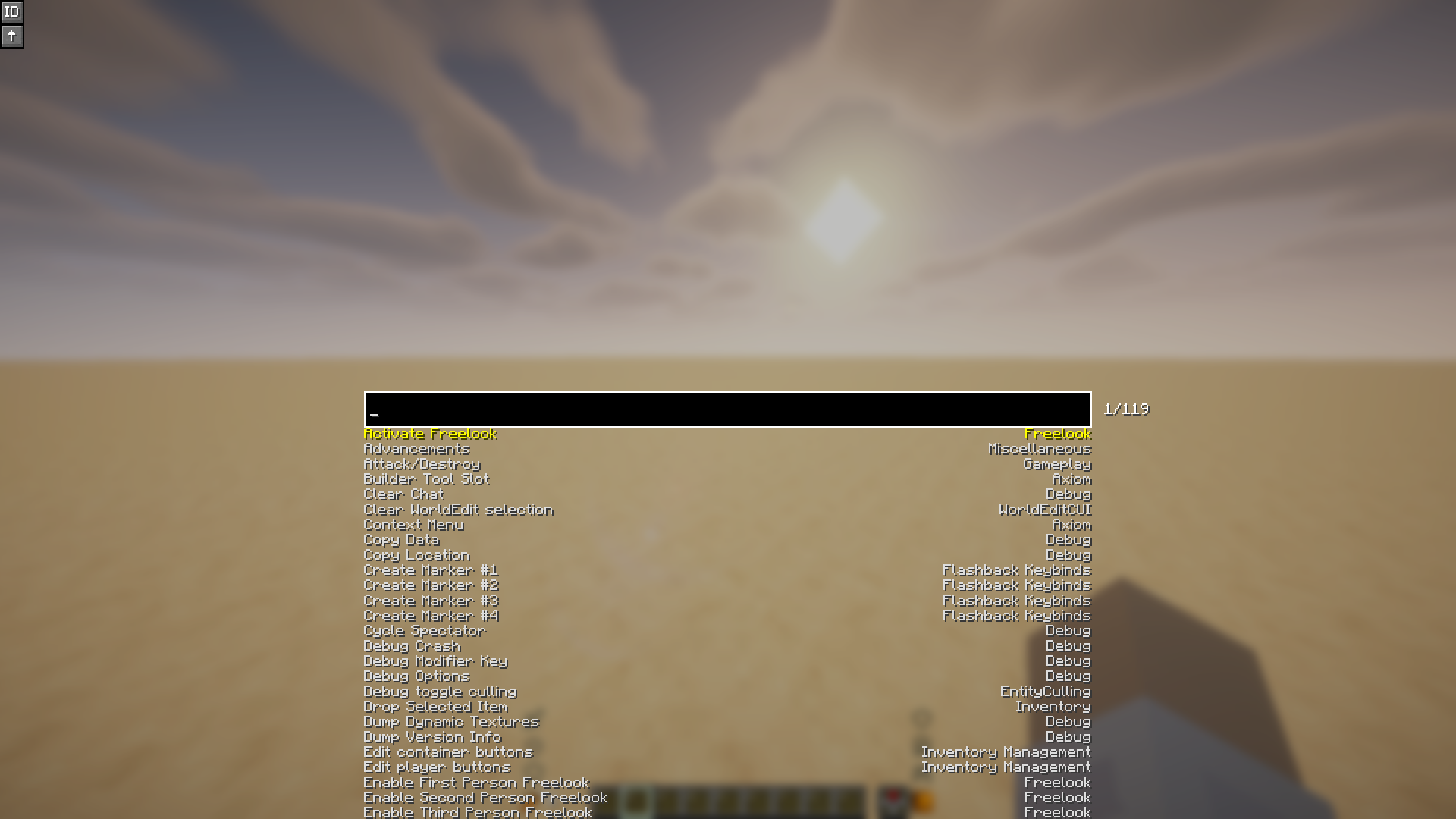
当你安装了足够多的模组后,控制菜单会变成一场漫长的滚动马拉松,而且每个方便的按键都已被占用。这个模组为你提供了一个快捷键来打开搜索框:输入按键绑定名称的一部分,按下回车,它就会替你触发该绑定。
对于使用频率低到不值得分配独立按键的功能特别有用。
用法
| 按键绑定 |
默认值 |
功能 |
| Search Keybinds |
Enter |
打开搜索界面 |
| Reload Config |
unbound |
不重启游戏重新读取配置文件 |
在搜索界面内:
| 操作 |
效果 |
| 输入文本 |
过滤列表 |
Up / Down、滚轮 |
移动选中项 |
Tab |
下移一项 |
Enter,或点击某项 |
触发选中的绑定并关闭界面 |
Escape |
关闭界面且不触发任何绑定 |
搜索会匹配绑定的名称、类别以及它们的翻译键(translation keys),因此输入 key.inventory 可以找到与 Open/Close Inventory 相同的条目。
屏幕左上角有两个切换按钮:
| 按钮 |
功能 |
ID |
在每个条目下方显示原始的绑定 ID 和类别 ID |
↑ |
也绘制那些因超出搜索框范围而被隐藏在上方的条目 |
配置
这两个切换选项的状态均保存在 config/waytoomanybinds/config.json 中。
| 键名 |
默认值 |
效果 |
showBindIDs |
false |
在每个条目下方显示原始 ID |
drawUndeflowSuggestions |
false |
在搜索框上方绘制条目 |
第二个键名中的拼写错误是文件格式的一部分,请保持原样不要修改。
支持版本
| Minecraft |
Java |
备注 |
| 26.2 |
25 |
Minecraft 发布时未混淆,因此 Loom 不会进行重映射 |
| 1.21.11 |
21 |
基于 Mojang 映射构建,并重新映射为 intermediary |
仅客户端模组,因此服务器端无需安装任何内容。需要 Fabric API。
构建
该项目使用 Stonecutter 从单一源码树构建多个 Minecraft 版本。特定版本的代码通过 //? 注释进行选择,每个目标版本在 versions/<version>/gradle.properties 中拥有各自的属性。
./gradlew buildAll          # 构建所有支持的版本
./gradlew ":26.2:build"     # 构建单个版本
每个版本会将 jar 包写入 versions/<version>/build/libs/。仓库根目录中没有 jar 包——根项目仅作为 Stonecutter 控制器。
若要切换 IDE 解析的目标版本,请编辑 stonecutter.gradle 中的 stonecutter.active(...) 调用,或运行生成的 stonecutterSwitchTo<version> 任务。
添加新版本
- 在
settings.gradle 的 versions(...) 中添加它。
- 创建
versions/<version>/gradle.properties,包含 minecraft_version、fabric_version 和 java_version。
- 在
.github/workflows/build.yml 和 .github/workflows/publish.yml 的 minecraft 矩阵中添加它。
致谢
本模组基于 Ryhon0 制作的 TooManyBinds,采用 GPL-3.0 许可。
不与 NebelNidas 和 dzwdz 的 too-many-binds 有关联。本模组所基于的上游模组已获得使用 “Too Many Binds” 名称的许可;本模组名为 “Way Too Many Binds”。如果你需要支持 1.20 之前的 Minecraft 版本,请使用上游模组。
Way Too Many Binds
Search your keybinds by name and press them from a search box,
instead of hunting through the controls menu.
Once you have enough mods installed, the controls menu turns into a scroll
marathon and every convenient key is already taken. This mod gives you one key
that opens a search box: type part of a keybind's name, press Enter, and it
fires the bind for you.
Handy for anything you use too rarely to justify a key of its own.
Usage
| Keybind |
Default |
What it does |
| Search Keybinds |
Enter |
Opens the search screen |
| Reload Config |
unbound |
Re-reads the config file without restarting |
Inside the search screen:
| Input |
Action |
| Type |
Filter the list |
Up / Down, scroll wheel |
Move the selection |
Tab |
Move down one entry |
Enter, or click an entry |
Press the selected bind and close |
Escape |
Close without pressing anything |
The search matches a bind's name and category, and their translation keys too,
so key.inventory finds the same entry as Open/Close Inventory.
Two toggles sit in the top-left corner of the screen:
| Button |
What it does |
ID |
Shows the raw bind and category ids beneath each entry |
↑ |
Also draws entries that scrolled off above the search box |
Configuration
Both toggles are saved to config/waytoomanybinds/config.json.
| Key |
Default |
Effect |
showBindIDs |
false |
Show raw ids beneath each entry |
drawUndeflowSuggestions |
false |
Draw entries above the search box |
The misspelling in the second key is part of the file format, so leave it
written as it is here.
Supported versions
| Minecraft |
Java |
Notes |
| 26.2 |
25 |
Minecraft ships unobfuscated, so Loom does not remap the mod |
| 1.21.11 |
21 |
Built against Mojang mappings and remapped to intermediary |
Client-side only, so nothing is needed on the server. Requires Fabric API.
Building
The project uses Stonecutter to target
several Minecraft versions from a single source tree. Version-specific code is
selected with //? comments, and each target has its own properties in
versions/<version>/gradle.properties.
./gradlew buildAll          # build every supported version
./gradlew ":26.2:build"     # build a single version
Each version writes its jar to versions/<version>/build/libs/. There is no jar
in the repository root — the root project is only the Stonecutter controller.
To switch which version the IDE resolves against, edit the
stonecutter.active(...) call in stonecutter.gradle, or run the generated
stonecutterSwitchTo<version> task.
Adding a version
- Add it to
versions(...) in settings.gradle.
- Create
versions/<version>/gradle.properties with minecraft_version,
fabric_version and java_version.
- Add it to the
minecraft matrix in .github/workflows/build.yml and
.github/workflows/publish.yml.
Credits
Based on TooManyBinds by
Ryhon0, licensed GPL-3.0.
Not associated with NebelNidas and dzwdz's
too-many-binds. The upstream mod
this one is based on was given permission to use the name "Too Many Binds"; this
one goes by "Way Too Many Binds". If you want support for Minecraft versions
older than 1.20, use that mod instead.


 模组

 模组
 模组

 模组
 模组
 模组
评论 0
登录后参与评分
还没有评论,来抢沙发吧