
Archive World Downloader
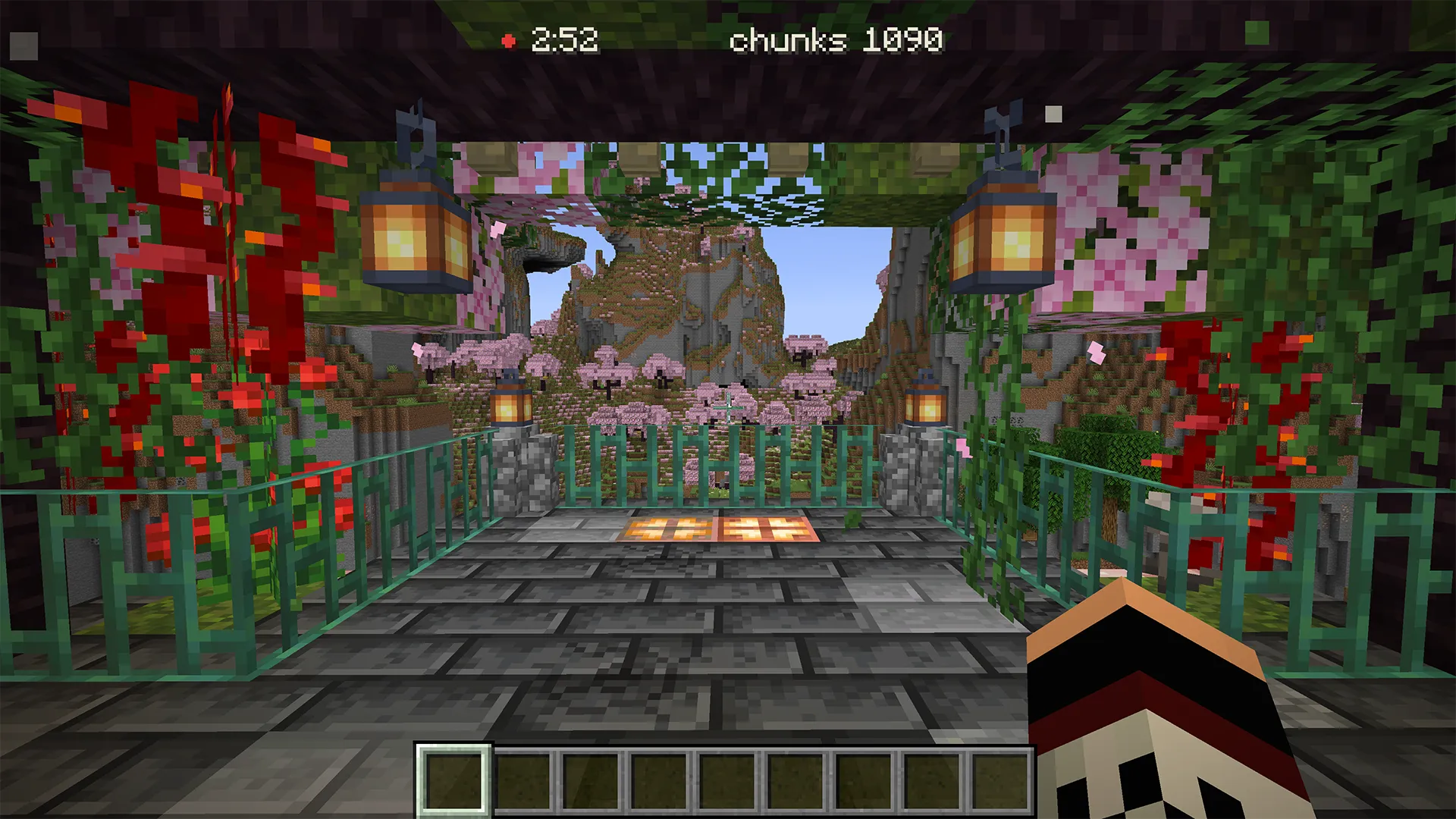 保存你访问过的多人世界。在探索过程中,该模组会将你周围的方块、生物和地图保存到一个你可以离线打开的单人世界中。打开容器会保存其内部物品。
所有内容均来自你的客户端。没有服务端组件,没有插件,除了你自己的游戏之外无需安装任何东西。
保存内容
你周围的方块始终会被保存。这是下载中绝对不会遗漏的部分。其他所有内容都是模组在数据到达你的客户端时记录的信息:
- 你打开的容器及其在你打开瞬间的物品栏。服务器仅在你打开容器时才发送其内部物品,因此你走过但从未打开过的箱子会被保存为空。
- 生物、物品展示框、画作和其他实体,范围取决于服务器向客户端发送的数据距离。
- 你查看过的已填充地图,以便在你的副本中显示其图案而非空白。
- 你的物品栏,以及你在打开时的末影箱。
- 你的进度和统计数据。
实体、容器和玩家数据的保存均为独立开关,你可以在开始下载前自行决定包含哪些内容。
一次下载涵盖主世界、下界和末地。在下载运行时穿过下界传送门,下界会被保存到同一个世界的独立文件夹中。服务器的自定义维度会共享这三个文件夹之一,而不是拥有自己的文件夹,因此请为其单独进行一次下载。
最终得到的是一个标准的单人世界。即使卸载了该模组,它也能在原版游戏中正常打开,与你自行创建的世界完全相同。
启动与稍后继续
下载在多人服务器上运行。加入一个服务器,打开暂停菜单,点击**“下载此世界”**,然后像往常一样游玩。下载会跟随你的移动进行。
如果断开连接或崩溃导致下载中断,你可以稍后恢复并继续向同一世界添加内容。如果你已经在单人模式中打开了你的副本,可以从干净的备份中将文件夹还原。
查看尚未保存的内容
在下载运行时,你尚未打开的容器会在世界中以轮廓显示,默认为红色。每当你打开一个容器,其轮廓就会消失,因此仍为红色的部分就是你的待办事项清单。
安装了 XaeroPlus 或 JourneyMap 后,每个已保存的区块都会在小地图和世界地图上高亮显示。青色表示该区块的实体已随区块一起保存。琥珀色表示其方块已保存,但服务器从未向其发送实体信息,因此在离开前重新走过这些琥珀色区域,它们会变为青色。
从回放中下载
下载也可以来自 ReplayMod 或 Flashback 的回放文件,无需加入服务器。通过暂停菜单或命令 /wdl start <name> 自行命名,然后播放。录制会跟随回放进行,因此暂停回放会停止录制,区块计数器也会停止增加。
在一次正向播放中录制你想要的部分。在 ReplayMod 中向后快进对客户端来说就像断开连接一样,会完成下载;而 Flashback 则是倒带世界,下载会随之倒带。
分享完成的下载
当下载完成后,模组会将整个世界文件夹打包成一个 .zip 文件,你可以发送给好友。如果你不希望生成该文件,可以在输出设置中关闭此功能。
在发送之前请阅读此部分。下载文件内的 wdl/ 文件夹包含其报告,报告中记录了你的名字:你的 Minecraft 用户名和你的账户 UUID,以及服务器的地址、名称、MOTD 和你修改的设置。世界本身包含了你的物品栏、如果你曾打开过的末影箱,并且会以你下载时的位置(通常是你的基地)作为加载点。没有任何设置可以隐藏这些信息,因此在未编辑记录的情况下分享下载,意味着你需要先手动编辑 wdl/ 中的文件。
设置
默认设置旨在确保副本能够平静安全地打开,且所有设置均可在开始前自行更改。
下载后的世界以创造模式开启,作弊处于启用状态,时间为正午,生物、天气和火焰被冻结,并且在死亡时保留你的物品栏。你探索过的区块之间的空间保留为虚空,使已保存的部分独立存在;你也可以用生成的地形将其填满。存档按日期命名,因此不同日期在同一地点进行的下载会并列存放而非合并。
出于隐私考虑,有两项设置默认关闭。物品上存储的坐标、定星盘的目标位置或丝绸之触蜂巢中的蜜蜂位置会被清空,因为它们可能指向你的基地,而你的下载本不会暴露该基地。如果你希望保留这些信息,可以重新开启它们。
注意事项
- 你只能获取你探索过的部分。只有你加载的区域才是服务器的真实土地。
- 在单人模式中打开你的副本会改变它,就像任何世界在游玩过程中发生变化一样。如果你想要一个未经修改的副本,请保留
.zip文件。 - 红石机械装置处于停止加载状态,因为其运行状态永远不会到达你的客户端。一次方块更新即可重新启动它。
- 下载需要多人服务器。在你的单人世界或局域网世界中没有下载按钮。
- 少数方块根本不会发送其内部内容,因此它们是根据你右键点击时的状态保存的:放入雕刻书架的书、放入唱片机中的唱片,以及你放置潜影盒或蜂巢时其内部的状态。如果你到达时唱片机正在播放唱片,或蜂巢已经充满蜜蜂,则会被保存为空。
- 在游戏启动时,模组会向 Modrinth 询问是否有新版本。这是它唯一的对外连接,不会发送关于你的任何信息,你可以在设置中关闭此功能。
要求
需要 Fabric API,兼容 Fabric、Forge、NeoForge 或 Quilt。Quilt 运行的是 Fabric 构建版本,需与 Fabric API 一同安装。每个 Minecraft 版本(从 1.10.2 到 26.3)对应一个构建版本;受支持版本页面列出了所有构建版本:。你的 Minecraft 使用哪个 Java 版本,该模组就使用哪个 Java 版本。
仅客户端使用。服务器端无需安装任何内容。
Archive World Downloader
Keep the multiplayer worlds you visit. As you explore, the mod saves the terrain, mobs, and maps around you into a singleplayer world you can open offline. Opening a container saves what is inside it.
Everything comes from your own client. There is no server-side component, no plugin, and nothing to install anywhere but your own game.
What gets saved
The terrain around you is always saved. It is the one thing a download never leaves out. Everything else is data the mod records as it reaches your client:
- Containers you open, with their contents at the moment you open them. A server sends a container's contents only when you open it, so a chest you walked past but never opened is saved empty.
- Mobs, item frames, paintings, and other entities, as far out as the server sends them to you.
- Filled maps you saw, so they show their picture in your copy rather than blank.
- Your inventory, and your Ender Chest while you have it open.
- Your advancements and statistics.
Entities, containers, and player data are each a toggle, so you decide what a download includes before you start.
One download covers the overworld, the Nether, and the End. Walk through a Nether portal while a download runs and the Nether saves into the same world, in its own folder. A server's custom dimension shares one of those three folders rather than getting one of its own, so give it a download of its own.
What you get at the end is a normal singleplayer world. It opens in the vanilla game with the mod uninstalled, the same as any world you made yourself.
Start it, and pick it up later
Downloads run on a multiplayer server. Join one, open the pause menu, click "Download This World", and then play as you normally would. The download follows where you go.
If a disconnect or a crash cuts a download short, resume it later and keep adding to the same world. If you have already opened your copy in singleplayer, you can put the folder back from its clean backup.
See what you have not saved yet
While a download runs, containers you have not opened yet are outlined in the world, in red by default. Each outline clears as you open that container, so what is still red is your to-do list.
With XaeroPlus or JourneyMap installed, every saved chunk is highlighted on your minimap and world map. Teal means the chunk's entities were saved with it. Amber means its blocks are saved but the server never sent its entities, so walk back through the amber before you leave and it turns teal.
Download from a replay
A download can also come from a ReplayMod or Flashback replay, with no server to join. Name it yourself, from the pause menu or with /wdl start <name>, then press play. The recording follows playback, so pausing playback stops it and the chunk counter stops rising.
Record what you want in one forward pass. Seeking backward in ReplayMod looks like a disconnect to your client and finishes the download; Flashback rewinds the world instead, and the download follows it back.
Share a finished download
When a download finishes, the mod packs the whole world folder into a single .zip you can send to a friend. Turn that off in the Output settings if you would rather not have one.
Read this part before you send one. The wdl/ folder inside the download holds its report, and the report names you: your Minecraft username and your account UUID, along with the server's address, its name, its MOTD, and the settings you changed. The world itself holds your inventory, your Ender Chest if you opened it, and it opens at the spot where you were downloading, which is usually your base. No setting redacts any of that, so sharing a download without the record means editing the wdl/ files by hand first.
Settings
The defaults are chosen so a copy opens calm and safe, and every one of them is a setting you can change before you start.
A download opens in Creative with cheats on, at noon, with mobs, weather, and fire held still, and it keeps your inventory when you die. The space between the chunks you explored is left as empty void, so what you saved stands on its own; you can fill it with generated terrain instead. Saves are named with the date, so downloads of the same place on different days sit side by side rather than merging.
Two settings are off by default for privacy. Coordinates stored on items, a Lodestone compass target or the bee positions in a silk-touched beehive, are blanked, because they can point at a base your download otherwise does not reveal. Turn them back on if you want them.
Good to know
- You get the parts you explored. Only the areas you loaded are the server's real land.
- Opening your copy in singleplayer changes it, the way any world changes as you play. Keep the
.zipif you want an untouched copy. - Redstone machinery loads stopped, because its running state never reaches your client. One block update starts it again.
- Downloads need a multiplayer server. There is no download button in your own singleplayer or LAN world.
- A few blocks never send their contents at all, so they are saved from your own right-click: the books you put into a chiseled bookshelf, a disc you put into a jukebox, and what a shulker box or a beehive holds at the moment you place it. A jukebox already spinning a disc, or a hive already full of bees when you arrived, is saved empty.
- On startup the mod asks Modrinth whether a newer version exists. That is its only connection outside your game, it sends nothing about you, and you can turn it off in the settings.
Requirements
Fabric with Fabric API, Forge, NeoForge, or Quilt. Quilt runs the Fabric build, installed alongside Fabric API. One build per Minecraft version, from 1.10.2 to 26.3; the supported versions page lists every build: . Whatever Java runs your Minecraft runs the mod.
Client-side only. Nothing installs on the server.
下载 Archive World Downloader
下载 Archive World Downloader
下载 Archive World Downloader
下载 Archive World Downloader
下载 Archive World Downloader
下载 Archive World Downloader
下载 Archive World Downloader
下载 Archive World Downloader
需要联机服务器吗?
稳定流畅、一键部署,几分钟即可和朋友联机开服
最低仅需 8 元/月 即可畅快联机
下载 Archive World Downloader
需要联机服务器吗?
稳定流畅、一键部署,几分钟即可和朋友联机开服
最低仅需 8 元/月 即可畅快联机
下载 Archive World Downloader
新增
- 支持 Minecraft 26.3。
- 在 Forge 上支持 Minecraft 1.10.2。
- 下载报告现在会说明部分下载丢失了哪些内容。
- Minecraft 1.11.2-1.15.2:悬停在“下载此世界”旁边的“...”按钮上时,会显示其“设置”标签。
修复
- 因意外断开连接而终止的下载,不再容易丢失你的物品栏、游戏模式、进度和重生点。
- 无法保存你角色的下载会被报告为部分下载,而非已完成。
- 记录服务器详细信息失败时,不再导致整个下载丢失。
- 恢复下载时,不再丢失之前会话中已为自该村民移动后更新的交易记录。
- 使用本版本进行或恢复的下载,在下载的世界中死亡后,会在下载停止的位置重生。
- Minecraft 1.11.2-1.21.8:在下界或末地停止的下载,当你死亡时会将你带回这些坐标的主世界。
- Minecraft 1.11.2-1.21.11:在能够保存角色之前就结束的下载,不再擦除之前下载所保存的角色数据。
- Minecraft 1.12.2 及以上:在能够保存进度之前就结束的下载,不再擦除之前下载所保存的进度数据。
- Minecraft 1.16.5 及以上:通过直接连接加入的服务器进行的下载,不再出现内容为空的情况。
- Minecraft 1.11.2-1.20.4:已保存的驴、骡或骆驼的箱子,不再丢失前两个槽位的物品,也不会导致其余槽位错位。
- Minecraft 1.11.2、1.12.2 以及 1.15.2-1.20.2(Forge):在下载完成保存之前离开服务器,不再导致部分方块变为空气。
- Minecraft 1.11.2-1.20.6:从未与其交易的村民,不再被保存带有虚构的交易列表。
- Minecraft 1.11.2-1.13.2:断开连接、被踢出或失去连接时,下载不再丢失你的角色数据。
- Minecraft 26.1.2 和 26.2:恢复由断开连接中断的下载,会保留你的末影箱和你的坐骑。
- Minecraft 1.16.5 及以上:已驯服的猫、狼或鹦鹉如果原本处于坐下状态,在下载的世界中会继续保持坐下状态,而不是站起来走向你。
- Minecraft 26.1.2 和 26.2:同时下载两个世界,不再导致其中一个不完整(缺少 level.dat)且不出现在你的单人世界列表中。
- Minecraft 1.17.1-1.21.4:首次点击诸如“保持区块当前化”之类的设置选项时,不再跳转到列表中的第二个选项(例如“ everywhere”从“附近”跳到了“关闭”,现在应正确跳转)。
- Minecraft 1.13.2(Forge):在你位于下界时结束的下载,不再丢失你的物品栏、末影箱、位置和游戏模式。
可复现性记录:1.3.0+26.3
- 构建 JDK(编译工具链):Eclipse Temurin 25.0.4.1+1-LTS (Java 25)
- 参考操作系统:Linux (X64),GitHub-hosted ubuntu-latest
- archive-wdl-fabric-1.3.0+26.3.jar SHA-256: 44932f81758b5fe8841b116f7ad84a6c2cf23ae76e7bd2302959503438df1695
- archive-wdl-neoforge-1.3.0+26.3.jar SHA-256: cf601fe44312d0dbeb9897e56dbb72816452ad7093f42bcfb985323fab0559b7
关于这个资源的讨论、问题反馈与使用心得
还没有讨论,来发第一帖吧
你是这个资源的作者?登录后可认领此资源。
相似资源
 模组

显示你正在注视的方块的信息。(适用于 Minecraft 1.16+ 的 Hwyla/Waila 分支)
 模组
使用 JavaScript 编辑配方、添加自定义物品、编写世界事件!
 模组

查看物品与配方
 模组
在游戏画面角落显示附近世界地形、玩家、生物和实体的地图。可创建路径点,帮助你找到标记过的位置。
 模组
AE2:一款流行的自动化与存储模组
 模组
那是什么?一个 Waila/Hwyla 的分支。
评论 0
登录后参与评分
还没有评论,来抢沙发吧