
我按下了什么
此模组允许你在屏幕上显示当前点击的按键。
你还可以通过编辑器进行自定义,按下快捷键(默认为 "]")即可打开编辑器。
默认情况下,该模组会在屏幕左上角显示 WASD 四个按键。
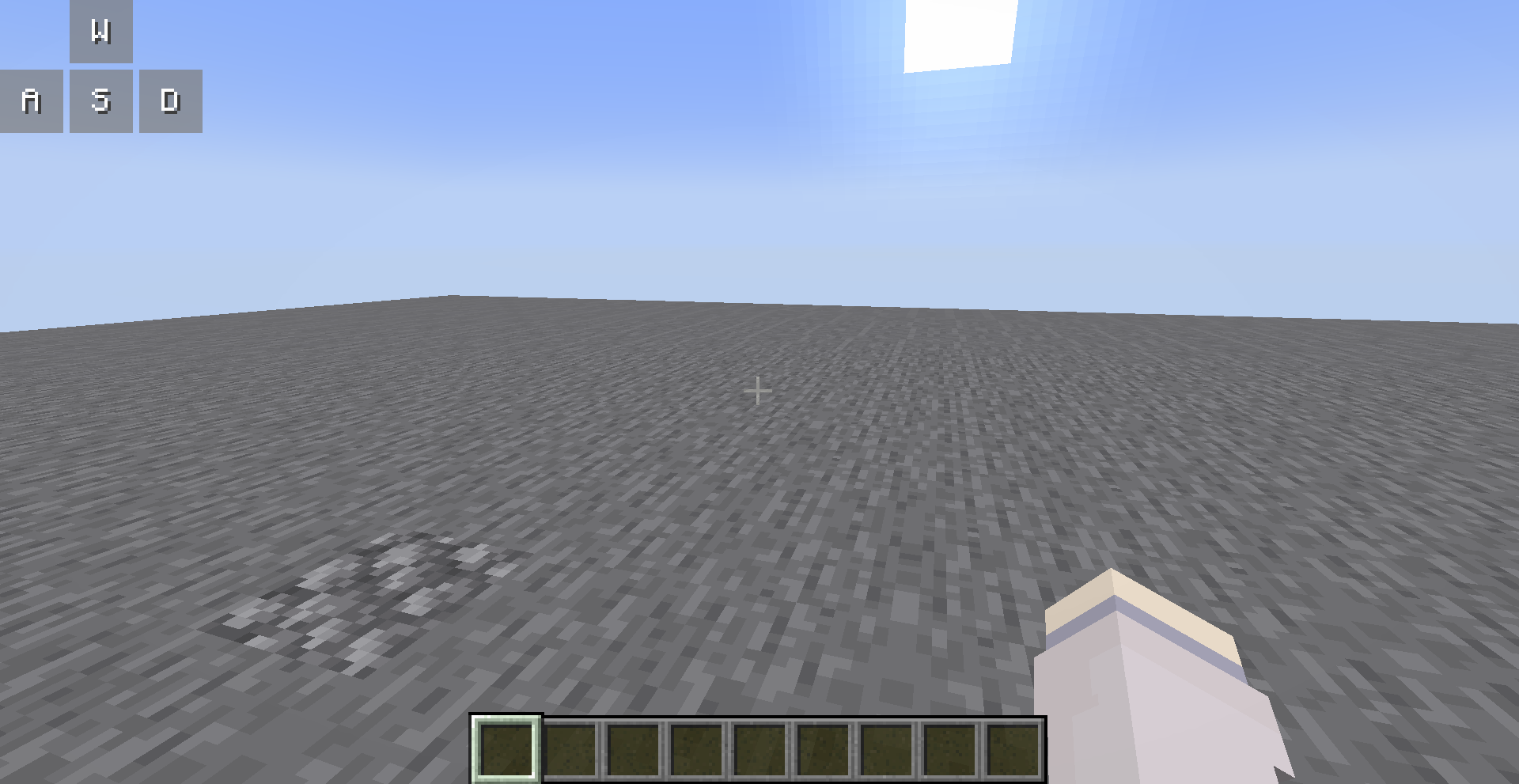
你可以打开编辑器来定制它们,所有更改都会自动保存。
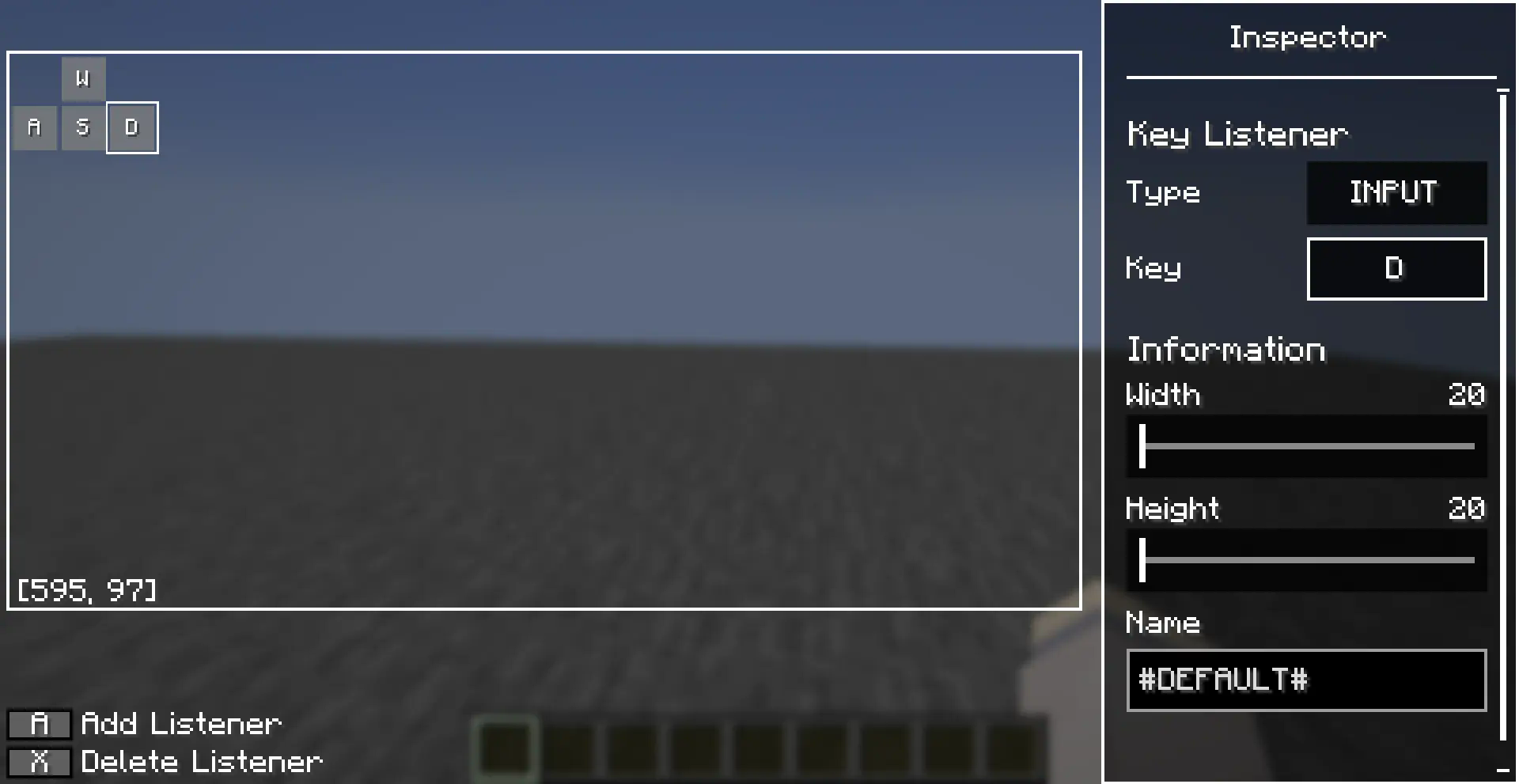
编辑器操作
在编辑器中,你可以使用鼠标左键选择一个按键监听器,并长按鼠标左键将其拖拽移动。
编辑器中还支持许多其他操作,你可以通过以下快捷键组合执行:
检查器(Inspector)也支持复制和粘贴操作。在选择某个条目后(通过左键或右键单击),你可以使用 Ctrl + C 进行复制,并使用 Ctrl + V 进行粘贴。
What I'm Pressing
This mod allows you to display the button you are currently clicking on the screen.
You also can customize it by the editor, and the editor can be accessed by clicking the shortcut key (default is "]").
By default, the mod displays the WASD four keys in the upper left corner of the screen.
You can open the editor to customize them, all your changes are saved automatically.
Editor Operations
You can use the left mouse button to select a key listener in the editor, and long press the left mouse button to drag it.
There are also many operations allowed in the editor, which you can perform with the following key combinations:
- [A]: Add a new key listener at the cursor
- : Deletes the selected key listener
- [Ctrl + C]: Copies the selected key listener
- [Ctrl + V]: Paste the copied key listener at the cursor, or paste the copied style onto the selected key listener
- [Ctrl + R]: Resets the style of the selected key listener
- [up/down/left/right]: Move selected key listener
Inspector also supports copy-paste operations, after you selected a entries (left clicked or right clicked), you can use [Ctrl + C] to copy it and [Ctrl + V] to paste it.
下载 WhatI'mPressing
下载 WhatI'mPressing
下载 WhatI'mPressing
下载 WhatI'mPressing
需要联机服务器吗?
稳定流畅、一键部署,几分钟即可和朋友联机开服
最低仅需 8 元/月 即可畅快联机
下载 WhatI'mPressing
需要联机服务器吗?
稳定流畅、一键部署,几分钟即可和朋友联机开服
最低仅需 8 元/月 即可畅快联机
下载 WhatI'mPressing
需要联机服务器吗?
稳定流畅、一键部署,几分钟即可和朋友联机开服
最低仅需 8 元/月 即可畅快联机
下载 WhatI'mPressing
需要联机服务器吗?
稳定流畅、一键部署,几分钟即可和朋友联机开服
最低仅需 8 元/月 即可畅快联机
下载 WhatI'mPressing
需要联机服务器吗?
稳定流畅、一键部署,几分钟即可和朋友联机开服
最低仅需 8 元/月 即可畅快联机
下载 WhatI'mPressing
需要联机服务器吗?
稳定流畅、一键部署,几分钟即可和朋友联机开服
最低仅需 8 元/月 即可畅快联机
下载 WhatI'mPressing
需要联机服务器吗?
稳定流畅、一键部署,几分钟即可和朋友联机开服
最低仅需 8 元/月 即可畅快联机
暂无更新日志
关于这个资源的讨论、问题反馈与使用心得
还没有讨论,来发第一帖吧
你是这个资源的作者?登录后可认领此资源。
相似资源
 模组

显示你正在注视的方块的信息。(适用于 Minecraft 1.16+ 的 Hwyla/Waila 分支)
 模组
在游戏画面角落显示附近世界地形、玩家、生物和实体的地图。可创建路径点,帮助你找到标记过的位置。
 模组

查看物品与配方
 模组
使用 JavaScript 编辑配方、添加自定义物品、编写世界事件!
 模组
AE2:一款流行的自动化与存储模组
 模组
那是什么?一个 Waila/Hwyla 的分支。
评论 0
登录后参与评分
还没有评论,来抢沙发吧